

惯性聚合 高效追踪和阅读你感兴趣的博客、新闻、科技资讯
阅读原文 在惯性聚合中打开

推荐订阅源

Exploit-DB.com RSS Feed
S
SegmentFault 最新的问题
Recent Commits to openclaw:main
Attack and Defense Labs
F
Full Disclosure
Vercel News
Vercel News
N
News | PayPal Newsroom
The GitHub Blog
The GitHub Blog
H
Hacker News: Front Page
H
Heimdal Security Blog
P
Privacy International News Feed
博客园 - 司徒正美
Google DeepMind News
N
Netflix TechBlog - Medium
Threat Intelligence Blog | Flashpoint
C
Cisco Blogs
L
Lohrmann on Cybersecurity
D
Docker
Recent Announcements
Security Archives - TechRepublic
人人都是产品经理
人人都是产品经理
C
CXSECURITY Database RSS Feed - CXSecurity.com
P
Proofpoint News Feed
T
Tailwind CSS Blog
C
Check Point Blog
博客园 - 叶小钗
Google Online Security Blog
Martin Fowler
Martin Fowler
Stack Overflow Blog
Stack Overflow Blog
博客园 - 聂微东
S
Secure Thoughts
博客园 - Franky
博客园_首页
阮一峰的网络日志
阮一峰的网络日志
P
Palo Alto Networks Blog
Latest news
Latest news
量子位
让小产品的独立变现更简单 - ezindie.com
博客园 - 三生石上(FineUI控件)
The Cloudflare Blog
Last Week in AI
Last Week in AI
K
KPMG report finds enterprise disconnect between AI and its ROI | CIO
Cyberwarzone
Cyberwarzone
小众软件
小众软件
Cisco Talos Blog
Cisco Talos Blog
Hacker News: Ask HN
Hacker News: Ask HN
T
Threatpost
T
Tenable Blog
P
Privacy & Cybersecurity Law Blog
WordPress大学
WordPress大学

Raspberry Pi Foundation

Celebrating over 15,000 young creators at the Coolest Projects 2026 online showcase - Raspberry Pi Foundation What students and teachers in England want from a computing curriculum - Raspberry Pi Foundation Young people’s computer programs get data from space Support your young people with our AI literacy resources Building confidence to teach AI in the classroom Can AI support creativity? What educators can learn from creative machine learning Celebrating young tech creators at Coolest Projects Ireland 2026 Beyond content: Helping teachers feel ready to teach AI Start small, dream big with Code Club: Become an Incubator Partner AI is not neutral: What recent research says about bias, identity, and power A day of big ideas at Coolest Projects USA Minnesota 2026 Why localisation matters for AI literacy: Lessons from Uzbekistan Professional development: How to stay ahead in a fast-changing subject What does ‘thinking’ mean now? An astronomical anniversary: Young people’s code heads to the International Space Station
How to design and present clear computing lessons - Raspberry Pi Foundation
Sean Sayers · 2026-06-23 · via Raspberry Pi Foundation

Learning something new requires effort. Learners take in new information by listening and observing. When a lot of information is presented at once in a lesson, that can create too much cognitive load for learners — a barrier to understanding and engagement.

To help you design and deliver great computing lessons, we’ve written two new Pedagogy Quick Reads focused on Mayer’s Principles of Multimedia Learning. These research-backed principles give you practical strategies to lower your students’ unnecessary cognitive load during lessons, leading to better learning outcomes.
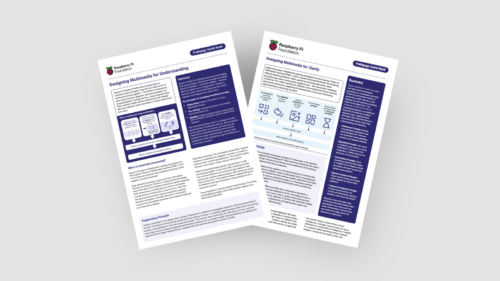
A snapshot of our pedagogy quick reads.

In this blog, we introduce the two new Quick Reads (Designing multimedia for clarity and Designing multimedia for understanding), which you can download for free to:

  • Find practical tips for how you can apply Mayer’s Principles to your lessons
  • Read a summary of the research behind them

The blog also includes some examples for how to apply the principles in your computing lessons.

If you’d like an introduction to the idea of cognitive load, you can find the Quick Read about cognitive load theory here.

In a computing classroom, a girl looks at a computer screen.

What are Mayer’s Principles?

Mayer’s Principles of Multimedia Learning are practical principles that will help you create clearer resources and present information in a way that avoids unnecessary cognitive load for your learners.

Mayer’s Principles are based on three related facts:

  1. You can present information to learners in auditory form (e.g. spoken explanations) and visual form (e.g. written text, diagrams)
  2. There are limits on how much new information people can take in at the same time
  3. Teaching materials that are not well-structured can cause too much cognitive load, which negatively affects learning

Designing lessons for clarity

Our first new Quick Read focuses on the following Mayer’s Principles for making your lessons as clear as possible, so that learners can connect the information they see and hear in real time.

  • Make all the information you include coherent, meaning that it is directly relevant to the learning objectives and does not distract learners’ attention
  • Guide your learners’ attention by using signals such as arrows, bold text, colour, or auditory cues
  • Avoid redundant information, such as a slide with a diagram and a paragraph explaining the diagram, or a slide that you speak about without adding new, complementing information
  • Present related words and visuals in the same space, e.g. place your text labels, or explanations directly adjacent to diagrams, images or code segments they describe
  • Present related words and visuals at the same time, e.g. by pairing narration with imagery

Designing lessons for understanding

Our second new Quick Read shares three Mayer’s Principles for how you can structure your lesson delivery to support your learners’ understanding:

  • Structure lessons or demonstrations into clear, manageable stages or segments, rather than presenting the information all at once
  • When you start a new topic, begin with some pre-training by introducing key terms, components, or goals and how they relate
  • When you present diagrams, flowcharts, or code examples, explain this visual information using the other modality, meaning spoken narration, instead of using paragraphs of text

Applying Mayer’s Principles to your computing lessons

We suggest you consider implementing Mayer’s Principles when you next design new lessons or want to adapt materials that you reuse regularly.

Here are some ideas on how you use both sets of principles in common computing teaching scenarios.

Live coding and code walkthroughs

When displaying a new Python script or Scratch project, avoid adding long, written paragraphs of commentary to explain the code. Instead, place short text annotations or sub-goal labels directly next to the relevant lines or blocks. As you run through the code, use your pointer or live typing to guide your learners’ focus (signalling) and explain in words how the program works at the same time.

Starting a new topic such as networking

Before students move to a new topic, for example networking, consider what words or concepts your class needs to be familiar with. Allocate a few minutes at the start of your lesson for pre-training to introduce terms like LAN or bandwidth and how they relate to the lesson.

Learners in a computing classroom.

Consider how your lesson can be divided into stages to allow for better understanding (segmenting). Each stage should build on the previous one and feed into the next one. For example, when you explain how data moves across a network, you can introduce each step separately before combining them all into a complete model of a network.

Consider how you display visual information to your class. Ensuring related diagrams and labels appear close together, only include relevant materials and no decoration on your slides (coherence), and avoid simply reading out words on the slide identical forms of information (redundancy).

Supporting multilingual learners with Mayer’s Principles

Mayer’s Principles are even more important for educators teaching multilingual learners or non-native speakers. When learners need to work harder to understand the language, poor lesson design can slow down their learning significantly.

Mayer’s Principles can help you with this challenge:

  • Applying the coherence and redundancy principles will allow you to make your explanations and slides as clear and concise as possible
  • Using signaling will mean you help learners to follow along and know what is most important
  • Presenting diagrams that illustrate computing concepts clearly will help your multilingual learners understand your spoken explanation much more easily (modality)

Intentional design for lasting understanding

By intentionally designing and presenting lessons to give the right amount of information in the clearest way, you make it easier for your students to focus and build a lasting understanding of computing concepts. When your lesson materials align with how our brains process information, learners can build stronger mental models and approach independent learning activities with greater confidence.

Read our new Quick Reads to find out more and discover the research behind Mayer’s Principles: