惯性聚合 高效追踪和阅读你感兴趣的博客、新闻、科技资讯
阅读原文 在惯性聚合中打开

推荐订阅源

P
Privacy & Cybersecurity Law Blog
V
V2EX
月光博客
月光博客
奇客Solidot–传递最新科技情报
奇客Solidot–传递最新科技情报
The Register - Security
MongoDB | Blog
MongoDB | Blog
P
Privacy International News Feed
The Last Watchdog
The Last Watchdog
Security Archives - TechRepublic
美团技术团队
Stack Overflow Blog
Stack Overflow Blog
博客园 - 司徒正美
博客园 - 三生石上(FineUI控件)
V
Visual Studio Blog
cs.CV updates on arXiv.org
K
Kaspersky official blog
S
Secure Thoughts
T
Tenable Blog
Security Latest
Security Latest
The Cloudflare Blog
S
Security @ Cisco Blogs
H
Heimdal Security Blog
aimingoo的专栏
aimingoo的专栏
TaoSecurity Blog
TaoSecurity Blog
Blog — PlanetScale
Blog — PlanetScale
Microsoft Security Blog
Schneier on Security
Webroot Blog
Webroot Blog
G
Google Developers Blog
www.infosecurity-magazine.com
Scott Helme
Scott Helme
IT之家
IT之家
Latest news
Latest news
The Hacker News
The Hacker News
C
Check Point Blog
T
The Exploit Database - CXSecurity.com
H
Hackread – Cybersecurity News, Data Breaches, AI and More
腾讯CDC
C
CERT Recently Published Vulnerability Notes
NISL@THU
NISL@THU
N
News | PayPal Newsroom
Forbes - Security
Forbes - Security
P
Palo Alto Networks Blog
S
Security Affairs
S
Securelist
Google Online Security Blog
WordPress大学
WordPress大学
Last Week in AI
Last Week in AI
C
Cybersecurity and Infrastructure Security Agency CISA
A
About on SuperTechFans

disqus – 百品博客

暂无文章

网站接入安全评论系统——Disqus - 百品博客
MX文章作者勇敢打破裂缝,阳光就会洒满其中。 · 2026-06-01 · via disqus – 百品博客

“仅仅是建议,勿喷。”

Disqus,可以实现文章与评论区分离,并且还会在无法打开时给出提示,可谓理想的评论系统。

部署在Wordpress

后台搜索Disqus Comment System插件,安装并启用。

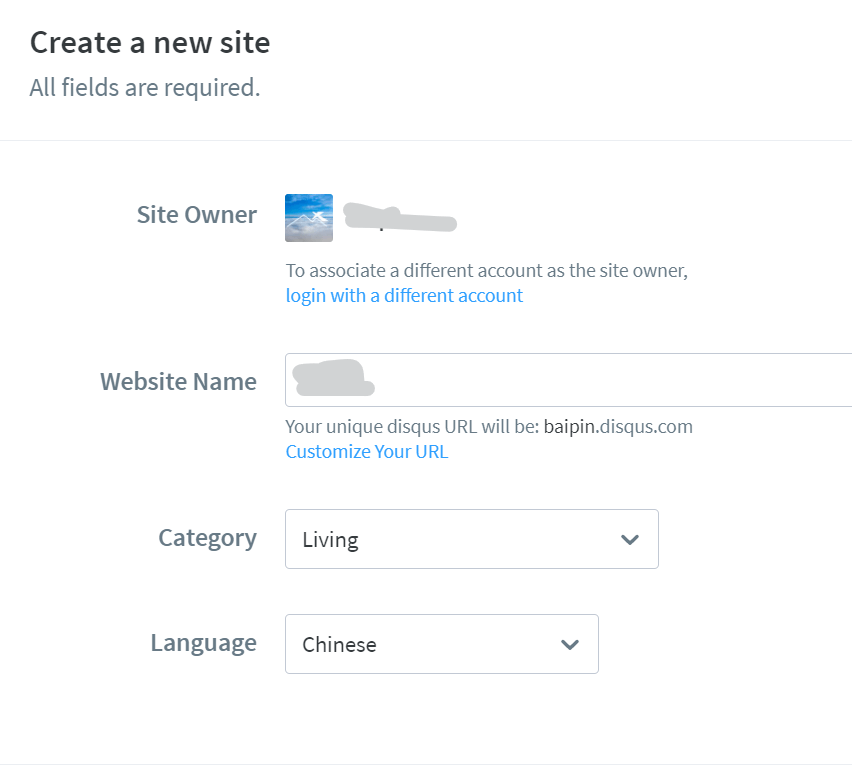
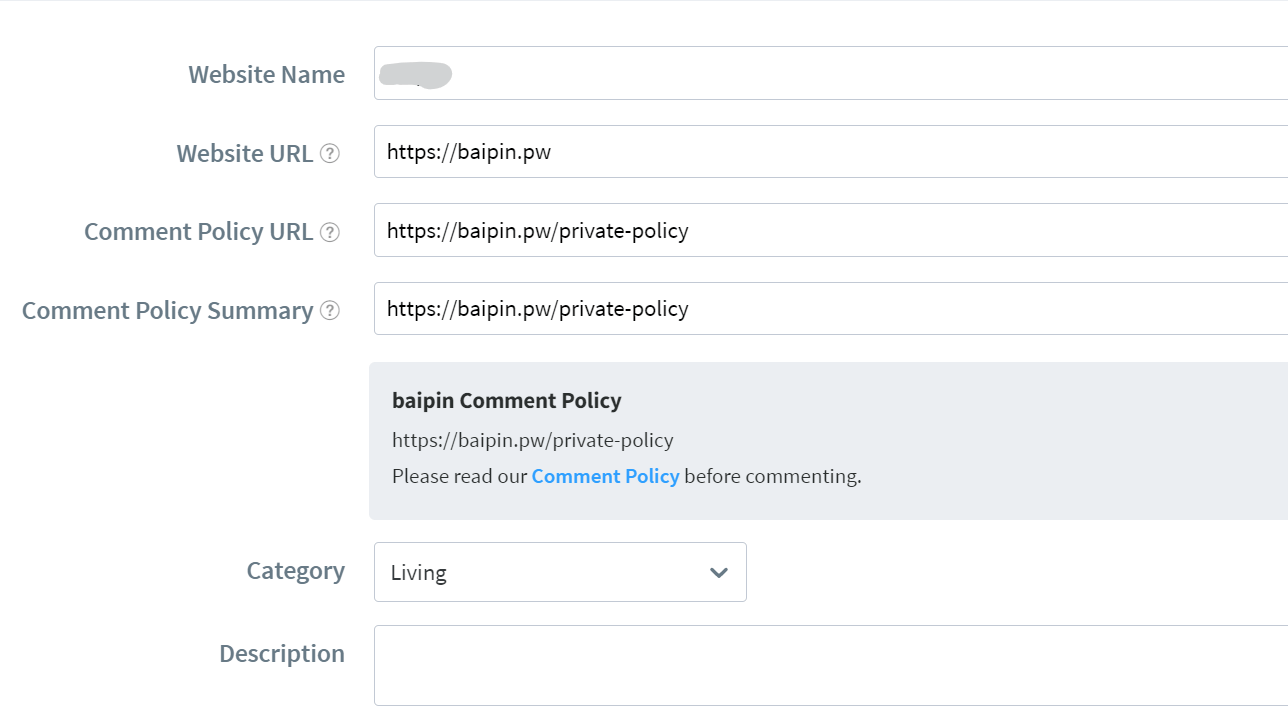
之后侧栏会多出Disqus选项,进入。它会询问你是否有Disqus账号,我这里还没有,于是选择“No”

按要求注册、接入即可。
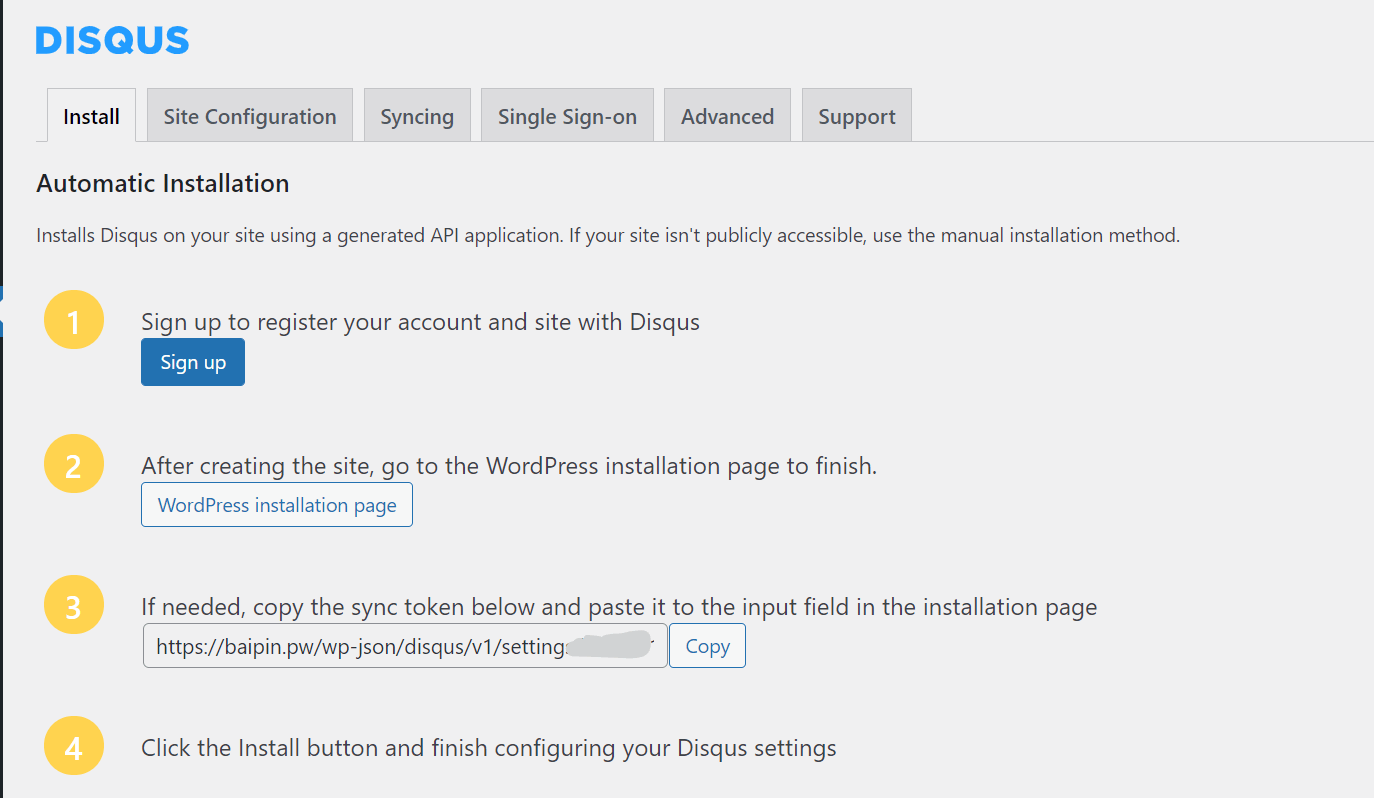
  • https://www.baipin.pw/wp-content/uploads/2021/08/image-1.png
  • https://www.baipin.pw/wp-content/uploads/2021/08/image-2.png
  • https://www.baipin.pw/wp-content/uploads/2021/08/image-3.png

将评论导入到Disqus

进入WP后台的“工具——导出”,导出至文件,之后上传至

https://import.disqus.com/

即可。

前台配置

进入任意一篇文章,点击Enable Reactions,启用快速评论。
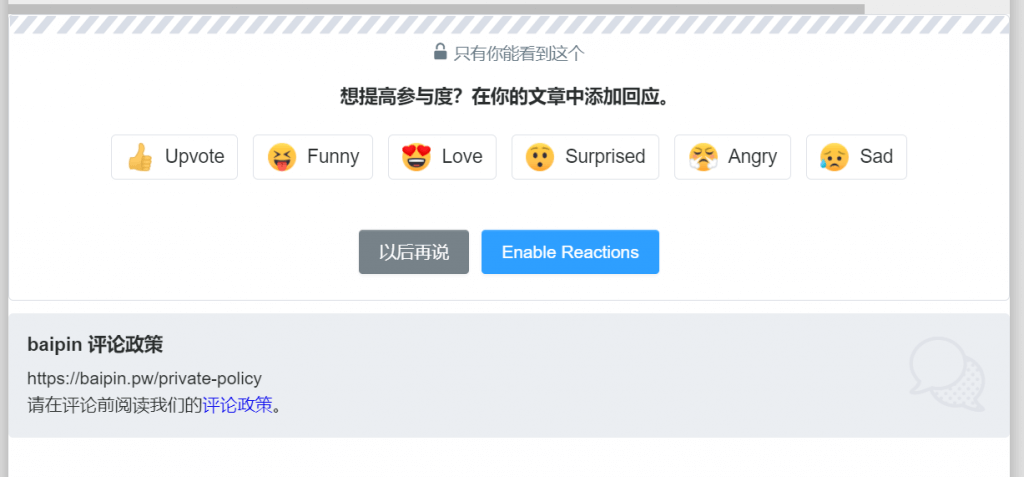
https://www.baipin.pw/wp-content/uploads/2021/08/image-4-1024x477.png

Tips:对接时可能会提示“An error occurred”(一个错误发生),无视即可。