
惯性聚合 高效追踪和阅读你感兴趣的博客、新闻、科技资讯
阅读原文 在惯性聚合中打开

推荐订阅源

Apple Machine Learning Research
爱范儿
爱范儿
博客园_首页
博客园 - 【当耐特】
V
Visual Studio Blog
博客园 - 叶小钗
月光博客
月光博客
美团技术团队
J
Java Code Geeks
小众软件
小众软件
Y
Y Combinator Blog
博客园 - Franky
Martin Fowler
Martin Fowler
博客园 - 聂微东
Microsoft Azure Blog
IT之家
IT之家
MyScale Blog
MyScale Blog
人人都是产品经理
人人都是产品经理
Microsoft Security Blog
OSCHINA 社区最新新闻
OSCHINA 社区最新新闻
阮一峰的网络日志
阮一峰的网络日志
酷 壳 – CoolShell
酷 壳 – CoolShell
钛媒体:引领未来商业与生活新知
钛媒体:引领未来商业与生活新知
云风的 BLOG
云风的 BLOG

DEV Community

Authentication Security Deep Dive: From Brute Force to Salted Hashing (With Java Examples) Why AI Systems Don’t Fail — They Drift Spilling beans for how i learn for exam😁"Reinforcement Learning Cheat Sheet" I Replaced Chrome with Safari for AI Browser Automation. Here's What Broke (and What Finally Worked) How Python Borrows Other People's Work The $40 Architecture: Processing 1 Billion API Requests with 99.99% Uptime Vibe Coding: A Workflow Guide (From Zero to SaaS) Most webhook security guides protect the wrong side. The scary part is delivery. Headless CMS for TanStack Start: Build a Blog with Cosmic EU Age Verification App "Hacked in 2 Minutes" — What Actually Happened Comfy Cloud’s delete function does not actually remove files Running AI Models on GPU Cloud Servers: A Beginner Guide Event-driven media intelligence with AWS Step Functions and Bedrock I scored 500 AI prompts across 8 quality dimensions — here's what broke How to Call Google Gemini API from Next.js (Free Tier, No Backend Needed) The Portal Protocol: Reclaiming Human Connection in the Age of AI How to Fix Your Team's Scattered Knowledge Problem With a Self-Hosted Forum Intro to tc Cloud Functors: A Graph-First Mental Model for the Modern Cloud Designing Multi-Tenant Backends With Both Ownership and Team Access I Built a Neumorphic CSS Library with 77+ Components — Here's What I Learned PostgreSQL Performance Optimization: Why Connection Pooling Is Critical at Scale Cómo construí un SaaS multi-rubro para gestionar expensas en Argentina con FastAPI + Vue 3 🚀 I Built an Ethical Hacking Scanner Tool – Open Source Project I Replaced /usage and /context in Claude Code With a Single Statusline A Pythonic Way to Handle Emails (IMAP/SMTP) with Auto-Discovery and AI-Ready Design I Collected 8.9 Million Polymarket Price Points — Here's What I Found About How Markets Really Move EcoTrack AI — Carbon Footprint Tracker & Dashboard Everyone's Using AI. No One Agrees How. 5 self-hosted ebook managers worth trying in 2026 Building Your First AI Agent with LangChain: From Chatbot to Autonomous Assistant
A tool to make your GitHub README impossible to ignore 🚀
Dhanush N · 2026-05-23 · via DEV Community

Your GitHub profile is your developer resume. It's the first thing recruiters, open-source maintainers and other developers see when they click on your name.

But let's be honest... most READMEs look exactly the same.

I wanted to add something dynamic, eye-catching and personalized to my profile. I loved the idea of a "typing text" effect, but existing tools felt limited. You couldn't add modern design trends like neon glows, linear gradients, or glassmorphic macOS windows.

So, I decided to build my own.

Enter ScribeSVG: An ultra-fast, highly customizable typing animation generator for your GitHub README.


✨ What makes ScribeSVG different?

I didn't just want to build another standard text generator. I wanted this to feel like a premium design tool for developers. Here is what I added:

🎨 14+ Developer Fonts: From Fira Code to Space Mono and Press Start 2P.
🌈 Linear Gradients & Neon Glows: Add cyber-punk glows or sleek Tokyo Night gradients to your text.
🪟 Custom Layouts: Choose between Raw Text, a macOS Terminal Frame, or a Glassmorphic Card.
Next.js Edge Runtime: It renders in milliseconds globally so your README never lags.


🛠️ The Technical Challenge: Bypassing GitHub's Sandbox

Building this wasn't as simple as just returning an SVG. If you've ever tried to embed external assets in a GitHub README, you know that GitHub's camo image proxy is ruthless.

GitHub strips out external stylesheets, blocks <script> tags, and prevents standard web font imports via @import or <link>.

So, how did I get custom fonts like Fira Code to work inside an <img> tag on GitHub?

I had to build a custom renderer that fetches the font file directly from Google Fonts at runtime, converts the .woff2 font into a Base64 Data URI, and dynamically injects it directly into the <style> block of the SVG payload.

Combine that with CSS-only @keyframes animations, and everything is bundled into a single, self-contained SVG response that GitHub's proxy has no choice but to render perfectly! 🎯


🚀 How to use it in your README

You don't need to write any code to use it. I built a visual builder that lets you customize everything and generates the Markdown for you.

  1. Go to scribesvg.vercel.app
  2. Type your text lines, pick your colors, and tweak the speed.
  3. Click the Markdown tab under "Get The Code".
  4. Paste it into your README.md!

It looks like this:

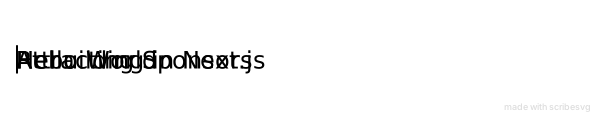
[![Typing SVG](https://scribesvg.vercel.app/api/render?lines=Hello+World;Rebuilding+in+Next.js;Attracting+Sponsors&font=Fira+Code&size=24&color=36bcf7&center=true&vCenter=true&width=600&height=120)](https://github.com/DhanushNehru/ScribeSVG)
Enter fullscreen mode Exit fullscreen mode

Scribe SVG Gif

Checkout my github readme to see how things are rendered.

Star 🌟 the github repository to show your support