


GitButler 0.16 is out, featuring our new Agents Tab, AI tool integrations, rules, splitting and more!

Last week we released version 0.16 of the GitButler client. We've had 20 releases and over 1200 commits land since 0.15 first went out in July, so let's dig into the highlights.
A lot of this cycle has concentrated on integrating better with AI tooling that is being used more in development workflows.

The biggest change is the new Agents tab that introduces an integrated user interface for managing Claude Code sessions. You can read all about it in our docs or blog post.
If you don't want to run Claude Code directly in GitButler for some reason, you can still get most of the cool integrations (auto-committing, branch assignment, etc) via Claude's hooks system. To get this installed, check out the docs. To learn more about it, read our blog post.
Finally, if you're not using Claude Code and prefer other agent tools, you can use our MCP server endpoint in whatever agent you prefer.
Another new feature is Workspace Rules, which allows you to set up simple rules to automatically assign new work into specific branches. This is similar to filters in email clients.

Mostly this is used to auto-assign work to a specific branch so you can treat it like an "active" branch, but you also can use it for something like splitting work in different subfolders of a monorepo into independent branches automatically.
Under the hood, we are using this engine to automatically assign work from an agent into specific branches and for our upcoming "marking" feature, so we'll see more of this in the near future.
When you push a branch to a Git server and then keep working on that branch, meanwhile someone else fetches it and pushes to it, you get into a diverged state. When you try to push, you are told that you need to pull first or force push to overwrite what is on the server.
When this state happens, GitButler will now give you some powerful tooling to deal with commits that are upstream - reordering, skipping, squashing and more.

For more information on our upstream integration tool, check out the docs.
We've also added some more nice commit editing features. If you have changes in a branch and decide that you want to take the changes in some of the files and split them off into a new branch, you can select the files and choose "Split off changes" in the context menu to create a new branch from just those changes.
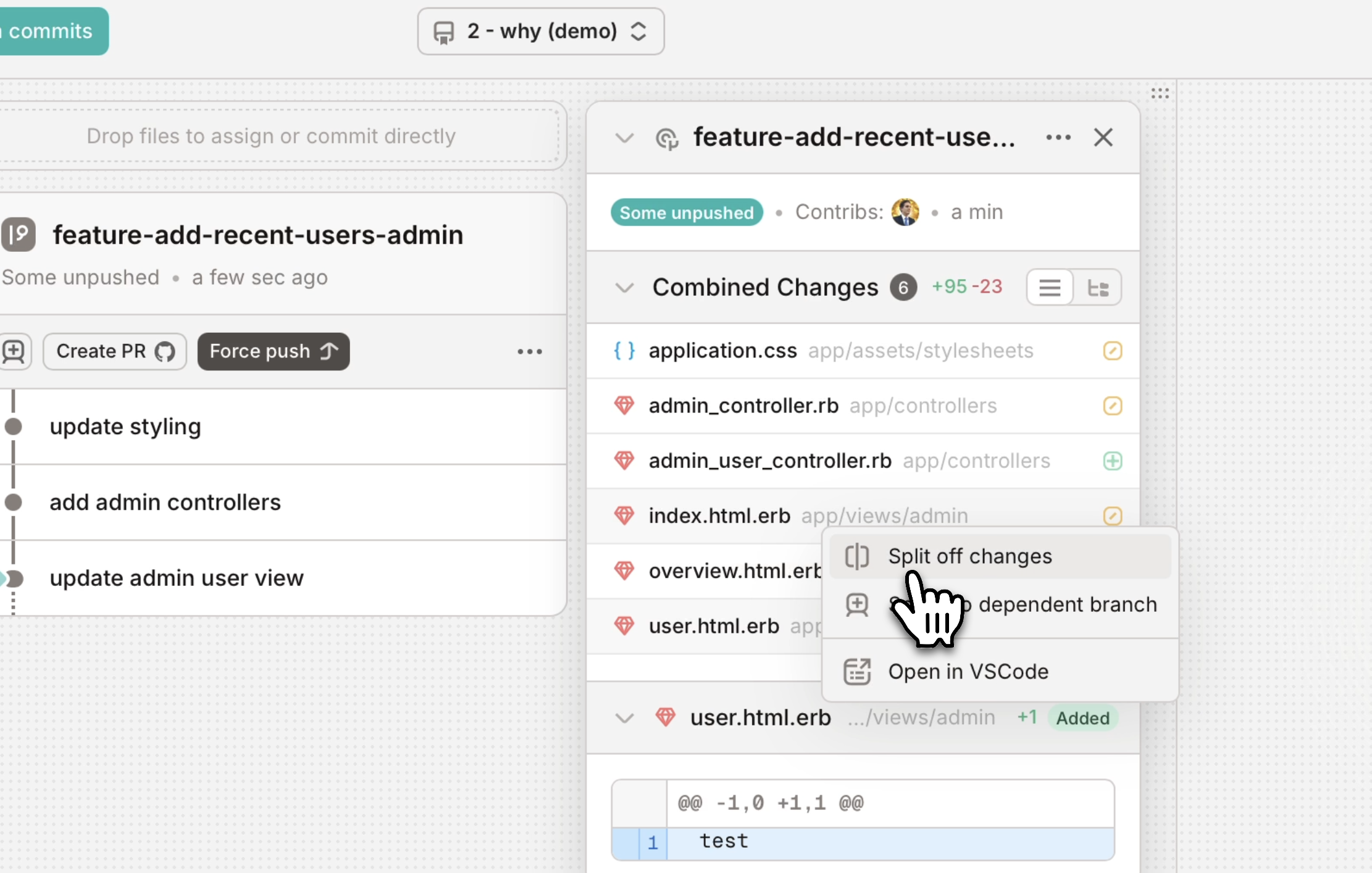
We've also added support for splitting a branch at any commit, in case you decide that you would prefer to have stacked branches rather than a single branch.

There's also a lot of smaller changes that improve the experience. We have a number of improvements to how we do Git stuff:
--force-with-lease and --force-if-includes by default)
Finally, some bits and bobs.

Go ahead and try it today and let us know what you think! As always, you can either update in the app or download GitButler from our downloads page.

Written by Scott Chacon
Scott Chacon is a co-founder of GitHub and GitButler, where he builds innovative tools for modern version control. He has authored Pro Git and spoken globally on Git and software collaboration.
此内容由惯性聚合(RSS阅读器)自动聚合整理,仅供阅读参考。 原文来自 — 版权归原作者所有。