







We live in an increasingly fast-paced world — a world where there’s often an expectation to get more done in less time.
But as your to-do list grows, it can feel like there’s just not enough time in the day to get everything done. And in such a situation, the most important thing you can do is make sure you’re getting the most important things done with the time you have available.
In other words, you need to be able to effectively prioritize your tasks. Proper prioritization can increase productivity, reduce stress, and help ensure you’re spending your time on the work that really matters. But how, exactly, do you prioritize your task list?
Let’s take a look at two different approaches to prioritization that you can use to more effectively prioritize your work tasks — and get more done in the process.
Based on an idea from former President Dwight D. Eisenhower, the Eisenhower Matrix(opens in a new tab) is a productivity tool used to evaluate and prioritize tasks. The Eisenhower Matrix evaluates tasks based on importance (how important a task is) and urgency (how quickly the task must be done). It then groups tasks into four categories that determine how and when each task should be tackled.
The four categories are:
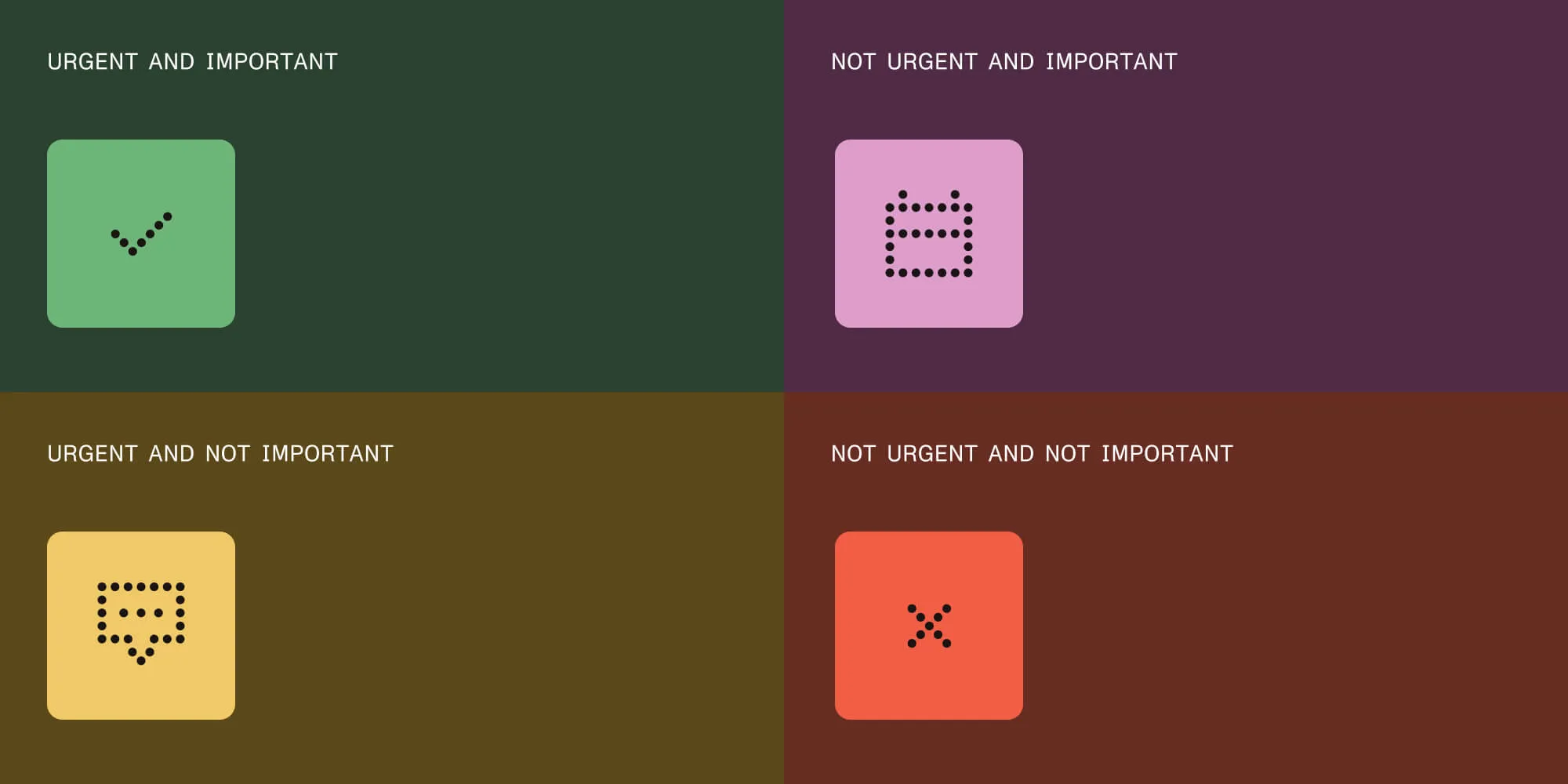
The Eisenhower Matrix is helpful because it allows you to immediately identify and prioritize what needs to get done right now — while also eliminating needlessly time-consuming tasks (if it’s not urgent and not important, why are you spending time on it?) and allowing you to schedule time for long-term goals (which may be important, but not necessarily urgent).
So, how does it work? To use the Eisenhower Matrix, make a list of everything you have to do on any given day, both professional and personal. Then, ask yourself the two key questions:
How you answer these questions will allow you to group your tasks into one of the four above-mentioned categories — and, once they’re grouped, you’ll know how to prioritize them:
Let’s say you’re responsible for getting your team’s project budget approved. That task would definitely fall into the “important” category, but the urgency would depend on when you need to secure that approval. If the deadline is tomorrow, then that task would go into the “Urgent and Important” category — and should go straight to the top of your task list. However, if the budget approval deadline isn’t for another 60 days, you could slot that into the “Not Urgent and Important” category, and then block out time on your calendar to complete all the necessary paperwork for a date closer to the deadline.
Or, let’s say you’re in charge of taking notes on your weekly meeting and then sending out a brief summary to your team. While that’s a time-sensitive task, because the summary needs to go out each week, it’s likely not as important as other tasks, like finishing up a client project or reviewing your direct report’s recent work. That would place it in the “Urgent and Not Important” category, which means that, in an ideal world, you’d find a way to get it off your plate. One way to do this would be to record the meeting and use an AI tool to summarize the recording.
The bottom line? The Eisenhower Matrix is a great tool for anyone who wants a simple, straightforward way to prioritize their daily to-dos. Plus, if you actually use the template, it can also be particularly helpful if you’re a visual learner.
If you work in product development, project management, or software, there’s another prioritization tool you may find particularly helpful: the MoSCoW Method(opens in a new tab).
The MoSCoW Method is used to categorize tasks or features and prioritize them in a way that supports a project’s overall success.
Similar to the Eisenhower Matrix, the MoSCoW Method breaks down tasks and/or features into four categories:
Breaking down tasks or features into these four categories allows you to identify what’s essential, what’s a want but not a need, what needs to be done now versus what can be tackled in the future, and what can be scratched completely. While this is particularly effective for product development and larger projects where deadlines and budget play a large part in what needs to get done and when, it can also be applied to a good old-fashioned to-do list to help you prioritize your daily tasks.
First, let’s look at it through a product lens. Say you’re a software developer managing a team that’s responsible for launching a new budgeting app for your users, and that app needs to launch in 90 days (and launch within budget). In that situation, you’d want to brainstorm all the things your app could do or be, and then sort those things into the four categories. So, for example:
Sorting all the potential features into these categories will give you a blueprint for where to focus your time, budget, and labor and ensure your app gets developed on time, within budget, and with the essential functionality it needs to be successful (while also helping you hone in on the bells and whistles you may want to add later).
Now, let’s look at it through a more individual prioritization lens. If you wanted to use the MoSCoW Method to prioritize your daily work, you’d list out everything you both have to and want to do in a day, and then sort those tasks based on what needs to happen, what you want to happen, what could happen but isn’t totally necessary, and what doesn’t actually need to happen.
So, for example:
Whether you opt for the Eisenhower Matrix, the MoSCoW Method, or another form of task prioritization (like ranking tasks on an A to F scale — with A being most important and F being least important — and then working your way down), finding a way to effectively evaluate your daily to-dos and schedule them based on their level of importance and urgency will help you not only better manage your time, but also ensure you’re spending your time doing the right things — and deliver a serious productivity boost in the process. And now that you understand a few frameworks for prioritizing tasks, all that’s left to do? Take your to-do list and start prioritizing!
此内容由惯性聚合(RSS阅读器)自动聚合整理,仅供阅读参考。 原文来自 — 版权归原作者所有。