

惯性聚合 高效追踪和阅读你感兴趣的博客、新闻、科技资讯
阅读原文 在惯性聚合中打开

推荐订阅源

S
Schneier on Security
Hugging Face - Blog
Hugging Face - Blog
V
Visual Studio Blog
博客园 - Franky
酷 壳 – CoolShell
酷 壳 – CoolShell
Last Week in AI
Last Week in AI
博客园 - 叶小钗
博客园_首页
阮一峰的网络日志
阮一峰的网络日志
cs.CV updates on arXiv.org
Application and Cybersecurity Blog
TaoSecurity Blog
TaoSecurity Blog
让小产品的独立变现更简单 - ezindie.com
J
Java Code Geeks
爱范儿
爱范儿
宝玉的分享
宝玉的分享
cs.AI updates on arXiv.org
量子位
N
News and Events Feed by Topic
OSCHINA 社区最新新闻
OSCHINA 社区最新新闻
Recent Commits to openclaw:main
SecWiki News
SecWiki News
MyScale Blog
MyScale Blog
AI
AI
K
KPMG report finds enterprise disconnect between AI and its ROI | CIO
博客园 - 【当耐特】
Security Archives - TechRepublic
F
Fortinet All Blogs
V2EX - 技术
V2EX - 技术
T
Troy Hunt's Blog
有赞技术团队
有赞技术团队
W
WeLiveSecurity
Project Zero
Project Zero
T
Tor Project blog
Help Net Security
Help Net Security
L
LINUX DO - 最新话题
IT之家
IT之家
The Hacker News
The Hacker News
腾讯CDC
Schneier on Security
N
News and Events Feed by Topic
C
Cisco Blogs
博客园 - 聂微东
Webroot Blog
Webroot Blog
Forbes - Security
Forbes - Security
M
MIT News - Artificial intelligence
C
Cyber Attacks, Cyber Crime and Cyber Security
雷峰网
雷峰网
freeCodeCamp Programming Tutorials: Python, JavaScript, Git & More
A
About on SuperTechFans

Inside Nutrient

A guide to the invisible work behind documents Introducing Nutrient Documents for Salesforce: Native document generation and signing Document AI vs. traditional OCR: Choosing between OCR, AI, and hybrid pipelines PDF SDK compliance and security evaluation checklist for enterprise teams (2026) Invariant Corp replaces paper processes with Nutrient Workflow and scales without limits What is process mapping? A complete guide Nutrient vs. Conga Composer for Salesforce document generation (2026) Document routing: How to automate document distribution The CTO’s AI playbook: Why accountability architecture beats orchestration Compliance workflow automation: Why built-in compliance is table stakes Workflow diagrams: Examples, symbols, and how to build one that actually runs Digital forms: Replace paper forms with automated workflows Approval workflow software: How to automate approvals Why document-centric automation is different The CEO’s AI playbook: Why decision architecture beats model selection Nutrient SDK product updates for Q1 2026 PDF redaction verification: How to prove sensitive data is permanently removed What is a VPAT? The complete guide to accessibility conformance reports What is PDF/UA? The accessible PDF standard explained Salesforce eSignatures: Generate, sign, and track documents in one flow Online document viewer: Options, tradeoffs, and how to embed one Document viewer for web apps: React, Vue, Angular (2026) Best document viewers in 2026: A buyer’s guide How to edit a PDF in Python: Add text, images, and annotations Nutrient advances Workflow platform with agentic AI for enterprise-grade speed and consistency in document-heavy operations How to create a Salesforce quote template from opportunity data The business case for accessibility: Five ways it drives enterprise value Python PDF library comparison (2026): 7 libraries for developers Why your AI agent hallucinates PDF table data PDF.js limitations: When to upgrade to a commercial PDF SDK How Subject scaled 5× with Nutrient’s PDF SDK without rebuilding its document layer I replaced our sales training with an AI coach that runs in Slack — here’s what broke Redirecting to: https://securitybuzz.com/cybersecurity-news/why-enterprise-permissions-are-ais-most-dangerous-inheritance/ Nutrient .NET SDK vs. iText Core: Complete comparison for .NET developers DocuVieware: Support’s most frequently asked setup questions Introducing Nutrient Workflow How to convert PDF to Word in C# (.NET) When email and spreadsheets stop working: Work order approval workflows for field teams on the move Compliance with confidence: Why document-centric automation is the foundation of your mission Nutrient expands AI Assistant, automating multistep document workflows inside any application What is document generation? A developer’s guide to PDF generation Document Converter data flow and how real-time watermarks skip the queue PDF/UA compliance guide: Requirements, standards, and best practices Computers still can’t understand you How Athena Intelligence built AI agents for regulated enterprises with Nutrient’s document infrastructure How to convert HTML to PDF (2026): 4 methods from browser print to SDK How to build a document extraction pipeline with Nutrient Vision API OCR vs. intelligent document processing: Choosing the right document extraction engine Beyond OCR: How document intelligence eliminates manual processing in regulated industries Nutrient vs. IronPDF: Complete comparison for .NET developers Nutrient vs. Aspose.PDF: Complete comparison for .NET developers Redirecting to: https://fortune.com/2026/02/19/openclaw-who-is-peter-steinberger-openai-sam-altman-anthropic-moltbook/ Lufthansa Systems uses Nutrient to deliver reliable, scalable PDF rendering for pilots worldwide Nutrient vs. Syncfusion: Complete comparison for .NET developers React’s useTransition: The hook you’re probably using wrong First City Monument Bank streamlines banking processes with Nutrient Workflow Redirecting to: https://www.sdcexec.com/warehousing/automation/article/22957364/nutrient-workflow-automation-the-missing-link-in-supply-chain-efficiency The complete guide to digital signatures: PAdES, CAdES, and XAdES explained Nutrient Python SDK: Production-grade document processing for Python Introducing agentic document editing for web applications with AI Assistant Nutrient vs. QuestPDF: Complete comparison for .NET developers How we fixed the GdPicture license expiration (and what to do if you’re affected) Red team security testing with agentic AI The future of healthcare document automation Best healthcare workflow software compared Nutrient SDK product updates for Q4 2025 How Harvey scaled legal document workflows 50 percent MoM without rebuilding infrastructure HIPAA-compliant document management in hospitals How we optimized rendering performance while handling thousands of annotations in React — Part 2 Automated PII removal with Nutrient API Redirecting to: https://www.devopsdigest.com/2026-low-code-no-code-predictions Redirecting to: https://www.kmworld.com/Articles/Editorial/ViewPoints/Leaders-predict-AI-to-continue-permeating-all-aspects-of-KM-in-2026-172594.aspx What are deep agents and how do they solve complex problems? Whipping up document magic: Your easy-bake recipe for Vue and Nutrient Web SDK 🧁 What I’ve learned about product iteration planning while building SDKs Passwordless document signing: Three-layer security guide New zip folder functionality streamlines file management in Document Automation Server The keyboard shortcuts playbook: Taking control of keyboard events in Nutrient Web SDK From experienced engineer to AI beginner: My unexpected journey AI-assisted manual testing: Handling Safari’s PDF rendering and UI quirks How to keep a 20-year-old SDK up to date How we optimized rendering performance while handling thousands of annotations in React — Part 1 Nutrient announces new executive hires to accelerate next phase of growth High performance UI using web workers Automate document conversion at scale with Python and Nutrient DCS From curiosity to PLG (and AI): My journey to understanding product-led growth Prost to progress: One year as Nutrient Pigeon usage at Nutrient: Bridging native SDKs to Flutter Modernizing CI build servers: How to migrate from Chef to Ansible Unix man pages: AI-friendly documentation since 1971 Consistent hashing for even load distribution Best AI redaction APIs: Complete comparison guide for 2025 Why AI document redaction matters for modern security From coding to coordinating: How AI transformed my workflow What is intelligent document processing (IDP)? A complete guide Enterprise PDF SDKs: Best PSPDFKit (now Nutrient) alternatives Nutrient SDK product updates for Q3 2025 GdPicture support best practices Redacting sensitive data with Nutrient AI redaction API How AI is transforming the customer experience at Nutrient: From instant answers to intelligent support
Beyond iPhone: Developing across Apple platforms
Douglas Hill · 2025-06-06 · via Inside Nutrient

At the Swift Craft(opens in a new tab) conference in May 2025, I gave a five minute ‘lightning’ talk about how, with SwiftUI and UIKit, you can build apps that run across Apple platforms. The talk presented a quick overview of the options available and how I believe that a pragmatism-over-polish mindset is the way forward. In this post, I’ll provide a written version of the talk, followed by a little background about the process behind giving the talk.
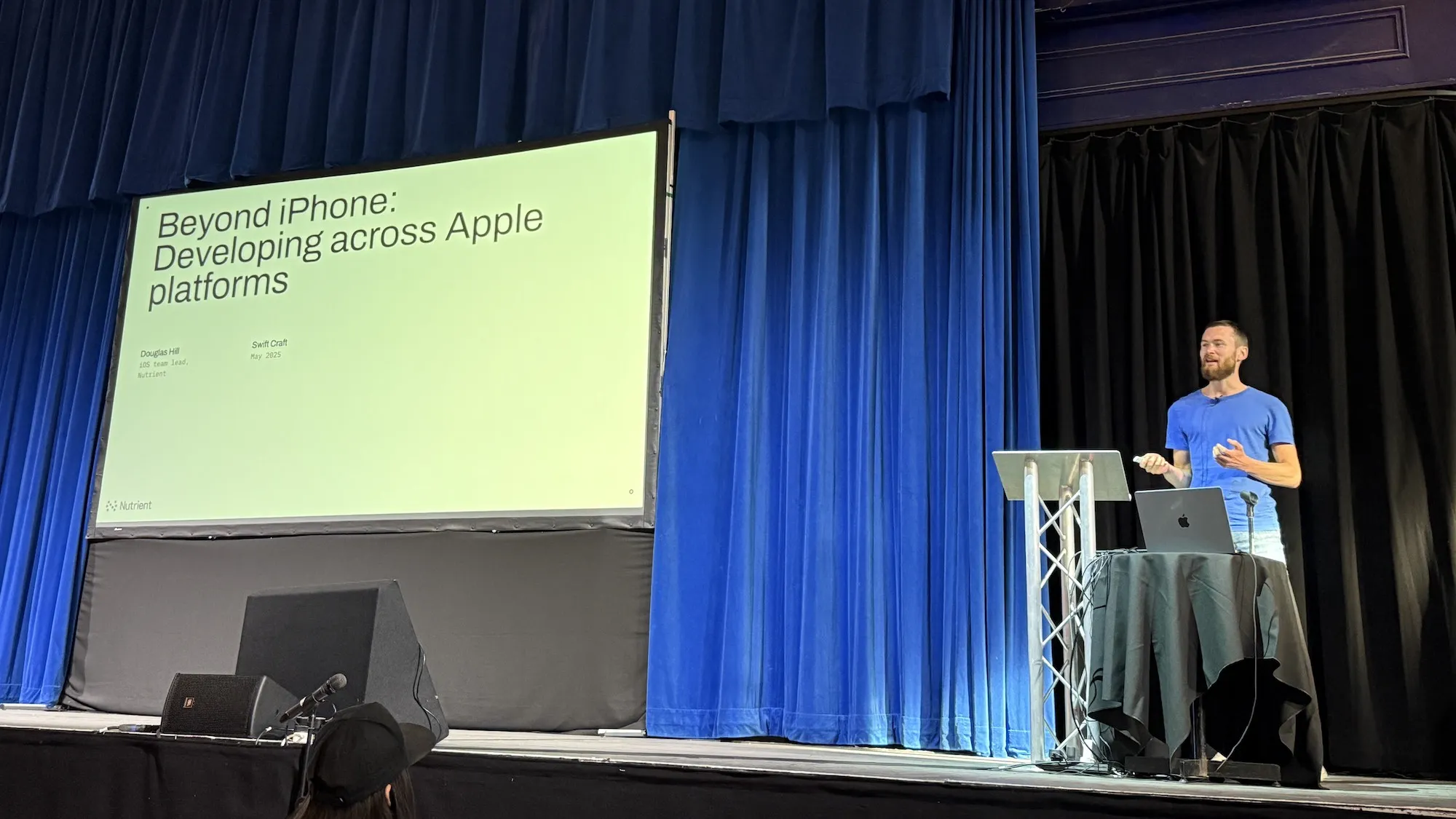
Photo from the start of the talk, showing the cover slide, which says “Beyond iPhone: Developing across Apple platforms, Douglas Hill, iOS team lead, Nutrient, Swift Craft, May 2025”

At Nutrient, we make an SDK for viewing and editing PDF documents, and our product runs across iOS, macOS, and visionOS. Despite that, our team is called the iOS team. You might similarly call yourself an iOS developer. Chances are that, whether you know it or not, your skills may already extend across Apple platforms. We can use similar skills to make apps for iPhone, iPad, Mac, Apple Vision Pro, Apple TV, and Apple Watch.

For new codebases, you’d want to use SwiftUI because it runs across all of these platforms.
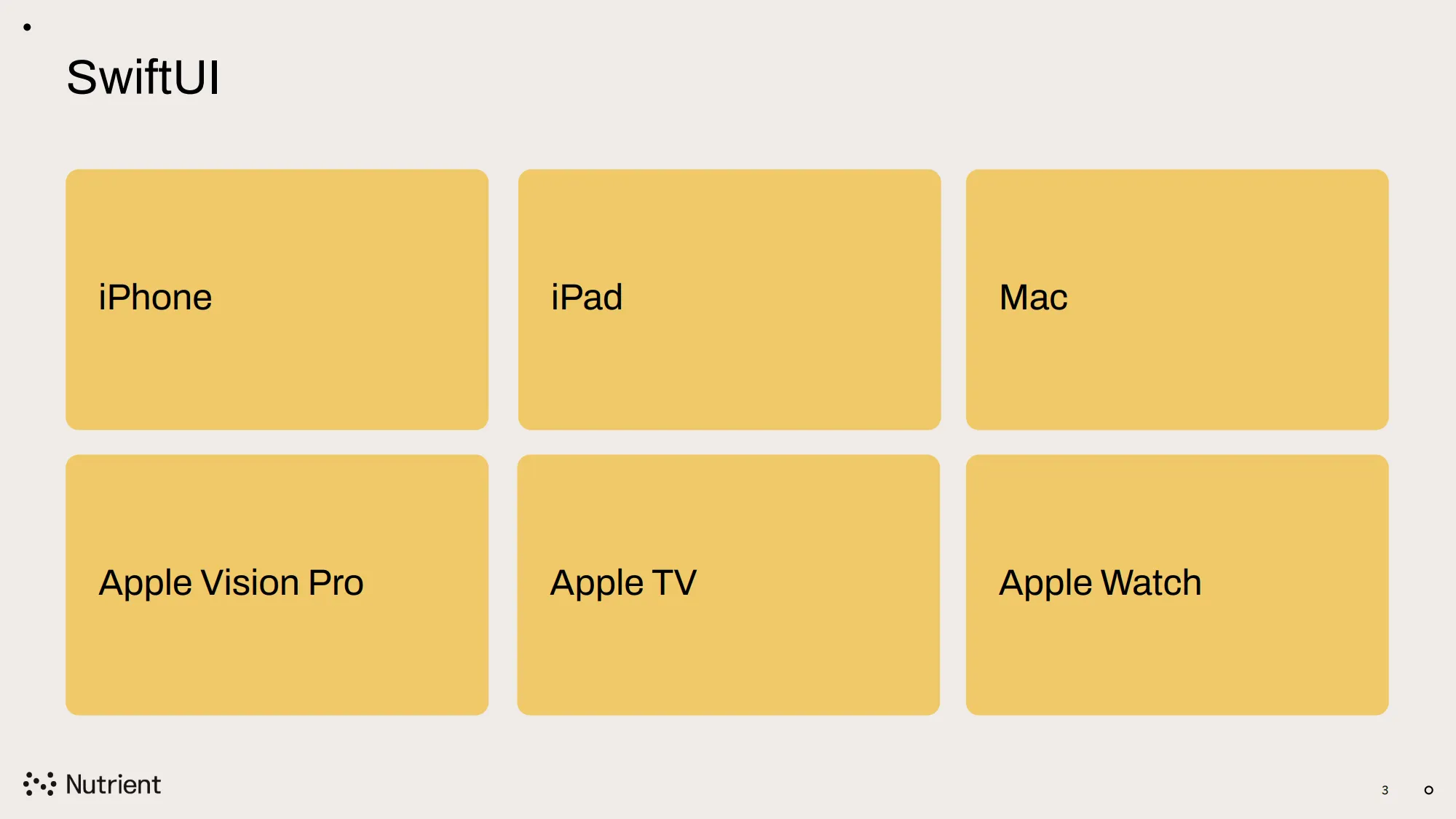
Photo from the talk. Slide shows six Apple platforms, all highlighted: iPhone, iPad, Mac, Apple Vision Pro, Apple TV, and Apple Watch.

If you have UIKit code, it’s not a blocker, as this will also work everywhere except Apple Watch. For most projects, this is probably not a problem.
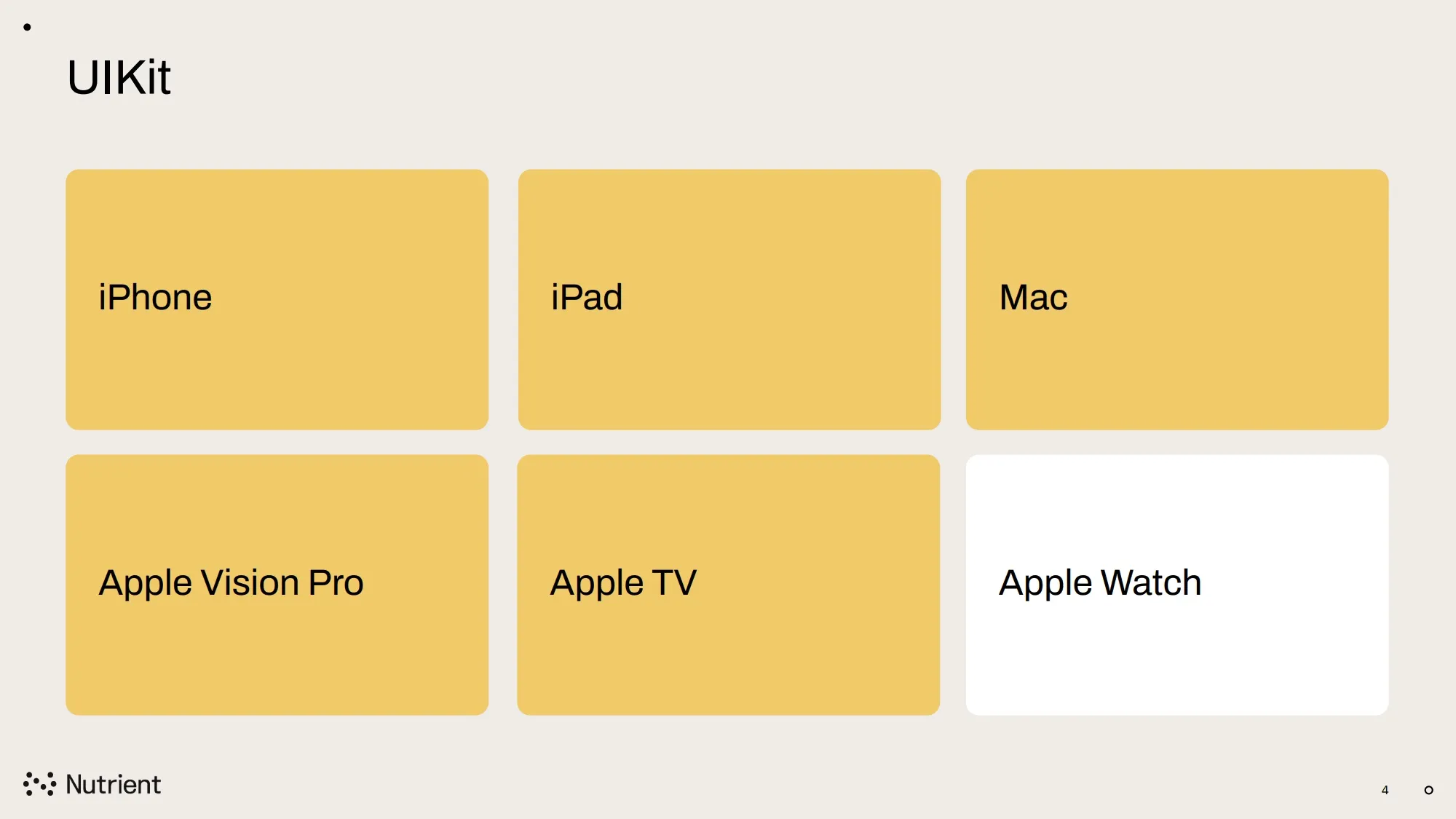
Slide from the talk showing six Apple platforms. iPhone, iPad, Mac, Apple Vision Pro, and Apple TV highlighted. Apple Watch is not highlighted.

iPad

If you run an app that’s only been created for iPhone on an iPad, you’ll see a large black border around it. This is functional but it’s not that great.
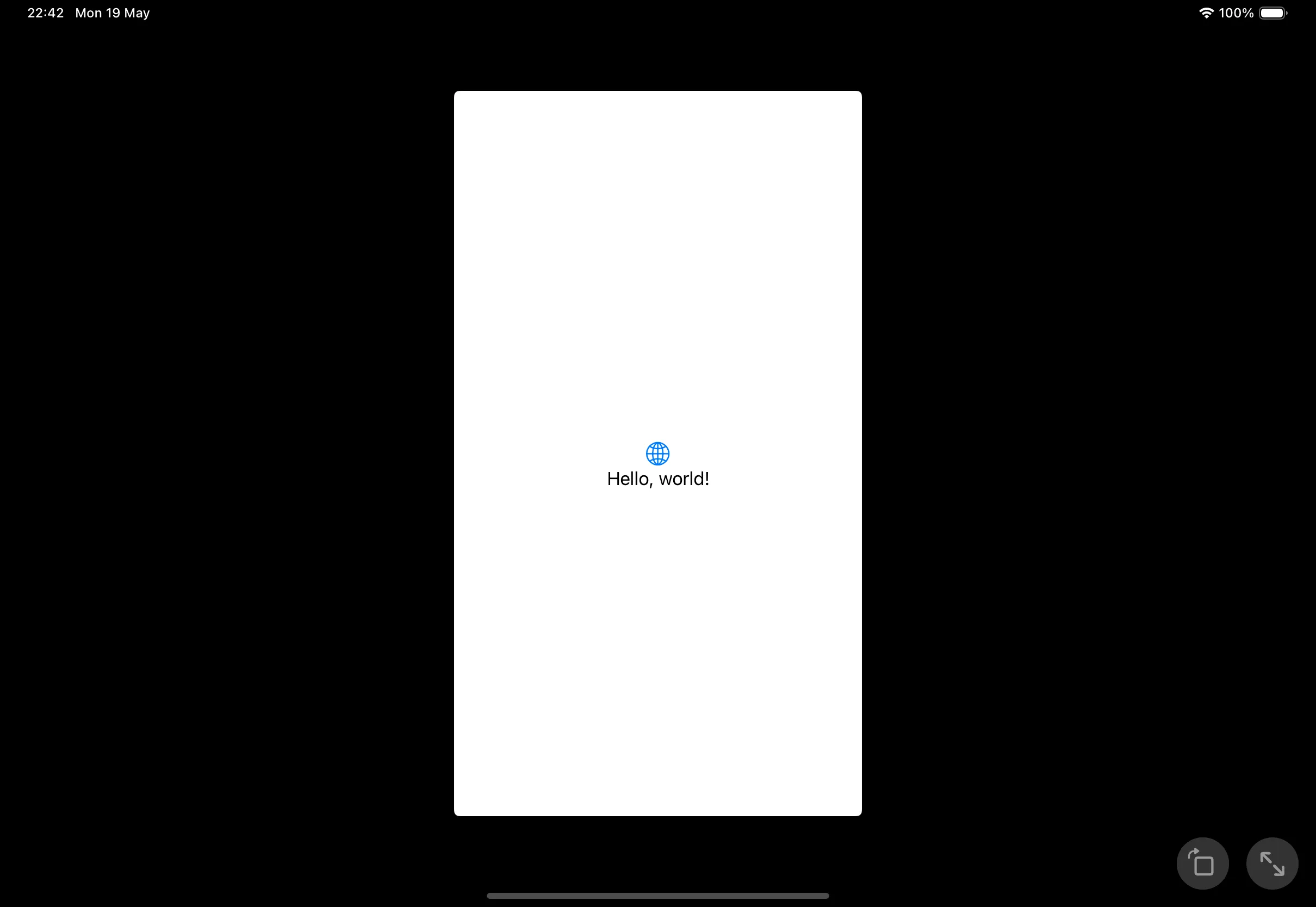
Screenshot showing portrait iPhone app running on landscape iPad with black border.

The user experience is nicer with Stage Manager because you can mix the iPhone-sized window with other windows. However, Stage Manager is a power user feature most users won’t have enabled.
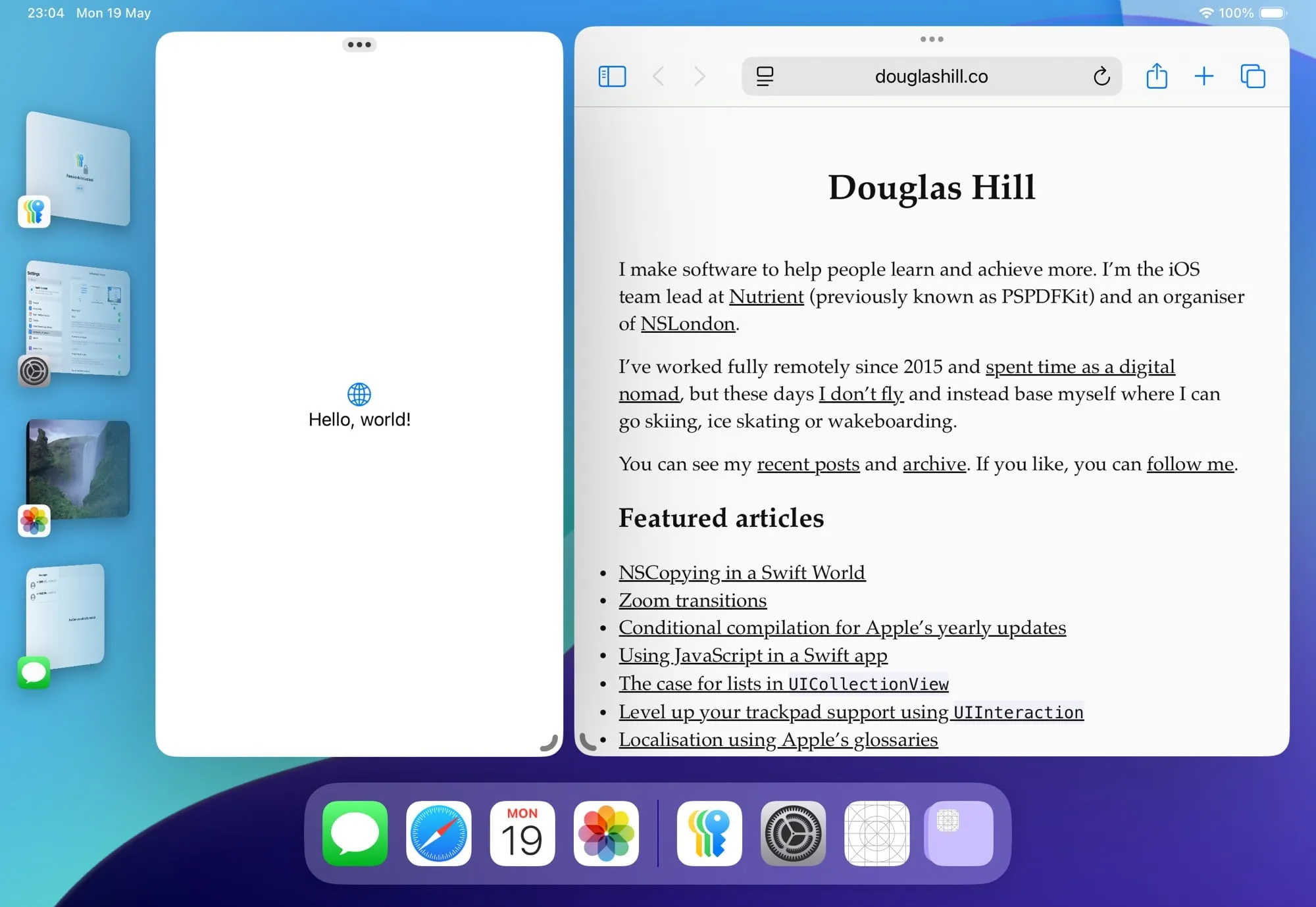
Screenshot showing iPhone app and Safari side-by-side with Stage Manager on iPad.

In your app target’s General settings in Xcode, you can add additional destinations for other platforms.
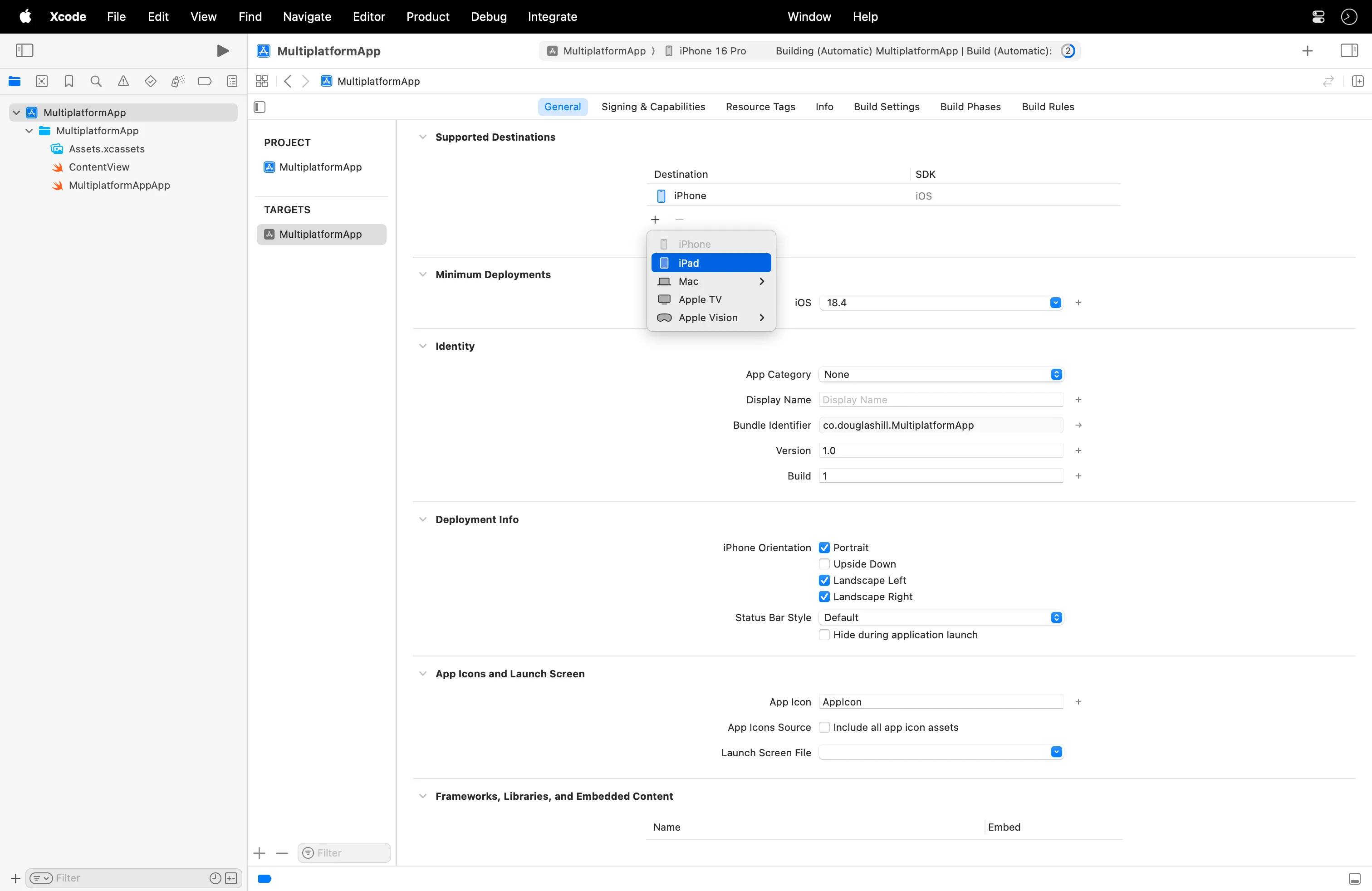
Screenshot showing Xcode target settings: General: Supported Destinations

If you add iPad as an option, you’ll have an app that runs on any size on iPad.
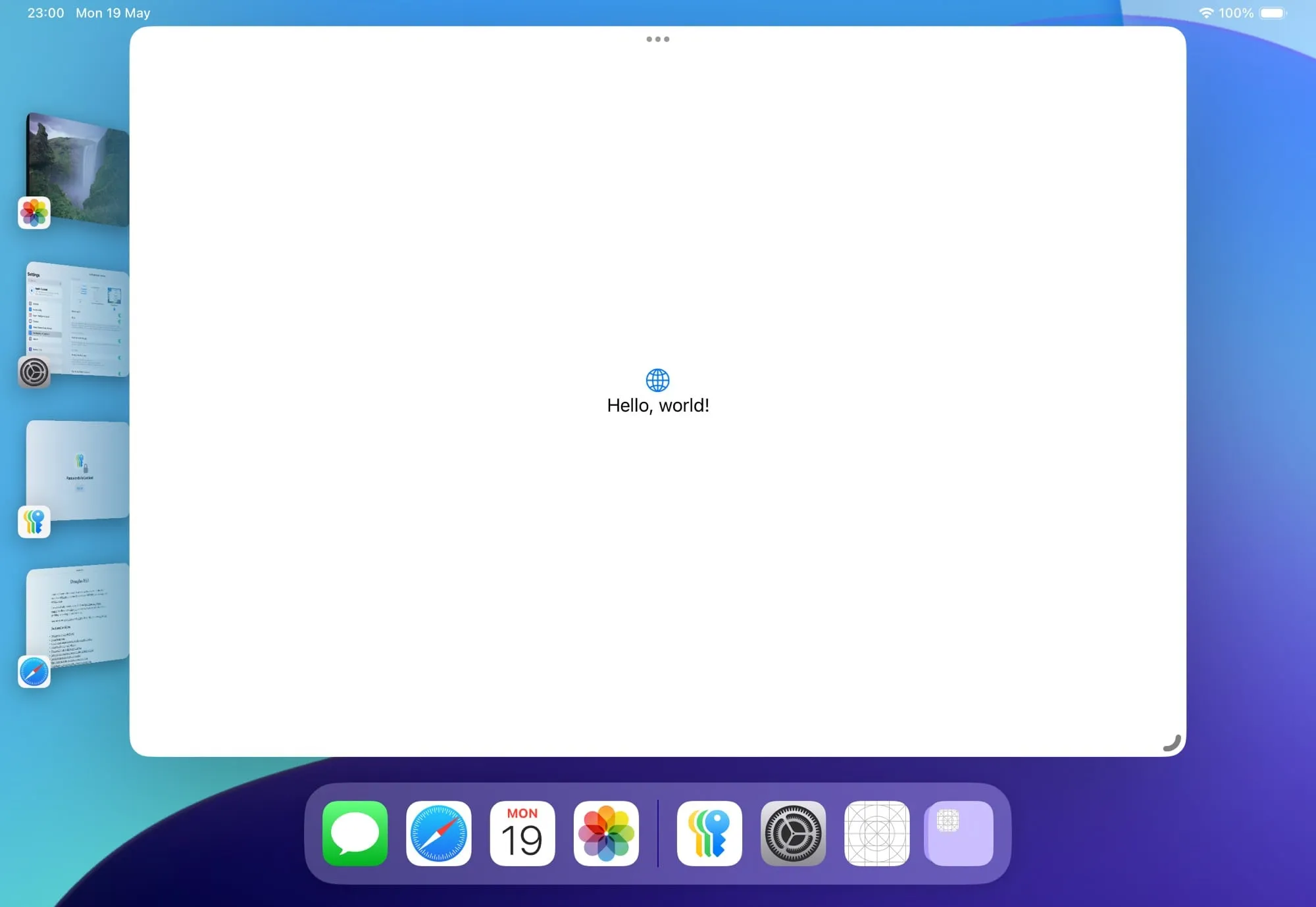
Screenshot showing large window with Stage Manager on iPad.

I’d encourage you to do this, even if it ends up looking like a blown-up iPhone app. In most cases, you’ll already be adapting to different sizes of iPhones, so your UI can probably stretch to an iPad without breaking. It might not be the optimal user experience, but I think this is still better than those thick black borders.

Designed for iPad/iPhone on Mac and Vision

Apple silicon Macs(opens in a new tab) and Apple Vision Pro(opens in a new tab) can run unmodified iOS apps if you allow this on App Store Connect.
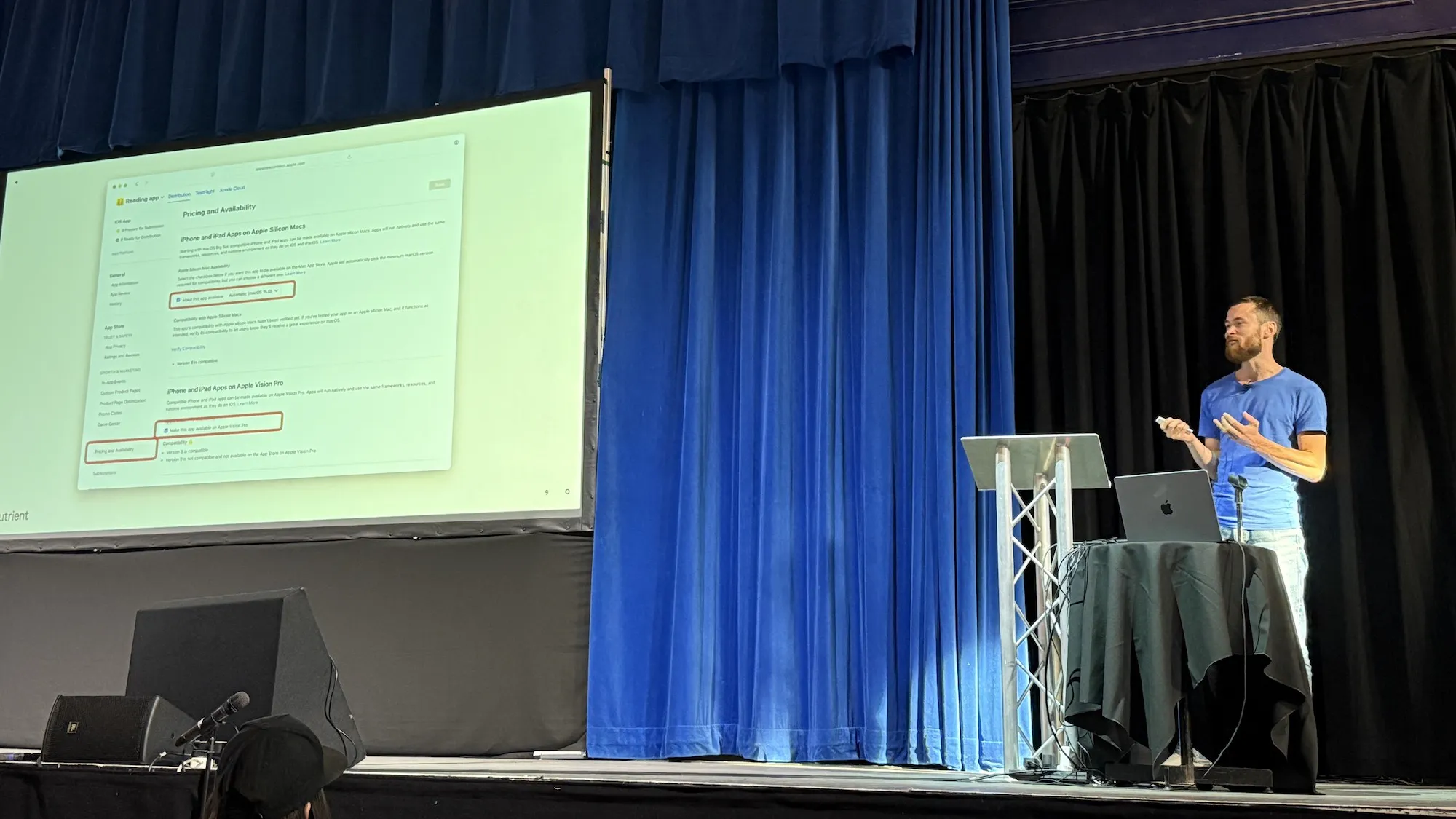
Photo from the talk. Slide shows App Store Connect website with options for enabling distribution on Mac and Vision.

Consider the situation where you open a website, and you’re told your browser isn’t supported. This is really annoying, because you feel the website probably would work, but the developer decided they don’t want to test in the browser you’re using. Most functionality in most apps will work fine on Mac and Vision automatically. Depending on exactly how your app could fail, I’d really encourage you to enable the relevant checkboxes on App Store Connect to give users the choice. Your app definitely isn’t going to work for the user if they can’t even open it.

Mac

To get more control over how the app works on Mac and to run on Intel Macs, you need to build a separate version of your app, compiled using a different SDK. Separate builds means separate uploads to App Store Connect, so there’s more overhead to releases. Without additional effort, this doesn’t make much difference to how native the app feels.

Here’s my favourite slide from the talk, showing the extensive array of options Apple provides for making Mac apps.
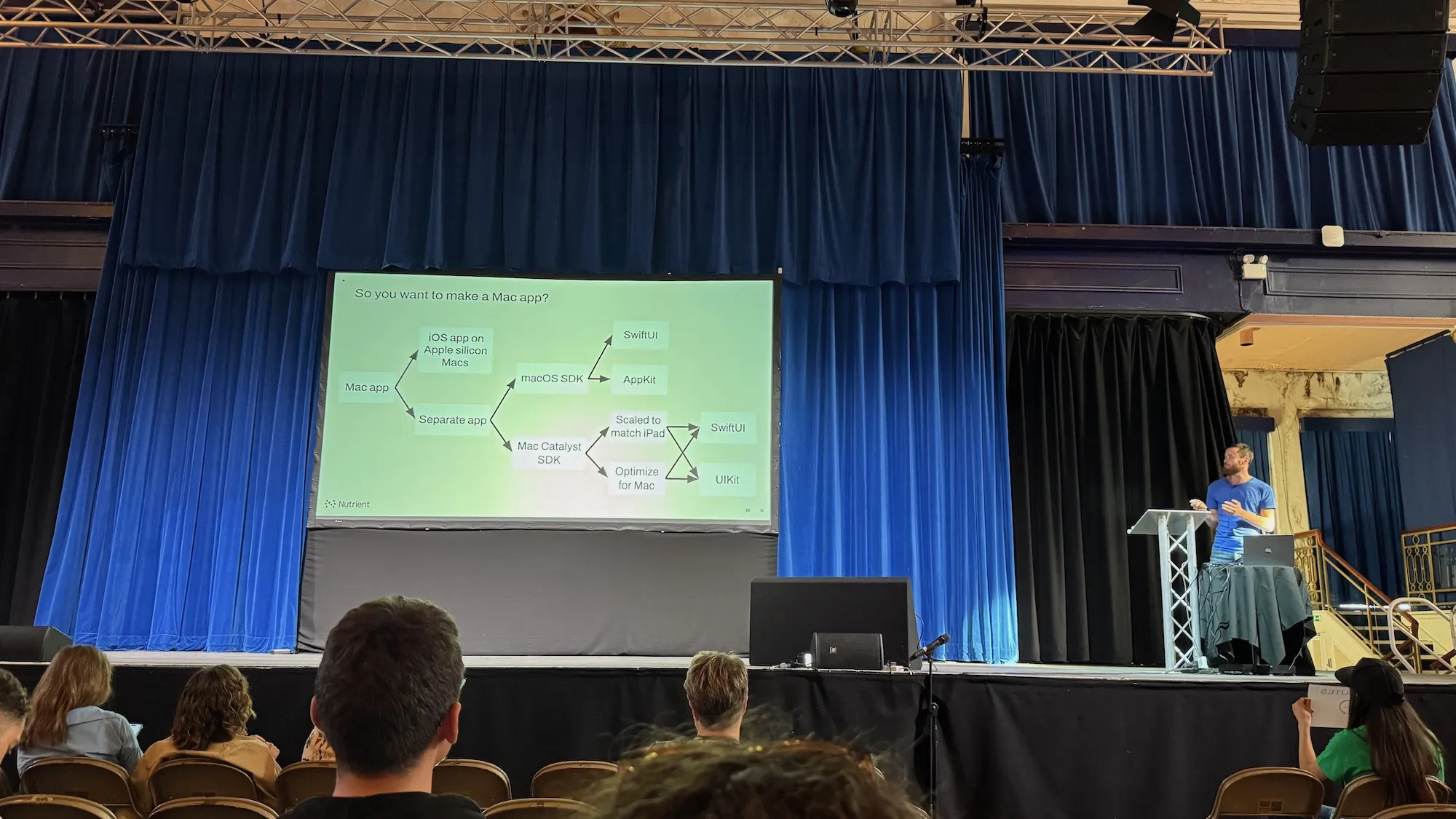
Photo from the talk. The slide title is “So you want to make a Mac app?” and it shows a flow chart with options including iOS app on Apple silicon Macs, Separate app, macOS SDK, Mac Catalyst SDK, SwiftUI, AppKit, UKit, Scaled to match iPad, and Optimize for Mac.

Diving into these options could be a whole other talk or series of articles. The main point is that Apple makes two SDKs for Mac: the macOS SDK from the early 2000s, and Mac Catalyst, which is derived from the iOS SDK. Unless a native Mac app is extremely important for your project, I’d recommend Mac Catalyst because you can use the same code as your iOS app.

Apple Vision Pro

On Apple Vision Pro, you can already run an iPad app right away and you’ll get this opaque window, which is OK, but it’s not such a native experience.

Screenshot of iPad app running on Apple Vision Pro simulator. The app window is opaque white.

It’s much better if you build a separate version of the app using the visionOS SDK, which is based on the iOS SDK. You can use the same SwiftUI and UIKit code.

Screenshot of visionOS app running on Apple Vision Pro simulator. The app window is dark frosted glass.

Apple TV and Apple Watch

I didn’t have time to cover Apple TV and Apple Watch at Swift Craft, but I’ll briefly mention them here. These devices are more specialised than Apple’s other platforms: Apple TV due to its less expressive input methods, and Apple Watch due to its small screen. As such, it’s not possible to directly run an iOS app on either tvOS or watchOS. While SwiftUI is available on both, and UIKit is on tvOS, the number of APIs available is more limited, so sharing code across platforms isn’t as suitable as with iOS, macOS and visionOS. You may be able to use frameworks to share code for models, data processing, and some UI components, but not the app as a whole.

Concluding the talk

I’d encourage adopting an approach like web developers with responsive design principles. On the web, there are so many different browsers, operating systems, screen sizes, and input methods. Web developers make it work. I think we can adopt a similar mindset to not just make iOS apps, but Apple platform apps. It doesn’t necessarily have to be perfect everywhere, but it’s better to provide users with the options.

Behind the scenes: Talk preparation

There’s a longer talk I’d like to give that goes into a lot more detail about what we’ve learned at Nutrient shipping a unified product for iOS, macOS and visionOS. For example, I’d cover some specific APIs to watch out for and explore the pros and cons of all the options on Mac. However, this talk is at the stage of being an outline rather than being prepared in detail.

I wasn’t aware of the possibility to submit ideas for lightning talks for Swift Craft until the weekend before the conference, and I spontaneously decided to submit the talk I gave, which was essentially the introductory part of my longer talk idea. On Monday, I received a confirmation I could go ahead with my talk, giving me slightly more than 24 hours until the lighting talks took place to wrap up Tuesday, the first day of the conference. This naturally meant I didn’t rehearse or refine my slides as much as I might otherwise have done.

My talk was the last for the day. Coincidentally, the first talk of the conference day was by the other Doug at the conference, Doug Gregor(opens in a new tab) from Apple, who gave the opening keynote, On Progressive Disclosure in Swift(opens in a new tab). His talk provided a lot of insight into the design of many Swift language features.

I’m normally someone who carefully plans things out in advance, but the spontaneity made the conference more fun. I was happy with how the talk went, and I’d encourage everyone to just go for it and submit talks to conferences, especially if there are lightning talks. Most likely you have ideas about how software should be made or learned something that was interesting to you. As with bringing apps across platforms, having something is better than nothing, even if it’s not perfect.