







The only Python IDE you need.
A while ago at PyCon US 2026, I had the pleasure of listening to the Python Steering Council give updates about new features that are being added in Python 3.15. One that stood out was explicit lazy imports (via PEP 810), which defer module loading until first use. I am curious to see how this new feature works, and I want to benchmark its performance with PyCharm. Let’s take a look together.
Overview of explicit lazy imports
PEP 810 introduces an explicit syntax for lazy imports, allowing you to defer the loading and execution of modules until their attributes are actually accessed, unlike standard eager imports that execute immediately. This feature aims to significantly reduce startup latency and memory consumption. Explicitly marking modules as `lazy` can deliver substantial improvements in initial responsiveness and baseline resource usage in large-scale applications and command-line tools.
Because the implementation approach uses proxy objects within the module’s namespace instead of modifying Python’s fundamental dictionary structures, it preserves critical interpreter optimizations.
This mechanism defers both the finding and the loading of the module to maximize efficiency, especially in environments with high-latency filesystems. To manage potential side effects and ensure backward compatibility, the proposal includes global control flags and a transitional variable for progressive adoption across different Python versions.
In short, Python 3.15 will let you optimize application performance by significantly reducing startup latency and memory consumption, as the loading and execution of modules are deferred until their attributes are actually accessed.
Trying them out in Python 3.15.0b1
At the time this is being written, Python 3.15.0b1 is already out, so we can give this new feature a try. You can build it from source at the CPython GitHub repo, but since getting Python 3.15.0b1 is easy when using `uv` or `pyenv`, we will do that instead.
Make sure you have the latest version of `uv` or `pyenv`, and then download Python 3.15.0b1 via either of the following commands:
- `uv python install 3.15.0b1`
- `pyenv install 3.15.0b1`
After that, select the new interpreter in your project in PyCharm.
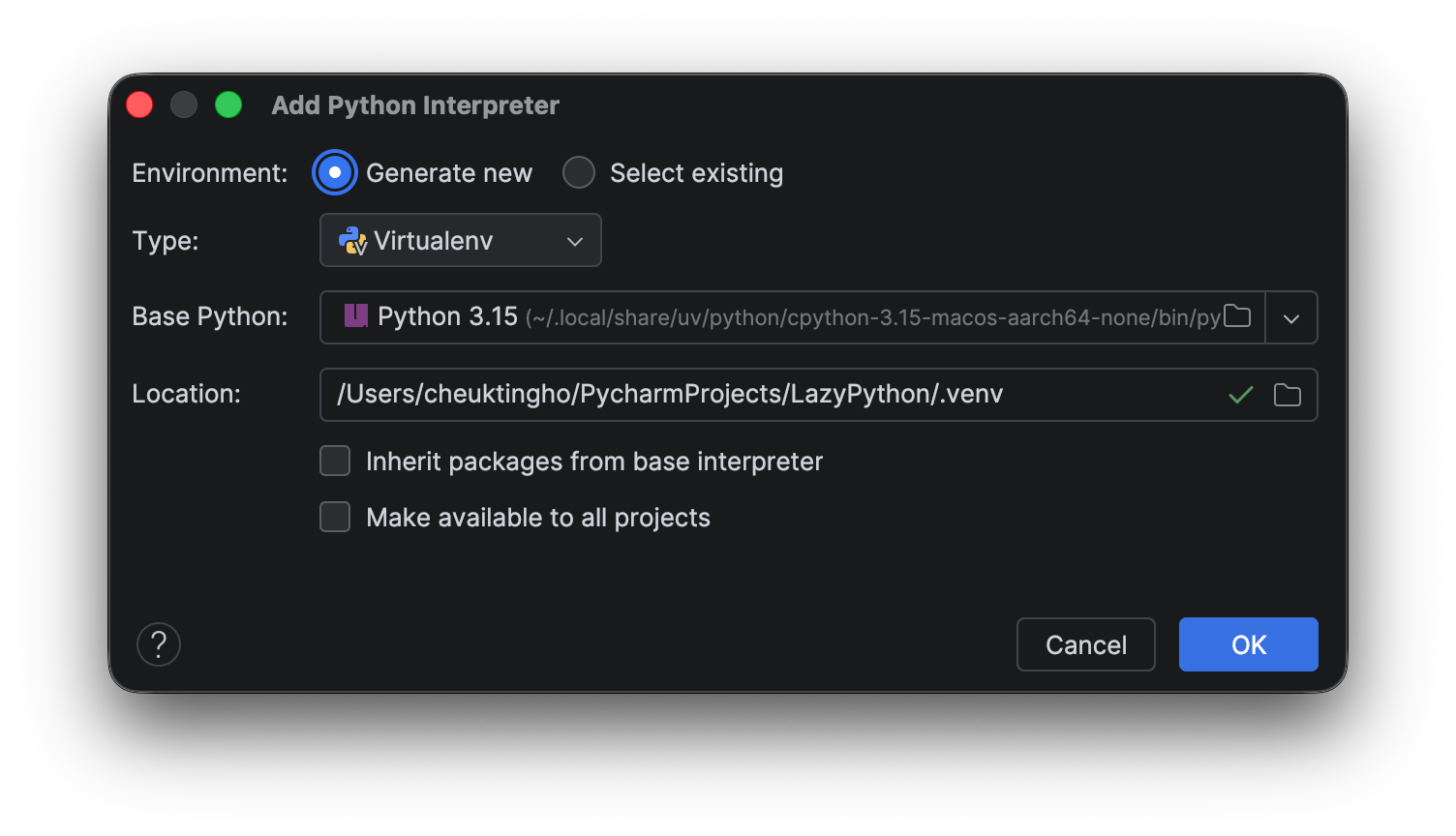
Now you will need to reinstall the dependencies for your project. You may have to build some of the libraries from source, as most of the libraries will not have a Python 3.15 wheel for download.
Profiling against normal imports
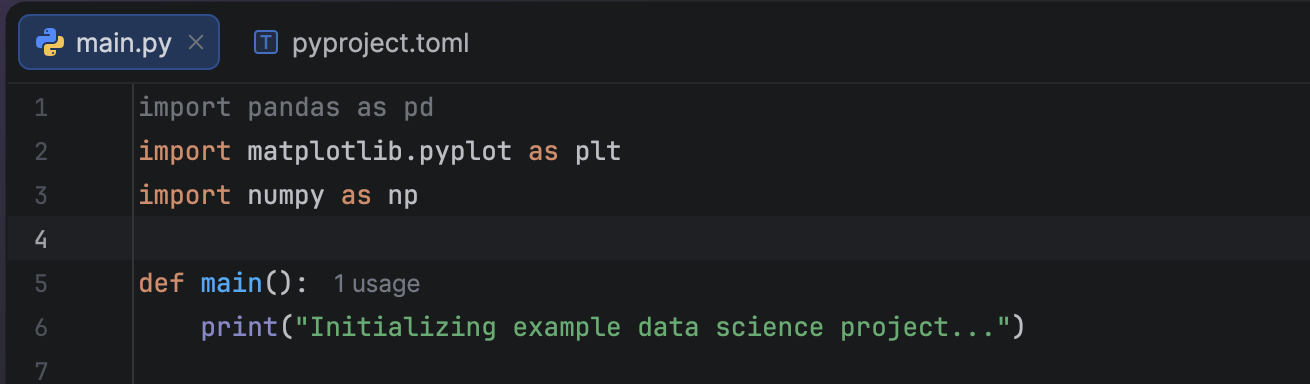
It is a common joke that the first thing data scientists will do is type `import pandas as pd` and `import numpy as np`, even if they are not actually going to use them. Let’s assume this is the case, and you received a script like this from your colleague:
import pandas as pd
import matplotlib.pyplot as plt
import numpy as np

def main():
    print("Initializing example data science project...")

    # Generate some dummy data
    data = {
        'x': np.linspace(0, 10, 100),
        'y': np.sin(np.linspace(0, 10, 100)) + np.random.normal(0, 0.1, 100)
    }

    # Plotting
    plt.figure(figsize=(10, 6))
    plt.plot(data['x'], data['y'], label='Sine Wave with Noise')
    plt.title('Sample Visualization')
    plt.xlabel('X-axis')
    plt.ylabel('Y-axis')
    plt.legend()

    # Save the plot instead of showing it (since this is non-interactive)
    plt.savefig('sine_wave.png')
    print("Project executed successfully. Plot saved as sine_wave.png.")

if __name__ == "__main__":
    main()
As you see, PyCharm highlights the unused pandas import for you, so removing it would be straightforward. However, for our experiment here, we’ll keep it.
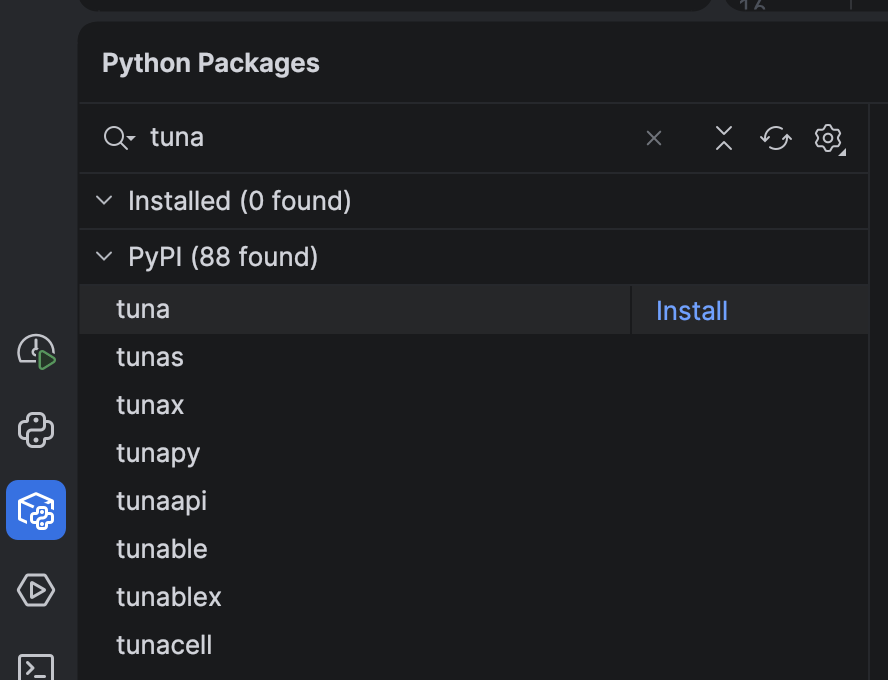
To get a better visualization of import profiles, install a tool from PyPI called tuna.
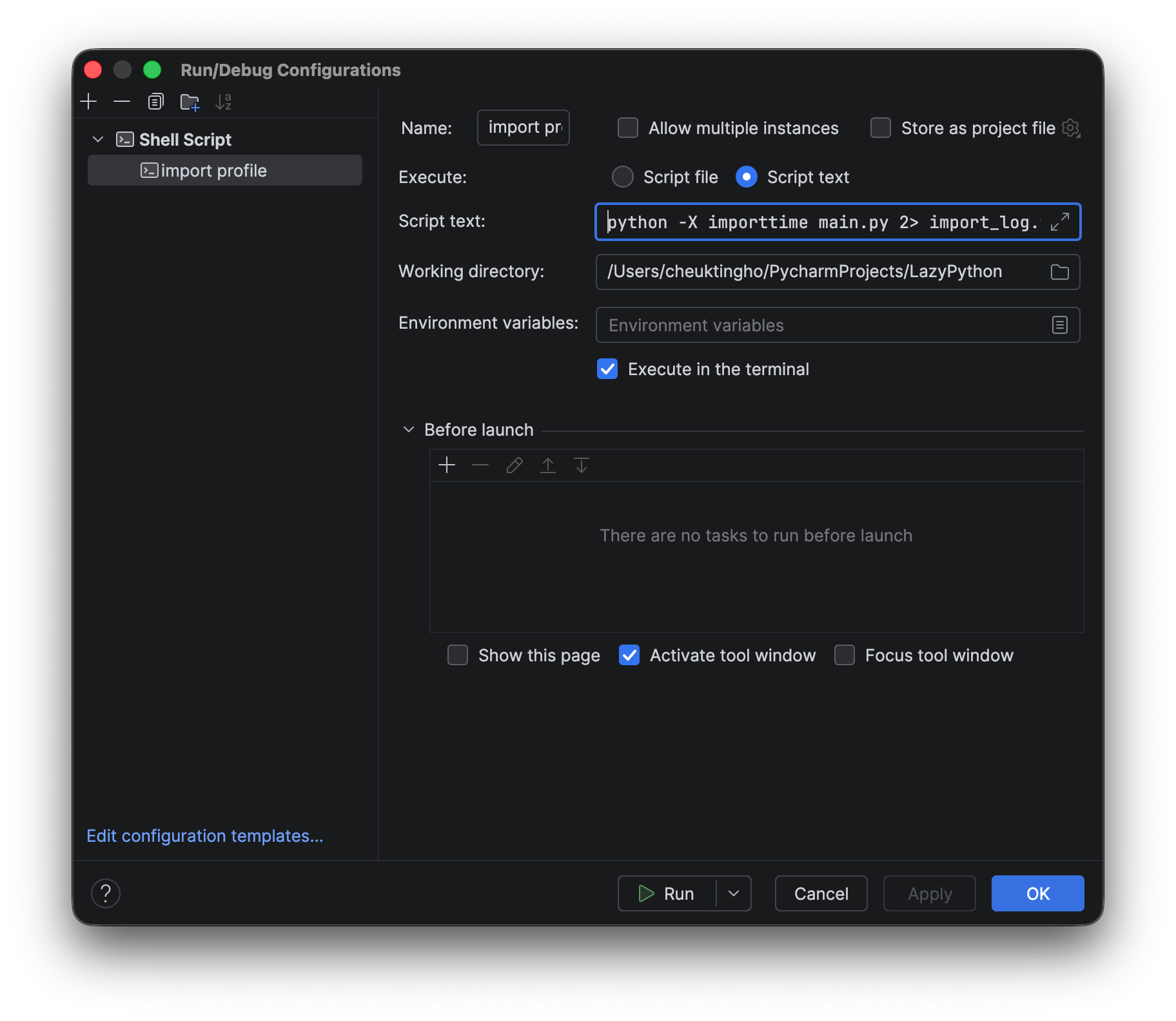
You can profile your script by setting a custom run script with this script text:
python -X importtime main.py 2> import_log.txt; tuna import_log.txt
When you use it, a new browser window will pop up with the import graph.
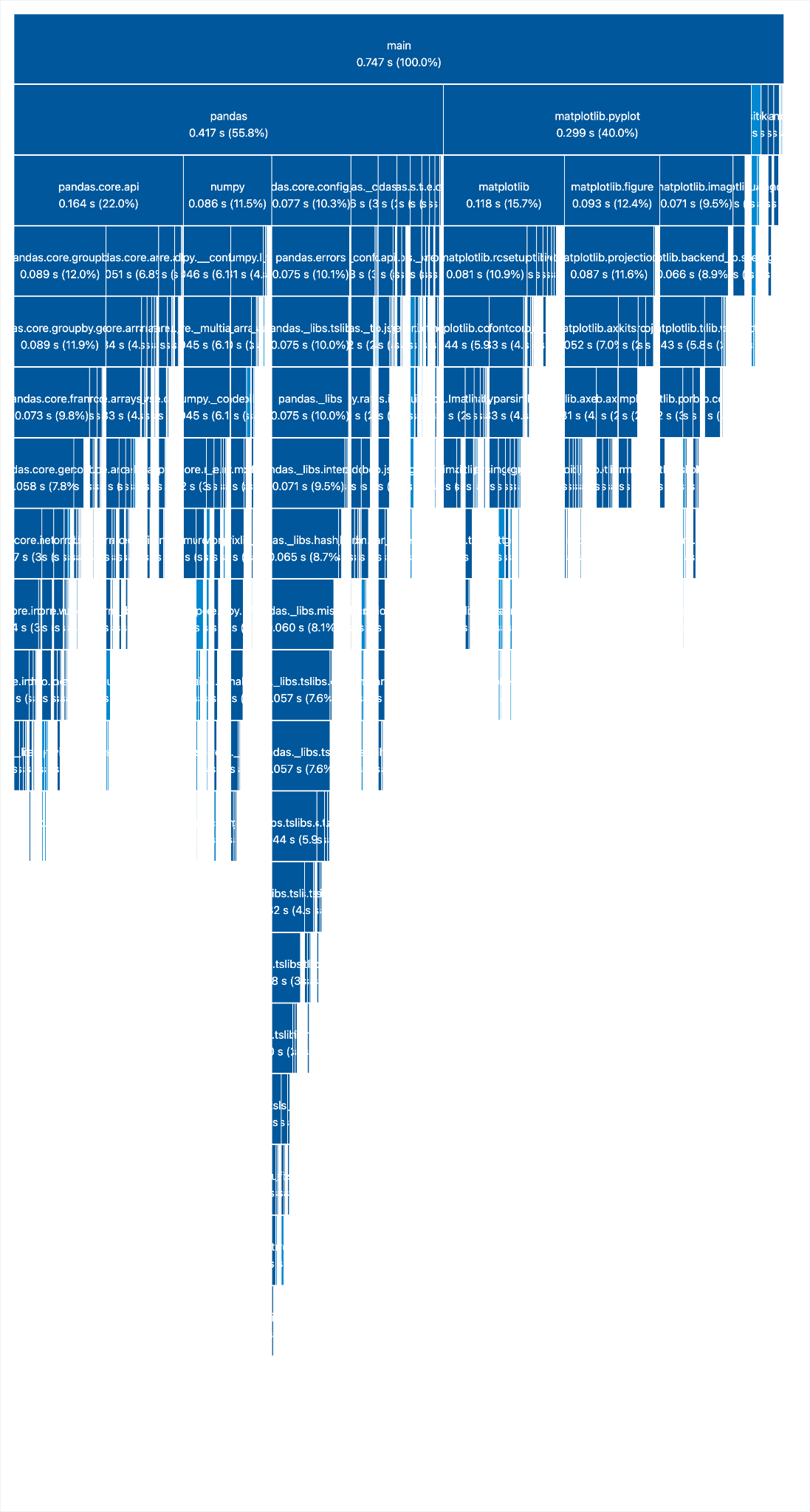
As you see, importing pandas accounts for half of the time it takes to load all the modules, and we never use it!
Now let’s add `lazy` to all the imports.
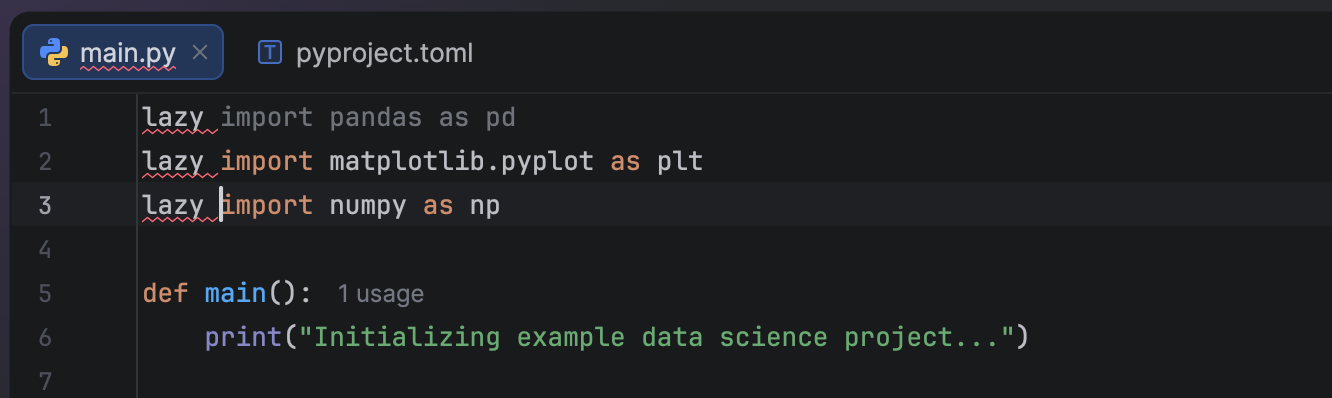
Don’t worry about the syntax highlighting. PyCharm just doesn’t recognize it yet since `lazy` is a new keyword that has not been officially released.
Let’s profile the script again.
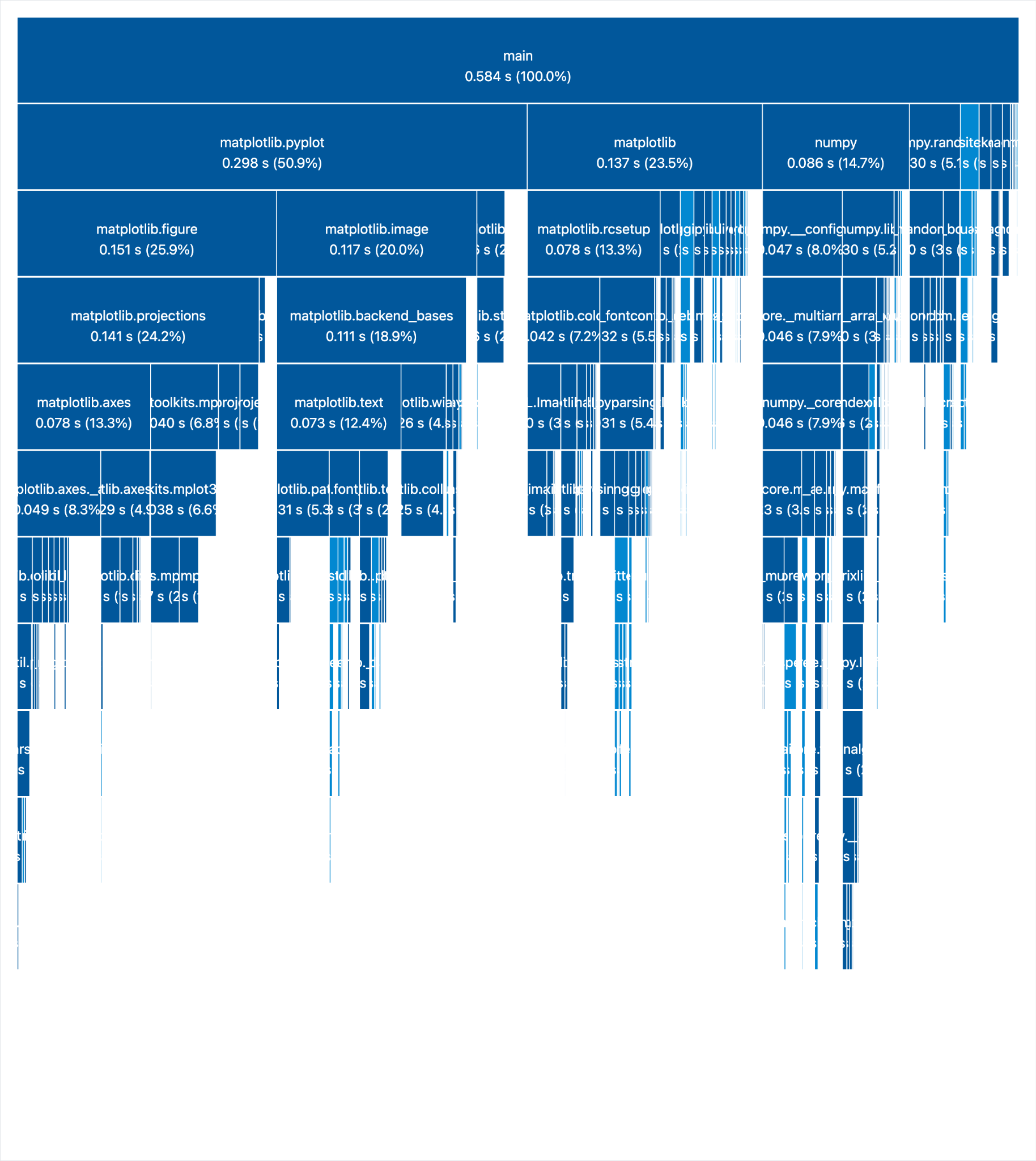
Now we see the pandas import is gone, and loading everything takes way less time.
So, if you have a script that imports a lot of large libraries, and some of them are only used in certain conditions (e.g. in if-else clauses), lazy import can save time by loading modules only when they are first used.
Checking the inner workings with lazy imports
Let’s see how lazy imports are handled internally.
When a module is imported “lazily”, meaning `__lazy_import__` is called instead of `__import__`, a `types.LazyImportType` proxy object will be created. The module name will then be listed in `sys.lazy_modules` instead of `sys.modules`. (See the Lazy import mechanism section in PEP 810.)
When a lazy object is used, it needs to be reified. CPython will try resolving the import at that point and replacing the proxy object with the actual module itself. In this process, `__import__` is called to resolve the import. At the same time, the module is removed from `sys.lazy_modules`.
If there’s an error during reification, AKA importing the module, the lazy object is not reified or replaced. The next time the lazy module is used, the import will try again. The exception raised during reification will also show both where the lazy import was defined and where it was accessed. (See the Reification section in PEP 810.)
To experiment with it ourselves, let’s add some breakpoints with `pdb` and check what’s happening in the code:
import pdb
pdb.set_trace()

lazy import pandas as pd
lazy import matplotlib.pyplot as plt
lazy import numpy as np

pdb.set_trace()
…
And
    # Generate some dummy data
    data = {
        'x': np.linspace(0, 10, 100),
        'y': np.sin(np.linspace(0, 10, 100)) + np.random.normal(0, 0.1, 100)
    }

    pdb.set_trace()

    # Plotting
    plt.figure(figsize=(10, 6))
    pdb.set_trace()
…
Now run the script in the console:
python main.py
Note that PyCharm 2026.1 does not yet support Python 3.15, so using the Run or Debug button to run a script using lazy import may result in unexpected behavior.
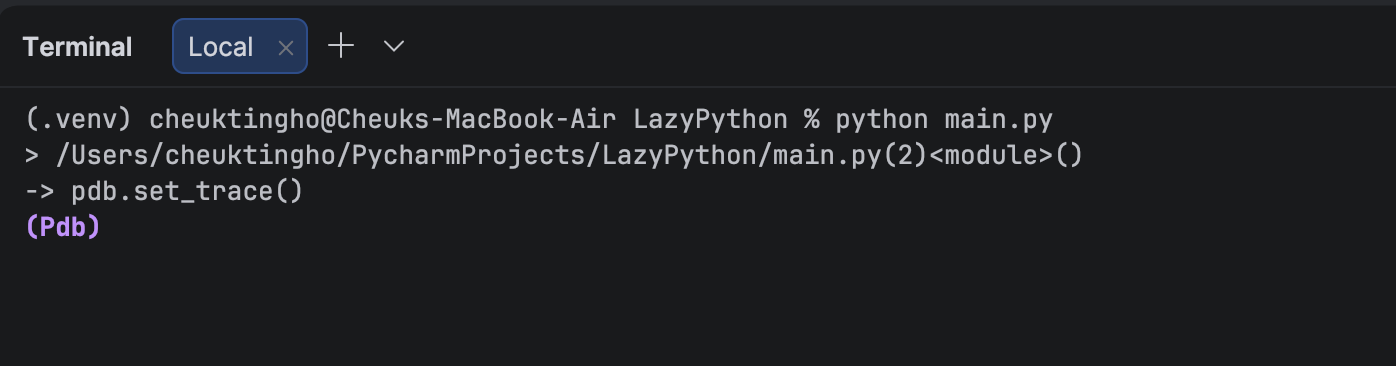
When it hits the first line of ` pdb.set_trace()` at the top, there should not be any module loaded in. Let’s check:
(Pdb) import sys
(Pdb) sys.lazy_modules
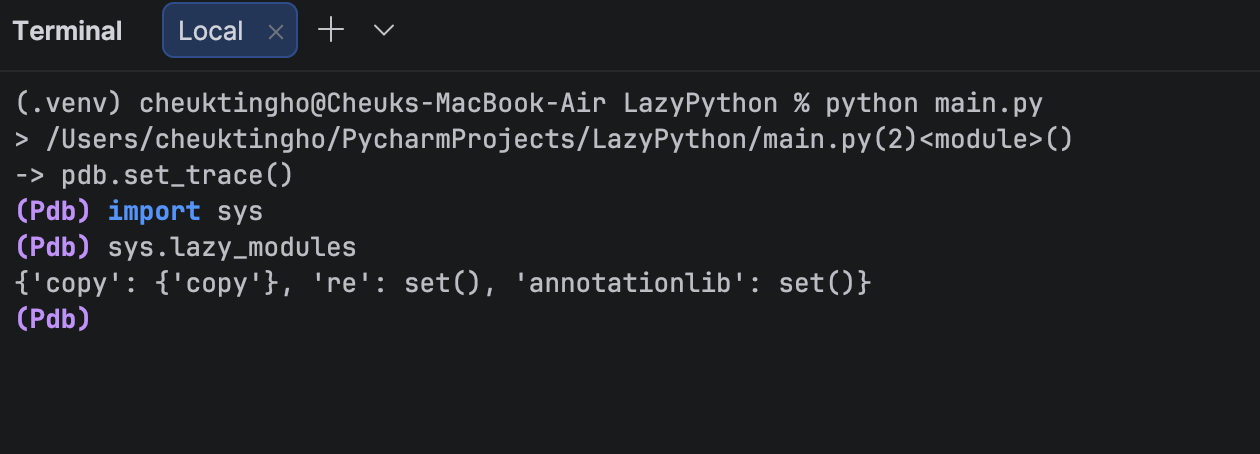
As expected, none of our libraries – pandas, numpy, and matplotlib – are listed.
Now, let’s continue running the program and let it stop at the next breakpoint. In the console, type `continue` and once it stops, we can check by typing `sys.lazy_modules` again:
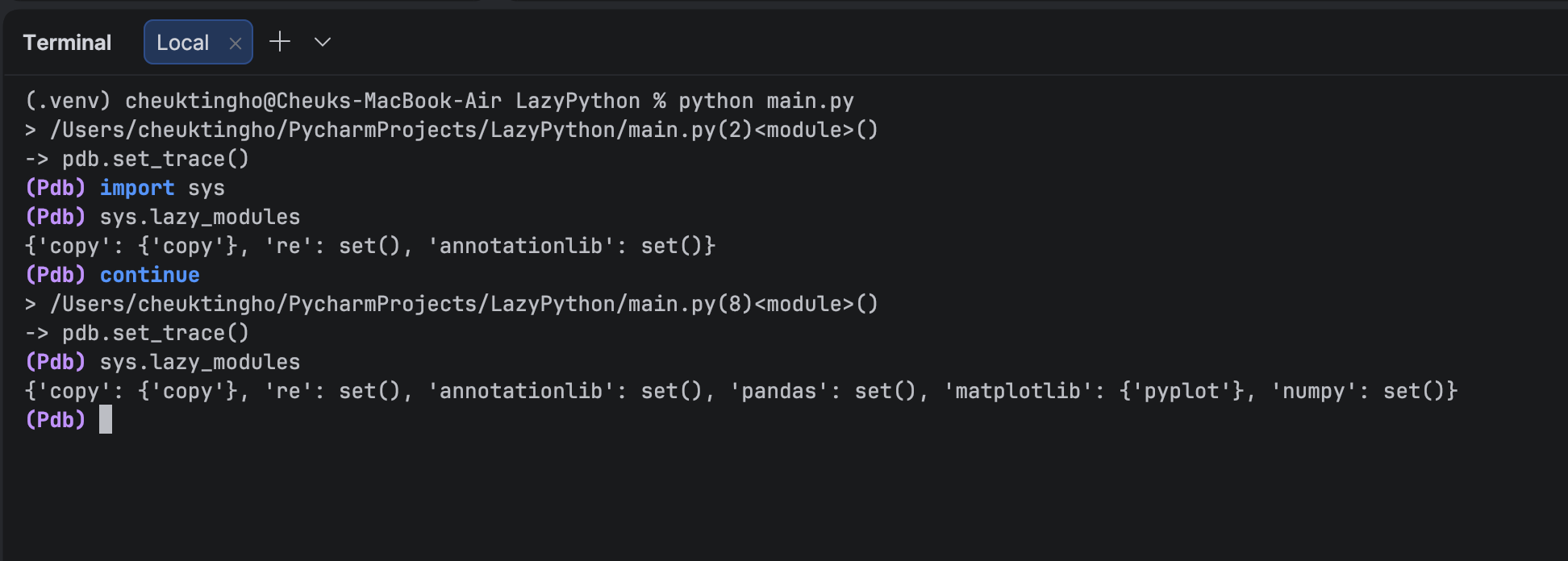
Here, we see that all of our modules are in `lazy_modules`. Let’s check whether pandas is in `sys.modules`:
(Pdb) 'pandas' in sys.modules
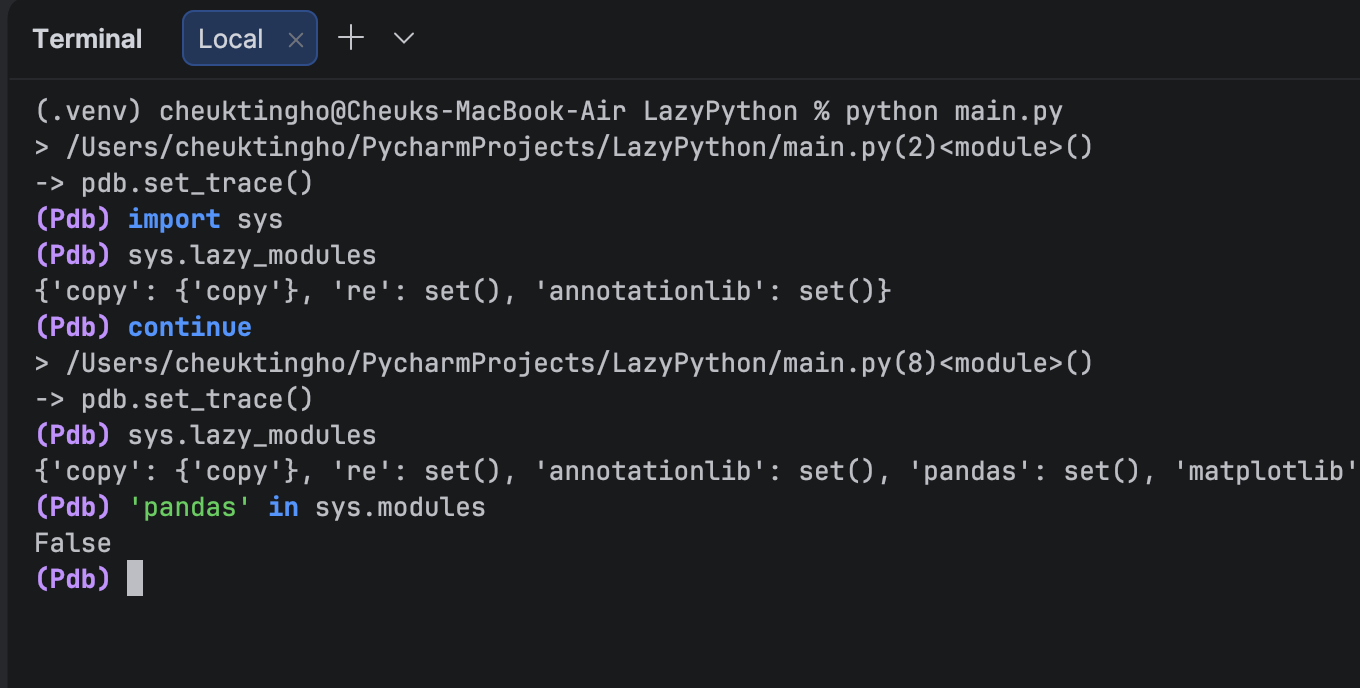
Nope, it’s not. You can try with numpy and matplotlib, and you will see that neither of those is in `sys.module`.
Now let’s type `continue` again and reach the next breakpoint, which occurs after numpy is used. Check `sys.lazy_module` again, and you’ll see that numpy is no longer on the list. When we check whether it is in `sys.module`, we get `True` this time.
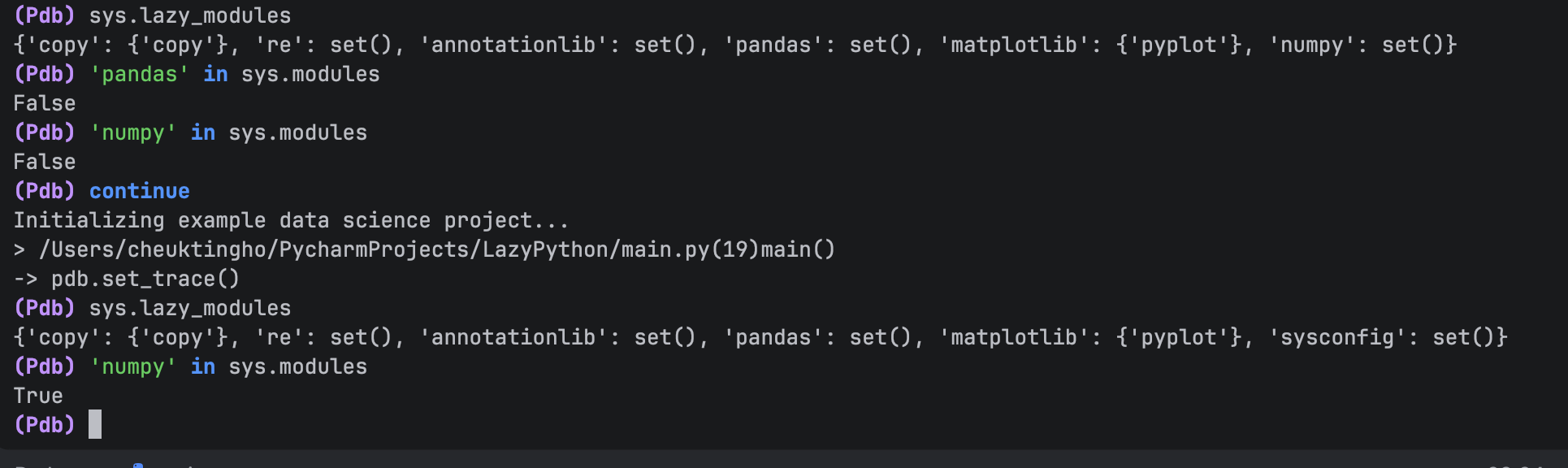
However, pandas and matplotlib are still not in `sys.modules`.

When you check the next breakpoint, you’ll see that matplotlib is similarly removed from `sys.lazy_modules` and added to `sys.modules` after it is used.

Trying it yourself with PyCharm
Download the latest version of PyCharm to experiment with Python 3.15.0b1 and experience firsthand how explicit lazy imports can optimize your application’s performance by significantly reducing startup latency and memory consumption.
Subscribe to PyCharm Blog updates