





TL;DR: The Best LMS Plugins for WordPress in 2026
If you want to create and sell online courses from your WordPress site, this guide breaks down the best LMS plugins available right now. I've tested these tools in real course businesses — not just skimmed feature lists.
Quick summary:
- Thrive Apprentice is my top pick for most creators — clean design, built-in conversion tools, and full control without the bloat.
- LearnDash and LifterLMS work well for structured, large-scale course platforms or academic environments.
- Tutor LMS and LearnPress give you solid free or freemium options if you're just starting out.
Every plugin here has been used in real teaching environments. Keep reading for detailed reviews, pricing, and honest pros and cons.
I've lost count of how many course websites I've built over the past few years. Small passion projects. Full membership academies. One-off training programs. Rebuilds after rebuilds because the first plugin choice was… wrong.
And I learned this the hard way: your WordPress LMS plugin matters more than you think.
When your tools get out of your way, you can focus on the work that actually matters — teaching, connecting with students, growing your business. When they don't, you spend half your time wrestling with clunky interfaces, third-party payment integrations that break, and student dashboards that confuse everyone (including you).
I've used or tested nearly every major LMS plugin out there. LearnDash, LifterLMS, MemberPress, Tutor LMS — you name it. I even helped design Thrive Apprentice, which came from years of frustration watching creators struggle with tools that made course creation harder than it needed to be.
So this isn't a recycled listicle. It's a practical review from someone who's built courses, sold them, migrated them, and lived through every plugin quirk you can imagine.
Below, you'll find my top picks for 2026 — the best LMS plugins for WordPress that make your teaching life easier and your course business more profitable.
What is a WordPress LMS Plugin? (And Why Use One?)
A WordPress LMS plugin turns your website into a teaching platform. That's the simple version.
Here's what that actually means: you install the plugin, build your course content inside WordPress, and suddenly you have a system that handles enrollment, tracks student progress, delivers lessons in sequence, maybe runs quizzes, and processes payments if you're selling access. All without sending people to Teachable or Thinkific or whatever external platform is trending this month.
I like keeping courses on my own site. You control the experience, own the data, and don't pay percentage cuts to a third-party platform. But you do take on more setup work upfront — no getting around that.
The "LMS" part stands for Learning Management System, which is consultant-speak for "software that organizes learning." In practice, a good WordPress LMS plugin gives you:
- A course builder where you structure lessons, modules, and content however you want
- Student dashboards so learners can track their progress and pick up where they left off
- Access control that locks lessons until prerequisites are done, or gates content behind payment
- Progress tracking that shows you who's stuck, who's flying through, and who ghosted after lesson two
- Quiz and assessment tools if you need to test knowledge or issue certificates
- Integration hooks for email platforms, payment processors, and membership systems
Some plugins go light — just courses and basic tracking. Others pile on features like gamification, community forums, live session scheduling, and advanced reporting. You'll want to match the plugin to what you're actually building, not what sounds cool in a feature list.
Here's why you'd use one instead of, say, hosting on Kajabi or Udemy: control and margins. When you run courses on your own WordPress site, you set the pricing, design the experience exactly how you want it, and keep more of what you earn. You're also building an asset you own — your course platform doesn't vanish if a SaaS company pivots or raises prices.
The tradeoff? You handle hosting, security updates, and making sure everything works together. If that sounds fine, a WordPress LMS plugin is probably the smarter long-term play.
🏆 Our Top LMS Plugin Picks for 2026
- Best for Conversion-Focused Creators: Thrive Apprentice
- Best for Advanced & Scalable Courses: LearnDash
- Best Freemium LMS Option: LifterLMS
- Best for Membership-Based Courses: MemberPress
- Best Free Choice: LearnPress
How I Chose the Best LMS Plugins for WordPress
I've tested most of the major LMS plugins out there — some were genuinely impressive, others made me want to throw my laptop out the window.
The plugins that earned a spot on this list all passed the same five tests I run when evaluating any course platform:
The ones that made this list all checked five key boxes:
- Ease of Use: I want to build courses, not fight with settings panels. The best plugins let you set up structured learning paths without needing a developer on speed dial.
- Engaging Course Creation: Videos, quizzes, drip schedules, completion tracking — if it keeps students moving forward and actually finishing, it matters. Fancy features mean nothing if people bounce halfway through.
- Design Freedom: Your courses should look like they belong to your brand, not like they were bolted on from a 2012 SaaS tool. Good LMS plugins give you real control over layout, colors, and student experience.
- Monetization & Marketing Tools: Can you actually sell the thing? Built-in payment options, membership tiers, email integrations — or at least clean connections to the tools that handle it. If monetization feels like an afterthought, the plugin probably won't grow with you.
- Scalability & Support: What works for 10 students needs to work for 1,000. I also want reporting that tells me what's happening, and support that doesn't ghost me when something breaks.
These are practical filters that separate WordPress LMS plugins worth recommending from the ones that waste your time.
WordPress LMS vs. Dedicated Course Platforms (Teachable, Thinkific, Kajabi)
I get this question a lot: "Should I even bother with WordPress, or just use Teachable?"
It's a fair question. Dedicated platforms like Teachable, Thinkific, and Kajabi promise simplicity. You sign up, upload your videos, and you're live. No plugins to configure, no hosting to manage, no WordPress learning curve. For some people, that's exactly what they need.
But here's what you're trading for that convenience:
- You don't own the platform. Your course lives on their servers, under their rules. If they change pricing, policies, or shut down tomorrow, you're scrambling. I've watched creators lose months of work when a platform changed its terms overnight. With WordPress and a solid LMS plugin, your content lives on your server. You control everything.
- Your branding gets diluted. Most course platforms give you a subdomain (yourname.teachable.com) unless you pay extra. Even with a custom domain, you're still working within their design framework. You can tweak colors and fonts, but you can't fully own the experience. WordPress lets you build a course site that looks and feels exactly how you want it to. No "Powered by" footer. No template limitations.
- Pricing stacks up fast. Teachable's basic plan starts around $39/month but caps your features. Want to remove transaction fees? That's $119/month. Need advanced reports or multiple course admins? You're looking at their $199/month tier. Kajabi starts at $149/month. Thinkific has a free plan, but you'll hit limits quickly if you're serious about scaling. Compare that to a one-time investment in a WordPress LMS plugin like Thrive Apprentice, and the math shifts dramatically over time.
- Integration flexibility matters more than you think. Dedicated platforms work great if you stay inside their ecosystem. But what happens when you need a specific email tool, a custom checkout flow, or a unique membership setup? You're stuck with whatever integrations they've approved. WordPress doesn't care. You can connect anything. Want to use a particular payment gateway? Done. Need a custom form builder? Add it. The flexibility is the point.
Now, let me be clear: if you're just testing an idea, don't want to deal with hosting, and plan to keep things simple, a dedicated platform makes sense. I'm not here to talk you out of it. You'll get up and running faster. But you'll pay for that speed in flexibility and long-term control.
The real question is what you're optimizing for. Quick setup or full ownership? Simplicity today or scalability tomorrow?
For me, WordPress wins when you care about brand control, cost efficiency over time, and the freedom to build exactly what you need without asking permission. If you're already running a WordPress site, adding a quality LMS plugin like Thrive Apprentice means you're not juggling two separate platforms. Your blog, sales pages, email signups, and courses all live in one place. That's powerful.
The best LMS plugin for WordPress isn't trying to replace Kajabi. It's giving you something Kajabi can't: total control without the monthly subscription treadmill.
So, What Are the Best LMS Plugins for WordPress?
Here's what matters when you're choosing an LMS plugin: price, flexibility, and how much work you want to put in upfront.
Some plugins let you drag-and-drop your way to a polished course in an afternoon. Others require patience, add-ons, and a willingness to tinker. A few are built for selling, while others assume you'll figure that part out later.
I've laid out the key details below so you can scan quickly and skip what doesn't apply to you.
WordPress LMS Plugins: A Quick Comparison
Plugin | Best For | Pricing Model | Free Version? | Visual Builder? | Built-in Monetization? |
|---|---|---|---|---|---|
Thrive Apprentice | Conversion-focused creators & solopreneurs | Starts from $149/year standalone or $299/year as part of Thrive Suite | No | Yes (Full drag-and-drop) | Yes (Stripe, SendOwl, ThriveCart) |
LearnDash | Enterprises & advanced educators | Starts from $199/year for 1 site, $399/year for 10 sites, $799/year unlimited | No | Yes (Block-based builder) | Partial (add-ons required) |
LifterLMS | Course builders & coaches | Free core plugin; paid bundles start from $119/year (Earth) to $1,200/year (Infinity) | Yes | Yes (Block-based) | Yes (via add-ons) |
MemberPress | Membership-first creators | Premium plans start from $179.50/year (Basic) to $799/year (Pro) | No | No (uses Block Editor) | Yes (native checkout & subscriptions) |
Tutor LMS | Beginners & multi-instructor sites | Free version available; Pro starts at $199/year for 1 site | Yes | Yes (Frontend & backend) | Yes (Pro add-ons) |
LearnPress | Budget-conscious users | Free core; bundles start from $149/year or $249 lifetime | Yes | No | Yes (via WooCommerce & add-ons) |
Sensei | WooCommerce-based educators | Free core plugin; Pro plan from $179/year | Yes | Yes (Block-based) | Yes (via WooCommerce) |
Tables are helpful, but they don't tell you what it actually feels like to build a course with these tools.
So I'm walking you through each one — what works, what doesn't, and who should pick it. If you want control without coding, easy setup without compromise, or something built to grow with your business, you'll know by the end of this section.
1. Thrive Apprentice — Best LMS Plugin for WordPress in 2026
If I had to describe Thrive Apprentice in one line: it's the course builder I reach for when I care about business outcomes, not just uploading videos.
Most WordPress LMS plugins treat course creation like content management — you upload lessons, maybe add a quiz, and call it done. Thrive Apprentice works differently. It treats your course like a product that needs to convert, engage, and scale. The difference shows up fast.
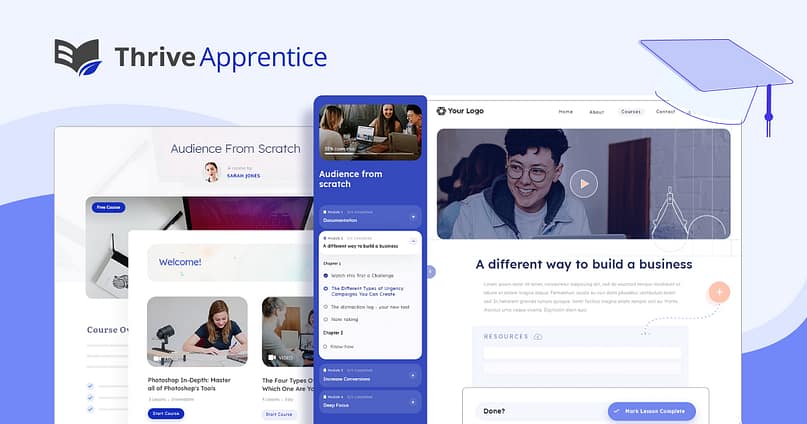
I’ve used this plugin across multiple builds — from small coaching programs to full-scale membership sites — and it’s consistently one of the smoothest setups in WordPress.
What keeps me coming back is how little friction there is between idea and execution. The drag-and-drop builder feels natural — you can map out an entire curriculum, add resources, embed videos, and structure learning paths without second-guessing yourself or Googling how to make something work.
The dashboard doesn't overwhelm you with options you'll never use. Everything sits where you'd expect it. You want to drip content over six weeks? A few clicks. Need student progress tracking? It's already there. Want custom certificates that don't look like clipart from 2007? Done.
Here's what makes Thrive Apprentice stand out:
- Design freedom that doesn't require a developer. Every module, landing page, and completion certificate can match your brand. Not "sort of" match — actually match. You're not stuck with generic templates that scream "I used a plugin."
- A conversion-focused ecosystem. Thrive Apprentice integrates natively with the rest of Thrive Suite — Thrive Architect for landing pages, Thrive Ultimatum for urgency campaigns, Thrive Leads for opt-ins. If you're already in that world, the whole system works together without duct tape and workarounds.
- Monetization options that make sense. You can connect ThriveCart, SendOwl, Square, or Stripe directly. Bundle courses with memberships. Offer payment plans. Sell standalone modules. The flexibility is there without needing three separate plugins to handle payments.
- Learning tools that don't feel tacked on. Quizzes, drip schedules, student tracking, certificates — they all feel like part of the core experience, not afterthoughts. You're not installing five more plugins to make basic features work.
One platform instead of five. You handle course creation, design, and marketing from the same place. No logging into Teachable for content, then WordPress for your site, then Stripe for payments. Everything lives under one roof.
Even the advanced stuff — like scheduling drip content or bundling courses with memberships — stays lightweight. The system doesn't fight you. It just lets you build, launch, and move on to what actually matters: teaching people and growing revenue.
Thrive Apprentice Pros & Cons
Pros | Cons |
|---|---|
Fast to set up: I had my first course live in under an hour. The builder is visual, drag-and-drop, and the dashboard doesn't bury settings three menus deep. | Design freedom takes adjustment: You get full control over layout and structure, which is powerful — but if you're used to rigid LMS templates, the flexibility might feel overwhelming at first. |
Courses that actually look good: The templates are clean, mobile-friendly, and brand-customizable. I've seen $2,000 courses built entirely with Apprentice templates. | No free version: You'll need a paid license — either standalone or as part of Thrive Suite. No test-driving without committing. |
Built for launches, not just lessons: Works directly with Thrive's email tools, countdown timers, and offer pages. You can run a full launch without duct-taping plugins together. | Real value comes with the full suite: The standalone plugin is solid, but pairing it with Thrive Architect, Leads, and Ultimatum unlocks the kind of automation and personalization that makes you look like a much bigger operation. |
Learning tools that matter: Drip scheduling, completion certificates, quizzes with branching logic, progress tracking — all native, all included. | — |
Everything under one roof: Course creation, sales pages, email sequences, and member management live in the same WordPress ecosystem. No Zapier glue required. | — |
Final Thoughts on Thrive Apprentice
I've been recommending Thrive Apprentice to people for a while now, and it keeps earning that spot. The design control feels different from most LMS plugins — you're not stuck with clunky templates or bland course pages that scream "I installed a plugin." You get the tools to build something that actually reflects your brand and converts browsers into buyers.
If you want a course platform that looks sharp, works without developer help, and grows with your business, this is worth your time.
Pricing: $149/year for Thrive Apprentice standalone, or $299/year as part of Thrive Suite — which bundles in Thrive Architect, Thrive Leads, and Thrive Ultimatum. I think the Suite makes more sense if you're building any kind of online business, not just selling courses.
Want the full breakdown? I wrote a detailed Thrive Apprentice review that walks through real-world use, updated features, and how the pricing actually works out when you compare it to competitors.
2. LearnDash — Best for Advanced and Scalable Courses
LearnDash has been a major player in the WordPress LMS world for years — and for good reason.
It’s the platform I would recommend to anyone who has a project that needs complex course structures, advanced tracking, or the kind of scalability you’d expect from an academic setup or enterprise training site.
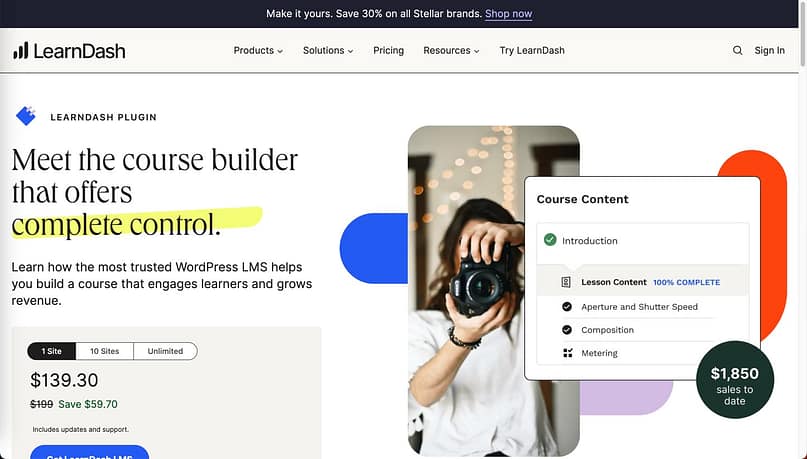
Once you spend a little time with it, LearnDash starts to feel like a professional-grade tool built for educators who want precision. The block-based course builder makes it easy to organize lessons, quizzes, and topics into clear hierarchies, and the learning paths you can create go far beyond what most plugins offer.
Where LearnDash really earns its reputation is in depth and control. You can manage multiple courses, track progress down to the individual quiz question, and integrate with dozens of apps and payment systems.
Here’s what stands out most in real use:
- Multi-tier course structure — lessons, topics, assignments, and quizzes that build logical learning paths.
- Drip content and prerequisites — lets you pace lessons and ensure students move in the right order.
- Scalable performance — handles hundreds or thousands of students without slowing down your site.
- Integrations everywhere — connects with WooCommerce, bbPress, Slack, and dozens of third-party tools.
- Flexible monetization — sell courses as one-time purchases, bundles, or recurring memberships.
The learning curve is a bit steeper than lightweight plugins, but once you’ve set it up, it runs like a machine — efficient, structured, and built for growth.
LearnDash Pros & Cons
Pros | Cons |
|---|---|
Robust Course Builder: Supports multi-tier courses and detailed progression tracking. | Learning Curve: The advanced features take time to learn. |
Highly Scalable: Works smoothly for small creators and large institutions alike. | Add-on Dependence: Some core functions require paid extensions. |
Excellent Integration Range: Connects with CRMs, payment gateways, and community plugins. | Design Freedom is Limited: Relies heavily on your theme or extra design tools. |
Strong Assessment Tools: Quizzes, assignments, and certificates are deeply customizable. | No Free Version: Paid license only. |
Final Thoughts on LearnDash
LearnDash feels like the powerhouse of the WordPress LMS space — not flashy, but incredibly capable.
It’s ideal if you need flexibility, data control, and a learning system that grows alongside your audience or organization.
Once it’s up and running, it’s one of the most reliable course platforms you can build on.
Pricing: Starts from $199/year for one site, $399/year for up to 10 sites, and $799/year for unlimited sites.
Curious how it compares to other top LMS tools? Our Thrive Apprentice vs LearnDash breakdown highlights where each shines — from pricing to performance.
3. LifterLMS — Best Freemium LMS Plugin for WordPress
LifterLMS is one of the few plugins that feels welcoming right out of the box — even if you’re building your first course.

It strikes a rare balance between user-friendliness and power, offering a free core plugin with real functionality before you ever pay for an upgrade.
From setup to launch, the workflow feels intuitive. You can build full courses with lessons, quizzes, and prerequisites through its drag-and-drop interface. And if you want more advanced tools — like private coaching, groups, or payment gateways — you can simply add paid extensions as you grow.
What makes LifterLMS stand out in real use:
- Free to start: the core plugin includes everything you need to launch your first course.
- Engagement tools built in: quizzes, certificates, and email notifications to keep learners active.
- Coaching and community options: create private coaching spaces or student groups for deeper connection.
- Flexible pricing setup: sell individual courses, bundles, or recurring memberships.
- Smooth integrations: works with popular WordPress themes and tools like Mailchimp, Stripe, and PayPal.
It’s one of the most approachable LMS tools out there — ideal if you want room to experiment before committing to a premium plan.
LifterLMS Pros & Cons
Pros | Cons |
|---|---|
Free Core Plugin: Start building without an upfront cost. | Add-on Costs Add Up: Advanced features often require paid extensions. |
User-Friendly Builder: Drag-and-drop setup makes course creation fast. | Design Limitations: Visual customization depends on your WordPress theme. |
Strong Engagement Features: Certificates, quizzes, and progress tracking included. | Requires Setup Time: Some features need configuration before going live. |
Great for Coaches: Supports memberships, private coaching, and communities. | Premium Bundles Can Be Pricey: The full Infinity plan costs around $1,200/year. |
Final Thoughts on LifterLMS
LifterLMS is the best option if you want a flexible start — free, scalable, and feature-rich.
It’s powerful enough for established educators but simple enough for beginners testing the waters.
With thoughtful upgrades and clean functionality, it grows right alongside your business.
Pricing: Free core plugin; paid bundles start at $119/year (Earth) and go up to $1,200/year (Infinity).
4. MemberPress — Best for Membership-Based Courses
MemberPress is one of those WordPress plugins that quietly does a lot — and does it well.
It started as a membership management powerhouse and gradually evolved into a capable LMS for creators who want to sell courses alongside exclusive content or digital downloads.
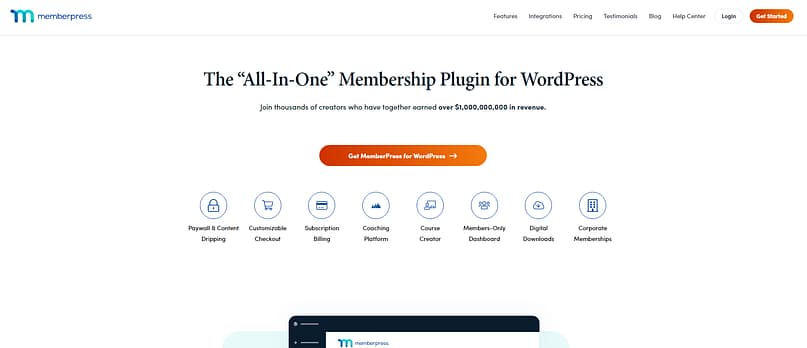
I’ve used MemberPress for projects that needed tight access control and tiered memberships, and it remains one of the most stable options for recurring-revenue course sites. The interface is tidy, setup takes minutes, and once you’ve built your first rule set, managing access becomes second nature.
Here’s what makes MemberPress shine in practice:
- Powerful membership management — create multiple tiers, restrict specific content, or drip lessons to members.
- Built-in course builder — the “Courses” feature is integrated directly in the dashboard, using the native WordPress block editor.
- Automated subscriptions and billing — connect Stripe or PayPal for recurring payments and renewals.
- Easy integrations — works smoothly with email platforms like ActiveCampaign, ConvertKit, and AffiliateWP.
- Analytics and reporting — track member signups, renewals, and overall site revenue from one panel.
If your business revolves around memberships first and courses second, MemberPress is one of the most complete solutions you can get on WordPress.
MemberPress Pros & Cons
Pros | Cons |
|---|---|
All-in-One Membership Tool: Combines memberships, subscriptions, and courses in one plugin. | Limited Course Design: Uses the WordPress Block Editor, which lacks advanced visual customization. |
Solid Payment Management: Recurring billing and flexible pricing tiers built in. | No Free Version: Premium only. |
Reliable Access Control: Protect posts, pages, or lessons with granular rules. | Basic Learning Tools: Lacks quizzes and assignments compared to dedicated LMS plugins. |
Strong Integrations: Connects easily with CRMs, email tools, and affiliate plugins. | Course Experience Feels Simple: Better for straightforward lessons than elaborate course flows. |
Final Thoughts on MemberPress
MemberPress remains a solid pick for anyone who wants to build a paid community, offer gated content, and run courses from the same dashboard.
It’s not the flashiest LMS option, but its stability, automation, and reliable billing tools make it perfect for long-term recurring income.
Pricing: Plans start at $179.50/year (Basic), $239.60/year (Plus), and $799/year (Pro).
5. Tutor LMS — Best for Beginners and Multi-Instructor Sites
Tutor LMS is one of the newer players that’s earned its spot fast. It feels modern, looks clean, and delivers an intuitive experience that makes course creation approachable — even if you’ve never built an LMS before.
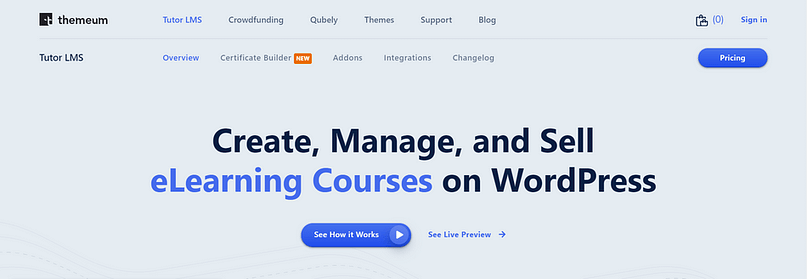
I’ve found Tutor LMS to be a great fit for creators or teams who want a visually appealing interface without a technical learning curve. It’s especially strong if you’re building a platform with multiple instructors, since it supports front-end course submission and management out of the box.
Here’s what stands out when using it day to day:
- Frontend course builder: instructors can create and manage courses directly from the front end.
- Beautiful default layouts: modern course pages that look polished with minimal tweaking.
- Multi-instructor support: ideal for teams, schools, or collaborative teaching projects.
- Flexible monetization: sell through WooCommerce, Easy Digital Downloads, or built-in payments.
- Freemium model: start free, then unlock advanced features like certificates, assignments, and detailed reports with Pro.
It strikes a sweet balance between simplicity and capability — you can launch fast, then grow into more advanced features as your needs expand.
Tutor LMS Pros & Cons
Pros | Cons |
|---|---|
Modern Interface: Clean, intuitive design that’s easy to navigate. | Performance Can Lag: Sites with many instructors may need optimization. |
Free Core Plugin: Start at no cost, with powerful upgrades available. | Some Features Behind Paywall: Certificates and analytics require Pro. |
Supports Multi-Instructor Platforms: Great for collaborative teaching or marketplaces. | Design Limited to Templates: Customization options aren’t as deep as visual builders. |
Frontend Course Builder: Makes it simple for non-technical users to add content. | — |
Final Thoughts on Tutor LMS
Tutor LMS is a friendly, flexible option that scales easily from solo instructors to small academies.
It’s well-designed, regularly updated, and gives you a professional setup right out of the gate — without feeling overwhelming.
Pricing: Free version available; Pro starts at $199/year for 1 site, $399/year for up to 10 sites.
6. LearnPress — Best Free LMS Plugin for WordPress
LearnPress is the go-to starting point for anyone who wants to test the waters of online teaching without spending a cent.
It’s lightweight, beginner-friendly, and offers most of the essential LMS functionality right out of the box — lessons, quizzes, and even payment integrations.
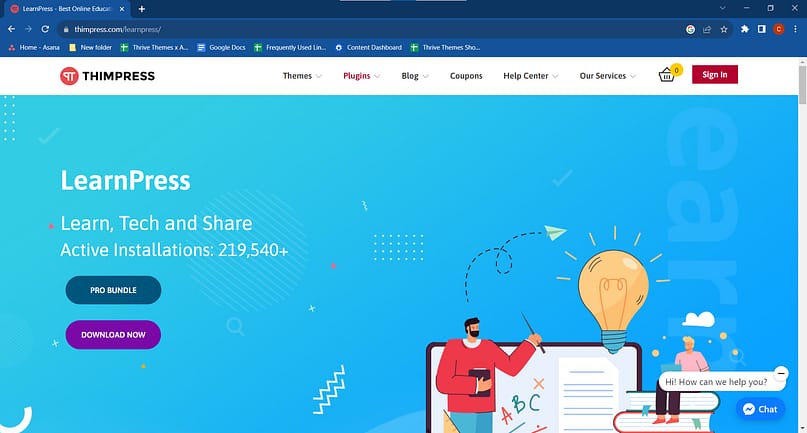
I’ve used LearnPress for small pilot courses and client sites where the goal was to validate an idea before committing to a paid plugin. It’s easy to install, integrates smoothly with most WordPress themes, and doesn’t clutter your site with unnecessary extras.
Here’s what makes LearnPress appealing in real use:
- Completely free core plugin: get a working LMS setup immediately after install.
- Simple lesson structure: create courses, lessons, and quizzes from the dashboard.
- WooCommerce integration: sell courses or bundles using standard checkout flows.
- Add-on flexibility: extend functionality with paid extensions for certificates, memberships, and more.
- Community support: widely adopted, with lots of tutorials and troubleshooting resources available.
It’s basic but reliable — perfect for first-time course creators who want to learn the ropes before scaling up.
LearnPress Pros & Cons
Pros | Cons |
|---|---|
Free Core Plugin: Start teaching without any upfront cost. | Add-ons Needed for Growth: Advanced features require multiple paid extensions. |
Simple and Lightweight: Minimal setup for small or test projects. | Limited Design Options: Course pages look generic without customization. |
WooCommerce Integration: Works well for payments and bundles. | Occasional Plugin Conflicts: Some themes and plugins need tweaking to work smoothly. |
Active User Community: Large support base and plenty of tutorials online. | Basic Reporting: Student tracking and analytics are limited. |
Final Thoughts on LearnPress
LearnPress is the easiest entry point into the WordPress LMS world.
It won’t compete with premium plugins on depth or polish, but it’s dependable, well-supported, and perfect if you’re testing your course concept or building a low-cost educational site.
Pricing: Free core plugin; premium bundles from $149/year or $249 lifetime.
7. Sensei LMS — Best for WooCommerce-Based Course Creators
Sensei LMS comes straight from the team behind WooCommerce, and that shows in how seamlessly it fits into the WordPress ecosystem.
If your site already runs on WooCommerce or you plan to sell your courses the same way you sell products, Sensei is a natural fit.
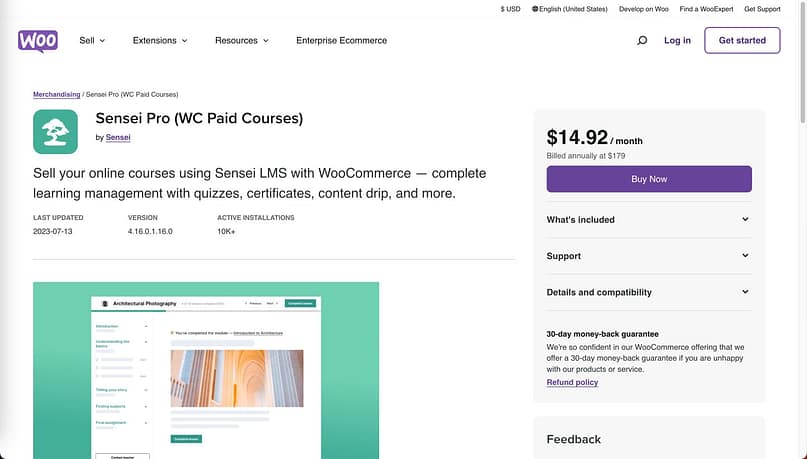
I’ve recommended Sensei to store-owners who wanted to add training or certification programs without building a separate site. It’s simple, structured, and built around the idea that your e-commerce platform should handle sales, while Sensei handles the learning experience.
Here’s what makes Sensei work well in real projects:
- Native WooCommerce integration: sell courses as products with recurring or one-time payments.
- Clean, familiar interface: uses the WordPress block editor, so there’s no steep learning curve.
- Solid quiz and assignment tools: multiple-choice, fill-in-the-blank, and file uploads supported.
- Drip content and prerequisites: pace lessons and keep students progressing steadily.
- Achievement badges and certificates: add motivation through built-in gamification extensions.
It’s not flashy or feature-heavy, but it’s extremely dependable for course creators who already rely on WooCommerce.
Sensei LMS Pros & Cons
Pros | Cons |
|---|---|
WooCommerce Integration: Works perfectly with existing stores and payment setups. | Limited Standalone Appeal: Best suited to WooCommerce users, not independent course sites. |
User-Friendly: Familiar WordPress interface makes course creation straightforward. | Fewer Advanced LMS Tools: No native memberships or complex grading logic. |
Clean Course Layouts: Simple, professional templates that match most themes. | Requires Paid Extensions: Drip content and certifications need add-ons. |
Gamification Features: Achievement badges and certificates available. | Customization Constraints: Visual tweaks depend on your theme and CSS. |
Final Thoughts on Sensei LMS
Sensei LMS is the logical choice if your site already runs on WooCommerce and you want a clean, dependable way to teach online.
It’s not the most feature-rich LMS, but it’s stable, easy to maintain, and makes selling courses feel as natural as selling products.
Pricing: Free core plugin; Pro plan from $179/year.
Bonus: Other WordPress LMS Plugins to Consider
I've tested dozens of WordPress LMS plugins over the years, and while the seven above handle most scenarios, a few others deserve a mention — particularly if you need something specific or want to explore different pricing structures.
- Masteriyo is one of the newer players, and I like how minimal it feels. The builder stays out of your way, pages load fast, and the whole experience feels clean. If you want students to focus on learning instead of navigating a cluttered interface, this one's worth trying.
- WP Courseware has been around since the early WordPress days. It's stable, predictable, and built for traditional course delivery — think college-style lessons with solid quizzes. Not flashy, but reliable if you're teaching structured, academic content.
- MasterStudy LMS packs in features designed for schools or platforms with multiple instructors. You get front-end course creation, built-in Zoom integration, and gradebooks that actually make sense. It's heavier than most plugins on this list, but if you're running something closer to an online school, that extra weight pays off.
- WishList Member + CourseCure makes sense if you already use WishList to manage memberships. The CourseCure add-on slides into that ecosystem without friction. I wouldn't start here if you're building from scratch, but if WishList is already running your site, adding courses feels natural.
- MemberMouse leans more business than education. It handles courses, but it's really built to sell memberships, products, and subscriptions in one system. If your model revolves around recurring revenue and courses are just part of the package, MemberMouse handles that better than most pure LMS platforms.
None of these plugins have the name recognition of LearnDash or LifterLMS, but each one has a loyal user base for good reason. They excel in specific scenarios — coaching programs, membership-heavy sites, academic platforms — where the mainstream options might feel like overkill or miss the mark entirely.
Frequently Asked Questions
Do I need an LMS plugin and a membership plugin?
Not really. If you're building a course platform, a dedicated LMS plugin like Thrive Apprentice or LearnDash already handles student enrollments, progress tracking, and content access. That's the whole point.
You only need a membership plugin when you want to sell bundled access — think monthly subscriptions that unlock multiple courses, a community forum, and downloadable resources all at once. That's when something like MemberPress or Restrict Content Pro makes sense.
But here's what most people miss: several LMS plugins can already do this. Thrive Apprentice includes membership features built in, so you're not juggling two separate tools. Same with MemberPress — it can run courses and memberships from one dashboard.
So before you add another plugin to your stack, check what your LMS already offers. You might be one settings tweak away from exactly what you need.
What is the best free WordPress LMS plugin in 2026?
LearnPress and Tutor LMS (Free) are the strongest no-cost options right now.
LearnPress offers the simplest setup for testing a course idea quickly, while Tutor LMS feels more polished and scalable if you plan to upgrade later. Both integrate with WooCommerce for selling courses and have optional add-ons for certificates, quizzes, and analytics.
How is Thrive Apprentice different from LearnDash or LifterLMS?
Thrive Apprentice was built for entrepreneurs, not institutions. It combines professional course-building tools with built-in marketing, design, and automation features — something traditional LMS plugins don’t focus on.
LearnDash and LifterLMS are excellent for academic or structured learning environments, but Thrive Apprentice is designed for creators who want to build and sell courses as part of a business funnel, not just manage lessons.
Which LMS plugin works best with WooCommerce?
Sensei LMS is the clear winner here since it’s developed by the WooCommerce team. You can sell courses like products, offer bundles, and manage payments seamlessly.
LearnPress and Tutor LMS also integrate with WooCommerce, but Sensei offers the smoothest, most native experience for store owners.
Ready to Build Your Course Business?
The right LMS plugin does more than host your lessons — it decides how smooth your business feels to run.
I've walked through every major option in this guide. Some are scrappy and free. Others are built to scale. A few try to do everything and end up clunky. What matters is finding the one that fits how you want to teach and sell.
After testing all of them, Thrive Apprentice still wins for course creators who want control without chaos. You get clean course design, integrated payments, email tools, and automation that actually works together. No plugin Frankenstein. No surprises when things don't connect right.
If you're serious about turning what you know into a real course business — one that looks professional and runs without constant troubleshooting — this is your starting point.
Get Thrive Apprentice and start building your online course today.
- 0
About the author

A self described devotee of WordPress, Chipo is obsessed with helping people find the best tools and tactics to build the website they deserve. She uses every bit of her 10+ years of website building experience and marketing knowledge to make complicated subjects simple and help readers achieve their goals.
Disclosure: Our content is reader-supported. This means if you click on some of our links, then we may earn a commission. We only recommend products that we believe will add value to our readers.