


Lutao Xie

Maxim Brown
Technical Content Writer
As organizations continue to expand their cloud footprint, managing costs without risking application performance is a priority. Because of this, Arm processors have become popular for their efficient, cost-effective processing power. Microsoft Azure’s new series of Azure Virtual Machines are powered by Ampere Altra Arm-based processors, which provide excellent price performance for scale-out and cloud-native workloads. Azure customers can migrate their compute-heavy workloads to this new architecture and see improved performance and cost savings.
In this post, we’ll look at how you can use Datadog to get full, out-of-the-box visibility into your Arm- and x86-powered Azure infrastructure, enabling you to easily evaluate performance and ensure that any workloads you migrate continue to work properly.
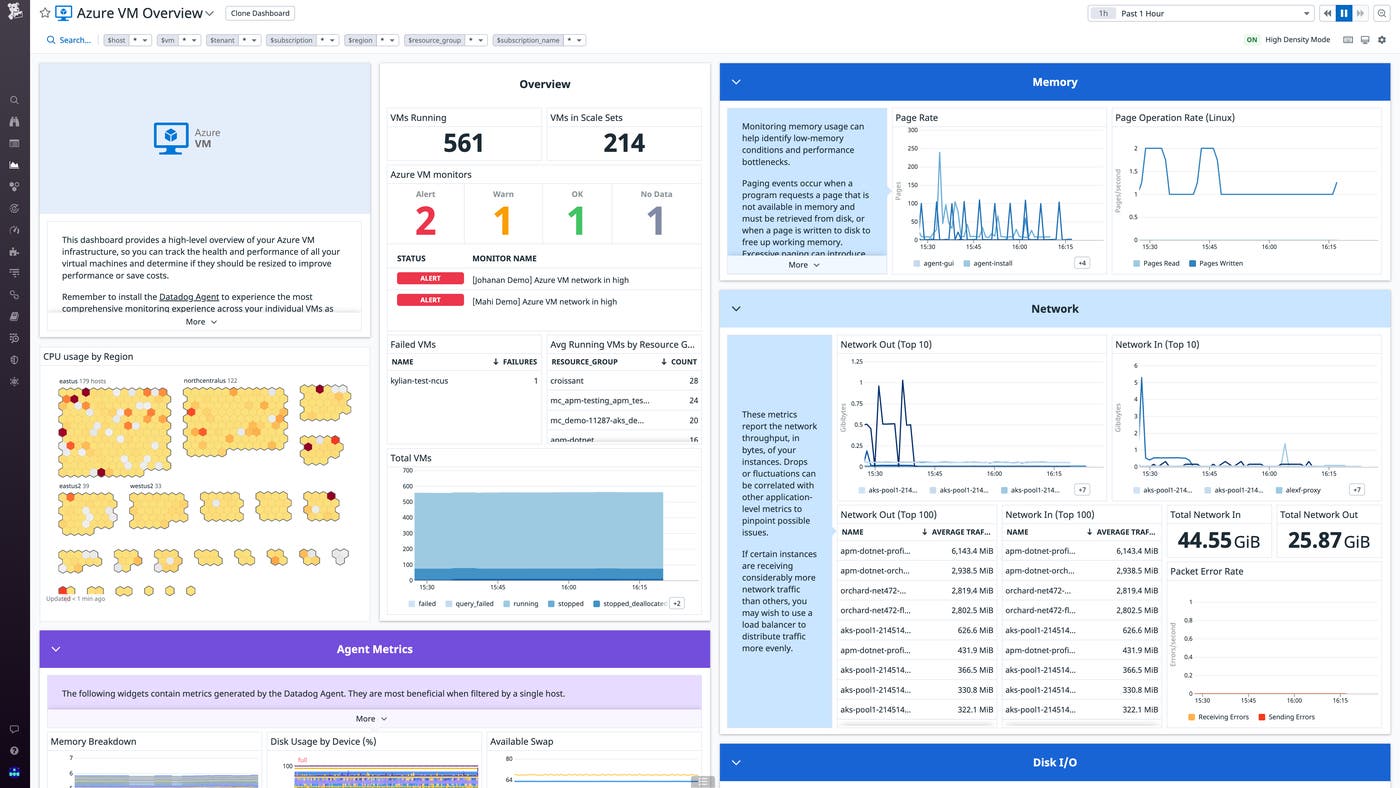
Once you’ve enabled Datadog’s Azure integration, Datadog automatically begins collecting metrics from your entire fleet of virtual machines—including your Arm-based VMs—and visualizes them in an out-of-the-box dashboard. You can filter this dashboard by key tags to quickly surface data for specific VMs. For example, if you create a resource group of Arm-based VMs, you can easily review their resource usage metrics to ensure they are running properly.
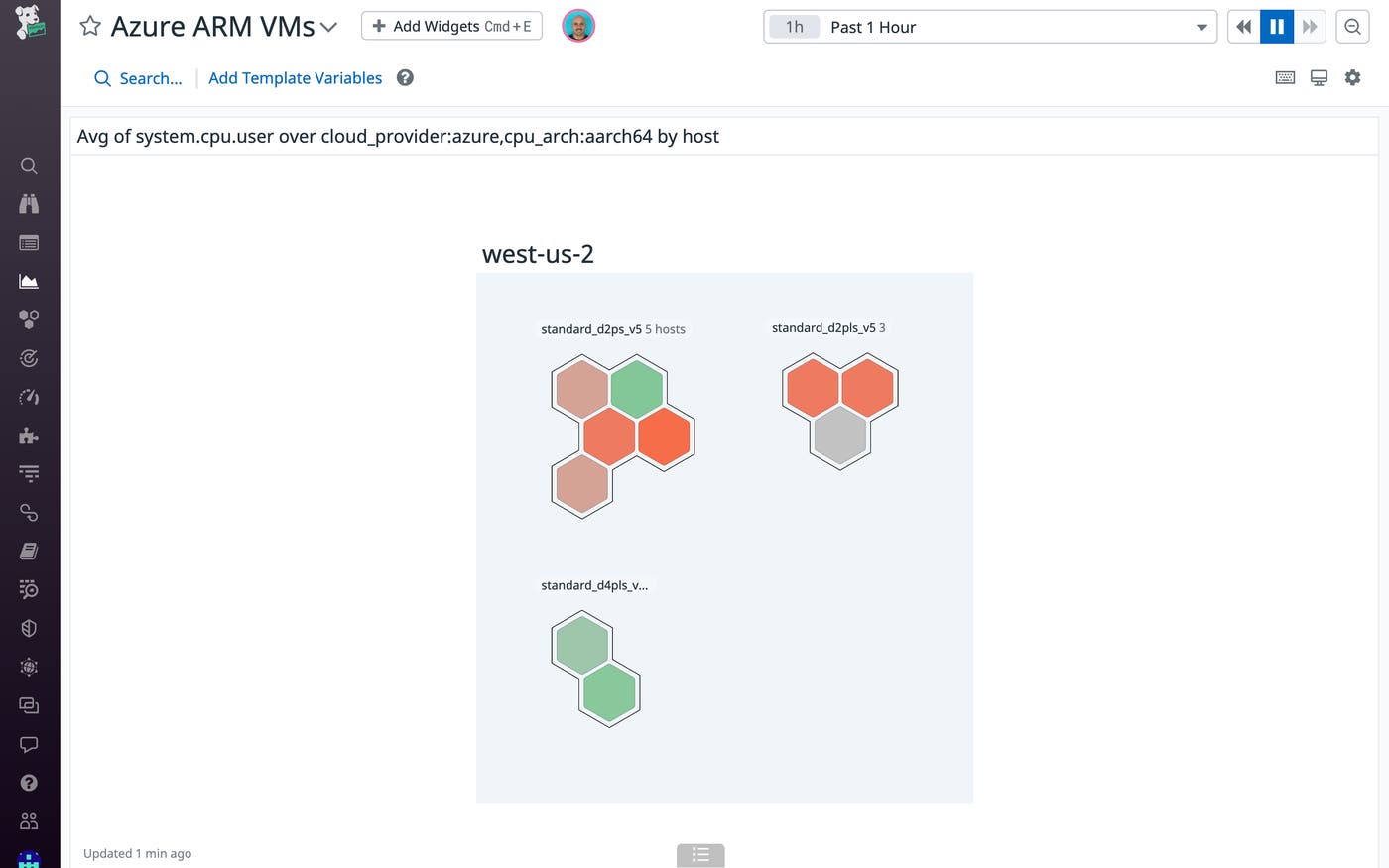
For a birds-eye view of resource usage or other telemetry across your entire environment, the Host Map visualizes all of your hosts in a single view. You can use tags to filter, sort, and group the Host Map to easily monitor system-level CPU or memory utilization across different VM types, clusters, availability zones, or specific applications to see whether any VMs might be undersized.
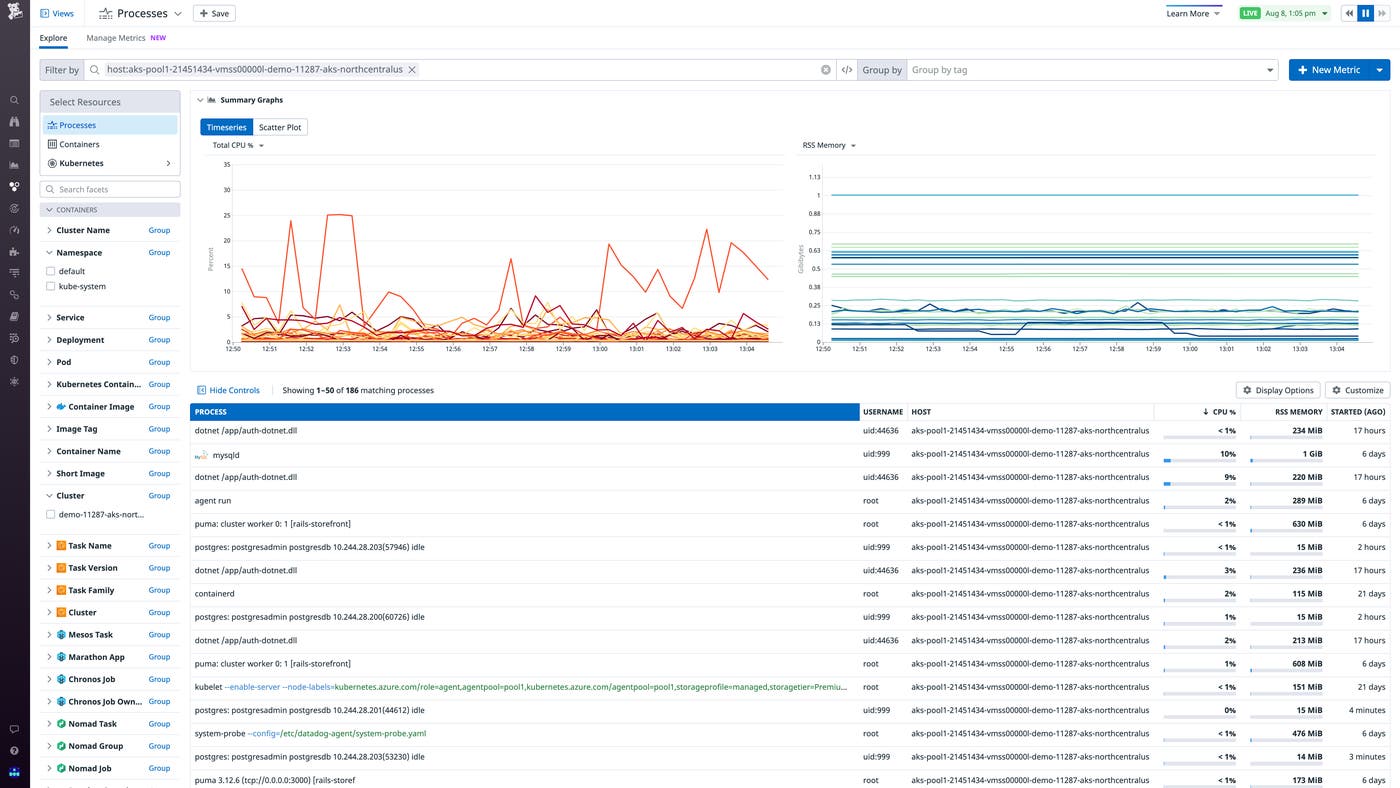
The Datadog Agent fully supports both x86 and Arm-based architectures. You can install the Agent across your VMs directly from the Azure Portal via the Datadog extension. Once you deploy the extension, the Datadog Agent provides additional insight into VM performance, down to the process level. For example, if you notice that some VMs are running hot, you can easily pivot to the Live Processes view for a more granular look at where the load is heaviest and determine whether you need to scale your Arm-based VMs to optimize performance.
Arm-powered VMs are designed to efficiently run workloads that need to scale out quickly, and as these deployments grow, it’s important to closely monitor their performance. With Datadog APM, you can collect end-to-end traces from your Arm-hosted services to monitor request latency and error rates. That way, you can ensure that your services continue to handle demand properly and that you’re seeing the expected performance boost by running them on Arm-based processors.
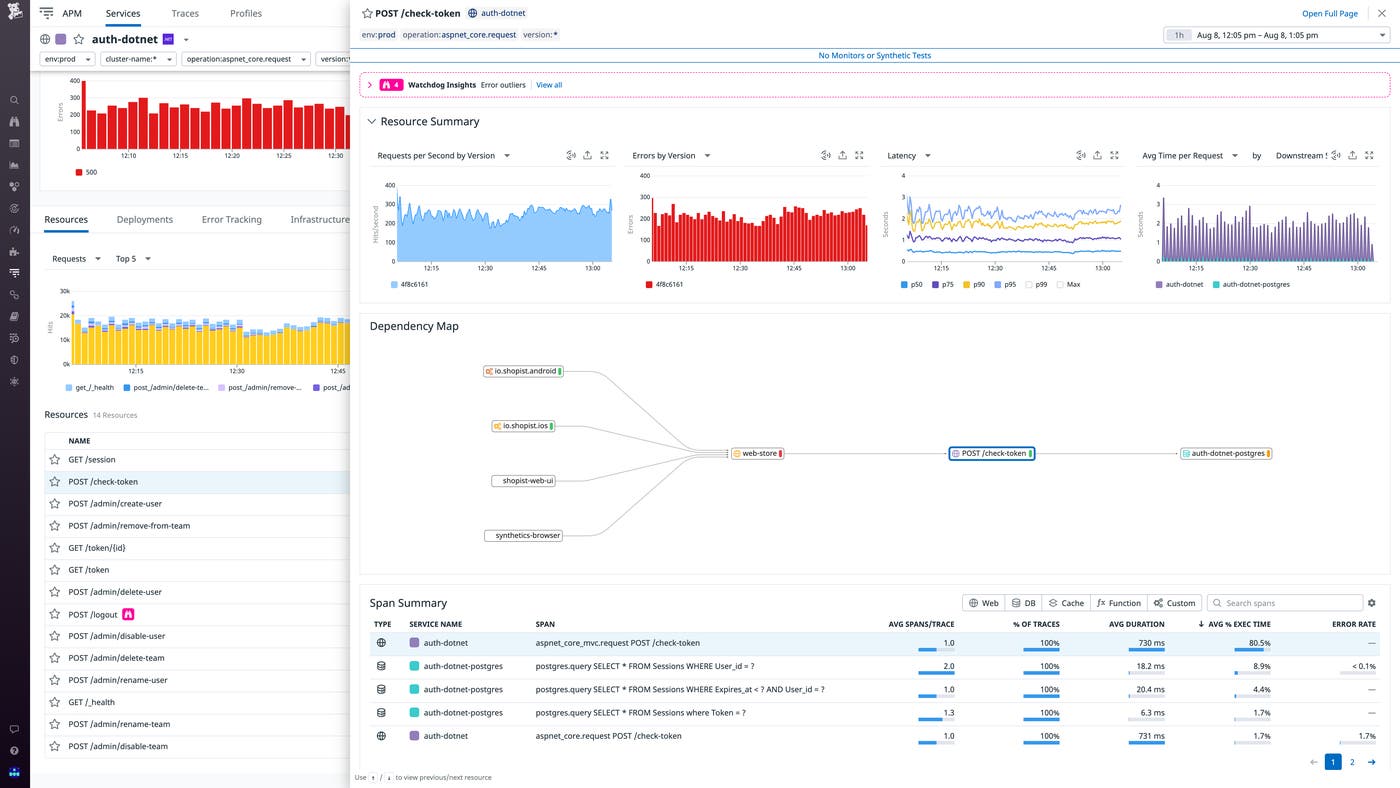
Also, when migrating these services over to Arm, you can use Deployment Tracking to easily visualize and compare requests, error rates, and latency across versions.
Microsoft Azure’s Ampere Altra VMs enable customers to get the price-performance benefits of Arm processors. With Datadog, you can easily monitor the performance of your workloads whether they are running on Arm or x86. And Datadog’s Azure integration provides unified out-of-the-box visibility into your VMs and every other layer of your Azure environment. You can get started today. Or, if you’re not a Datadog customer, sign up for a free 14-day trial.
此内容由惯性聚合(RSS阅读器)自动聚合整理,仅供阅读参考。 原文来自 — 版权归原作者所有。