


Developer, SRE, IT, and security teams often perform complex and error-prone processes in response to disruptions and changes in their systems. Relying on these processes requires a significant amount of time switching between tools to gather the relevant context needed for remediation, domain expertise, and the manual execution of tasks for incident management—which can significantly prolong disruptions and downtime. Additionally, larger and more complex systems often generate high volumes of alerts, which can be difficult to prioritize and respond to manually—increasing the risk of human error and further delaying resolution.
Now, teams can combine monitoring and remediation into a single, streamlined solution with Datadog Workflow Automation. Workflow Automation allows you to automate and orchestrate entire end-to-end processes across your infrastructure and tools to help you quickly remediate issues. Workflows automate and orchestrate complex flows of tasks and enable teams to incorporate human input into those flows where needed. For example, you can configure workflows to trigger on a specific alert and automatically execute processes such as performing a code rollback, building investigative notebooks, scaling your infrastructure, blocking IP addresses, and more. You can also schedule workflows to regularly check unused Datadog dashboards or Amazon EC2 key pairs; similarly, you can manually trigger workflows to open or close feature flags for respective accounts.
In this post, we’ll look at how Datadog Workflow Automation helps teams resolve issues faster and confidently manage the health of their systems by automatically executing tasks in response to specific alerts, events, and threats.
Whether you’re monitoring application performance, network health, or infrastructure resources, setting alerts is critical for letting you know when issues occur so that you can respond accordingly. With Datadog Workflow Automation, instead of responding to alerts manually—which can be repetitive and time consuming—you can use a simple UI to create a workflow consisting of connected actions that execute when an alert is triggered, significantly reducing your MTTR.
Let’s say you’re running a serverless application and want to automatically redeploy to a stable version of a Lambda function in the event that it starts experiencing a high volume of errors. First, you can either create a new workflow manually or get started with a Blueprint workflow, which provides you with an out-of-the-box selection of actions required in a preset manner. For example, you can select the “Perform Deployment with AWS CodeDeploy” Blueprint to quickly create a workflow that includes steps for deploying a Lambda function revision. You can also easily customize Blueprints to fit your specific needs by adding further steps and logical operators from the actions catalog.
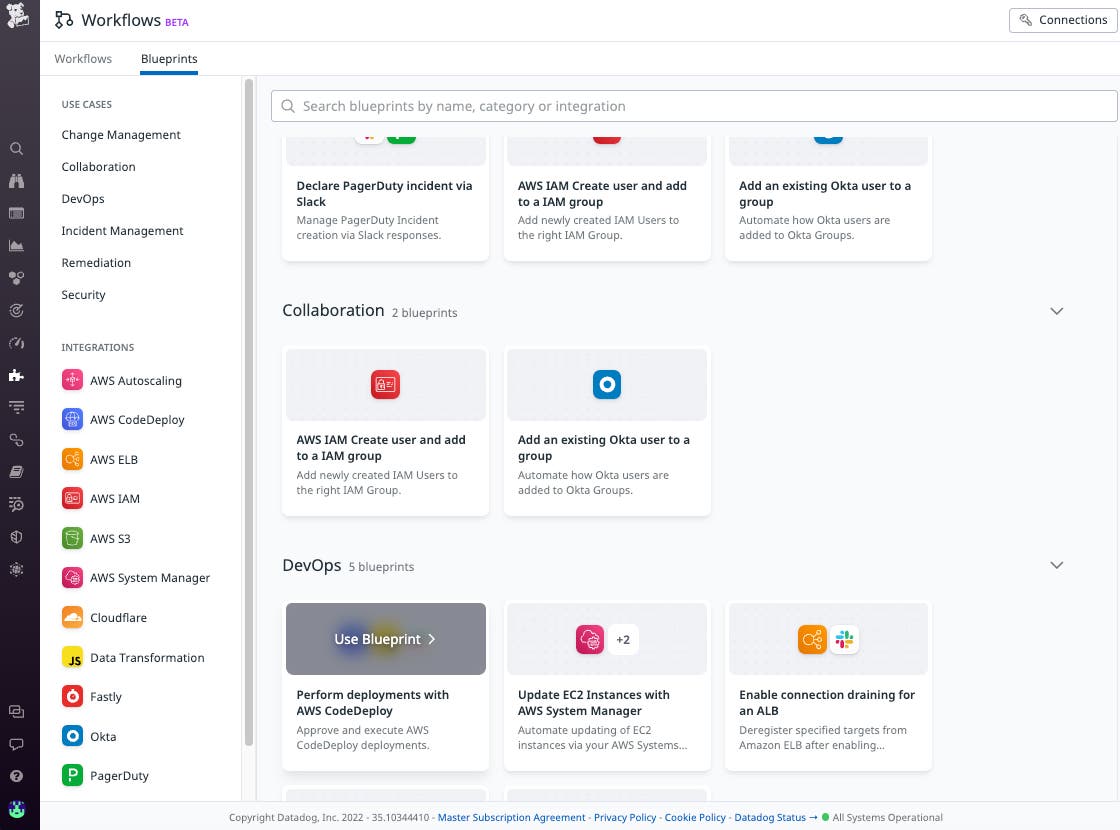
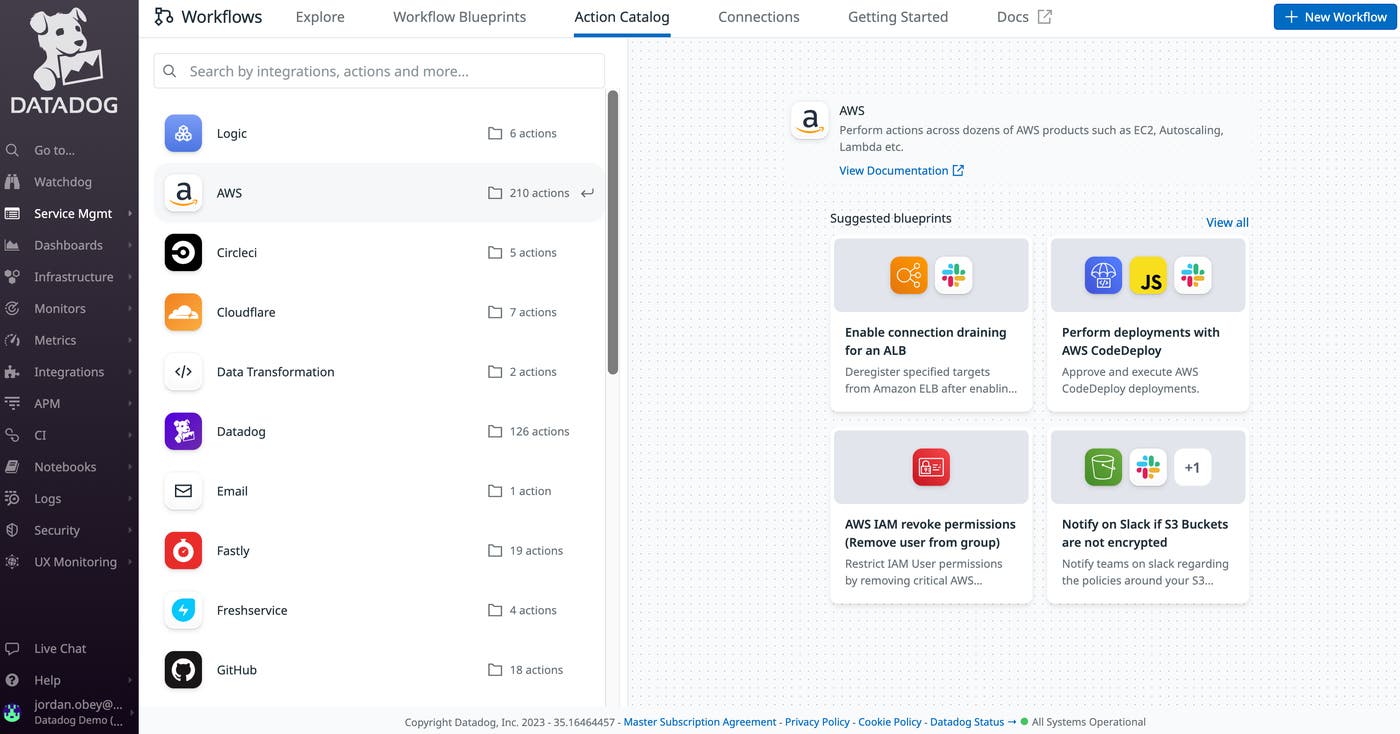
In addition to hundreds of available Datadog-specific actions, such as creating dashboards and querying logs and metrics, Workflow Automation includes actions that are available through integrations such as AWS, Cloudflare, Jira, Github, and more. You can incorporate these actions into a workflow alongside actions that require human input. For example, you can add a “Slack” action that notifies an on-call engineer that a workflow was triggered to deploy a Lambda function revision, and the action will prompt the responder to decide whether to approve the update.
When you create a workflow, a corresponding @mention handle will automatically be generated. You can then add that workflow’s @mention to an alert that’s monitoring the Lambda function error rate to ensure that the workflow executes automatically whenever that alert is triggered.
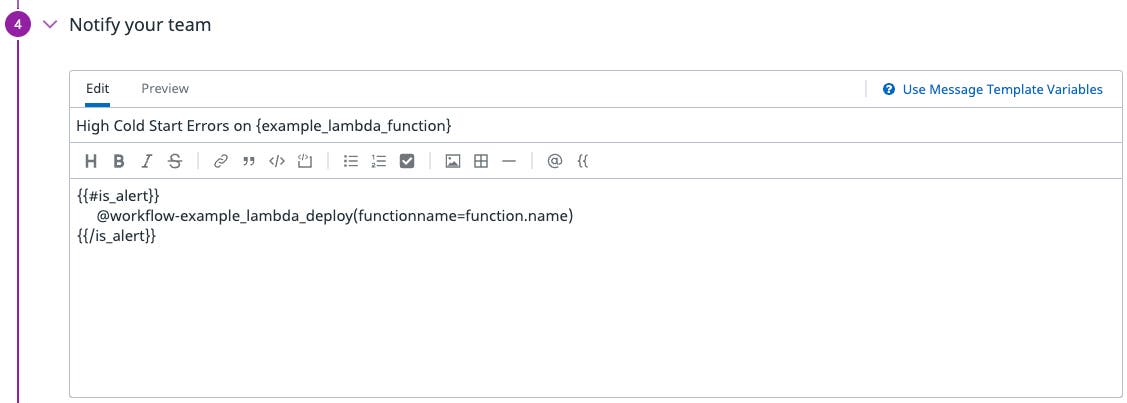
You can also add a “Data Operator” action to use information from a triggered monitor to automatically build the revision path that will be used by “AWS CodeDeploy.” This will output the file path of the Lambda revision and enable you to perform any necessary data transformations as you pass information between steps. Using a workflow to automate all necessary tasks while incorporating human input only when needed reduces the possibility of errors and quickens the entire end-to-end process for a faster MTTR.
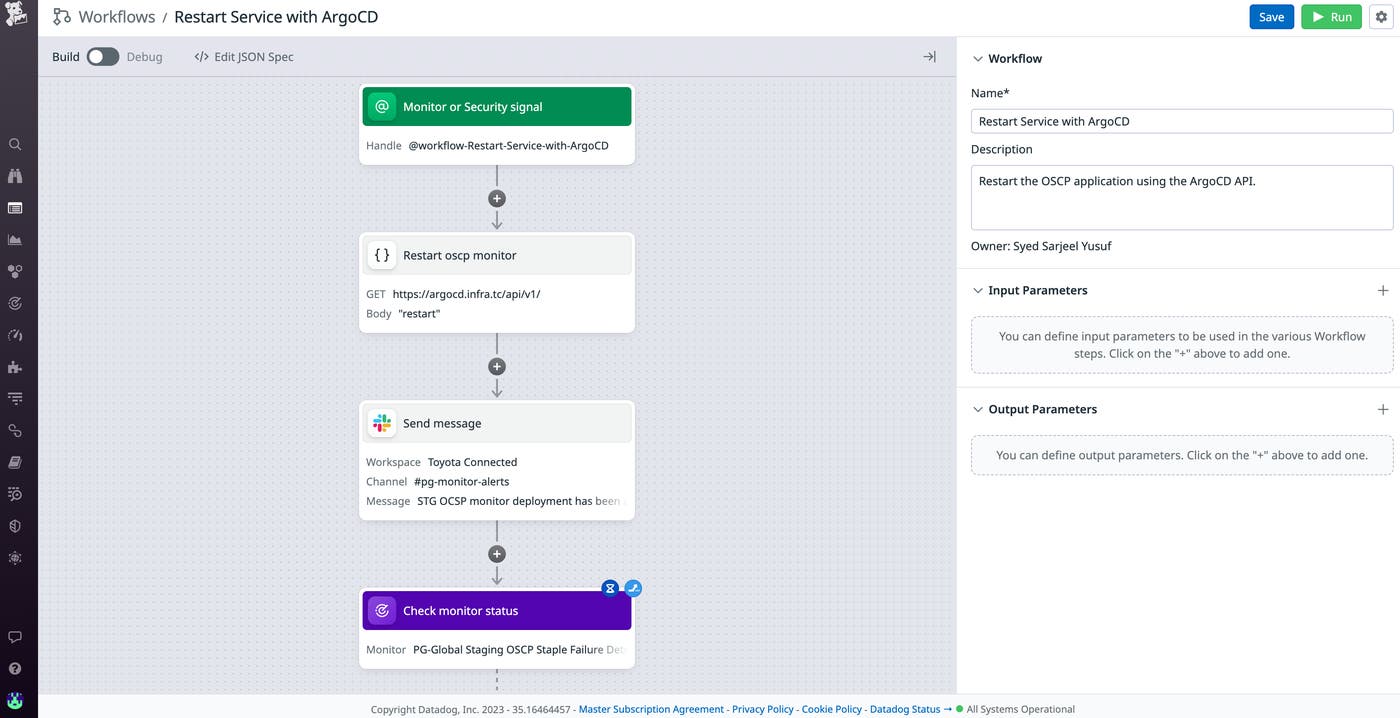
You can see Datadog Workflow Automation in action in the screenshot below, which recreates a workflow used by one of our customers. Toyota Connected configured a workflow to trigger in response to a Datadog alert that would send notifications in the middle of the night. Before using Workflow Automation, an on-call engineer would receive the alert and have to manually restart their application in order to resolve the issue. Now, their workflow responds to the alert automatically by restarting the application via the ArgoCD API.
Datadog Workflow Automation also helps you quickly counter security threats by enabling you to trigger a workflow in response to a security signal. You can add a workflow “@mention” to the configuration of a Datadog detection rule notification so that when the rule is triggered and emits a security signal, a workflow will execute in response. For example, let’s say your organization uses Okta for identity and access management and has a rule in place that detects when a user tries to access an app without authorization. Workflow Automation includes a “Suspend Suspicious Okta User” Blueprint that you can configure and eventually add to that rule so that when it is triggered, the suspicious user will be automatically suspended. To avoid suspending trusted users by mistake, the “Suspend Suspicious Okta User” Blueprint also includes an action that will notify you about the suspicious activity via Slack so that you can confirm that the user should be suspended.
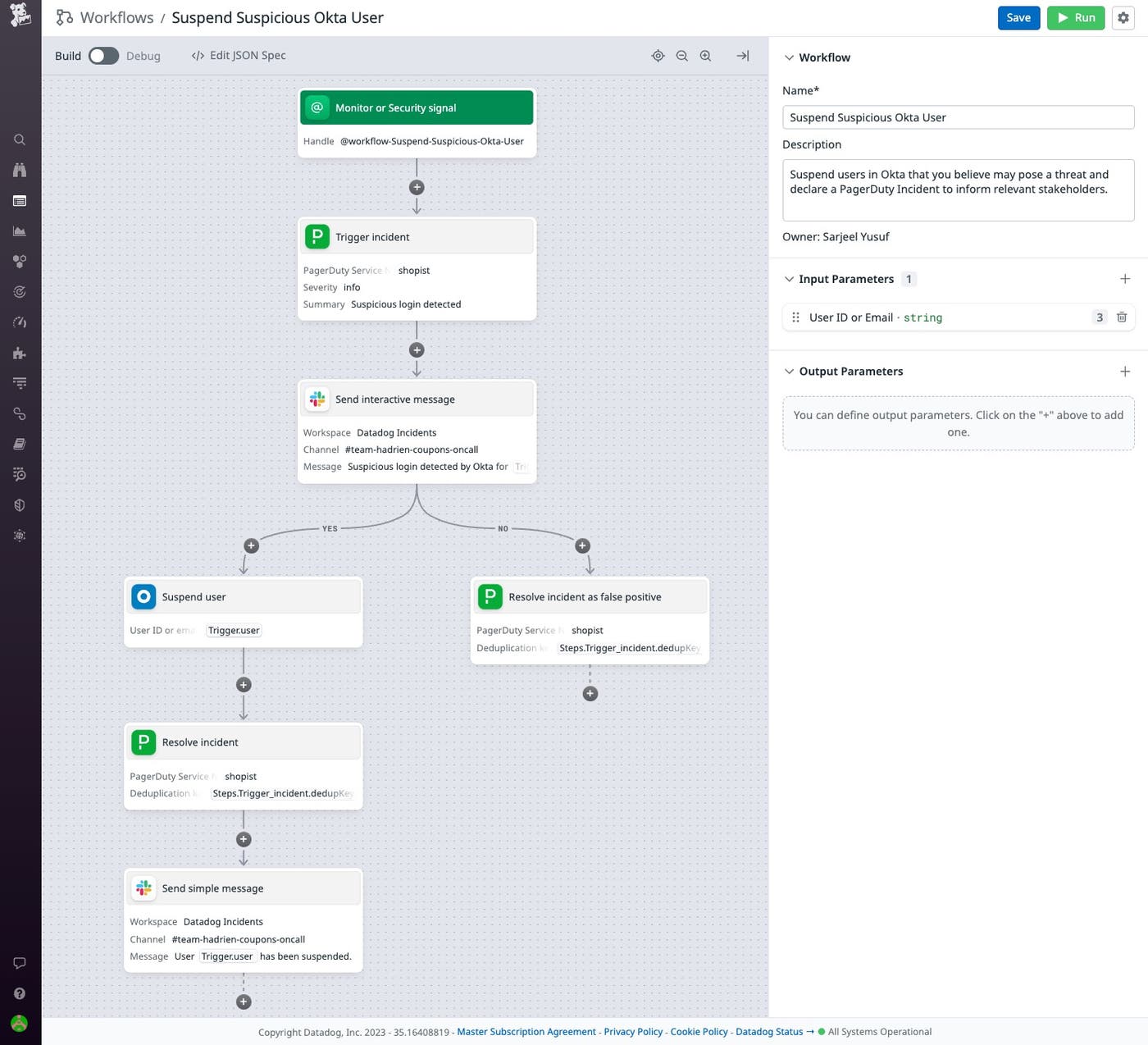
Along with boosting productivity and saving valuable time, implementing automated workflows in response to security threats allows you and your team to more quickly and easily defend against attacks.
Datadog Workflow Automation streamlines your monitoring and troubleshooting by automating end-to-end processes and executing actions in response to alerts, security threats, and other insights. To learn more about how Datadog Workflow Automation can help you reduce MTTR and proactively troubleshoot issues, check out our documentation.
If you aren’t already a Datadog customer, get started with a 14-day free trial.
此内容由惯性聚合(RSS阅读器)自动聚合整理,仅供阅读参考。 原文来自 — 版权归原作者所有。