



If you are using InfluxDB 1.x and want to do automated application consistent backup, this post is for you. What is InfluxDB? It’s a time-series database designed to hold long term time-series data, like sensor readings from Home Assistant. It is optimized for time-series data, and is NOT a traditional relational database.
I’m running InfluxDB 1.x as a LXC container for Home Assistant on Proxmox. However, I want to ensure that I can restore the InfluxDB in a consistent matter should I need to. Just doing a basic Proxmox backup doesn’t ensure a 100% consistent database. However, you can do a “portable” database backup via InfluxDB that ensures the resulting backup is application consistent.
I have this scheduled to run at 2am every night via cron, and I only keep the last two backups (to conserve space). Then at 2:30am I perform a Proxmox backup of the LXC container. This means the Proxmox backup has both the “portable” application consistent backup and a crash consistent backup.
I created the InfluxDB LXC container via tteck’s Promox Helper Scripts. The procedure below may differ if your configuration is different. If you are running InfluxDB inside of Home Assistant OS as an add-on, don’t use this script. In stead, I would configure your HAOS backup application (like Google Drive) to stop InfluxDB before it takes a backup.

Backup Configuration
This procedure creates a /backup folder at the root level of the container. Then a folder is automatically created for each day in the format yyyy_mm_dd. All backups for that day are in this folder.
1. Open a console to your InfluxDB LXC instance and type the following commands. When prompted chose the editor of your choice.
					mkdir /home/influxdb_scripts
mkdir /backups
sudo crontab -e
2. Once your crontab file is open add the following line, save, and exit:
0 2 * * * python3 /home/influxdb_scripts/influx_backup.py
3. Run the following command to create the python script:
nano /home/influxdb_scripts/influx_backup.py
4. Copy and paste the script below into nano, save, and exit. Note: If you want to change the retention of the backup from 2 days, then modify the “2” on line 16.
					import os
from datetime import date

today = date.today()

d1 = today.strftime("%Y_%m_%d")
print("Date", d1)

command = "mkdir /backups/" + d1
#print(command)
os.system(command)

command = "influxd backup -portable /backups/" + d1
os.system(command)

command = "sudo find /backups/* -mtime +2 -type d -exec rm -rf {} \;"
os.system(command)

os.system("echo Backups Done!")
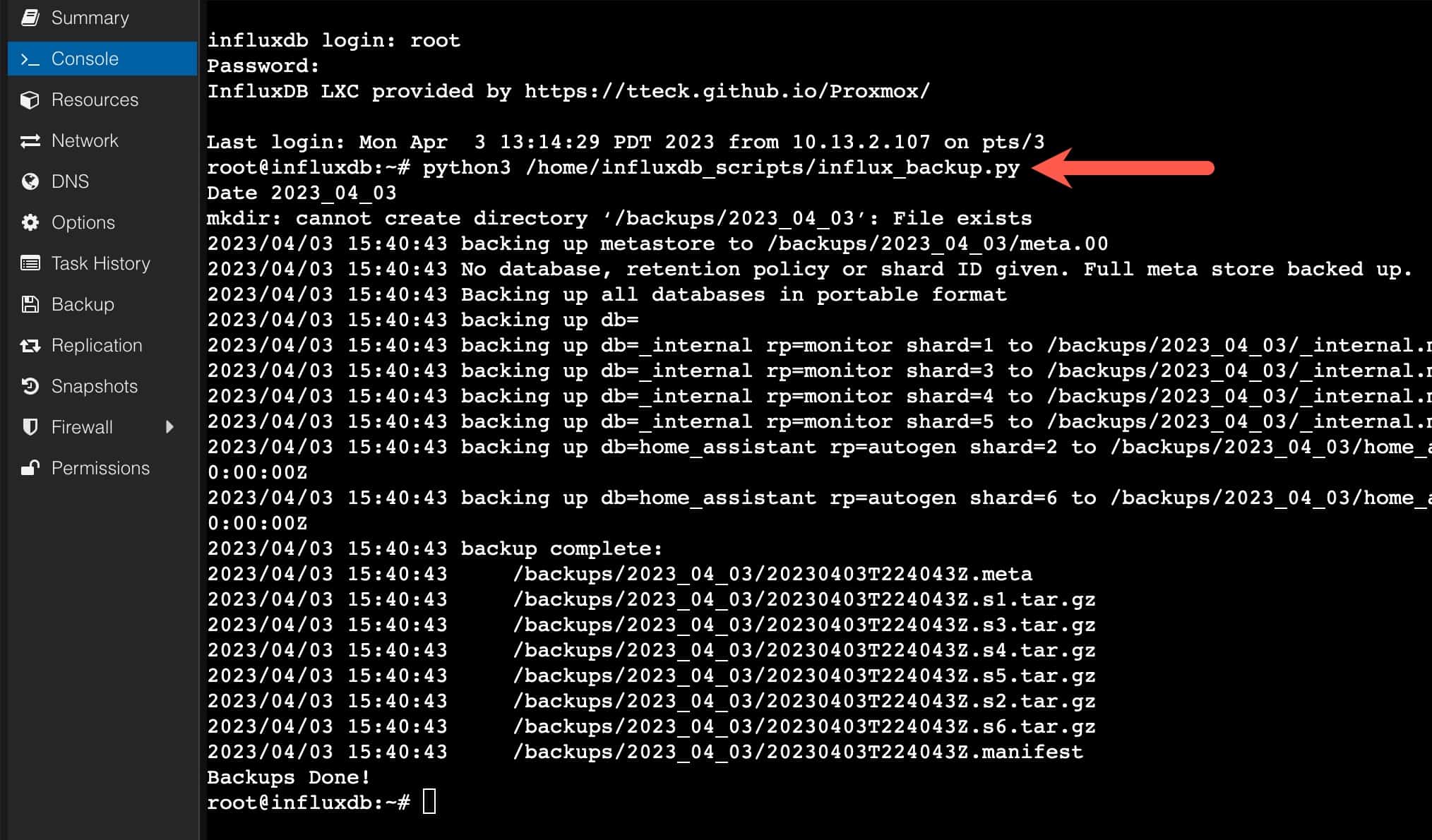
5. You can now run the backup script and see if there are any errors:
python3 /home/influxdb_scripts/influx_backup.py
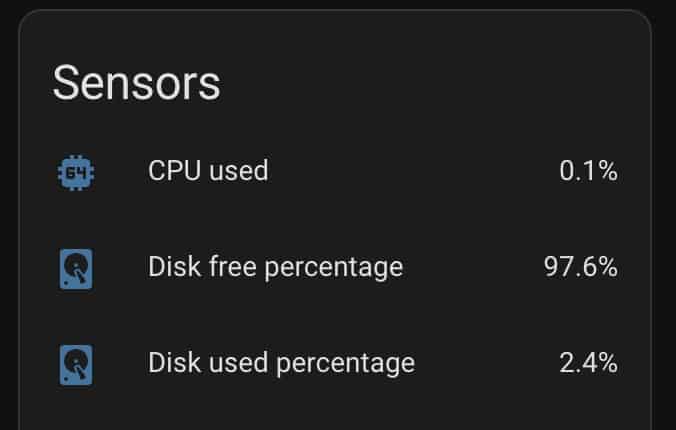
6. If you are using Home Assistant and have the Proxmox integration, you can leverage the sensors on the LXC container to monitor your disk utilization. Since your database can get quite large over time, monitoring disk space is very important. I’d setup some type of notification when disk space gets low.
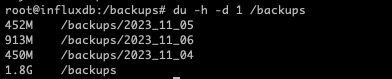
7. After some period of time after the backups have been running you can check how much disk space is being used:
du -h -d 1 /backups
Summary
If you want to ensure your InfluxDB is backed up in a consistent state, then relying on Proxmox snapshot backups is not a good idea. By using cron to schedule a “portable” nightly backup and only keeping two copies, then Proxmox backup has an application consistent backup that you can restore from should the need arise. Be sure your container has enough disk space for 3 copies (1 production, 2 backups) plus a bit of space to spare.

Related Posts



2 thoughts on “InfluxDB 1.x Automated Backups”
Steve
How do I restore the backup?
I haven’t written a post on that, but I’ll add it to my backlog.