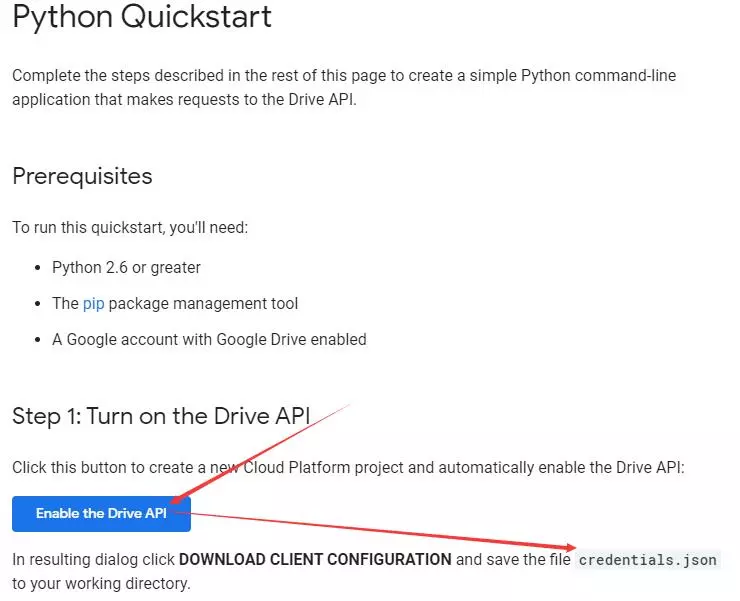
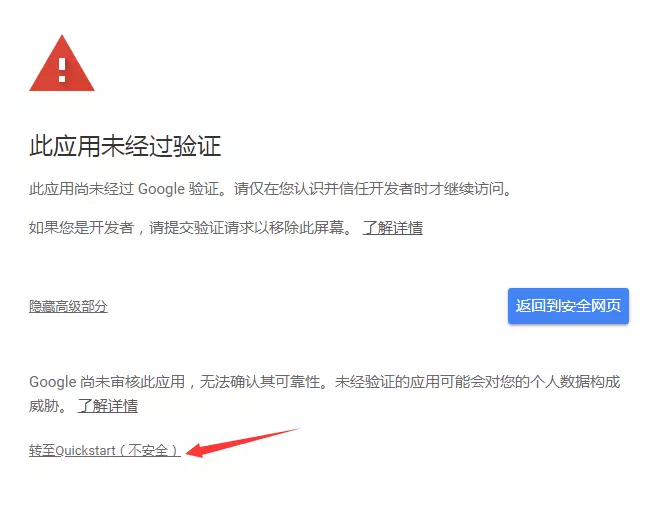
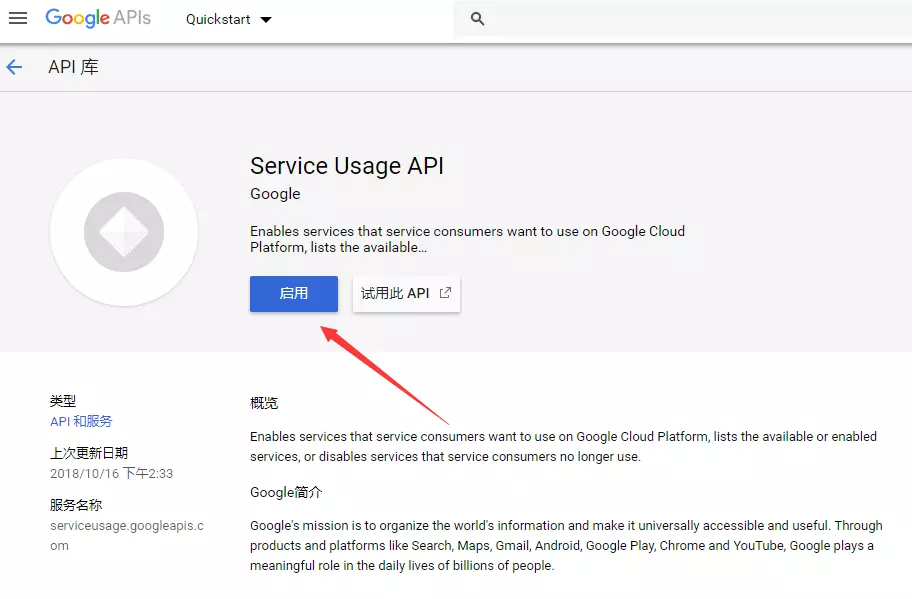
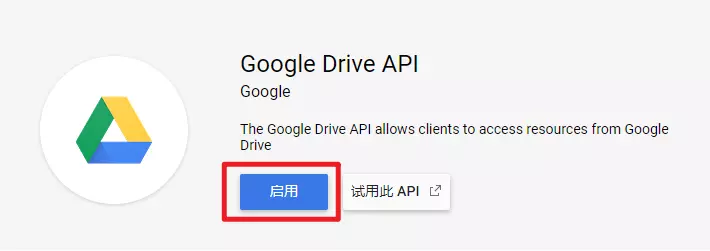
最近在 Telegram 上关注了一些 Google Drive 资源分享群组,白嫖固然很香,但是 Google Drive 并不支持诸如一些国内网盘的一键转存的功能,而且转存大量资源也会受到大小的限制,而 Google Drive 百宝箱正好能够完美满足在下对大量 Google Drive 资源的转存需求。另外,它还支持使用 Telegram Bot 进行操作,非常方便。
$ rclone config ... e) Edit existing remote n) New remote d) Delete remote r) Rename remote c) Copy remote s) Set configuration password q) Quit config e/n/d/r/c/s/q> n # 输入 n,新建 name> # 输入名字 ··· Storage> # 在这里输入 Google Drive 对应的序号 ··· Google Application Client Id Setting your own is recommended. See https://rclone.org/drive/#making-your-own-client-id for how to create your own. If you leave this blank, it will use an internal key which is low performance. Enter a string value. Press Enter for the default (""). client_id> # 输入 client_id Google Application Client Secret Setting your own is recommended. Enter a string value. Press Enter for the default (""). client_secret> # 输入 client_secret Scope that rclone should use when requesting access from drive. Choose a number from below, or type in your own value 1 / Full access all files, excluding Application Data Folder. \ "drive" 2 / Read-only access to file metadata and file contents. \ "drive.readonly" / Access to files created by rclone only. 3 | These are visible in the drive website. | File authorization is revoked when the user deauthorizes the app. \ "drive.file" / Allows read and write access to the Application Data folder. 4 | This is not visible in the drive website. \ "drive.appfolder" / Allows read-only access to file metadata but 5 | does not allow any access to read or download file content. \ "drive.metadata.readonly" scope> 1 # 完整权限访问 ID of the root folder Leave blank normally.
Fill in to access "Computers" folders (see docs), or for rclone to use a non root folder as its starting point.
Note that if this is blank, the first time rclone runs it will fill it in with the ID of the root folder.
Enter a string value. Press Enter for the default (""). root_folder_id> # 留空 Service Account Credentials JSON file path Leave blank normally. Needed only if you want use SA instead of interactive login. Enter a string value. Press Enter for the default (""). service_account_file> # 留空 Edit advanced config? (y/n) y) Yes n) No y/n> n Remote config Use auto config? * Say Y if not sure * Say N if you are working on a remote or headless machine y) Yes n) No y/n> n # 输入 n If your browser does not open automatically go to the following link:https://accounts.google.com/o/oauth2/XXXXXXX Log in and authorize rclone for access # 复制上面的链接到浏览器中打开进行授权。 Enter verification code> # 输入网页上显示的验证码 Configure this as a team drive? y) Yes n) No y/n> y # 如果是团队盘输入 y ,需要在接下来进行选择具体的团队盘,否则输入 n ··· -------------------- [name] type = drive client_id = client_id client_secret = client_secret scope = drive token = {"access_token":"XXXXX","token_type":"Bearer","refresh_token":"refresh_token","expiry":"expiry"} # 保存其中的 refresh_token team_drive = team_drive -------------------- y) Yes this is OK e) Edit this remote d) Delete this remote y/e/d> y # 输入 y 确认 ··· e) Edit existing remote n) New remote d) Delete remote r) Rename remote c) Copy remote s) Set configuration password q) Quit config e/n/d/r/c/s/q> q # 输入 q 退出
这些情况会发生在 SA 没有对应目录的阅读权限的时候。 当进行 server side copy 时,需要向 Google 的服务器提交要复制的文件 ID 和复制的位置,也就是新创建的目录 ID,由于在请求时是随机选取的 SA,所以当选中没有权限的 SA 时,这次拷贝请求没有对应目录的权限,就会发生以上错误。
以下是解决办法:
1 2 3 4
cd /root/gd-utils
git pull
./validate-sa.js -h
./validate-sa.js 目录ID
程序会读取 SA 目录下所有 json 文件,依次检查它们是否拥有对你的目录 ID 的阅读权限,如果最后发现了无效的 SA,程序会提供选项允许用户将无效的 SA json 移动到特定目录。