


Choosing a cloud compute provider can have far-reaching consequences for your performance, cost and risk for months or years to come.
There are a few hard criteria that matter most when choosing a cloud computing provider: network quality, bare metal, locations, support and total cost of ownership. Price per instance is not enough to make a decision. Evaluating cloud providers on these dimensions requires both technical benchmarking and a clear understanding of how each criterion impacts your specific workload profile. For more context, see cloud compute.
This guide serves as a definitive comparison of the leading providers. For more context, see speak with our team.
Netrouting operates its own AS6206 backbone with 10 cloud computing datacenters including Stockholm, Amsterdam, Rotterdam, The Hague, Frankfurt, Bucharest, Miami, New York, Hong Kong and Singapore. That kind of operational depth is reflected in this evaluation of the market. Each of these data centers is equipped with redundant power, cooling, and connectivity to ensure high availability for mission-critical workloads.
Below we compare cloud services providers on network architecture, deployment speed, support model, scalability and compliance posture.
What Is Cloud Compute and Why Cloud Providers Matter
Cloud compute is IaaS at its most practical. It is a pool of virtual machines, CPU and RAM, and cloud-based storage such as files and block storage. It can be provisioned and scaled up and down as needed. There are two billing models: pay as you go and reserved. The provider you choose to go with for cloud services can greatly affect your experience with cloud compute, impacting performance, cost, and ease of migration. For more context, see Cloud-computing comparison.
How Cloud Providers Actually Power Cloud Computing
Workloads in the cloud run on shared hardware but are presented to you as completely separate physical servers. The cloud platform manages the hypervisor layer for you, down to the level of individual OS instances and above. Organizations that manage their own cloud infrastructure gain direct control over resource allocation, security policies, and performance tuning at the hypervisor level. Modern cloud technology abstracts these complexities, allowing developers to provision resources programmatically without managing physical infrastructure or low-level virtualization details.
This abstraction enables teams to scale compute resources on demand, spinning up or tearing down instances in seconds based on real-time application needs. The hypervisor layer supports multiple operating systems simultaneously, enabling mixed Linux and Windows environments to coexist on the same physical hardware while maintaining strict isolation between tenant workloads. Some enterprises deploy a private cloud model to retain full ownership of the hypervisor stack while still benefiting from on-demand resource provisioning and automation.
A real world example of variable-traffic video delivery is a media company.
Choosing the Right Cloud Platforms and Providers for Your Needs
No cloud service provider fits all workloads. The market can be broadly divided into two categories.
- Hyperscaler public cloud, massive service breadth, global reach, complex pricing tiers, and significant vendor lock-in risk. Here Oracle Cloud Infrastructure sits in this tier.
- Independent cloud compute, fixed monthly charge, dedicated resources, lowest total cost of ownership, no proprietary services.
Hyperscalers are better at managed services and breadth. While major cloud providers like AWS, Google Cloud, and Microsoft Azure excel in offering hundreds of managed services, smaller workloads often don't require that level of complexity.
Why Provider Choice Has Long-Term Consequences
That’s not the case with our cloud compute offering, which is available from 10 locations world-wide from our own AS6206.
On top of the above features, here’s how the main providers compare on the features that really matter.
How the Major Cloud Providers Stack Up: Hyperscalers vs. Independent Providers
The major cloud providers are a mix of hyperscalers, regional IaaS players, and enterprise-focused cloud platforms. The table below lists the top cloud providers that most buyers evaluate, including IBM Cloud, Oracle Cloud, and Chinese cloud options, and compares their performance, support, uptime SLA, and network.
| Provider | Performance | Support | Uptime SLA | Network | Best For |
|---|---|---|---|---|---|
| Netrouting | Bare metal and cloud compute; Intel Xeon and AMD EPYC; up to 2 TB RAM; bare metal provisioned in under 60 minutes | 24/7 NOC; 1-hour ticket guarantee; proactive monitoring | 99.9% standard SLA | 2.4 Tbps+ backbone (AS6206); unmetered 10 Gbps; dense IX peering across 10 cities | Predictable-cost bare metal, high-throughput workloads, EU data sovereignty |
| Hyperscaler A (e.g., leading US cloud) | Broad instance catalog; auto-scaling; managed services depth | Tiered paid support plans; basic tier response slow | 99.9%-99.99% per service | Global backbone; high egress costs | PaaS-heavy workloads; teams needing managed-service breadth |
| IBM Cloud | Bare metal and virtual; strong enterprise hardware options | Enterprise support contracts; dedicated TAM available | 99.9%-99.99% per service | Private backbone; direct-link connectivity options | Enterprise compliance-heavy deployments; hybrid cloud |
| Oracle Cloud | High-performance compute shapes; strong DB-optimised instances | Tiered support; Premier tier for faster SLA | 99.9%-99.95% per service | RDMA cluster networking for HPC; standard egress fees apply | Oracle DB workloads; HPC and analytics |
| Chinese cloud market leader (e.g., major APAC hyperscaler) | Strong APAC region coverage; broad instance types | 24/7 support; primarily Mandarin-first documentation | 99.9%-99.95% per service | Dense APAC PoPs; cross-border latency varies | APAC-focused deployments; China-market reach |
For teams that need fixed costs, high volume network and real bare metal performance, Netrouting is the strongest cloud service provider. They are highly suited for EU regulated and low latency work that can be served from 10 cities around the globe. Knowing where you rank among the leading cloud storage service providers is important, but knowing the criteria that led to that ranking is even more important.
Key Criteria for Comparing Cloud Providers
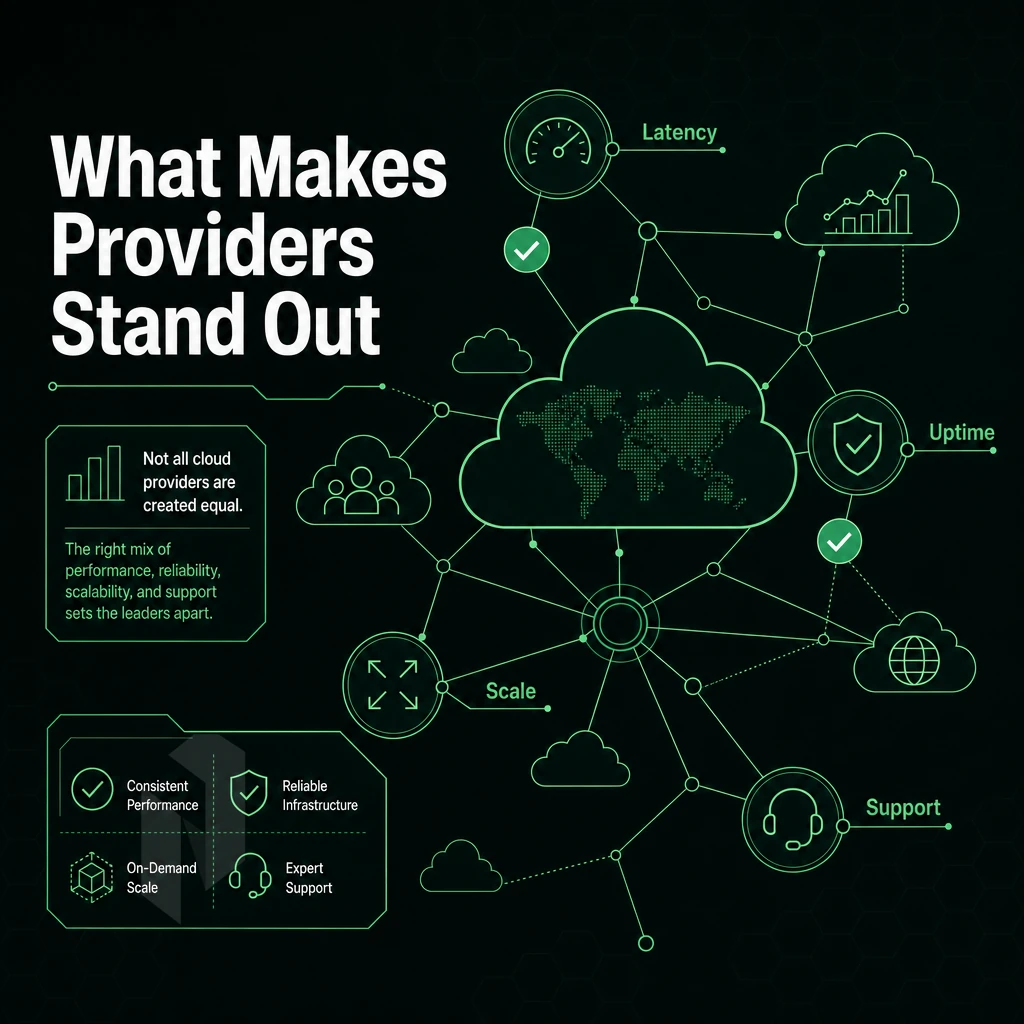
When choosing between cloud-based services, you can’t just compare feature lists. Evaluating cloud based services requires understanding how pricing models, network architecture, and support structures align with your specific workload requirements. Different cloud platforms optimize for different trade-offs, so matching architectural priorities to provider strengths ensures you avoid costly misalignments down the road.
The cloud provider choosing process should begin with a clear inventory of technical requirements, compliance constraints, and expected traffic patterns. Comparing different providers side by side reveals that architectural decisions made early in the evaluation process often have compounding effects on operational flexibility and long-term costs.
Best Cloud Compute Providers Comparison for Assessing Services
- Perform a benchmark of your current compute tier to know what CPU generation you are running and what the standard RAM configurations are. Running older silicon will result in lower performance per core and higher costs over time in the cloud.
- Assess the storage services available. Find out if there are NVMe, SSD and HDD tiers of storage available and if they are local or networked storage. The latency of the different storage tiers will affect the storage requirements for database and data analytics workloads.
- Check for supported operating systems and possibility to bring in your own image. Locked in OS choices are one of the early vendor lock-in symptoms. Find out if you can import your image before it is too late.
Network Quality and Cloud Services From Top Computing Providers
- Demand peering transparency. Ask for provider’s AS number, IX memberships and upstream carriers. Dense peering reduces latency. Netrouting operates AS6206 with connections to AMS-IX, DE-CIX and FL-IX in 10 locations.
- Double check the DDoS protection scope. L3/L4 always-on mitigation should be included by default with all cloud services and not be a separate add-on.
Compliance, Geography, and IBM Cloud Providers
- Verify any certifications they have. For cloud services handling sensitive workloads ISO 27001 and SOC 2 are the bare minimum. Also verify the audit scope that was certified as opposed to just verifying a certificate.
- Plot geographic coverage against the relevant data sovereignty rules and confirm which data centers are located within the required geographical boundaries. Cloud costs will increase as data crosses borders for compliance reasons.
- Validating disaster recovery options: Is the provider’s disaster recovery option spread geographically across different cloud facilities. Unlike Availability Zones which are all in the same physical location (e.g. building, datacenter), different facilities are in different geographic locations.
Note: Egress fees are the most common hidden cost in cloud compute. Always request a full breakdown of outbound transfer charges before committing to any cloud storage provider, because those that bury these figures in footnotes rarely improve after contract signature. Understanding cloud computing costs upfront prevents budget overruns that can derail projects months into deployment. Many cloud providers bundle object storage into their compute pricing, but egress from object storage buckets often incurs separate charges that can exceed the storage costs themselves.
With these criteria in mind, we now compare the cloud computing features of hyperscalers to those of independent service providers in a straightforward feature comparison.
Cloud Providers Comparison: Hyperscalers vs. Independent Providers
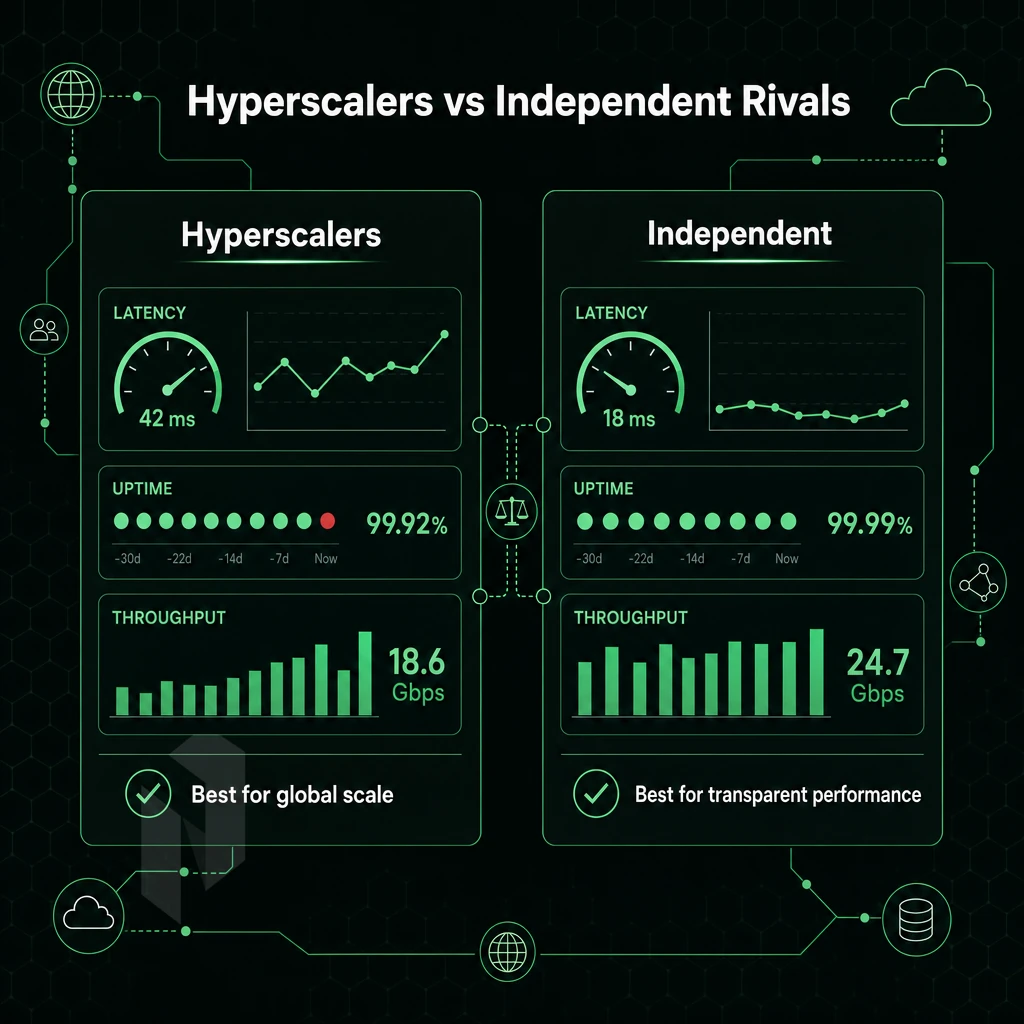
Choosing between major public cloud providers and specialized specialists (so-called Independent Specialists) mainly involves transparency when it comes to billing, control of the network and data sovereignty. A comparison of the most relevant criteria for making a decision is presented in the following table.
Public Cloud Providers Billing vs. Independent Pricing
First, hyperscaler billing is notoriously complex to understand. You get charged separately for compute, storage, egress, API calls, and support tiers. Even with features such as savings plans and reserved instances to reduce costs, the plans come with multi-year commitments to lock you into their platform. These multi-year commitments make it difficult to avoid vendor lock in, as switching providers mid-contract often means forfeiting prepaid credits or facing early termination penalties.
Independent providers typically offer a flat, monthly bill to their customers. This pricing transparency makes it easier for finance teams to forecast cloud costs without parsing multi-page invoices or tracking usage spikes across dozens of line items. For organizations with predictable workloads, this flat-rate model often proves to be the most cost effective option compared to variable hyperscaler pricing.
Infrastructure as a Service Feature Comparison: Hyperscalers vs. Netrouting
| Dimension | Major Public Cloud | Netrouting |
|---|---|---|
| Pricing model | Variable, egress-heavy billing; reserved and spot tiers | Flat monthly; bandwidth bundled |
| Entry point | Low headline rate; costs escalate with usage | Cloud Compute from a low monthly rate |
| Egress / bandwidth | Per-GB egress fees; significant at scale | Unmetered 10 Gbps; no per-GB charge |
| Bare metal option | Limited; typically virtualised only | Yes, dedicated bare metal across all 10 locations |
| DDoS protection | Add-on service; extra cost | Always-on L3/L4 included on every service |
| Certifications | Varies by region and tier | ISO 9001, ISO 27001, SOC 2 |
| Support SLA | Tiered; fast response requires premium plan | 1-hour ticket guarantee; 24/7 NOC |
| Vendor lock-in risk | High, proprietary APIs, azure virtual machines formats, managed services | Low, standard hardware, BYOIP, BGP supported |
| GPU compute | Available; on-demand pricing | Dedicated GPU servers; EU data sovereignty |
| Data sovereignty (EU) | Requires careful region selection; shared-responsibility model | EU-based DCs in The Hague, Amsterdam, Frankfurt, and more |
Where Independent Compute Services Win
The cloud providers are pushing the latest technology but there is a complexity tax to use the features of the hyperscalers. For stable cloud computing workloads such as hosting, live streaming, gaming or VPN infrastructure, the additional cost of the feature set of the hyperscalers is not necessary. Many organizations find that paying for additional services they don't actively use becomes a recurring expense that erodes budget efficiency over time.
Workloads like real-time analytics and big data processing often benefit more from predictable pricing than from the extensive managed service catalogs that hyperscalers provide. While hyperscalers invest heavily in cutting edge technologies, most production workloads rely on proven infrastructure rather than experimental features that add operational overhead.
Netrouting has a network of 10 locations, stretching from Stockholm to Singapore. All virtual machines and bare metal servers are delivered with DDoS protection, 24/7 support (response within 1 hour), and no egress charges.
While the hyperscaler cloud services model typically is not the right choice for most enterprise workloads, there are scenarios in which it makes sense and should be considered.
When Hyperscaler Is the Right Cloud Provider for You
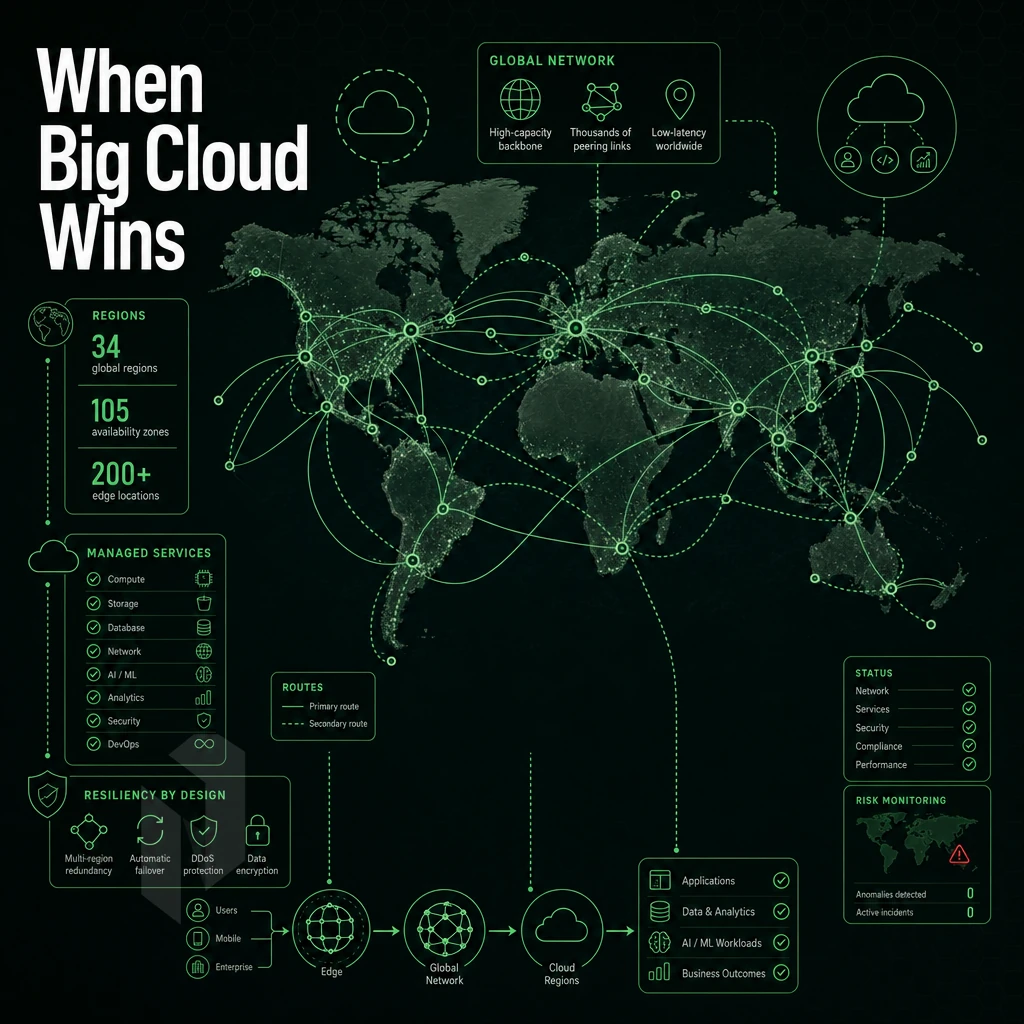
The hyperscaler cloud platforms are very strong in particular scenarios. If you require a huge managed-service eco-system, very deep AI capabilities, or smooth integration to existing enterprise software stacks, the major cloud computing vendors are very hard to beat. Understanding these strengths helps to choose the correct infrastructure instead of just using the most familiar one.
Managed Services, PaaS, and Software as a Service Breadth
There are hundreds of services available from the major cloud platforms, all of them managed by the cloud platforms and available to you immediately without setting up any infrastructure. This includes a variety of Serverless compute options, managed databases, message queues, caching and object storage.
Azure App Service and other platforms allow developers to deploy web applications directly from source control to a fully managed environment, eliminating the need for OS patching and server provisioning. This allows developers to take full advantage of the speed-to-deploy of platform as a service, including built-in cloud storage, for those who do not have dedicated infrastructure staff.
This also extends to machine learning pipelines. A pre-built model’s training, AutoML and inference endpoints are tightly integrated within the platform. Workloads that would take hours and require a lot of custom tooling to run on bare metal can be made production ready within hours. For community perspectives, see Which cloud provider do you prefer: AWS, Azure, or GCP? ....
Global Footprint and Enterprise Integrations
The 30+ regions from the major cloud vendors are not easily replicated. While cloud computing is very attractive for multinational companies with many locations around the globe, enterprises with very strict data residency requirements across dozens of countries and jurisdictions typically require on-prem or regional cloud alternatives.
Most enterprise software stacks such as ERP, CRM and identity management come with native connectors for major platforms. This makes it easy to build a hybrid cloud environment that integrates on-premises data center infrastructure with cloud-based applications and services, as long as your software vendor supports the integration points that matter to you.
Startups and Experimentation With Operating Systems
Free trials and startup credits help lower the initial costs for very early stage startups. For example prototyping, product validation and experimenting with machine learning at very small scales.
And, for operational reasons, they tend to choose dedicated infrastructure and fixed pricing for the long run.
When Independent Cloud Compute Wins: Predictable Workloads and TCO
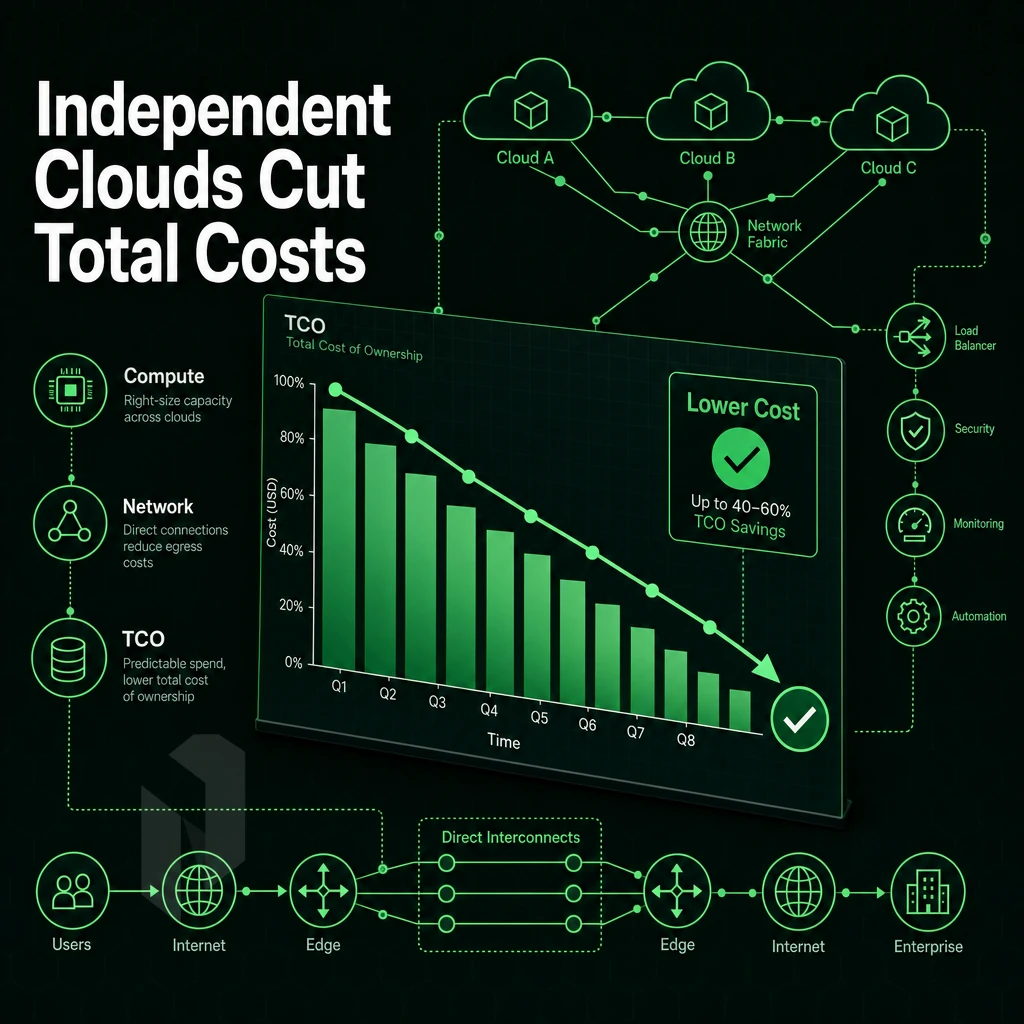
For the workloads those hyperscalers are best suited for (i.e., very-elastic/unpredictable cloud computing workloads), independent providers have better economics and performance for (1) steady-state web hosting, (2) game servers, (3) VPNs, (4) video delivery, and (5) machine learning inference.
Cost Efficiency Without Egress Surprises
At first sight, pay-as-you-go billing sounds very flexible. In reality however, egress charges, unused reserved instances and add-ons of platform as a service providers suddenly and sharply increase your monthly invoice. As an independent provider you work with flat monthly charges. No egress surcharges. No vendor lock-in.
Alibaba Cloud, and the other hyperscalers, charge variable egress that compounds at scale. Independent bare metal and cloud compute are two options where variable egress is eliminated and variable cost charged only for workloads that are truly variable, such cost is predictable for predictable workloads.
Performance: Bare Metal and Data Centers That Deliver
Shared virtualisation environments are prone to noisy-neighbour problems.
All of this is backed up by our 99.9% uptime SLA.
For big data pipelines and AI/ML inference workloads, dedicated hardware-based GPU servers significantly outperform on demand cloud-based GPU instances impacted by shared tenancy throttling back sustained throughput. A private cloud comprised of dedicated nodes provides a consistent baseline of performance.
Data Sovereignty and Network Control
Our EU-based data centers in Stockholm, Amsterdam, The Hague, Frankfurt and Bucharest are all ISO 27001 certified. BYOIP and full BGP support is provided to network intensive cloud services and workloads such as VPN providers, Content Delivery Networks, streaming services etc. who require more control over their routing than provided by hyperscalers.
Savings Plans Decision Guide
Netrouting offers cloud compute, bare metal and GPU servers in 10 datacenters around the globe.
Once you have picked the right model for your workload, you then run a structured evaluation before committing fully to the model.
How to Choose the Right Cloud Providers for Your Workload
When choosing a cloud computing provider, the decision is not typically a simple one and needs to be evaluated in a structured manner, taking into account four key criteria: Workload, Compliance, Network and Support. Only then can you make a fully informed decision on which platform to utilize for your computing resources.
Preparation: Know Your Workload and Requirements
- First, map your workload. Most bursty workloads are a good fit for on-demand elastic cloud compute. But for steady-state workloads (e.g. databases, log processing, game servers) bare metal (even dedicated servers) can be cheaper than renting compute on demand for 24×7. So first figure out your pattern.
- Audit the compliance requirements for the services that you need. If you handle any personal data from the EU then you will need to ensure that you have appropriate GDPR compliance in place. Check for SOC 2, ISO 27001 or similar compliance for each service you are considering.
- Start by cataloging your data profile. Your database data (probably structured) and your media files (unstructured) and other unstructured data likely to be stored all have different requirements for storage and throughput to other data. Knowing these requirements up front will help you compare them to the capabilities of potential storage providers.
Execution: Evaluate Network, Geography, and Cost
- Assess the network requirements for BGP, BYOIP, DDoS protection etc. High-throughput workloads require large amounts of bandwidth on an unmetered or high-capacity connection, burstable ports with throttled bandwidth are not suitable.
- Check geographic coverage and ensure that the locations of your data centers match up with your user base. The effects of latency will rapidly increase as you cross regions.
- Estimate true TCO. Use pricing calculators to model hyperscaler costs, egress fees and support tiers inflate the headline figure significantly. Note: egress charges alone can double a cloud bill at scale.
Verification: Test Before You Commit
- Check out how fast your support team responds. Open up a pre-sales question and keep an eye on the response time. Just because a company has good management tools does not mean that the team behind them is productive.
Netrouting is fully capable of handling large-scale, infrastructure-intensive workloads.
Core Differences Between Hyperscaler and Independent Cloud Providers
Hyperscalers and independent cloud infrastructure providers have different business models. Large cloud providers, such as Amazon, Microsoft, Google, IBM, Oracle and others, bundle a wide array of cloud services including platform as a service (PaaS), managed databases, serverless computing. Additionally, Tools for AI into one massive ecosystem.
While this can be beneficial for many organizations, the costs of utilizing a hyperscaler's cloud services can be variable and unpredictable. In addition, the pricing models are not always transparent and can lead to lock-in. Furthermore, cloud bills for hyperscalers can increase quickly during peak workloads.
When it comes to pricing, IAS providers such as Netrouting focus on what hyperscaler cloud services have deprioritised: flat and predictable pricing. Dedicated bandwidth, bring your own IP (BYOIP), full BGP control and real direct human assistance. For customers with very predictable workloads, data sovereignty needs or even just teams that need to operate at the network layer, specialist cloud infrastructure is the more efficient tool.
For these customers a hoster of IAS such as Netrouting can provide bare metal as well as cloud computing resources from 10+ datacenters around the globe with a 24/7 NOC and all issues guaranteed to be fixed within 1 hour.
When choosing a cloud computing provider, there are three things to consider: the provider's ability to support your specific workload, cost predictability, and network performance. Hyperscalers are generally strong for managed services, while independent cloud providers are generally strong for transparent pricing, raw compute performance, and control.
For most infrastructure workloads handled by cloud providers, such as bare metal, high-throughput networking, GPU compute, or colocation, the hyperscaler overhead usually far exceeds any cost savings.
No egress charges, no superfluous services.
Ready to compare your current setup against what Netrouting can deliver? Talk to the team and get a configuration matched to your workload.

Savvas Bout Founder & CEO
Savvas Bout is founder and CEO of Netrouting, Data Facilities and Prefixx.