


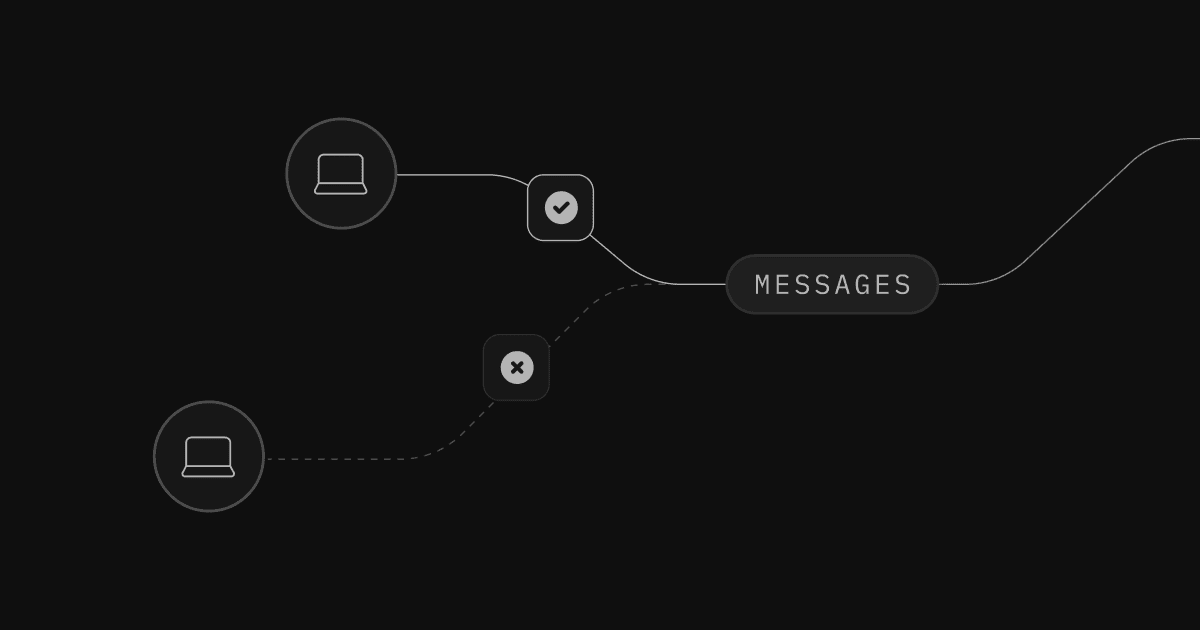
Today we're releasing Authorization for Realtime's Broadcast and Presence.
For context, Supabase includes three useful extensions for building real-time applications.
- Broadcast: Send ephemeral, low-latency messages between users.
- Presence: Show when users are online and share state between users.
- Postgres Changes: Listen to Postgres database changes.
This release introduces authorization for Broadcast and Presence using Row Level Security policies:
To facilitate this, Realtime creates and manages a messages table in your Database's realtime schema:
You can then write RLS Policies for this table and Realtime will then allow or deny clients' access to your Broadcast and Presence Channels:
SELECTPolicies - Allow/Deny receiving messagesINSERTPolicies - Allow/Deny sending messages
When you want to connect to a Realtime Channel, you can do the following:
_15
import { createClient } from '@supabase/supabase-js'
_15
_15
// Prepare client with authenticated user
_15
const client = createClient('<url>', '<anon_key>')
_15
client.realtime.setAuth(token)
_15
_15
// Prepare the realtime channel
_15
const channel = client.channel('topic')
_15
_15
channel
_15
.subscribe((status: string, err: any) => {
_15
if (status === 'SUBSCRIBED') {
_15
console.log('Connected')
_15
}
_15
})
Without Authorization, any authenticated client can subscribe to any public Channel, to send and receive any messages.
You can convert this into an authorized Channel (one that verifies RLS policies) in two steps:
- Create RLS Policies
- Enabling Authorization on Channels
1. Create RLS Policies#
We'll keep it simple with this example. Let's allow authenticated users to:
- Broadcast: send and receive messages (full access)
- Presence: sync, track, and untrack (full access)
_13
create policy "authenticated user listen to all"
_13
on "realtime"."messages"
_13
as permissive
_13
for select -- receive
_13
to authenticated
_13
using ( true );
_13
_13
create policy "authenticated user write to all"
_13
on "realtime"."messages"
_13
as permissive
_13
for insert -- send
_13
to authenticated
_13
with check ( true );
We also have a new database function called realtime.topic(). You can use this to access the name of the Channel inside your Policies:
_10
create policy "authenticated users can only read from 'locked' topic"
_10
on "realtime"."messages"
_10
as permissive
_10
for select -- read only
_10
to authenticated
_10
using (
_10
realtime.topic() = 'locked' -- access the topic name
_10
);
You can use the extension column in the messages table to allow/deny specify the Realtime extension:
_10
create policy "read access to broadcast and presence"
_10
on "realtime"."messages"
_10
as permissive
_10
for select
_10
to authenticated
_10
using (
_10
realtime.messages.extension in ('broadcast', 'presence') -- specify the topic name
_10
);
Reference our GitHub Discussion for more complex use cases.
2. Enabling Authorization on Channels#
We've introduced a new configuration parameter private to signal to Realtime servers that you want to check authorization on the channel.
If you try to subscribe with an unauthorized user you will get a new error message informing the user that they do not have permission to access the topic.
_13
// With anon user
_13
supabase.realtime
_13
.channel('locked', { config: { private: true } })
_13
.subscribe((status: string, err: any) => {
_13
if (status === 'SUBSCRIBED') {
_13
console.log('Connected!')
_13
} else {
_13
console.error(err.message)
_13
}
_13
})
_13
_13
// Outputs the following code:
_13
// "You do not have permissions to read from this Topic"
But if you connect with an authorized user you will be able to listen to all messages from the “locked” topic
_15
// With an authenticated user
_15
supabase.realtime.setAuth(token)
_15
_15
supabase.realtime
_15
.channel('locked', { config: { private: true } })
_15
.subscribe((status: string, err: any) => {
_15
if (status === 'SUBSCRIBED') {
_15
console.log('Connected!')
_15
} else {
_15
console.error(err.message)
_15
}
_15
})
_15
_15
// Outputs the following code:
_15
// "Connected!"
Advanced examples#
You can find a more complex example in the Next.js Authorization Demo where we are using this feature to build chat rooms with restricted access or you could check the Flutter Figma Clone to see how you can secure realtime communication between users.
We decided on an approach that keeps your database and RLS policies at the heart of this new authorization strategy.
Database as a source of security#
To achieve Realtime authorization, we looked into our current solutions, namely how Storage handles Access Control. Due to the nature of Realtime, our primitives are different as we have no assets stored in the database. So how did we achieve it?
On Channel subscription you are able to inform Realtime to use a private Channel and we will do the required checks.
The checks are done by running SELECT and INSERT queries on the new realtime.messages table which are then rolled backed so nothing is persisted. Then, based on the query result, we can determine the policies the user has for a given extension.
As a result, in the server, we create a map of policies per connected socket so we can keep them in memory associated with the user's connection.
_10
%Policies{
_10
broadcast: %BroadcastPolicies{read: false, write: false},
_10
presence: %PresencePolicies{read: false, write: false}
_10
}
One user, one context, one connection#
Now that we have set up everything on the database side, let's understand how it works and how we can verify authorization via RLS policies.
Realtime uses the private flag client's define when creating channel, takes the headers used to upgrade to the WebSocket connection, claims from your verified JSON Web Token (JWT), loads them into a Postgres transaction using set_config, verifies them by querying the realtime.messages table, and stores the output as a group of policies within the context of the user's channel on the server.
Realtime checks RLS policies against your database on Channel subscription, so expect a small latency increase initially, but will be cached on the server so all messages will pass from client to server to clients with minimal latency.
Latency between geographically close users is very important for a product like Realtime. To deliver messages as fast as possible between users on our global network, we cache the policies.
We can maintain high throughput and low latency on a Realtime Channel with Broadcast and Presence authorization because:
- the policy is only generated when a user connects to a Channel
- the policy cached in memory is close to your users
- the policy is cached for the duration of the connection, until the JWT expires, or when the user sends a new refresh token
If a user does not have access to a given Channel they won't be able to connect at all and their connections will be rejected.
Refreshing your Policies#
Realtime will check RLS policies against your database whenever the user connects or there's a new refresh token to make sure that it continues to be authorized despite any changes to its claims. Be aware of your token expiration time to ensure users policies are checked regularly.
Postgres Changes Support#
This method for Realtime Authorization currently only supports Broadcast and Presence. Postgres Changes already adheres to RLS policies on the tables you're listening to so you can continue using that authorization scheme for getting changes from your database.
Broadcast and Presence Authorization is available in Public Beta. We are looking for feedback so please do share it in the GitHub discussion.
We're excited to make Realtime more secure, performant, and stable.
We'll take your feedback, expand this approach, and continue to improve the developer experience as you implement Realtime Authorization for your use cases.