







A while ago I purchased a Nest camera because I liked the idea of only having to provide power and a WiFi connection to get a nice security system.
The fact that you could control it with Works with Nest (their open API) was a major factor in that decision.
Then Google bought Nest, and disabled access for users who didn’t sign up in time (including me).
There were some promises that a new open API will be created “soon”.
Eventually, they released the Smart Device Management API, and although you can do some things (get camera stream), you can’t set the “Home/Away” status.
Bummer.
You can read more about it here, but TL;DR the Nest camera movement/sound alarms only trigger if it’s set to “Away”.
For reasons I don’t want to go into, the automatic Home/Away feature doesn’t work for me so I need a way to control it from code so it can be automated, as all good things.
Like all pros, my first try was to just open the Nest webapp with DevTools open, click the Home/Away toggle, copy as curl, run it from the CLI and… nothing.
Didn’t work.
Upon closer inspection I noticed the payload was binary, never a good sign :)
curl --data-binary $'\nB\n\u001aSTRUCTURE_XXXXXXXXXXXXXXXX\u0012$XXXXXXXX-XXXX-XXXX-XXXX-XXXXXXXXXXXX\u0012\u0095\u0001\n\u000estructure_mode\u0012u\nTtype.nestlabs.com/nest.trait.occupancy.StructureModeTrait.StructureModeChangeRequest\u0012\u001d\u0008\u0002\u0010\u0001\u001a\u0017\n\u0015USER_XXXXXXXXXXXXXXXX\u001a\u000c\u0008ü¸Ìþ\u0005\u0010\u0080É\u0087¸\u0001' 'https://grpc-web.production.nest.com/nestlabs.gateway.v1.ResourceApi/SendCommand'
(some details redacted)
The host endpoint at the end of the curl command was a very good hint that they are using gRPC, which I didn’t have any experience with so far.
On the gRPC website was our next clue:
Define your service using Protocol Buffers, a powerful binary serialization toolset and language
That matches the binary payload that we previously saw, now it’s getting exciting!
Since the simple payload replay didn’t do anything, I needed to figure out what’s actually in there.
The first (surprising) problem was actually just getting the binary payload into a text file, I guess the binary was getting messed up somewhere between the browser and the file I was pasting to.
The “Save all as HAR with content” feature was very helpful here, especially since there’s a base64 encoded field beneath the binary one.
Extracting that only took a bit of bash magic:
cat set-away-home.nest.com.har                           \
    | gron                                               \
    | grep 'json.log.entries[1].response.content.text'   \
    | cut -d '"' -f 2                                    \
    | base64 -d                                          \
    | base64 -d
(If you don’t know about gron, you should definitely check it out, it makes JSON grep-able)
(No idea why it was base64-encoded twice)
Going through the official protobuf documentation it seemed like I needed the .proto files to do anything useful.
Which I couldn’t figure out how to extract from the Nest website, or if that’s even possible.
Luckily, I stumbled upon protoc --decode_raw, which gave the following output:
1 {
  1 {
    1: "STRUCTURE_XXXXXXXXXXXXXXXX"
    2: "XXXXXXXX-XXXX-XXXX-XXXX-XXXXXXXXXXXX"
  }
  2 {
    1 {
      1: "STRUCTURE_XXXXXXXXXXXXXXXX"
      2: "structure_mode"
      3: "XXXXXXXX-XXXX-XXXX-XXXX-XXXXXXXXXXXX"
    }
    2: 4
    4 {
      1 {
        1: "type.nestlabs.com/nest.trait.occupancy.StructureModeTrait.StructureModeChangeResponse"
        2 {
          1: 1
        }
      }
    }
    6 {
      1 {
        1: "STRUCTURE_XXXXXXXXXXXXXXXX"
        2: "structure_mode"
        3: "XXXXXXXX-XXXX-XXXX-XXXX-XXXXXXXXXXXX"
      }
      2 {
        1: "type.nestlabs.com/nest.trait.occupancy.StructureModeTrait.StructureModeChangeRequest"
        2 {
          1: 2
          2: 1
          3 {
            1: "USER_XXXXXXXXXXXXXXXX"
          }
        }
      }
      3 {
        1: XXXXXXXXXX
        2: XXXXXXXXX
      }
    }
  }
}
15: ""
2: ""
15: "\000\000"
Quite a heavy payload to set a flag.
Then I tried to manually create the .proto files going by the output from above.
Not fun.
By luck (aka searching GitHub for those types) I found out that somebody a lot smarter than me had actually managed to extract the proto files from the Nest website, thank you stranger!
Time to make use of those .proto files.
Start up the IDE and follow the protobuf tutorial on how to build a payload.
It was a lot harder than I expected.
I’m sure most of the hardness came from me never using protobuf before, but it also took me a bit to realize that they serialize the command we care about (StructureModeChangeRequest) into a generic type (ResourceCommandRequest) which is then also serialized.
Eventually I was able to send the protobuf payload to the Nest API and oh boy, seeing that icon switch from “Home” to “Away” was like an early christmas :)
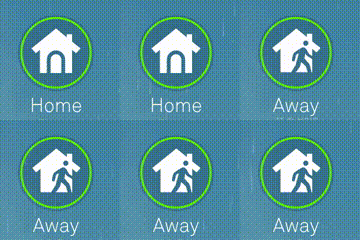
Hmm, but why isn’t the HTTP connection closing? It just hangs there.
Comparing the headers from the original request I could see that there’s an X-Accept-Response-Streaming: true header, adding it caused the connection to directly close as expected.
Strange, especially since false keeps the connection open. Mystery for another day.
I packaged everything nicely into a GitHub repo and moved on to the last part.
The standard approach here would be to install some location tracker on all the “home” phones and periodically send it to a server which then decides when to toggle the Nest status.
Although I actually built an android location sharing app, I didn’t like this approach due to having to make a tradeoff between battery life and responsiveness.
I also looked into Google Location Sharing, but it involved creating another Google Account, permanently sharing my location with it and using that as the source. Too fragile.
The solution I went with in the end was:
If the response is connection refused, they are on the network/“home”.
Anything else, they aren’t “home”.
Well, maybe also connection accepted if you’re weird and have a server on your phone.
I’m still surprised how well this works, because I read a lot of “don’t do this” online with reasons like:
Maybe I got lucky, but it works, and it works very well:
2020-12-17 09:36:07 INFO     found hosts: ['192.168.0.30', '192.168.0.31']
2020-12-17 09:36:07 INFO     192.168.0.30 is home
2020-12-17 09:36:09 INFO     set status to: home (200)
2020-12-17 09:41:09 INFO     192.168.0.30 is home
2020-12-17 09:46:13 INFO     192.168.0.31 is home
2020-12-17 09:51:17 INFO     192.168.0.31 is home
[..]
2020-12-17 11:17:29 INFO     set status to: away (200)
2020-12-17 12:35:11 INFO     192.168.0.31 is home
2020-12-17 12:35:12 INFO     set status to: home (200)
2020-12-17 12:40:16 INFO     192.168.0.31 is home
The switch from Away -> Home is quicker than doing it by hand :)
I prepared another GitHub repo, fired everything up, and… it works!
It really sucks that I had to spend a day for something that either should just work, or at least I should have access to change on my own.
If the camera quality wasn’t so high I would have just ditched it and gone self-hosted with a DVR/NVR.
It would have taken longer to build all the features, but then I have control over every part.
The Nest app is still annoying me to migrate to a Google account, so let’s see for how long this solution actually works.
此内容由惯性聚合(RSS阅读器)自动聚合整理,仅供阅读参考。 原文来自 — 版权归原作者所有。