
惯性聚合 高效追踪和阅读你感兴趣的博客、新闻、科技资讯
阅读原文 在惯性聚合中打开

推荐订阅源

Blog — PlanetScale
Blog — PlanetScale
博客园 - 司徒正美
Vercel News
Vercel News
F
Fortinet All Blogs
月光博客
月光博客
G
Google Developers Blog
博客园 - Franky
GbyAI
GbyAI
The Cloudflare Blog
I
InfoQ
雷峰网
雷峰网
WordPress大学
WordPress大学
罗磊的独立博客
大猫的无限游戏
大猫的无限游戏
T
The Blog of Author Tim Ferriss
Apple Machine Learning Research
博客园 - 聂微东
小众软件
小众软件
腾讯CDC
B
Blog
量子位
V
V2EX
S
SegmentFault 最新的问题
Google DeepMind News

Gary' Blog

Migrate pip to uv - Gary' Blog Terminal autocomplete (only macOS and Linux) How to expand the hard disk capacity of Debian/Ubuntu in ESXi Authentication FastAPI with Keycloak - Gary' Blog Keycloak configuration problems and solutions Careers and LinkedIn Jobs Page of Fortune 500 American Companies How to connect Windows desktop remotely using RDP and cloudflare ZeroTrust tunnel ESXi 8 issue solved: This PC can’t run Windows 11 Get clicked word using pure Javascript
How to download and license ESXi 8?
Name * · 2024-10-08 · via Gary' Blog

It is not easy to download ESXi 8 from Vmware official website.

You must have visited Wmware’s official website, but they only put a link to broadcom, and then they kept jumping around, and in the end you still couldn’t find the correct download link.

In this article, we will explain step by step how to download the correct esxi 8.

Steps to download ESXi 8

1 Sign up and Sign in broadcom.

2 Go to download center

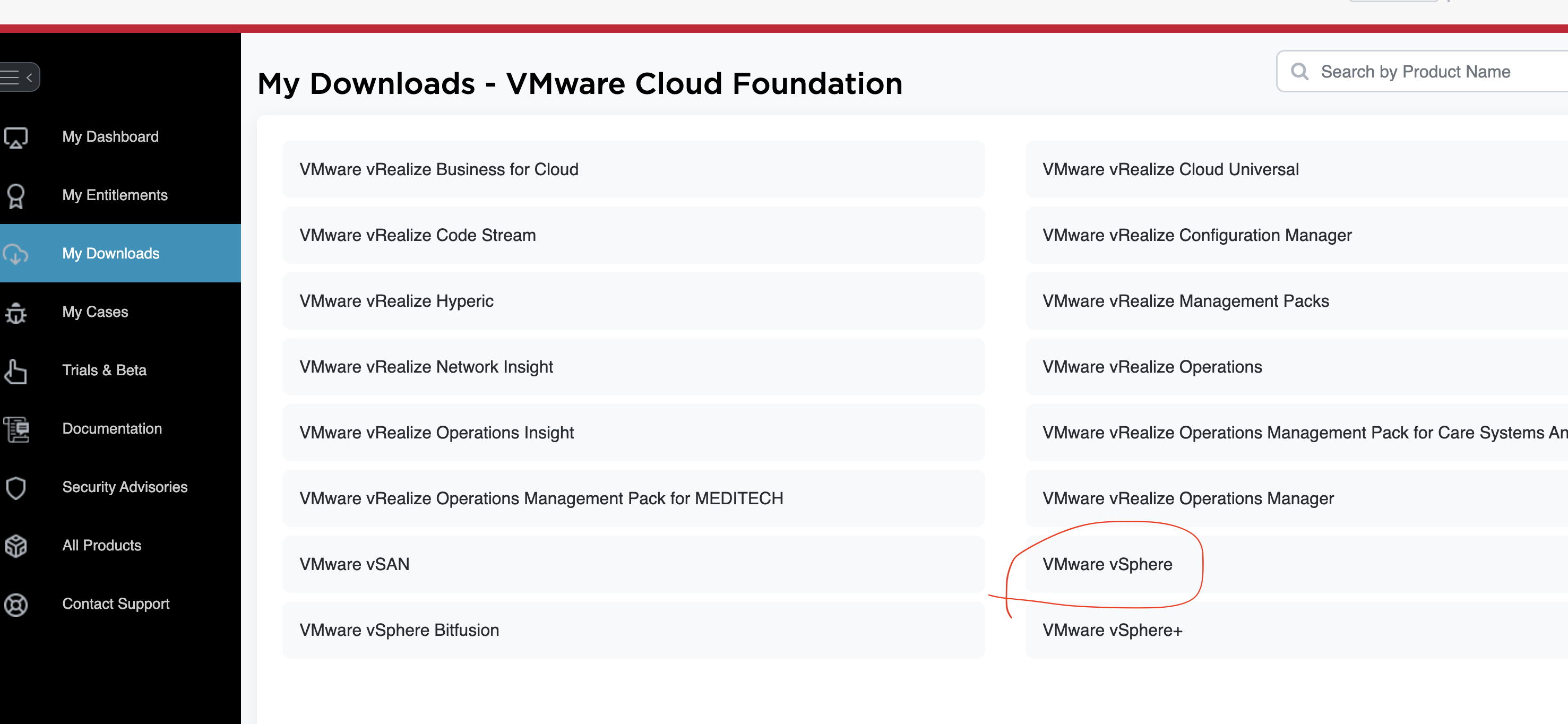
3 Look for "VMware vSphere" and click:
4 Then select one of the links such as "VMware vSphere Essentials Plus"

5 Select a version like "8.0"

6 Select "Custom ISOs"

7 Select one of the iso download:
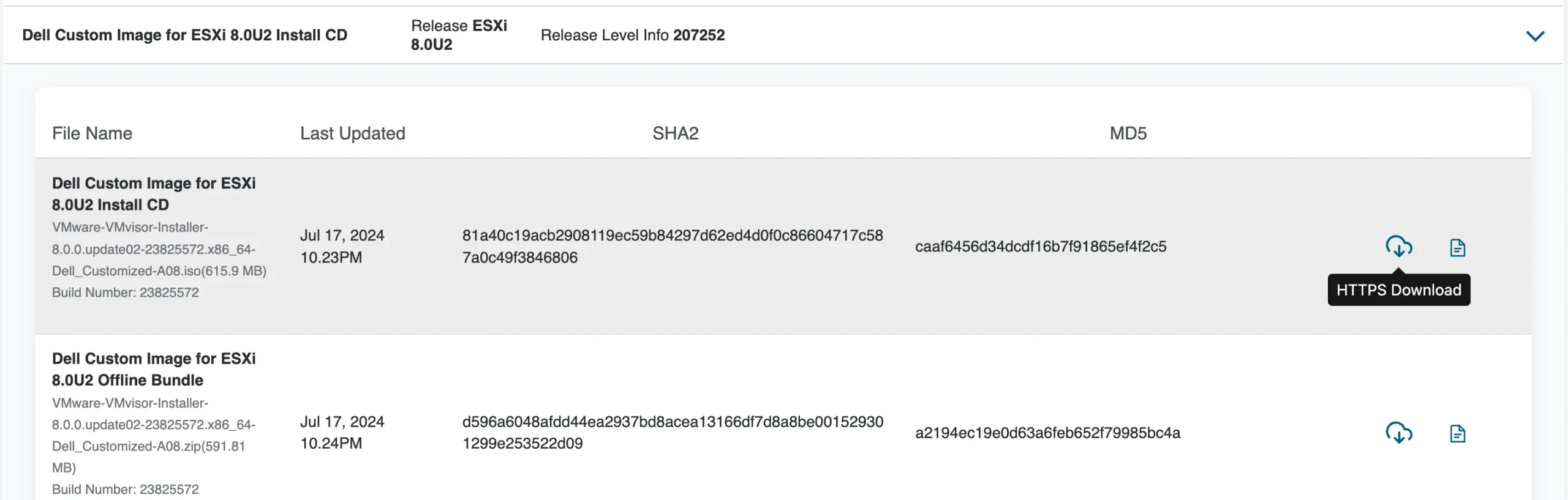
8 Done.

more about ESXi 8

Reference

  1. ESXI Download
  2. ESXi 8.0虚拟机必备知识与保姆级安装过程