A collaborative, self-hosted mobile+desktop SSH copilot for on-calls, devops, MLOps, AI researchers, sysadmins and self-hosting enthusiasts.





Quick Start
tl;dr -
Using ssh on mobile is painful.
Modern AI is really good at shell commands.
But letting AI control infrastructure is dangerous.
Fewshell is an attempt to solve this without sacrificing security, privacy and safety.
It's designed around three core principles:
- Secure defaults: mandatory SSH and secrets management.
- Must be self-hosted: Eg, cloudless desktop-mobile sync.
- Human-first: AI will not run any command without your approval.
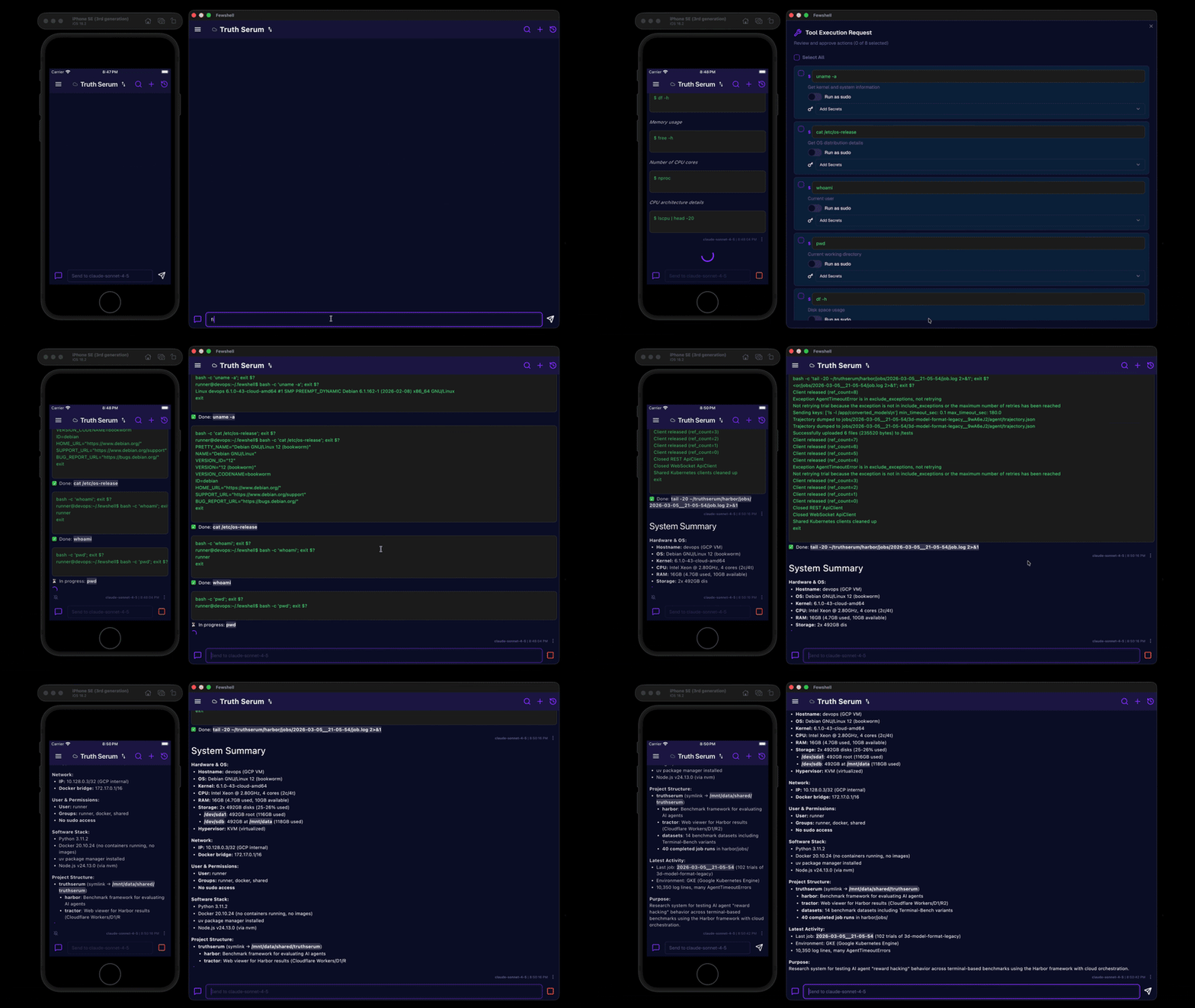
Why this exists
Use fewshell if you want to:
- Have a quick way to restart, fix, update your autonomous agent (eg OpenClaw) remotely, without using the agent itself (eg: in case it fails to start back up.)
- Start some long-running command from your desktop and then check on it while on the go.
- Manage a self-hosted server remotely and run admin commands while on the go.
- Run serverless infrastructure and use cloud CLI to occasionally fix things remotely via a bastion.
- Keep track of every command you ever ran on your infrastructure, lab environment, etc through one interface.
- Are in a team where you need to share your terminal with a collaborator (eg. two-person rule)
What fewshell is not:
It is not meant to be a coding agent or an autonomous AI assistant. There are many powerful open source and commercial agents for this. You can configure some to do the same or similar tasks as Fewshell, but it usually takes extra effort.
It is not packed with features or many customizable options. It's intended to do one thing and do it well.
Constrained by-design to allow easy setup and reduce the risk of accidental misconfiguration.
Features
-
Mobile and desktop GUI clients — iOS, macOS, Linux, Android, (Windows planned)
-
Lightweight and performant - built in Flutter, low memory footprint, executes natively
-
Secret management — user and per-project secrets, stored in keychain, with per-secret LLM visibility control
-
Cross-device sync — seamless session sync between devices using your server
-
Command snippet library — reusable commands injected into LLM context
-
Session archival — full transcript of every session, useful for postmortems
-
BYOM — bring your own model — supports OpenAI, Anthropic, Google, DeepSeek, Ollama, Groq, xAI, OpenRouter, and more
-
Custom agent instructions — user and per-project system prompts with template variables
-
Push notifications for long-running commands (using our optional relay service)
Architecture overview
fewshell client app (mobile / desktop)
- Stores secrets in system keychain
- Optionally generates SSH keypair during setup (private key never leaves device)
- Sends user input and command approvals
- Displays terminal output and AI interaction
fewshell server (self-hosted)
- Executes approved shell commands in a PTY
- Streams command output to all connected clients
- Keeps persistent sessions and synchronizes them across multiple authenticated clients
- Holds secrets in memory for command use and replication across authenticated devices
- Redacts secret values before sending context to the LLM
- Calls the LLM API with redacted context
LLM Provider (self-hosted or third-party)
- Receives context, command input and output (secrets redacted)
- Requests command execution for human approval
Notification Relay (optional)
- Sends push notifications for long-running commands (APNs)
- Facilitates SSH public key provisioning during initial device pairing (optional)

- SSH Tunnel is the only communication link between client and server.
- Domain socket: client connection is forwarded to the local domain socket on the host to communicate with the server. This provides additional access controls for host accounts. Eg, non-privilege users will only have access to their server instance.
- OS Keychain stores the secrets (API keys, passwords) on the trusted client device.
- SQLite is used on the client side for storage of sessions and offline support.
- SQLite on the server side stores and replicates the authoritative session, chat history and project data. It is replicated to the connected clients in real time.
- External API connection for LLM over an untrusted network (HTTPS).
- bash sessions are spawned by fewshell server for executing commands.
Security model
Fewshell assumes:
- The client device is trusted
- The server is controlled by the user
- The LLM provider may be untrusted
Key properties:
- Secrets are stored on the device keychain and synced to the server over SSH tunnel
- Secrets are held in server memory — never persisted to disk on the server
- Secrets are redacted (plaintext and base64) from chat history (LLM never sees their content)
- The LLM cannot execute commands autonomously — every tool call requires explicit user approval
Project structure
| Directory |
Description |
decamp-app/
Flutter client (iOS, Android, macOS, Linux, Windows)
decamp-agent/
Dart server — shell execution, sync, agent loop
agent-core/
Shared client/server code — database schema, CRDT, LLM integration
decamp-relay/
Rust relay microservice — push notifications, SSH key pairing
llm_dart/
LLM provider library — multi-provider, streaming, tool use
dartssh2/
SSH client library (fork with domain socket support)
native_pty/
Native PTY bindings for Linux/macOS
Getting started
See the Quick Start Guide.
Status
Early-stage. Expect rough edges.
License
This project is licensed under the GNU Affero General Public License v3.0 (AGPL-3.0).
You can use, modify, and self-host freely. If you run a modified version and expose it over a network, you must provide the source code.
If your organization disallows the use of AGPL, please contact us for custom licensing options.



