


This month’s Visual Studio update gives you new ways to customize GitHub Copilot. Custom agents allow you to build specialized Copilot agents tailored to your team’s workflow, backed by the tools and knowledge sources that matter to your project. Alongside that, agent skills bring reusable instruction sets, and a new find_symbol tool gives agents language-aware navigation across your codebase.
Beyond agents, we’re continuing to invest in the diagnostics experience with Copilot-powered profiling directly from Test Explorer and real-time perf tips during debugging. Security gets a boost too, with Copilot now helping you fix NuGet vulnerabilities right from Solution Explorer.
Download Visual Studio 2026 Insiders to try these features today.
Build your own custom agents
Want Copilot to follow your team’s coding standards, run your build pipeline, or query your internal docs? Custom agents make that possible. They’re specialized Copilot agents defined as .agent.md files in your repository, with full access to workspace awareness, code understanding, tools, your preferred model, and MCP connections to external knowledge sources.
Drop an .agent.md file into .github/agents/ in your repo, and it shows up in the agent picker ready to use.
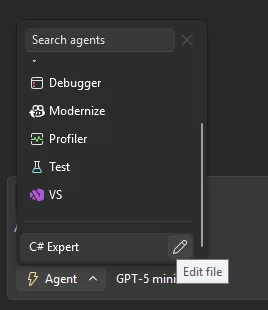
A few things to keep in mind: if you don’t specify a model, the agent uses whatever you’ve selected in the model picker. Tool names can vary across GitHub Copilot platforms, so check the tools available in Visual Studio to make sure your agent works as expected. The awesome-copilot repo has community-contributed agent configurations you can use as starting points.
Use agent skills
Skills are picked up automatically from several locations in your repository (such as .github/skills/) or your user profile (such as ~/.copilot/skills/). Each skill lives in its own directory with a `SKILL.md` file that follows the Agent Skills specification. When a skill is activated, it appears in the chat so you know it’s being applied.
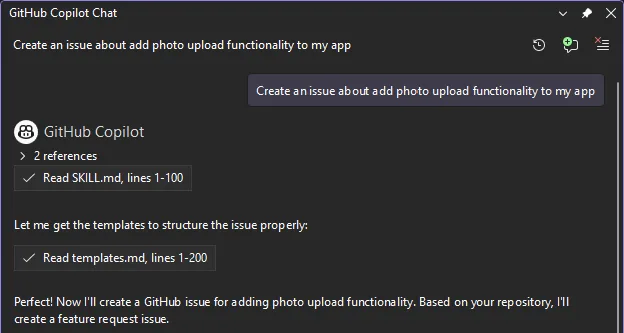
Check out the awesome-copilot repo for community-shared skills, and look for more user-friendly flows for browsing and creating skills inside Visual Studio in upcoming releases.
Find_symbol tool for agent mode
Copilot’s agent mode now has language-aware symbol navigation. The new find_symbol tool lets the agent find all references to symbols across your project and access metadata like type information, declarations, and scope. This means when you ask Copilot to refactor a method or update a parameter across call sites, it can actually see your code’s structure rather than guessing from text.
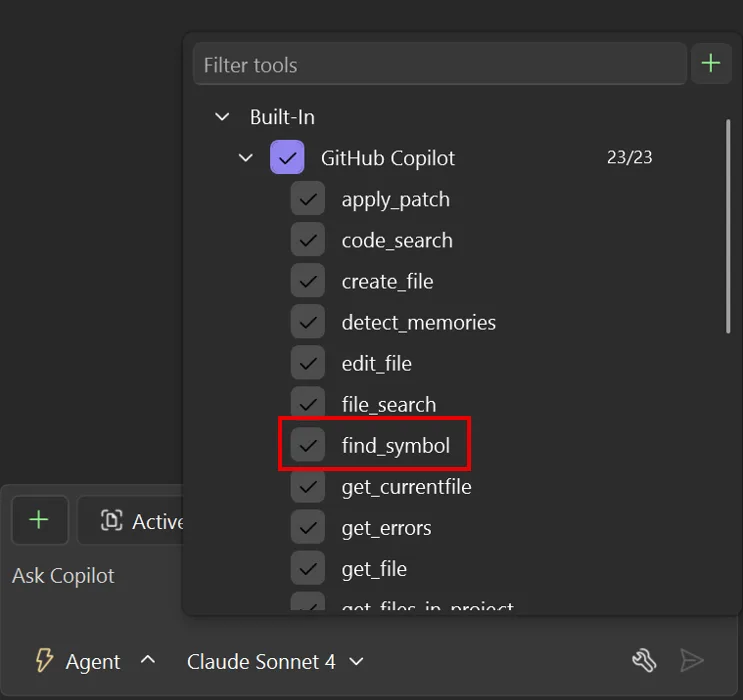
Enable the tool, and Copilot uses it automatically when answering questions or suggesting code changes. The difference is noticeable: instead of searching for text patterns, the agent navigates your code using language services.
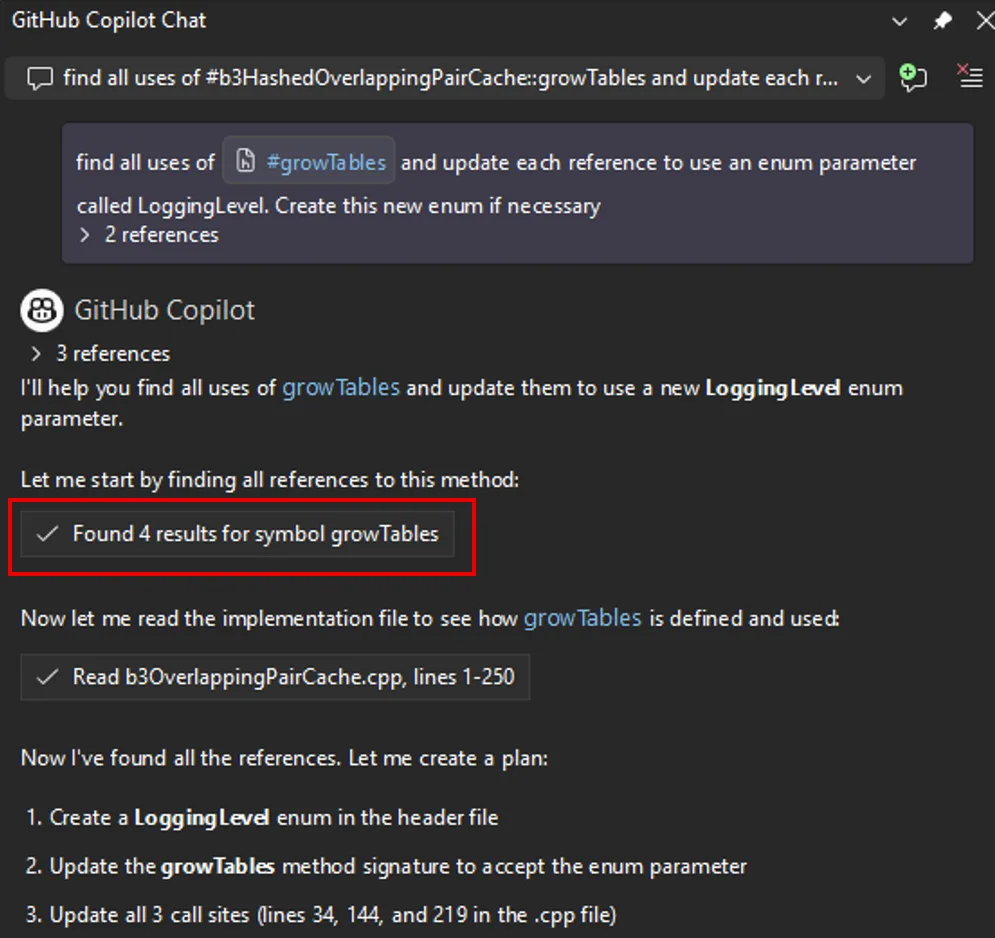
Supported languages include C++, C#, Razor, and TypeScript, plus any language with a supported LSP extension installed. For best results, use AI models that support tool-calling. Learn more at AI model comparison.
Enterprise MCP governance
MCP server usage in Visual Studio now respects allowlist policies set through GitHub. Admins can specify which MCP servers are allowed within their organizations. When an allowlist is configured, only approved servers can be connected. If you try to use an unauthorized server, you’ll see an error explaining the restriction. This helps organizations control which MCP servers process sensitive data and maintain compliance with security policies.
Profile Tests with Copilot
Ever wanted to profile a specific test without wrestling with profiler configuration? There’s now a Profile with Copilot command right in the Test Explorer context menu.
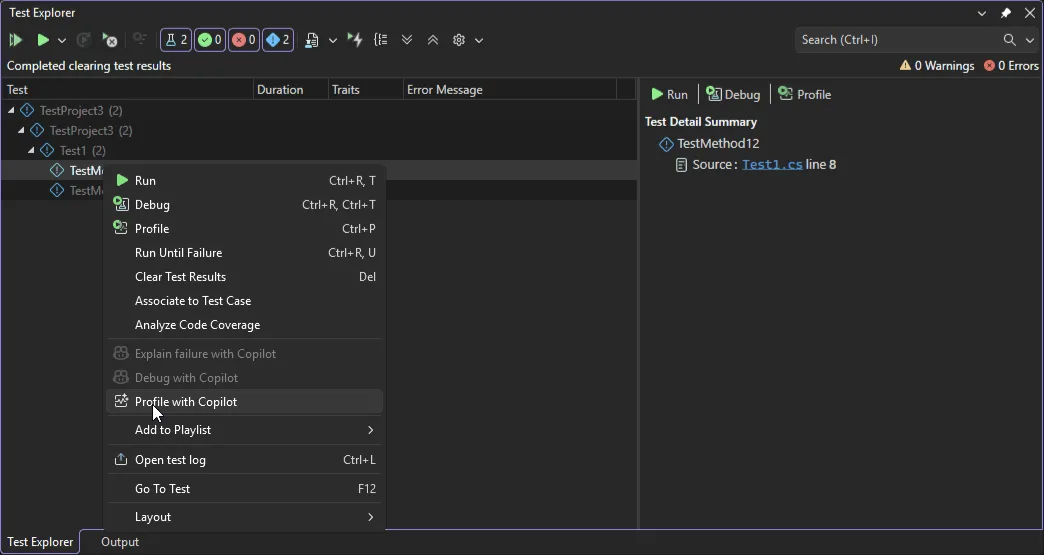
When selected, the Profiling Agent automatically runs the chosen test and analyzes its performance, combining CPU usage and instrumentation data to deliver actionable insights. By default, it uses Instrumentation profiling and is currently supported in .NET. If you need deeper analysis, you can launch the selected test directly from the Copilot chat window and choose additional profiling tools.
Perf tips powered by live profiling
Performance optimization now happens while you debug, not after. As you step through code, Visual Studio shows execution time and performance signals inline for each step. When you spot a slow line, just click the Perf Tip and ask Copilot for optimization suggestions on the spot.
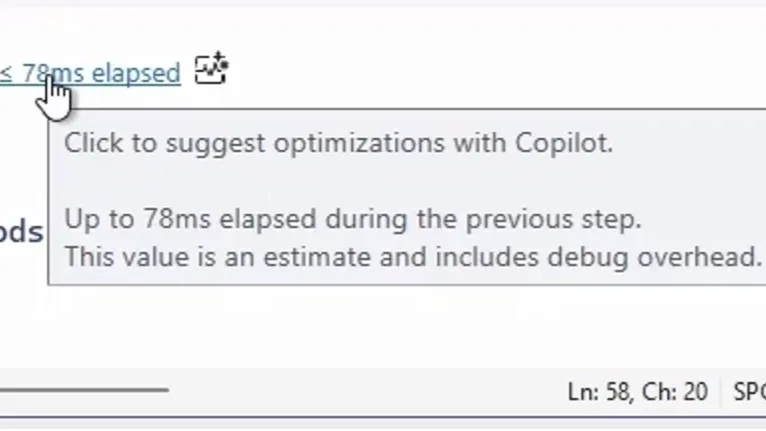
The Profiler Agent captures runtime data during debugging automatically: elapsed time, CPU usage, and memory behavior. Copilot uses this data to pinpoint performance hot spots and suggest targeted fixes. This keeps optimization part of your regular debugging workflow instead of something you tackle later.
Fix vulnerabilities with Copilot
Spotted a NuGet package vulnerability? Copilot can now help you fix it directly from Solution Explorer. When a vulnerability is detected, you’ll see a notification with a Fix with GitHub Copilot link. Click through, and Copilot analyzes the vulnerability, recommends and implements targeted dependency updates that keep your packages secure without disrupting your workflow.
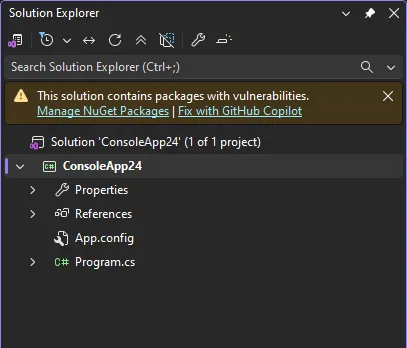
No more manual vulnerability research or hunting down correct package versions. You address security issues right when they’re discovered.
HTML rich copy/cut
Need to paste code into a presentation, an Azure DevOps work item, or a web-based document? Visual Studio now supports HTML clipboard format when cutting or copying code from the editor. Syntax highlighting and formatting carry over when you paste into HTML-based applications. It’s turned on by default. To customize, go to Tools > Options > Text Editor > Advanced where you can toggle Copy rich text on copy/cut and set the max length.
From our entire team, thank you for choosing Visual Studio! For the latest updates, resources, and news, check out the Visual Studio Hub and stay in touch.
Happy coding!
The Visual Studio team