破解光猫超级用户密码
2022-06-18
·
via Posts on Loong's Blog

破解光猫超级用户密码
首先我强调光猫型号为HS8545M5,软件版本为V5R020C00S200;
由于需要光猫出场时默认为路由模式,我需要将其修改为桥接模式,而光猫背面的user用户没有权限修改,因此需要获取超级用户权限。
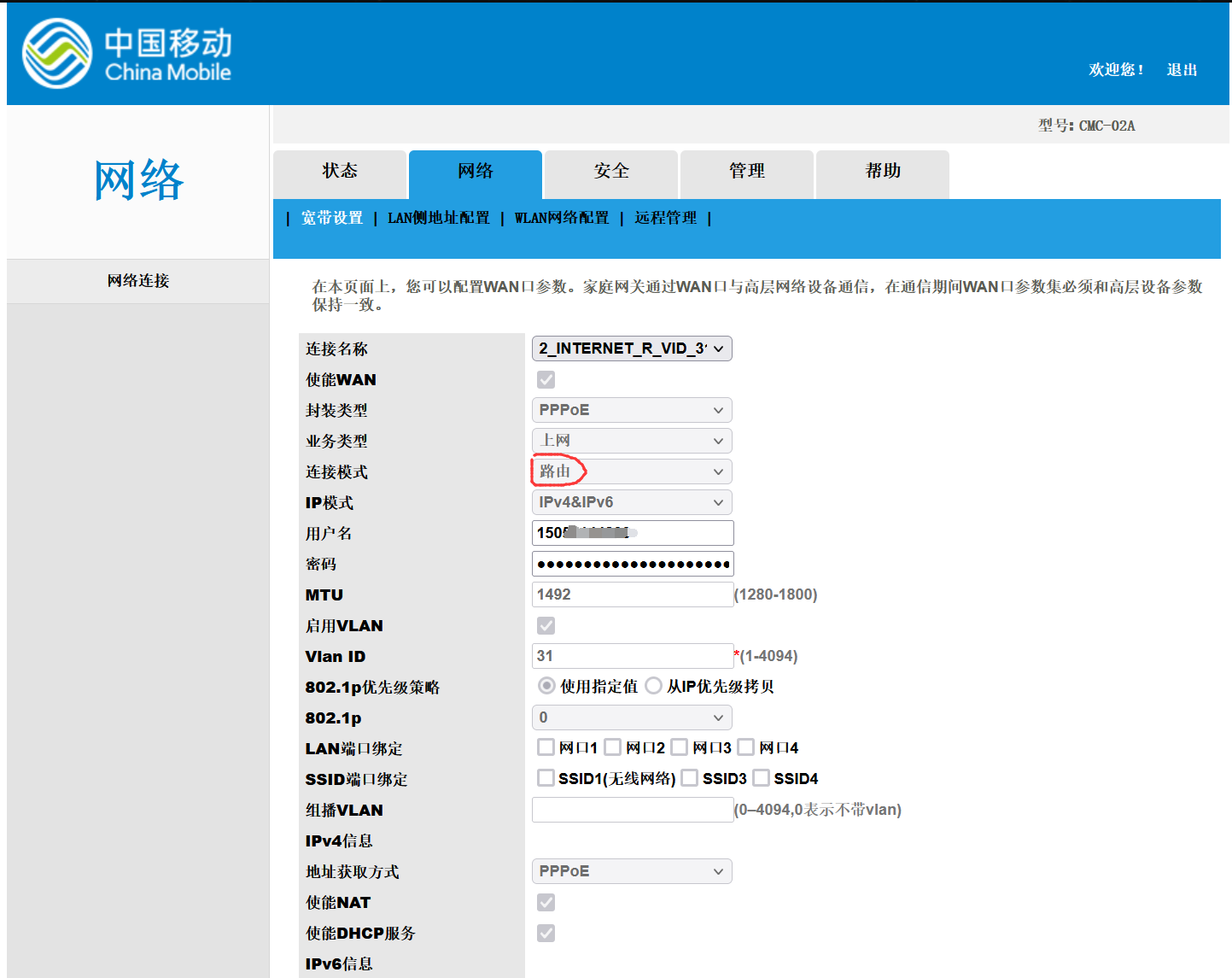
光猫telnet使能
光猫没有开启telnet服务,需要工具进行破解,破解工具的下载链接在最后;
先下载破解工具,接着拔掉光纤,重启光猫,通过宽带线把电脑与光猫连接,打开ONT维修使能工具;
选择维修使能,点击刷新,然后启动;
当“当前成功总数”变为1后,点击停止,结果类似下面截图;
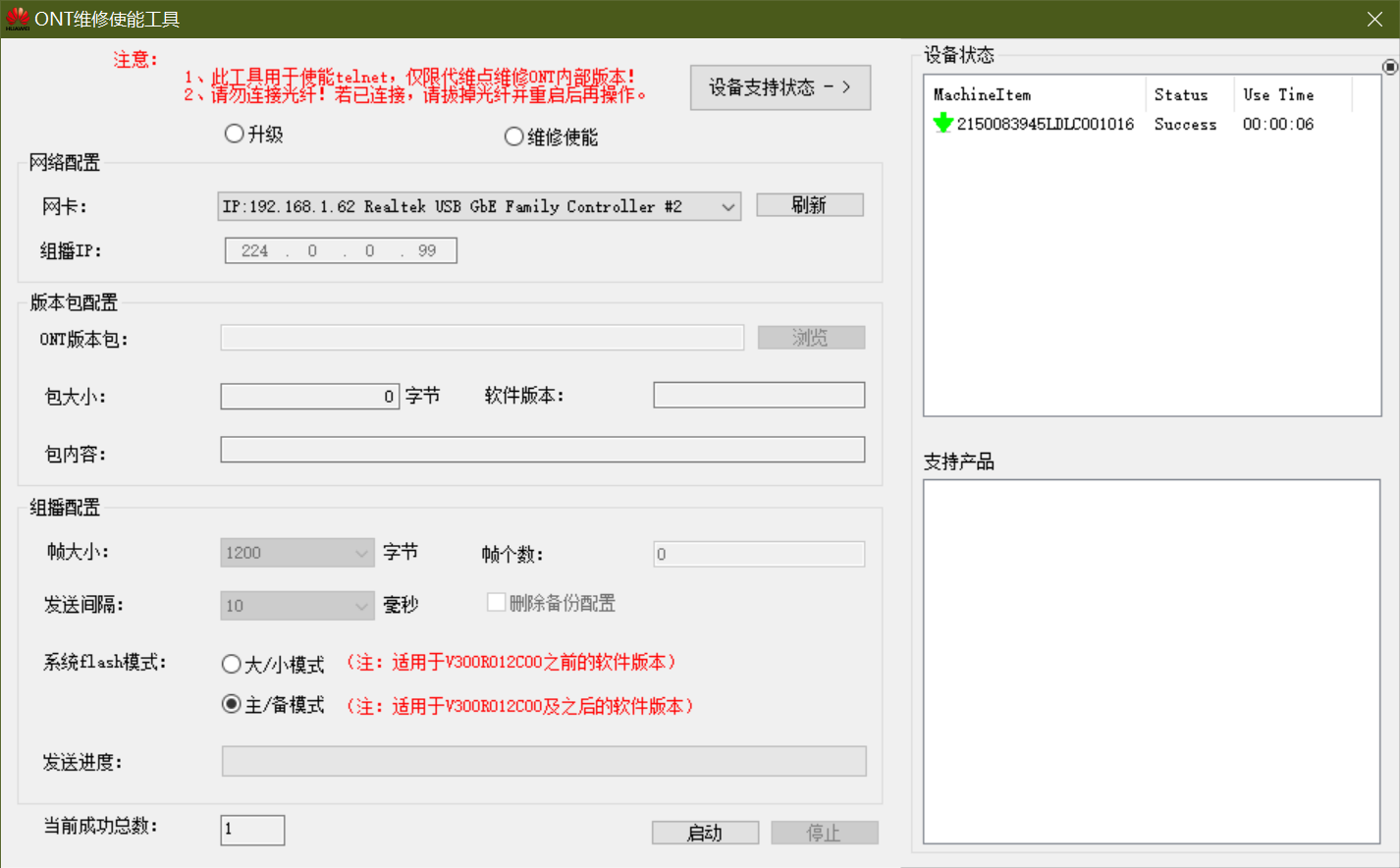
打开命令行,测试telnet能否连接成功,当出现找不到命令时,开启windows的telnet服务;
然后输入用户名root;密码尝试下Hw8@cMcc或者adminHW,成功的话结果如下:
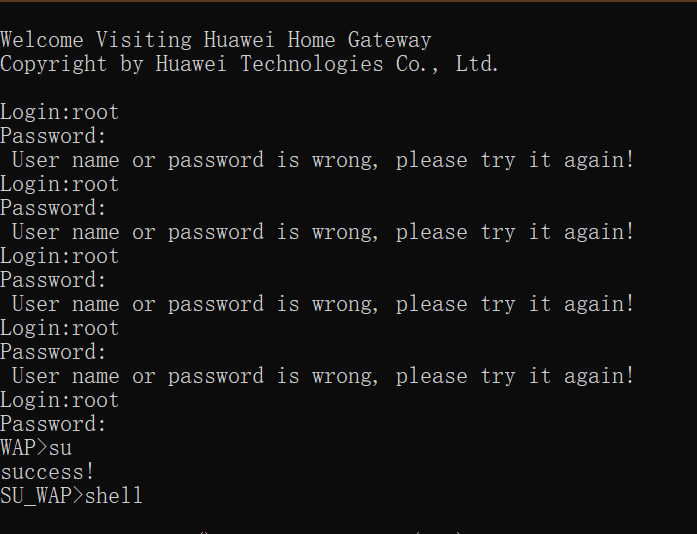
获取用户名及密码密文
 1
 2
 3
 4
 5
 6
 7
 8
 9
10
11
12
13
14
15
16
17
18
19
20
21
22
23
24
25
26
27
28
29
30
31
32
33
34
35
36
37
38
39
40
41
42
43
44
45
46
47
48
| WAP>su
success!
SU_WAP>shell
BusyBox v1.30.1 () built-in shell (ash)
Enter 'help' for a list of built-in commands.
profile close core dump
WAP(Dopra Linux) # ls
bin dev init linuxrc root sys var
boot etc lib mnt sbin tmp
bundle html libexec proc share usr
WAP(Dopra Linux) # cd /mnt/jffs2/
WAP(Dopra Linux) # ls
CfgFile_Backup dypack_debug mount_ok
CfgwithoutlineD factory_file mount_osgi_ok
DHCPlasterrwan1 fsok nffruntimes
DHCPlasterrwan5 ftvoipcfgstate oldcrc
FTCRC hard_version onlinecounter
InformFlag hw_boardinfo ontstatusfile
TelnetEnable hw_boardinfo.bak optic_init_par.bin
Updateflag_bak hw_bootcfg.xml ppplasterr258
UpnpExpandFirstInit hw_ctree.xml ppplasterr259
V5_TypeWord_FLAG hw_ctree_bak.xml reboot_bind_tag
app hw_default_ctree.xml reboot_info
asan_test hw_default_ctree2.xml recovername
backup_ok hw_hardinfo_feature request_ddr
board_type hwflashlog.bin request_ddr_inner
bob_type hwkeyinfogetlog.bin resetkey
ceaseadv.conf hwnfflog.bin restore
certs hwontdebuglogctrl.bin result_ddr
customize hwontdebuglogdata.bin scflie_0
customize.txt hwontlog.bin scflie_1
customizepara.txt keyreleasecount.txt smooth_finish
cwmp_rebootsave kmc_need_backup typeword
dhcp6c kmc_store_A upgrade_info.xml_back
dhcp_data_a kmc_store_B xmlcfgerrorcode
dhcp_lastip lastsysinfo.tar.gz
dhcpc main_version
WAP(Dopra Linux) # cp /mnt/jffs2/hw_ctree.xml /mnt/jffs2/mycfg.xml.gz
WAP(Dopra Linux) # aescrypt2 1 mycfg.xml.gz tem
WAP(Dopra Linux) # gzip -d mycfg.xml.gz
WAP(Dopra Linux) # grep WebUserInfoInstance mycfg.xml
<X_HW_WebUserInfoInstance InstanceID="1" ModifyPasswordFlag="0" UserName="user" Password="$2sN}QKqrgY(,w8^GHpW7)$|L3MQ)tWIkZv5Na2Z1E$" UserLevel="1" Enable="1" Alias="cpe-1"/>
<X_HW_WebUserInfoInstance InstanceID="2" ModifyPasswordFlag="1" UserName="CMCCAdmin" Password="$2I3^R(k3[.)B9I4E8:S!DF!Q$ULd6S(U7RRH^2]2-=Nxs&S`J6))+2$S8"'j&$" UserLevel="0" Enable="1" Alias="cpe-2" PassMode="0"/>
WAP(Dopra Linux) #
success!
SU_WAP>
|
找到关键字user与password部分;

上图中CMCCAdmin用户密码密文为:$2I3^R(k3[.)B9I4E8:S!DF!Q$ULd6S(U7RRH^2]2-=Nxs&S`J6))+2$S8"'j&$
打开华为二次密码破解工具S1S2语音全鉴密.zip中的huawei.exe,在密文解密中输入,尝试3种解密,得出密码为CMCCAdminFf2IrXFt

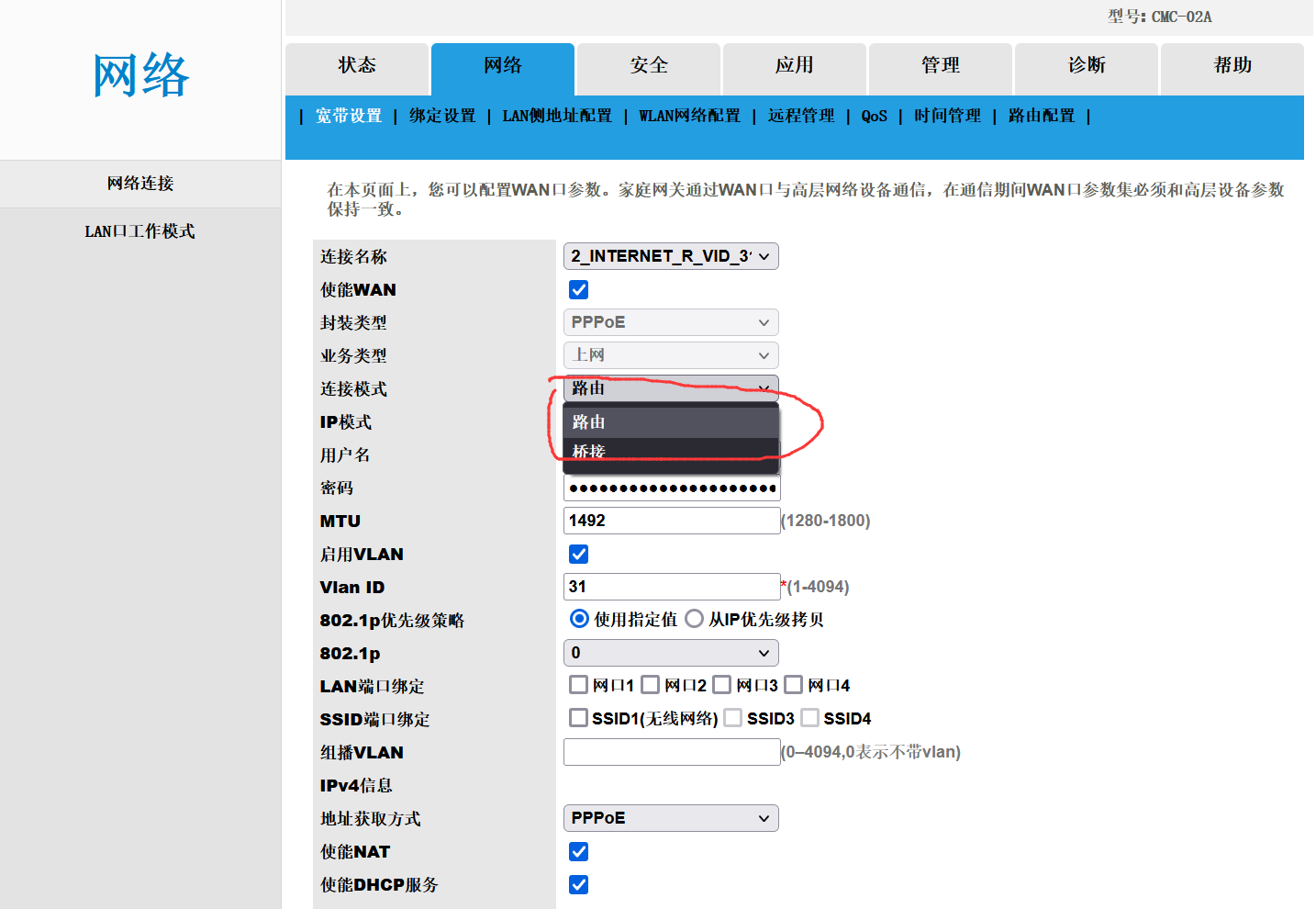
使用超级用户登录光猫
用户名CMCCAdmin,密码CMCCAdminFf2IrXFt,发现可以修改连接模式了;
文件链接:https://pan.baidu.com/s/101GrTj53T4RaIpc0h4KAoQ
提取码:adja
参考
- https://www.eaglemoe.com/archives/216
2022-06-18 更新
此内容由惯性聚合(RSS阅读器)自动聚合整理,仅供阅读参考。 原文来自 — 版权归原作者所有。






