


暂无文章
In the FSE theme, there isn’t a direct link to the Customizer. While it might seem unnecessary, there’s a crucial aspect to consider: the Customizer is the most easiest way to update the favicon. Many users are accustomed to updating it this way, as opposed to using the Site Editor.
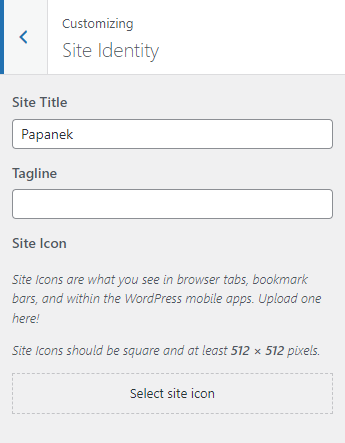
To clarify, I’m referring to the option where one might want to set up a favicon that’s different from the site logo in the Site Logo block.
Currently, the only method to accomplish this is through the Customizer. Of course, one can access it through the link /wp-admin/customize.php, but not all users of your theme might be aware of this.
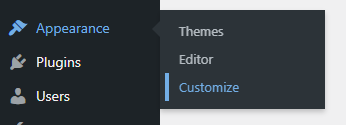
To solve it, just paste this code into functions.php in your theme. This code snippet simply adds a submenu link to /customize.php under the appearance submenu. Nothing fancy 😌
PHP
function add_customize_menu_link() {
    add_submenu_page(
        'themes.php', // Parent menu slug (Appearance)
        'Customize', // Page title
        'Customize', // Menu title
        'manage_options', // Capability required to access
        '/customize.php' // URL to link to
    );
}

add_action('admin_menu', 'add_customize_menu_link');
此内容由惯性聚合(RSS阅读器)自动聚合整理,仅供阅读参考。 原文来自 — 版权归原作者所有。