


Teams can manage scopes and deploy contexts on environment variables from the Netlify UI. This beta in Labs now includes the ability to set a different value for specific branches!
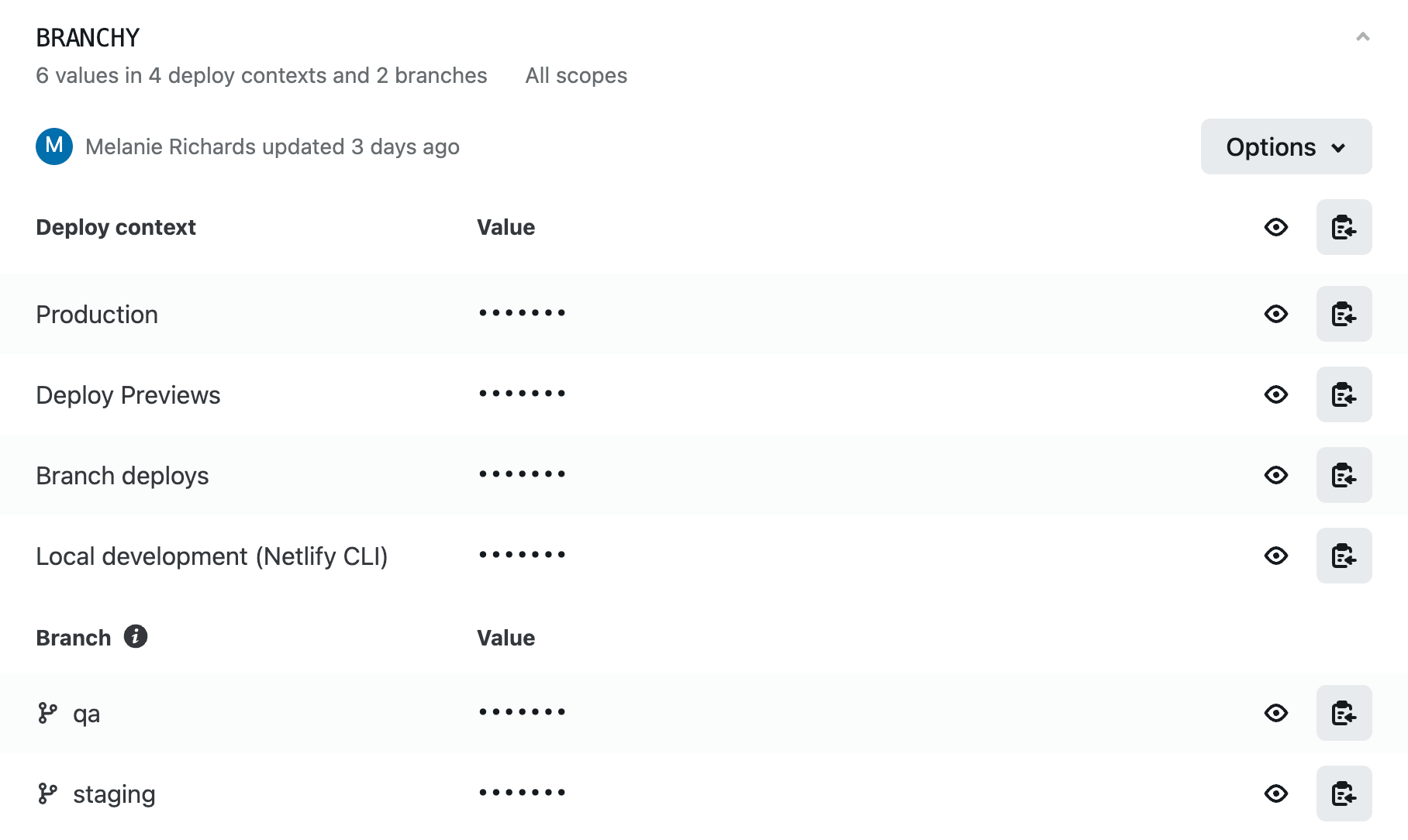
If you prefer to use the Netlify CLI or API to interact with your Sites, the “Scopes and deploy contexts for environment variables” beta has also been updated with support for these workflows.
Set branch values on environment variables from the UI
Some projects might require special configurations on long-lived branches, such as staging. In other cases, you might need to preview site updates that require a specific API token—before those changes land in production.
Developers can now set one environment variable key, with a different value on specific branches:
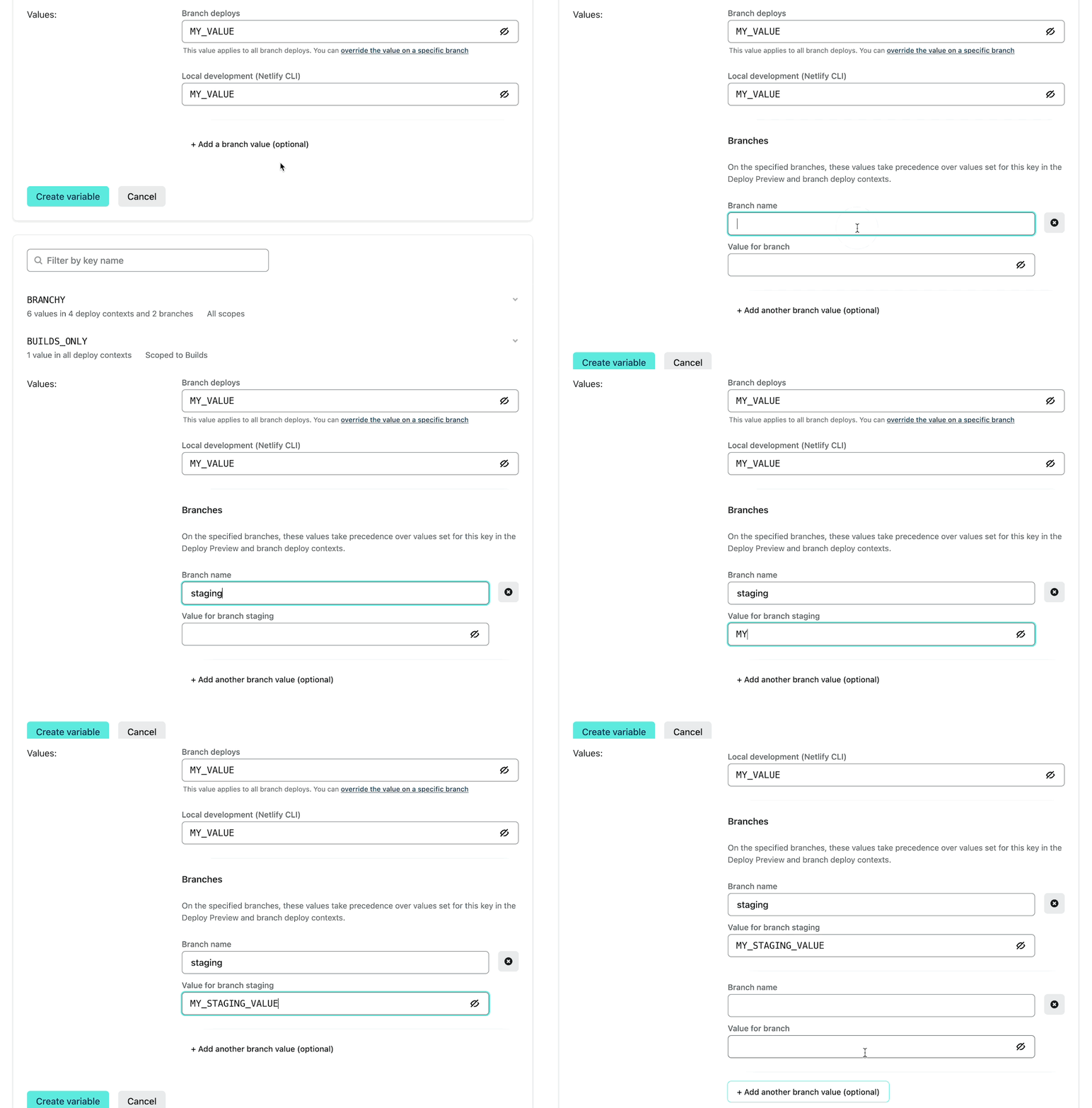
With this change, netlify.toml configuration or build plugins are no longer needed for branch values. The value for branch staging will be applied to any deploy context initiated from staging, including Deploy Previews.
For teams with Sites opted into the beta, branch value options are available in Site Settings > Environment Variables, as well as Team Settings > Environment Variables (Pro plan and above). Shared environment variables will apply to all Sites in your Team.
Manage environment variables using the Netlify CLI or API
The Labs beta has also been updated so that teams can scope environment variables, or set values for specific deploy contexts, from the Netlify CLI or API. This includes the ability to set a branch value.
Starting with Netlify CLI version 11.5.0, developers can use --scope and --context flags when reading and writing environment variables with netlify env commands. You can also pass the --context flag to netlify build or netlify dev, to emulate a build in the given deploy context. Run npm i -g netlify-cli on the command line to install the latest version of the Netlify CLI.
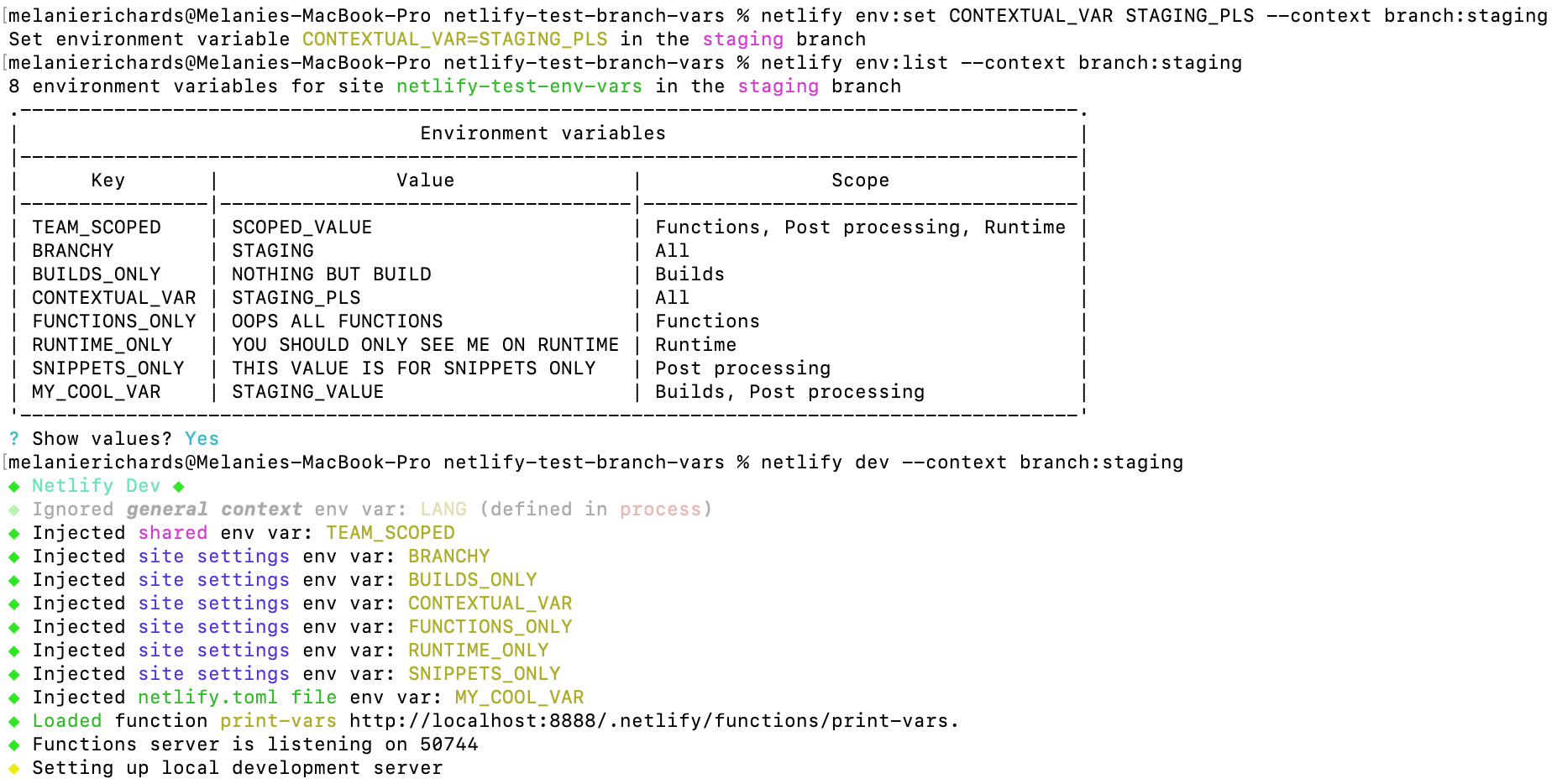
As an example, let’s suppose you want to set a specific value for the CONTEXTUAL_VAR key on your staging branch. You can:
- Run
netlify env:setwith the flag and keyword--context branch:staging - Check your work using
netlify env:list --context branch:staging - Locally emulate builds from this branch using
netlify dev --context branch:staging
Likewise, the Netlify API includes new Environment Variables endpoints, with which you can create, read, update, or delete environment variables. Teams with sites in the beta should use these new endpoints to manage their environment variables, rather than Site endpoints.
You can learn more about the new API endpoints and CLI updates in the docs.
Try out the new environment variables experience
This marks the last major update to “Scopes and deploy contexts for environment variables” before the new experience becomes generally available. To take advantage of the new functionality and stronger encryption for secrets now, enable the beta in Labs and migrate your sites to the new experience. Please let us know what feedback you have, we always appreciate getting your input!