


We’re excited to announce a brand new AI feature designed to troubleshoot failed deploys. Netlify’s Composable Web Platform now detects failed deploys and highlights solutions to fix failures with unprecedented speed. This enhancement reflects our investment in advancing the developer workflow with world-class developer tooling and AI features.
The pain of troubleshooting failed builds
Developers can empathize with the frustration of when, after hours of coding, their deployment fails. The process of sifting through logs, diagnosing the issue, and then crafting a solution is painstaking, time-consuming, and energy-draining.
Now developers can harness the power of AI built into the Netlify Platform to diagnose and solve deployment failures. With the click of a button, Netlify can identify the cause of deploy failures and provide solutions to fix the problem.
By bypassing the need for sifting through logs and other time-intensive tasks, developers gain hours of productivity through insights surfaced by AI. You probably don’t even have to imagine how much frustration is alleviated in the process.
What are the core benefits of this new AI feature?
This feature is not just an add-on; it’s a paradigm shift in how developers approach diagnosing and solving build failures. This isn’t just about fixing code; it’s about taking the guesswork out of troubleshooting failed deploys.
Remember that time when you were up against a deadline to deliver a new feature to your website? You spent hours researching, coding, and documenting the changes. Finally, you committed the changes. You were relieved, the deadline was aggressive but you did it! And then.. the build failed. After two hours of troubleshooting, you pulled in additional help. After two more hours, you committed the changes and redeployed the site with fingers, toes, arms, and legs crossed.
Hopefully, all was resolved. Worst case, you’re stuck with another failed deployment. By leveraging this new AI feature, developers gain:
- A starting point for troubleshooting
- Freedom to focus
- More predictable go-to-market workflows
- More satisfying developer experience
1. Begin troubleshooting with a clear starting point
Manually troubleshooting failed builds typically begins with sifting through logs. This can include some back and forth between the logs, your code editor, and multiple files within your code repo. Picture yourself clicking a button, leveraging AI to troubleshoot your builds, and receiving a clear starting place to fix the failures.
2. Freedom to focus
Investing in your developer experience yields fantastic dividends. When developers are freed from time-consuming tasks, they can focus on shipping campaigns, features, and additional functionality without roadblocks. Taking the guesswork out of troubleshooting failed deployments gives developers the opportunity to innovate without restriction.
3. More predictable go-to-market workflows
When developing digital experiences, the ability to detect errors, course correct, and quickly deploy your website is of the utmost importance—especially when keeping pace with ever-changing customer expectations.
4. More satisfying developer experience
It’s rare that developers would prefer to spend their time sifting through logs than working on important code.
How to use this feature
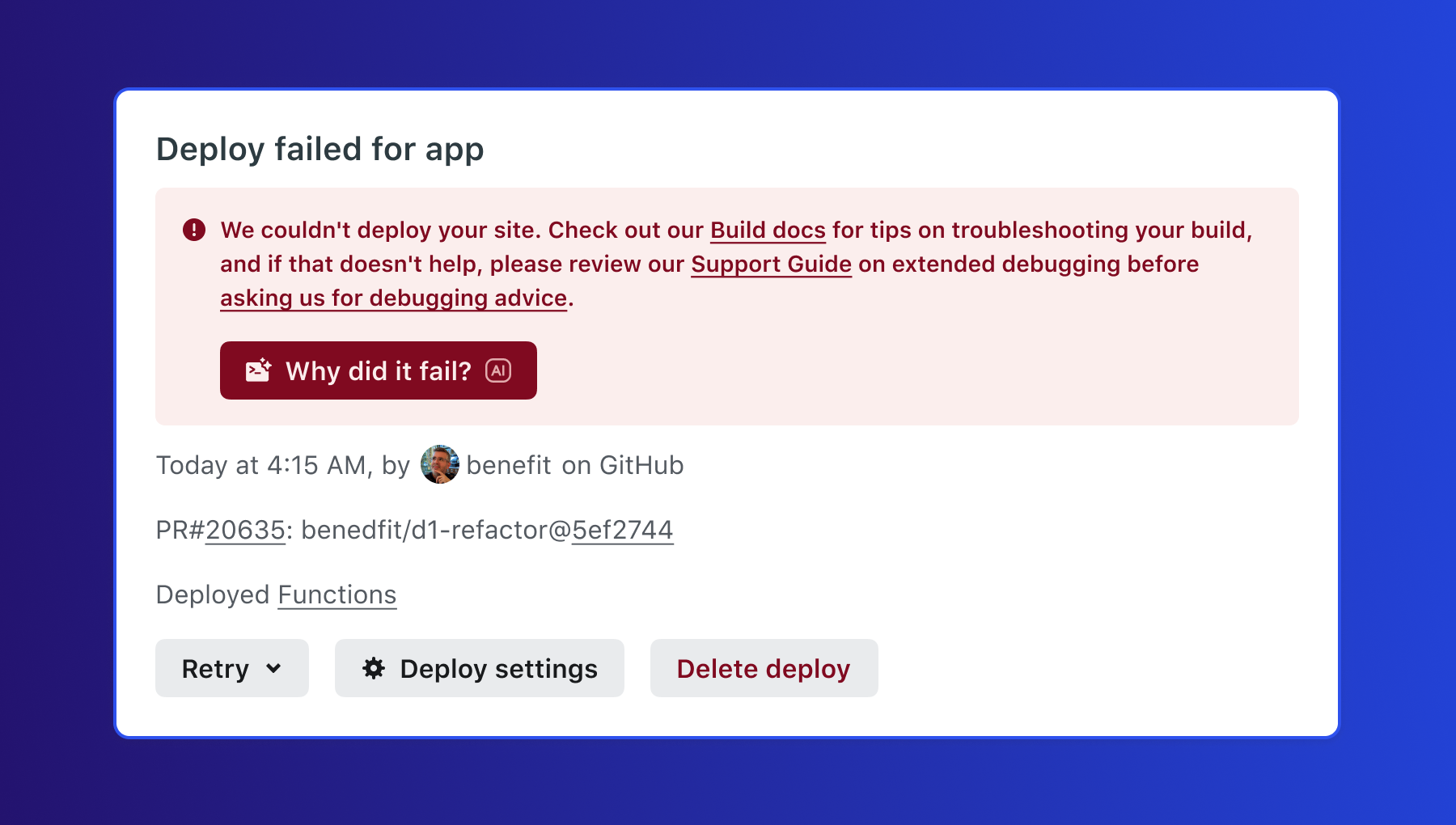
When this feature is enabled for your team, a failed deploy will show a Why did it fail? button.
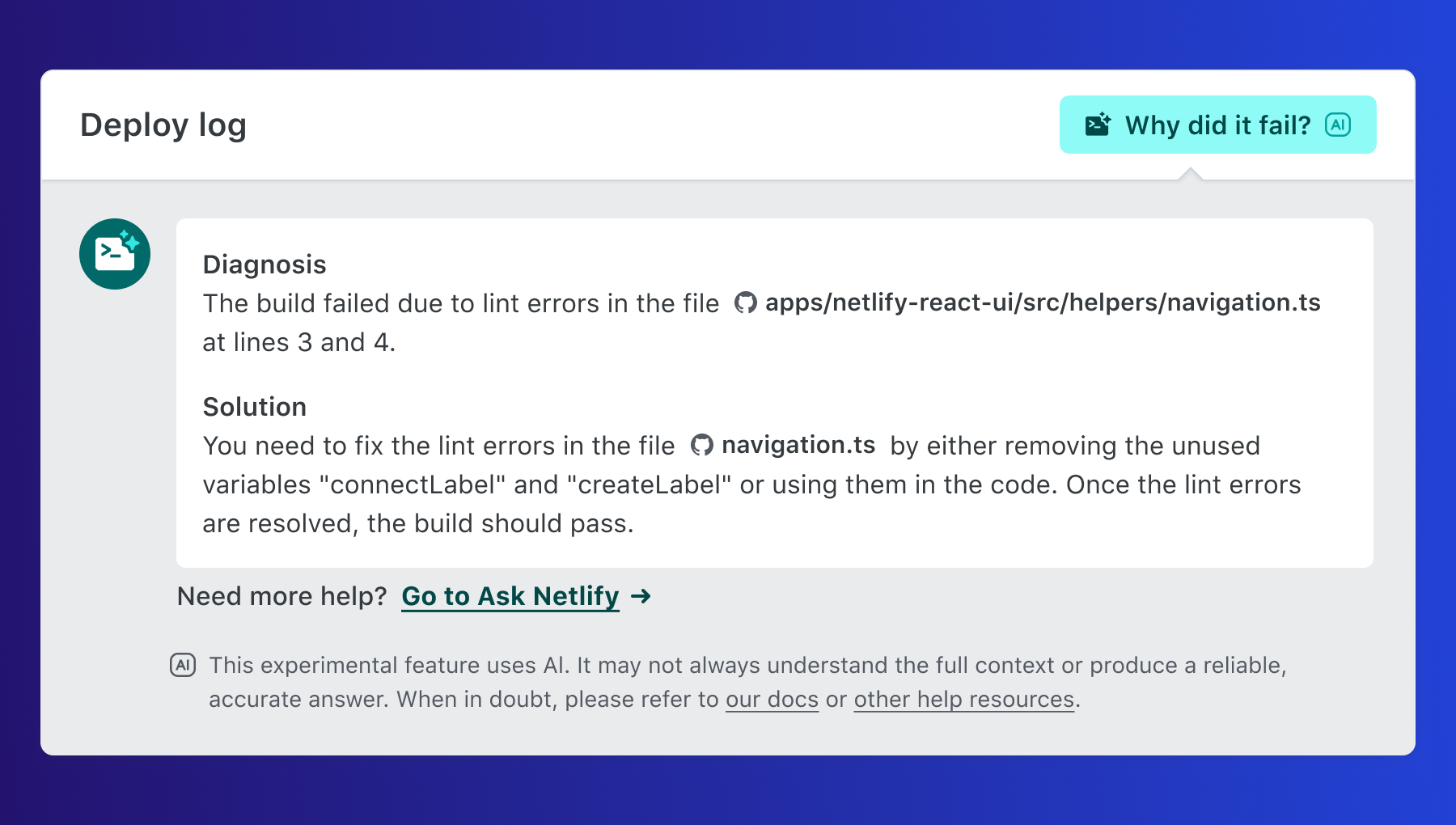
Pressing the button will generate a Diagnosis, or details on what caused the failure. Additionally, a Solution is provided based on the failure diagnosis—detailing next steps and suggested actions to quickly resolve the issue.
How to activate this feature on Netlify
Someone with the user role can enable deploy failure solution suggestions by:
- Going to Team settings > General > AI enablement
- Select Configure.
- Choose Enabled.
For a more detailed explanation, see our docs for complete details.
Is this feature available to me?
Yes! This feature is now available to all members of our Starter, Pro, and Enterprise platform plans.
Additional support and resources:
Visit Netlify Docs