






Emojis are great. They're particularly useful to put in the output of scripts and get some eye catching output. At least provided they aren't overused, just like colour.
$ important-command
Lots of output...
‼️  Something went wrong!
Some more output...
But bigger emojis are better, right?
The VT100, introduced in 1978 has a way to do bigger text. You can even play with this due to the wonderful PCjs VT100 implementation.
The way it works is you use the DECDHL (DEC Double-Height Line) escapes, to change the "style" of the whole line, it then uses a bigger font of which one line is the top half, the next line is the bottom half. (Based on how pixelated it is I think the VT100 just scales up the normal font.)
You can see if your own terminal supports this with:
printf '\e#3Hello world 👋\n\e#4Hello world 👋\n'
On the PCjs dual VT100s you can type that manually. Select the top terminal and blindly type [Esc], #, 3, Hello world, Ctrl-M, Ctrl-J, then [Esc], #, 4 and repeat the rest.
If you did it right in the bottom terminal you'll see:
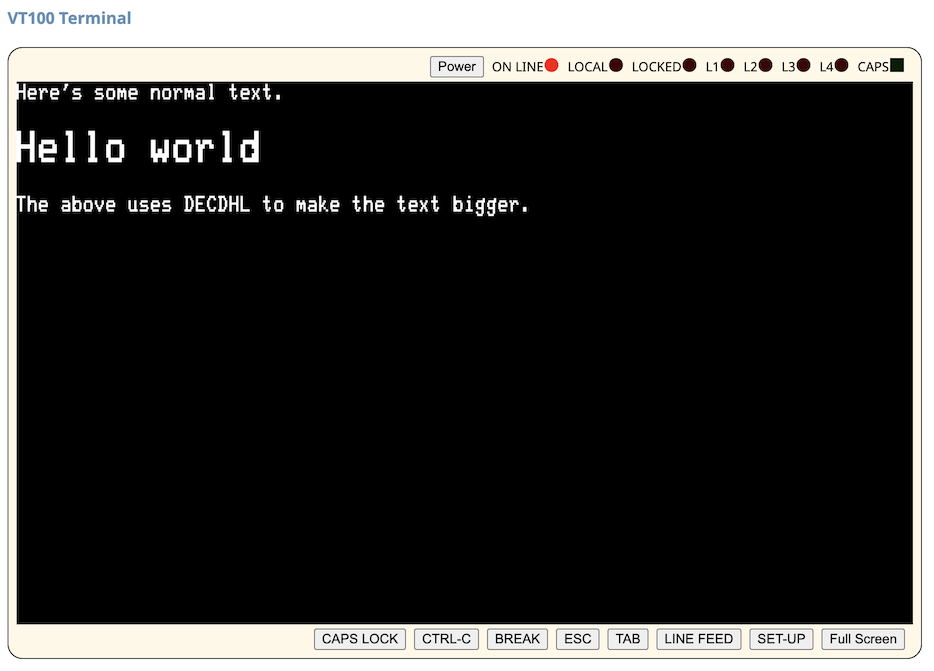
(If you get it wrong you can just use the cursor keys to move around.)
There's evidence a VT100 from 1978 can definitely do this. Can your terminal?
For extra fun when this is implemented correctly, combined with full Unicode support, you can "slice and dice" emojis, so for example:
printf '\e#3😑\n\e#4😶\n'
Renders on Apple Terminal and Windows Terminal as:
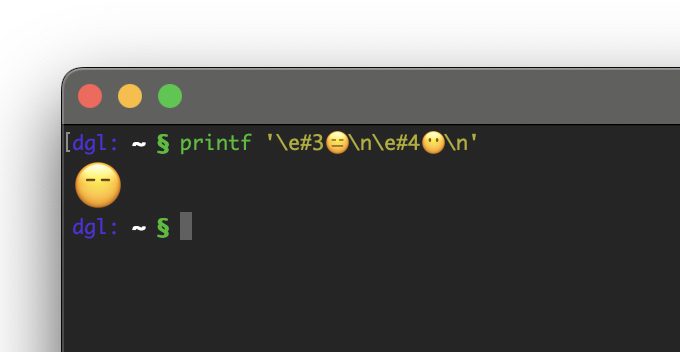
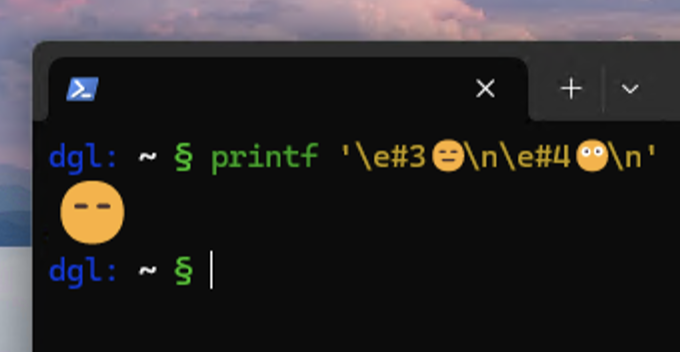
This is combining Expressionless Face (U+1F611) and Face Without Mouth (U+1F636), which results in an emoji that doesn't normally exist.
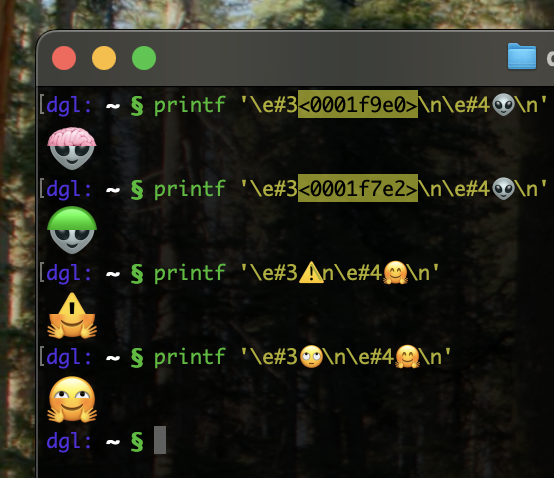
We can obviously make less compatible combinations of emojis. How about Mars Attacks?
printf '\e#3🧠\n\e#4👽\n'
Or just further general silliness:
Not all terminals can do emoji and DECDHL, but it's fun to play with and very
easy to add to scripts. Because it is just two lines repeated it also
relatively nicely downgrades to just repeated text (this has been in the output
of curl -i ip.wtf for a while, a few people have noticed that easter egg).
There's a gist
here that
attempts to detect if your terminal supports DECDHL by testing for the feature
rather than the terminal itself.
Alternatively, you might not want to use literal 1970s technology and be interested that Kitty recently introduced a more modern way to get different sized text in a terminal.
24th June 2025
此内容由惯性聚合(RSS阅读器)自动聚合整理,仅供阅读参考。 原文来自 — 版权归原作者所有。