


Chat is still the default LLM interface, and for most cases that's fine. Agentic harnesses are still built around a single linear conversation at their core. Some LLM tasks are better represented as structured context than as messages. This post looks at two patterns: comparison as a table, and exploration as a tree.
I've included my explorations here, along with some live example apps I put together using shelley on exe.dev.
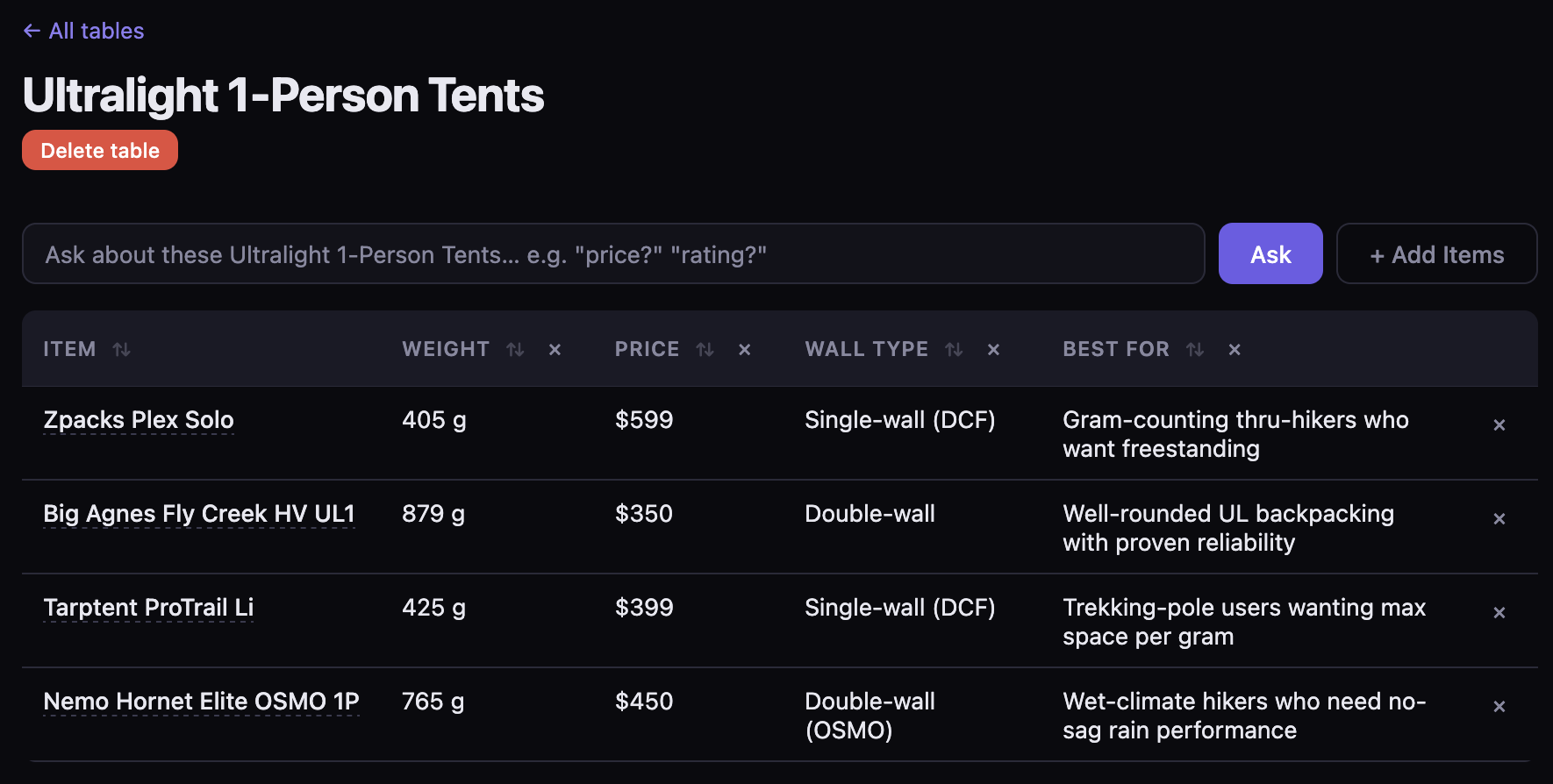
Asking an LLM to compare things in chat quickly becomes tedious. At first you get a decent table, but as you ask follow-up questions, the useful information gets split across multiple answers, or the LLM tries to redraw the table every time. Adding another item makes the regeneration problem worse.
The table is already the thing you want, with items as rows, questions as columns, and answers as cells.
I explored a hybrid chat/table interface where new questions create new columns and added items create new rows. In practice it feels like chatting with a spreadsheet.
After entering a topic, the app searches for relevant items, fetches their pages, and fills the first version of the table. For "ultralight 1-person tents" that might look like:
+----------------------+----------+-------+-------------------+
| Item                 | Weight   | Price | Wall Type         |
+----------------------+----------+-------+-------------------+
| Zpacks Plex Solo     | 405 g    | $599  | Single-wall DCF   |
| Big Agnes Fly Creek  | 879 g    | $350  | Double-wall       |
| Tarptent ProTrail Li | 425 g    | $399  | Single-wall DCF   |
| Nemo Hornet Elite    | 765 g    | $450  | Double-wall OSMO  |
+----------------------+----------+-------+-------------------+
The app currently uses Kagi search to gather items, but the same approach would work well embedded in a shopping site, marketplace, internal product database, recruiting tool, or anywhere else the rows already exist.
The initial columns are also generated from the first search results. The app looks at the retrieved items and picks a few useful dimensions automatically, so there is already something on the table before the user asks anything.
Once the table exists, typing a question adds a new column to it. Each question adds one comparison dimension to the existing structure, and the result has a specific place to land.
The model call is ordinary: given these item summaries, answer this question for each row. What changes is that the result lands in the structure you are already building.
Creating the LLM call as a tool call which specifically returns an answer for each row also fits the current generation of models well.
The user prompt looks roughly like:
User
You are filling in a column in a comparison table.
Question: "is it freestanding?"
Items:
Use the provided summaries. Answer "Unknown" if the information is not available.
And the tool definition:
{
  "name": "fill_column",
  "description": "Answer a comparison question for each item in the table.",
  "input_schema": {
    "type": "object",
    "properties": {
      "answers": {
        "type": "array",
        "items": {
          "type": "object",
          "properties": {
            "row_id": { "type": "string" },
            "value":  { "type": "string" }
          },
          "required": ["row_id", "value"]
        }
      }
    },
    "required": ["answers"]
  }
}
The important constraint is simple: return exactly one cell value for each row id. The model fills a specific part of the table.
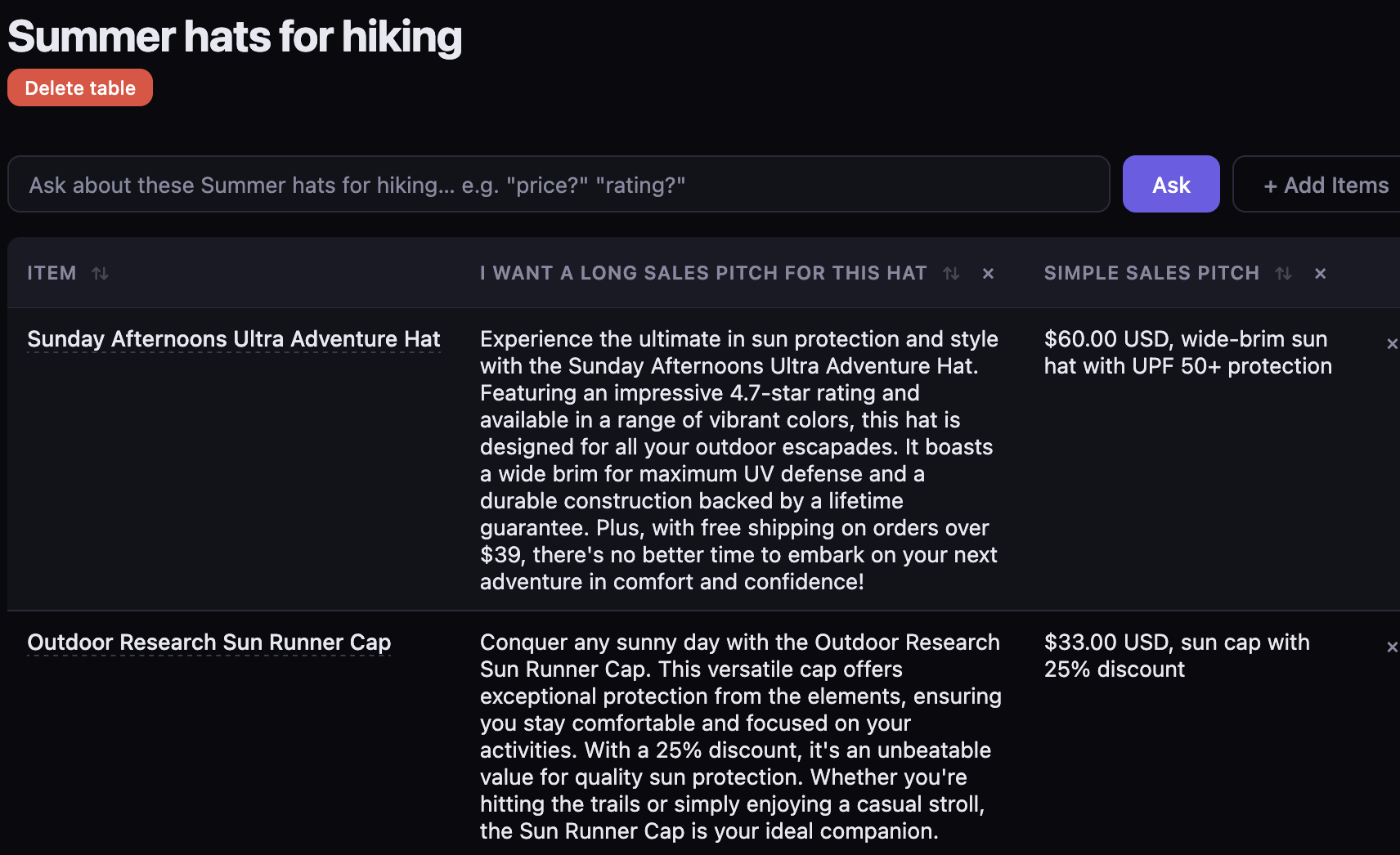
Because a model is filling the cells, the columns can go beyond structured specs.
Translation is a natural side effect. If an item's page is in Japanese and I want the table in English, the cell gets filled in English without a separate translation mode.
Unit normalization is similar. If I ask Weight (g)? the model can usually get everything into the same unit, assuming the source pages have enough information.
Soft judgement calls also work better than I expected. "Is this good for a beginner?" is a useful comparison question even though it has no single correct answer, and most real buying decisions are similar.
For questions that need fresher context, the app can search again before filling the column. "What does Reddit think about this?" becomes a column backed by live search.
The product comparison case is the obvious one, but the same interaction pattern could apply anywhere you are evaluating a set of things against a shared set of questions.
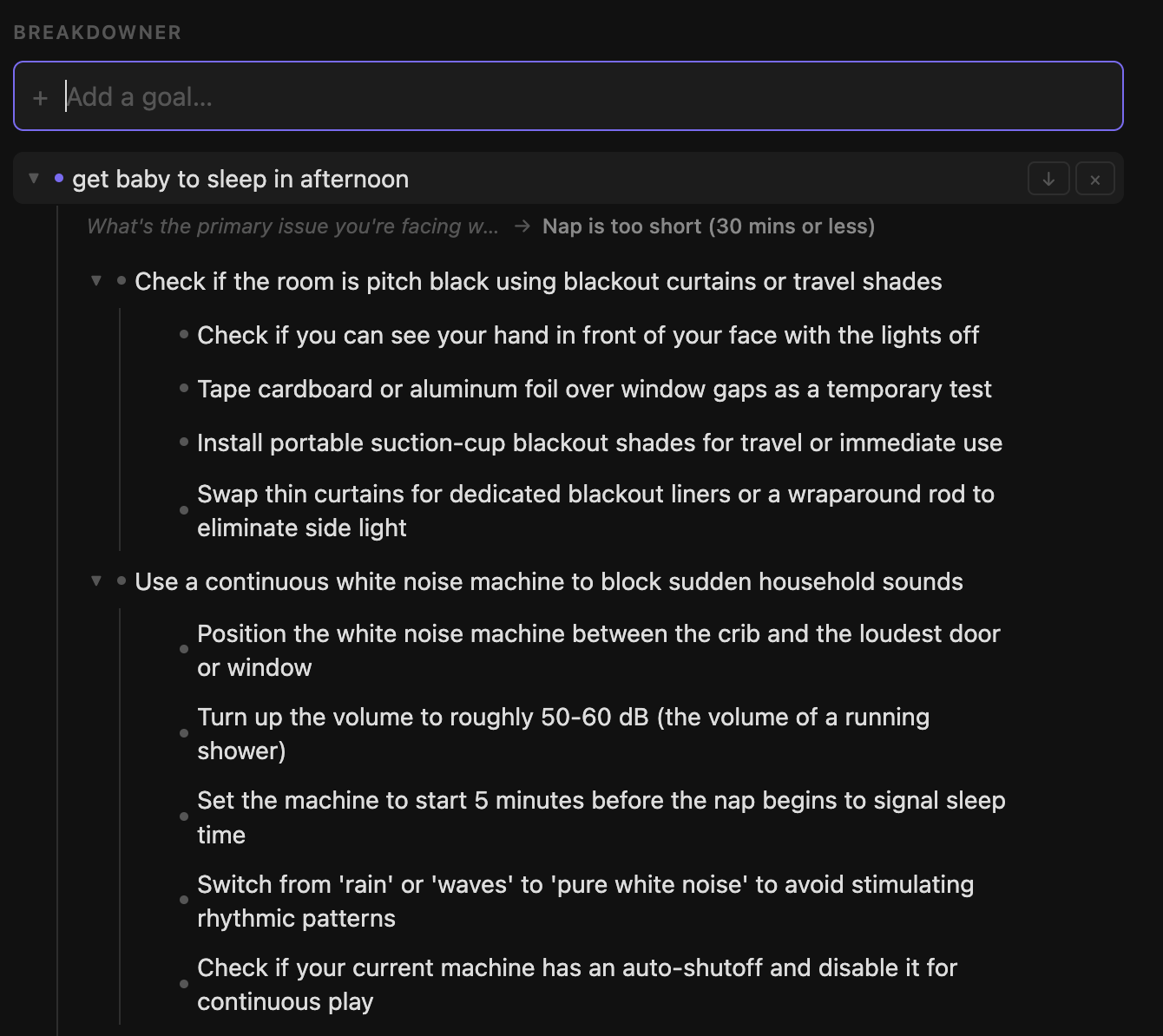
Some tasks require exploring many different branches of context. What begins as a linear topic often spawns sub-topics that each warrant their own focused exploration, and in a single chat interface these bleed together and poison the context, making it hard to go deep on any one thread.
The natural shape for this kind of work is a tree, where each branch inherits its parent context but is independent of its siblings. It's one I've used before when working with gptel in Emacs. An option allows you to limit the conversation within an org-mode heading.
I explored a small outliner and task planner where each node can be expanded by the model. Each branch gets its own focused expansion, so you can go deep on one thread without disturbing the others.
Each node has an expand button that sends the current heading and some surrounding context to the model, which replies in one of three shapes.
A breakdown is a handful of concrete sub-items, inserted as children.
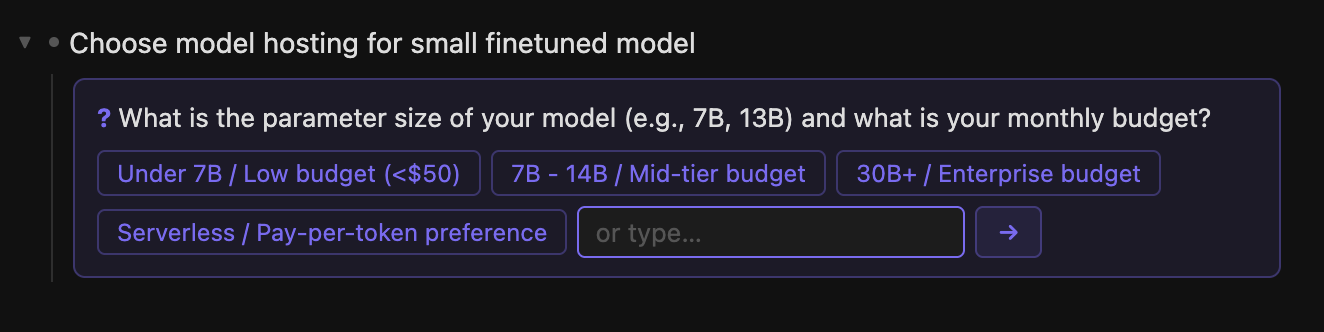
A question means one missing detail would change the answer, so the model asks for it. For "Choose model hosting for small finetuned model", the model asks about parameter size and expected request volume, with suggested choices or a free-text fallback.
An options response covers mutually exclusive paths. Picking one replaces the current node label while the original goal stays in the parent chain for context.
Breakdowner sends one user message to the model with a single available tool: search. The prompt asks for exactly one JSON object in one of three shapes:
{"type": "breakdown", "items": ["..."]}
{"type": "question", "question": "...", "choices": ["..."]}
{"type": "options", "options": ["..."]}
The distinction is: breakdown for parallel concrete next moves, question when missing info would change the answer, and options for mutually exclusive paths where picking one replaces the node.
The prompt pushes hard against generic planning language. NOT: "Research options", "Set up environment", "Create plan", "Test and iterate", "Evaluate". Positive examples given to the model:
A vague child node creates more work at the next expansion; a concrete one can be acted on, searched, delegated, or broken down further.
The model sees the current heading, the parent chain, and any prior answers collected from question nodes earlier in the branch: only the focused context around the node being expanded.
User
Context:
- parent
  - child
    → current heading

Prior answers:
...

Handle: current heading
The parent chain keeps a deep node connected to the top-level goal. Prior answers mean the model does not forget that the budget is tight, or that this needs to happen in Tokyo, or that the user has never done the thing before.
Sibling branches don't share context. The tree structure determines what the model sees, which ends up being a cleaner scoping than a linear transcript can provide.
Both of these tools are small and the model work inside them is ordinary. What they are really about is context: how it gets built, how it gets used, and whether the UI is shaped to support that.
Chat has established itself as the default interface, and that is fine. But most LLM tooling treats context as an afterthought: a transcript that grows in one direction, with the UI doing very little to shape it and mostly hidden from the user. They type, they get an answer, and what the model actually saw is never surfaced.
The structure around the model call, and the UI that makes a particular kind of context feel natural and visible, is where most of the interesting and unexplored design work lives.
此内容由惯性聚合(RSS阅读器)自动聚合整理,仅供阅读参考。 原文来自 — 版权归原作者所有。