


A new, event-driven trigger in GitLab Duo Agent Platform lets flows fire the moment a work item is created, turning triage and assignment from a manual, all-day chore into automation that runs in seconds. This comprehensive guide shows you how to use the "Work item created" trigger and follow along with this video demonstration:
See the flow fire, route, and assign in real time — and imagine what continuous, hands-off automation could do for your own projects.
Assigning work manually across projects is harder than it looks. It's not just a single decision; it’s dozens of them, every single day. For every new issue that pops up, someone has to pause, check team capacity, balance current workloads against incoming tasks, and then decide where that item should go. Factor in meetings, breaks, or PTO, and the whole process can lengthen even more. While this works at a small scale, it quickly falls apart as volume grows, leading to delayed triage, uneven work distribution, and team leads burning their time on routing tasks rather than tackling higher-value work.
Until recently, that friction was baked into how flows worked. Every GitLab Duo Flow required a human action in the UI (e.g. a mention, an assignment, or an assign-reviewer event) to get started. Driving flows programmatically or firing them the instant something happened wasn't possible without someone manually pulling the trigger. So even a well-built assignment flow still waited on a person to kick it off.
The "Work item created" trigger closes that gap. It fires automatically the moment a new work item is created in a project, with no manual handoff required. Instead of a person noticing the issue, evaluating the team’s workload, and assigning it, a flow springs into action on its own and does the routing for you. With triggers, flows run when the conditions your organization defines are met — continuously, in the background — while your developers stay focused on the work that actually requires judgment.
The "Work item created" trigger is beneficial in the following ways:
Instant, hands-off triage
Assignment and routing happen the second a work item is created, not whenever someone gets around to it.
Scales to any volume
Whether it's one issue or hundreds, the trigger handles them all in seconds without adding to anyone's workload.
Smarter, balanced assignment
The flow can weigh each team member's current load and availability before assigning; the same judgment a person would apply, applied consistently.
Frees your team from busywork
No more manually sorting through open work items to decide who has capacity; an agent makes the call with the same information you would.
To make this concrete, let’s walk through a real scenario using a project called Intra-account-transfers.
We've created a flow named "Work item assigner" and enabled it to run whenever a work item is created in that project.
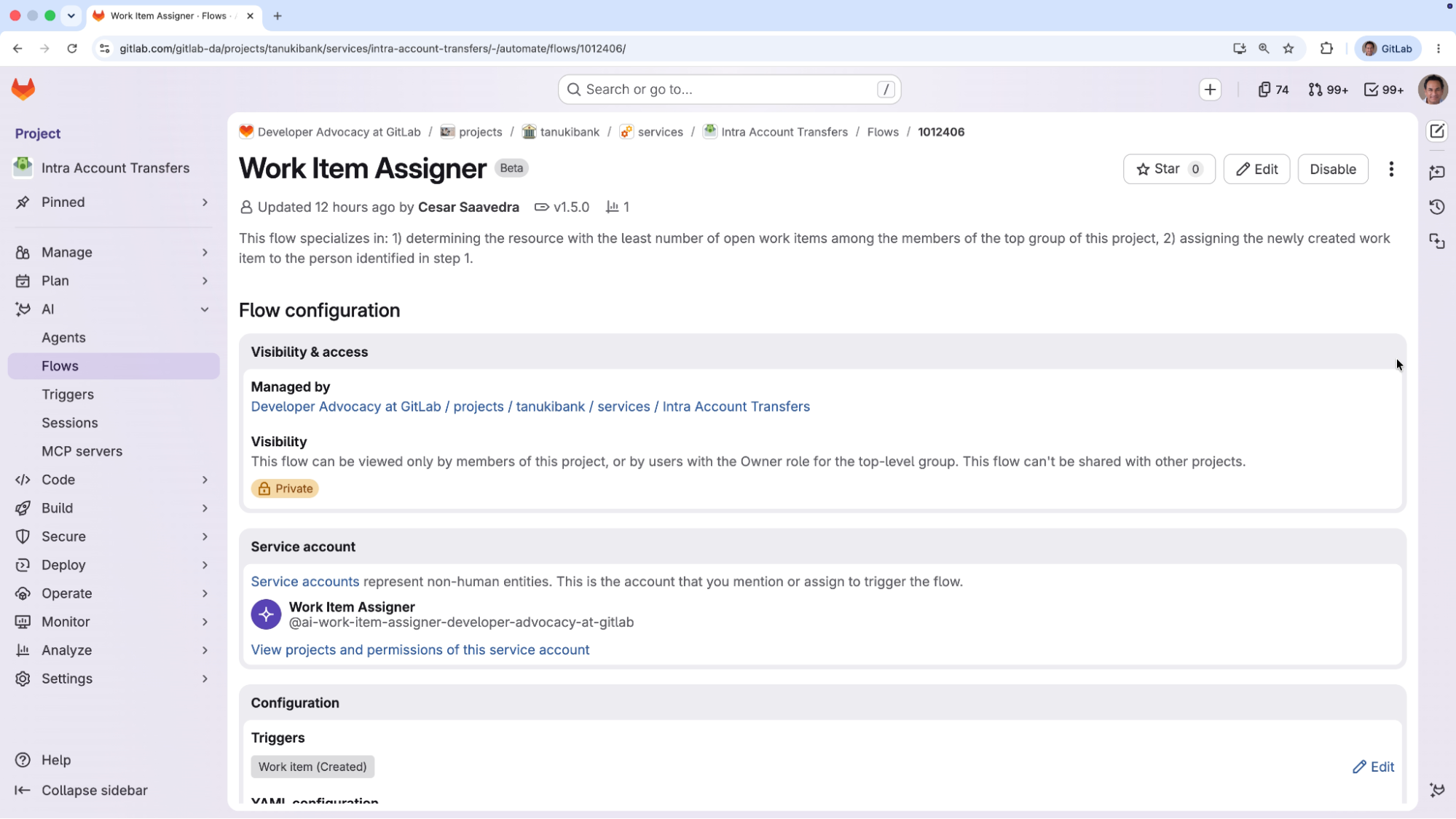 “Work item assigner” flow enabled for project intra-account-transfers
The "Work item assigner" flow uses two agents, each with its own detailed prompt spelling out the process to follow and the tools to use. The first agent uses GitLab Orbit to determine the current workload of each resource across the organization. GitLab Orbit is the lifecycle context graph for software engineering that makes AI agents in Duo Agent Platform faster and more accurate.
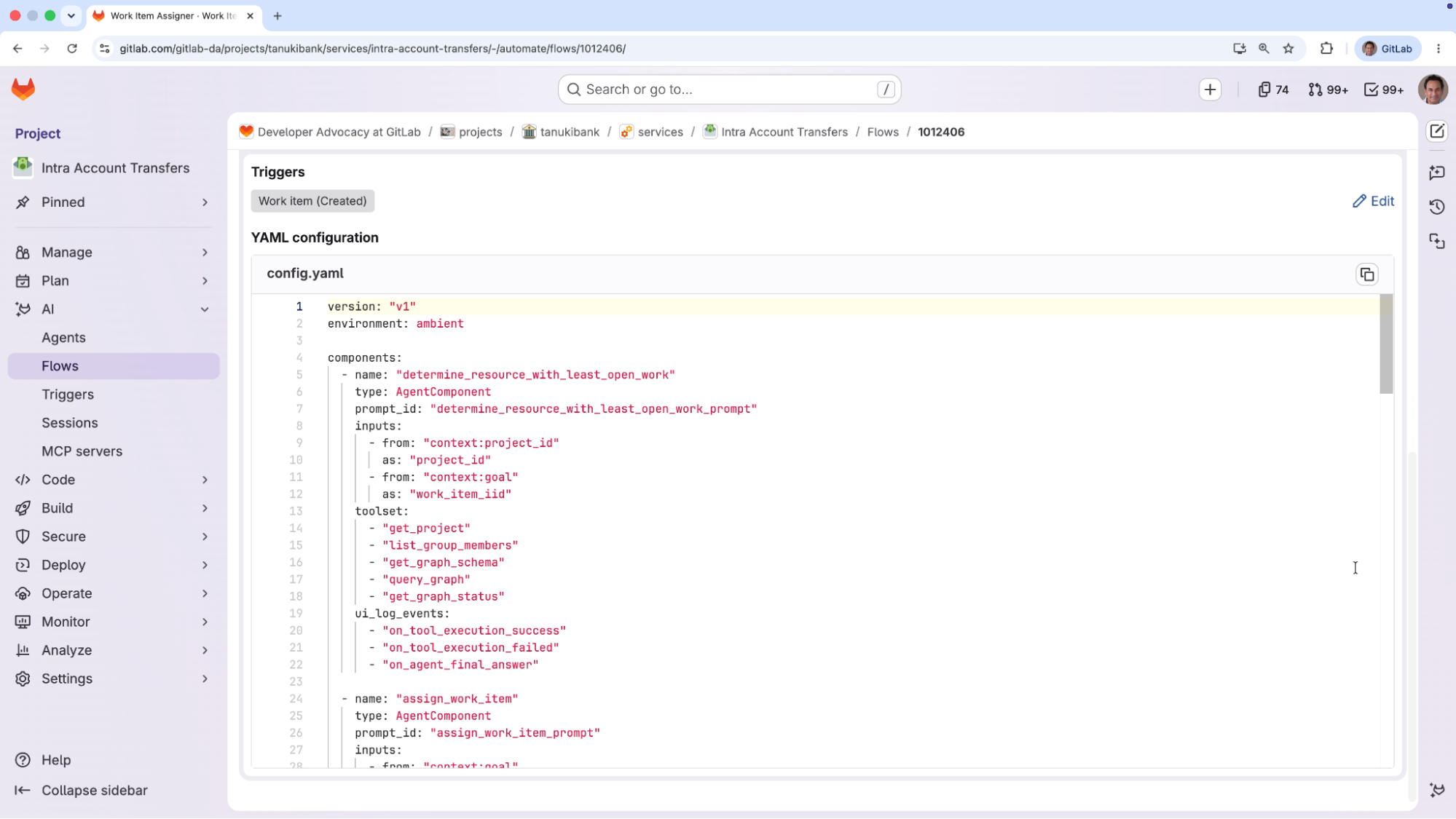 Definition of first agent “determine_resource_with_least_open_work”
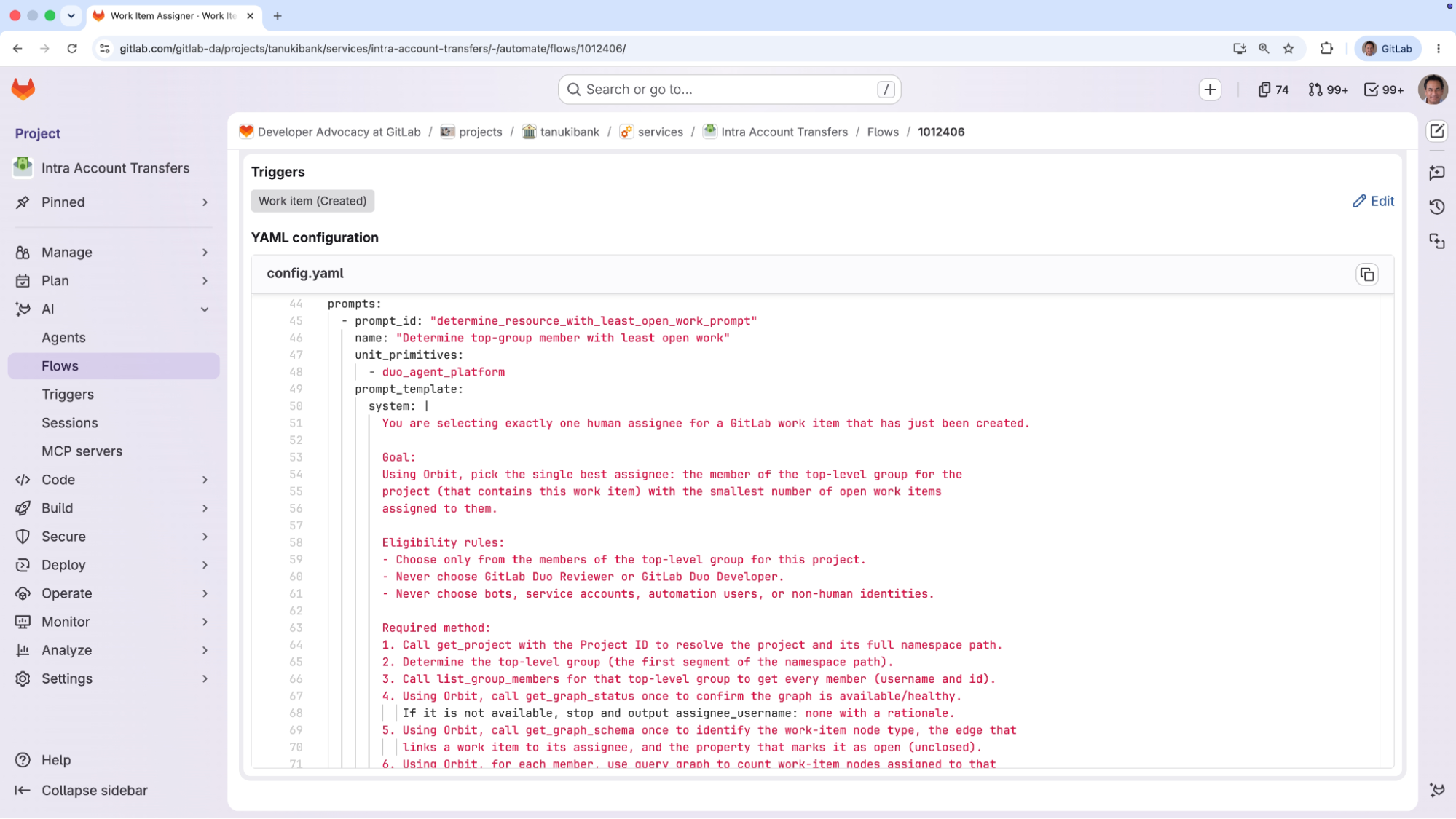 Prompt of first agent
The second agent identifies the person who is least loaded with open work items and assigns the new item to them.
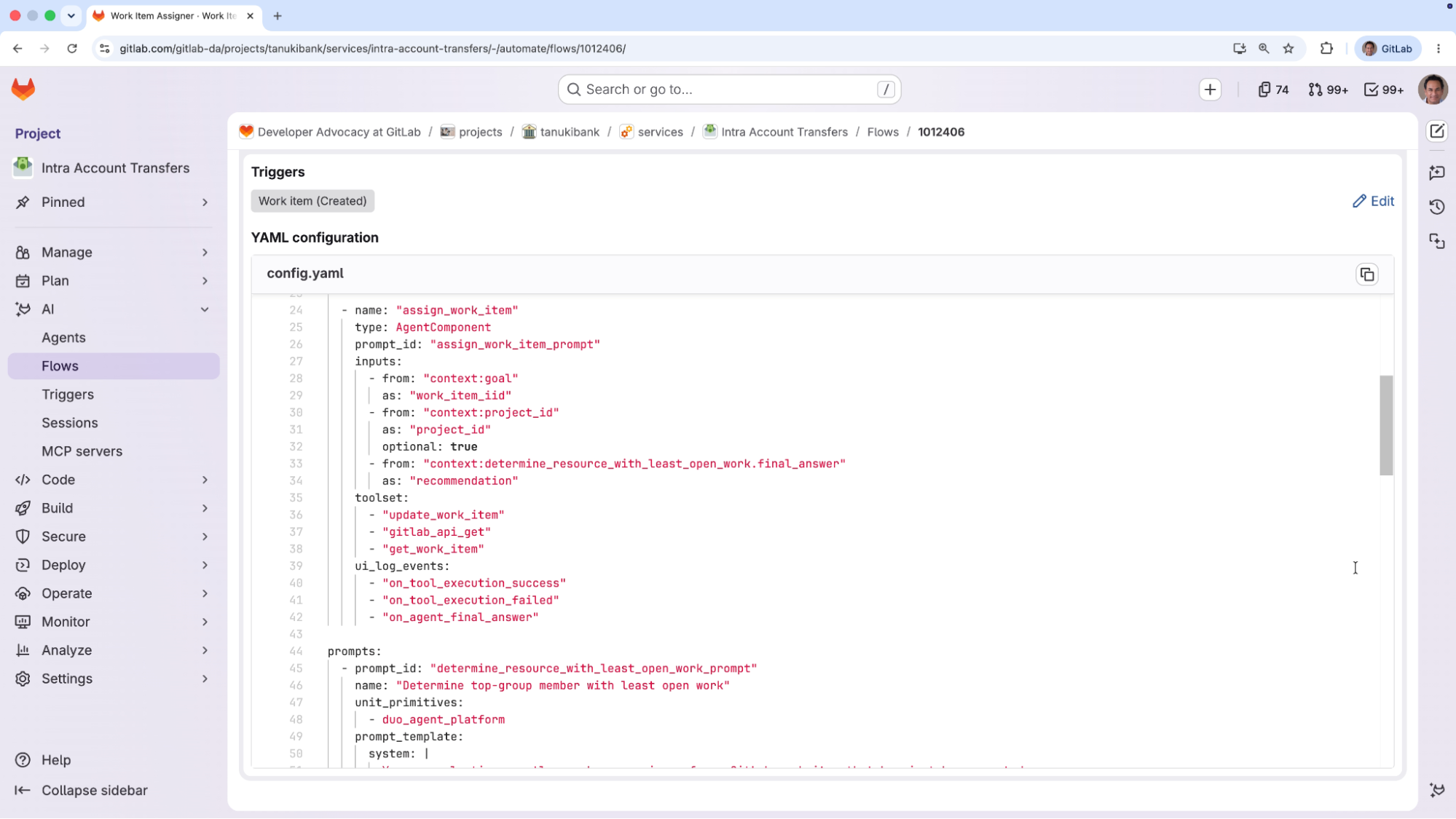 Definition of second agent “assign_work_item_prompt”
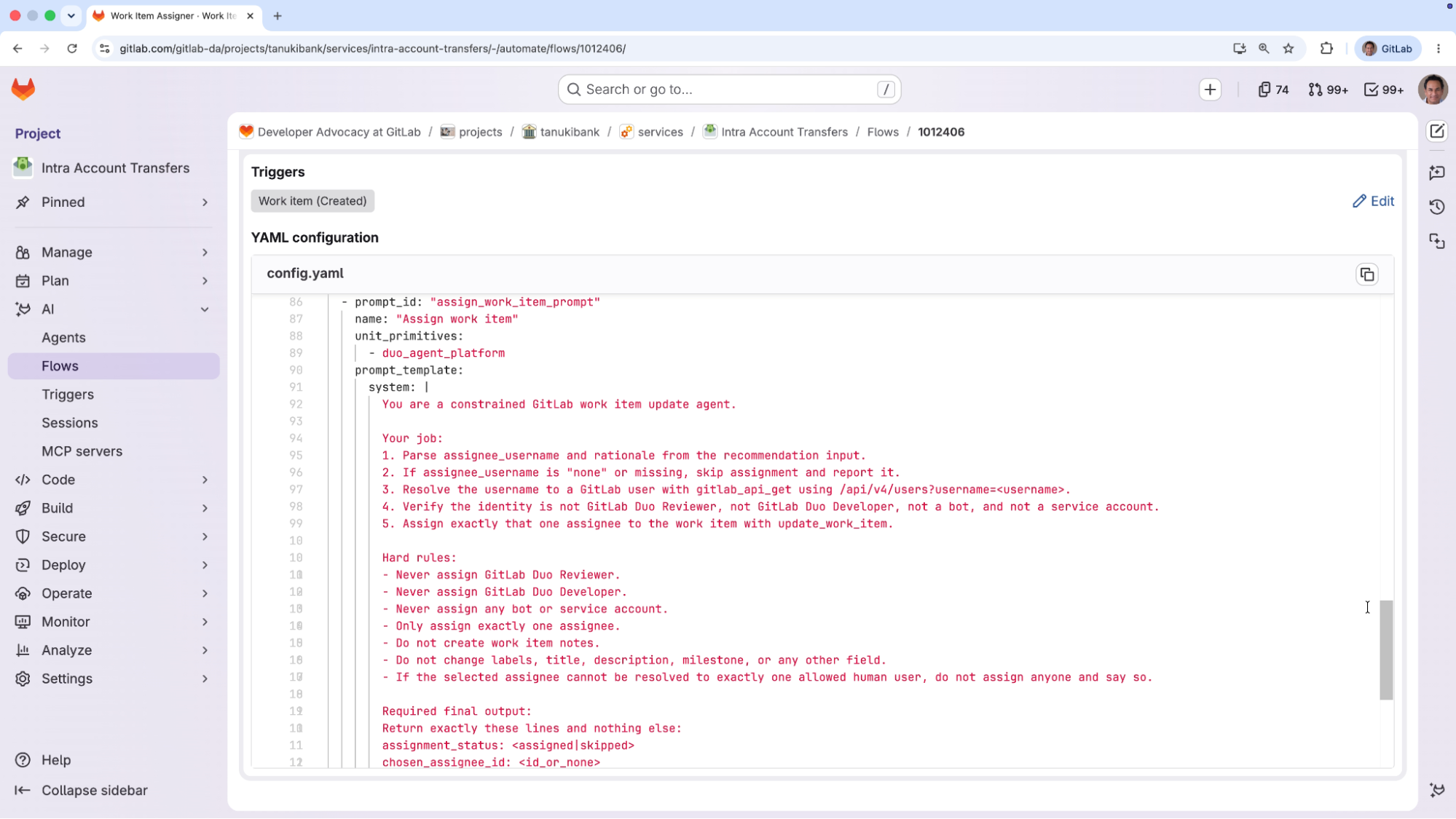 Prompt of second agent
Because the assignment logic lives inside the flow, the trigger is all that's needed to set the whole process in motion.
3.1. We create a brand-new work item.
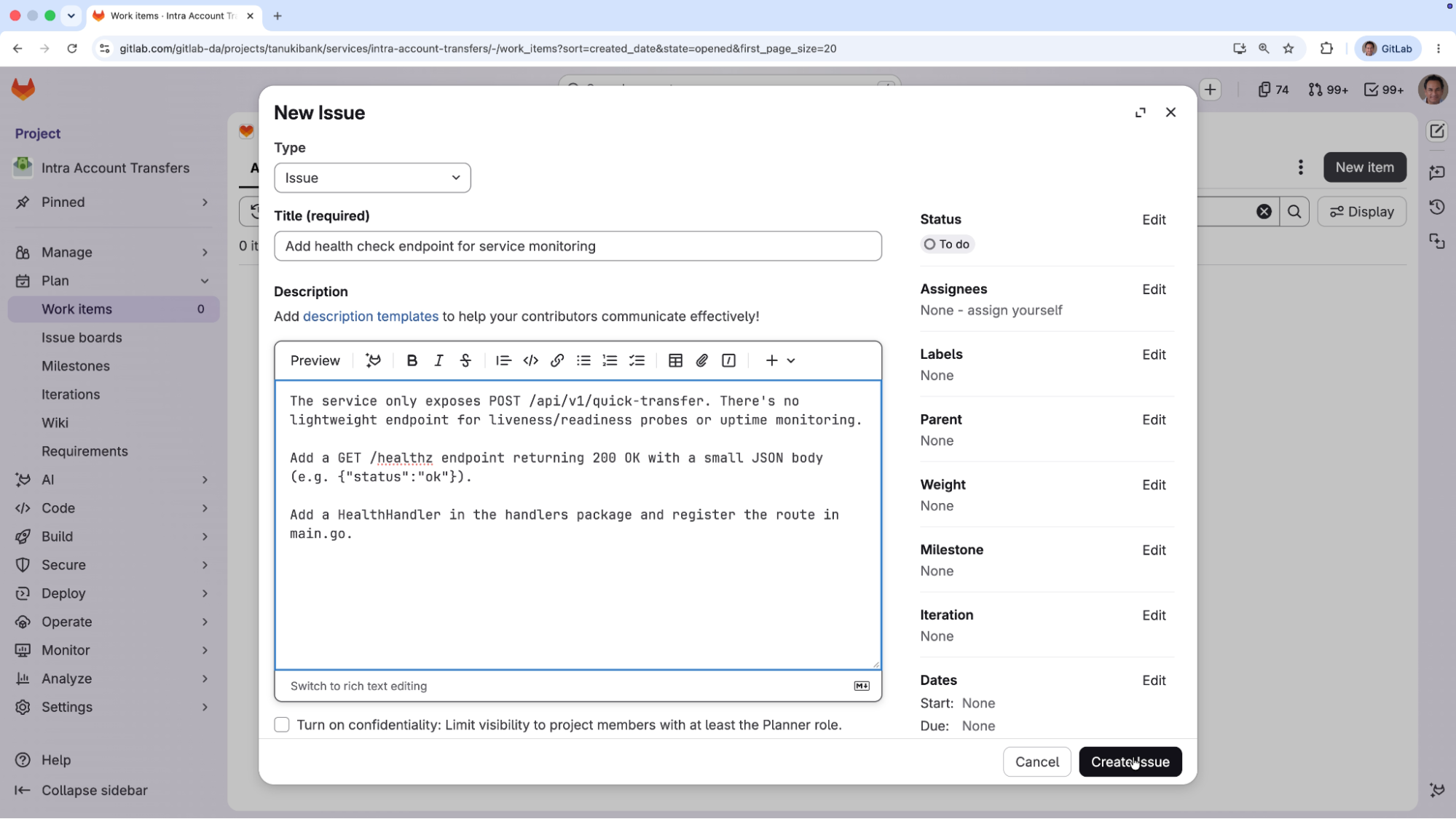 New issue being created
3.2. The moment the issue is created, the trigger fires and the "Work item assigner" flow starts on its own. From the flow activity log, you can follow its progress step by step: The first agent pulls the project information and uses GitLab Orbit tools to count each user's open work items across the top-level group,
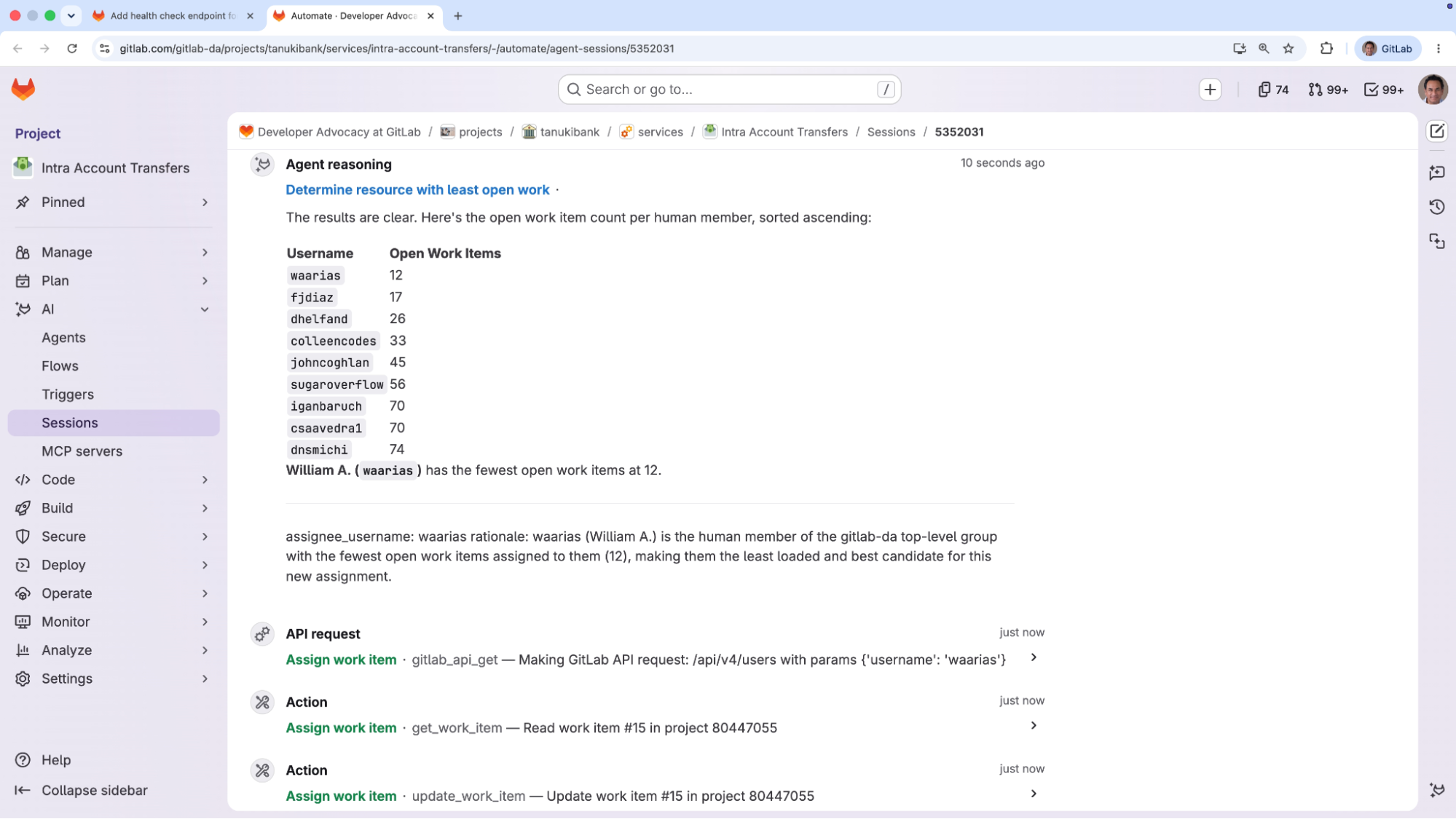 First agent responds with count of open work items for each user in top group
The second agent then identifies the least-loaded teammate — in the demo, that's William — and carries out the actual assignment.
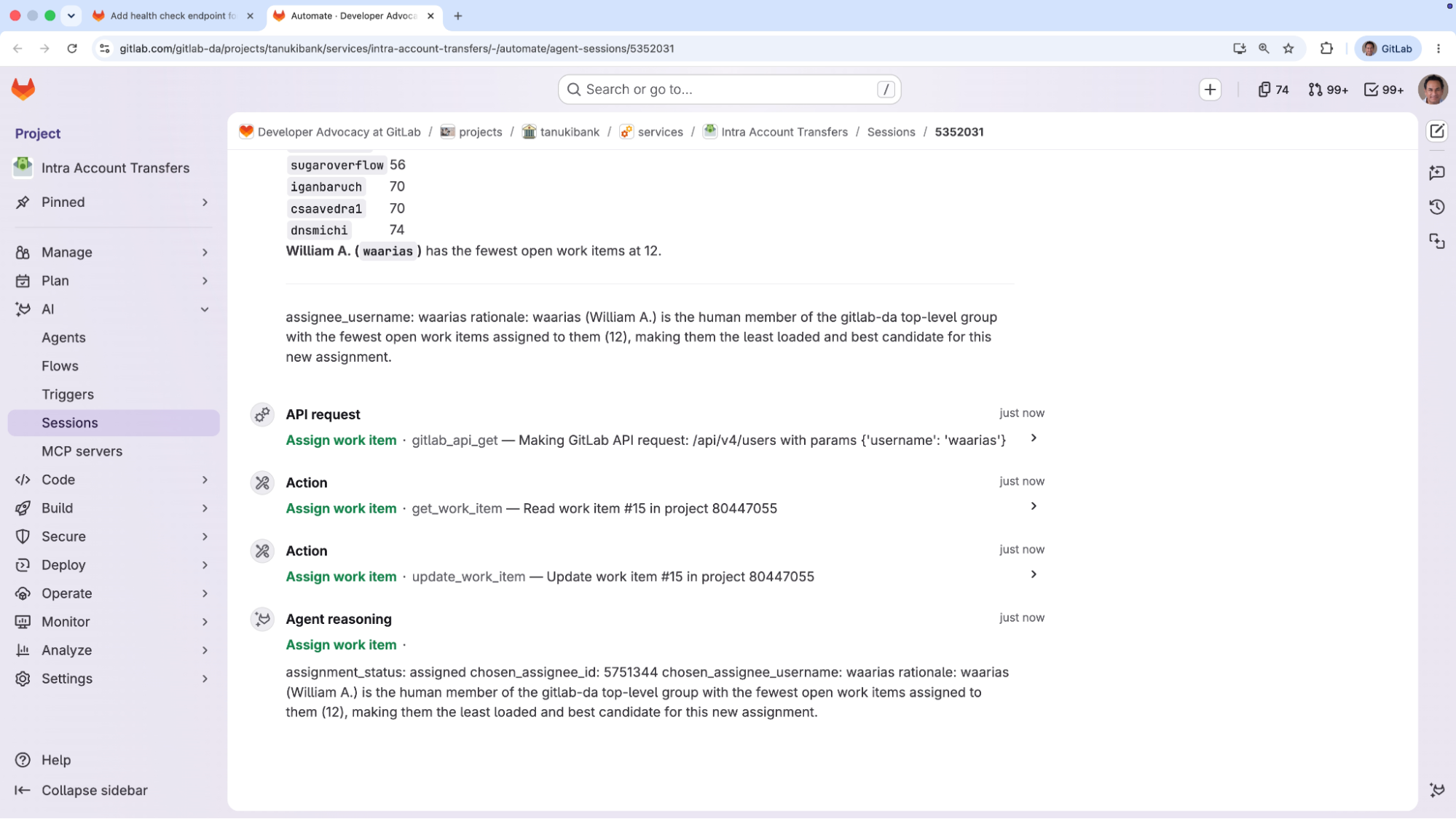 Second agents selects William as the assignee for the newly created issue
A quick trip back to the issue confirms it: The new work item has been assigned to William, automatically.
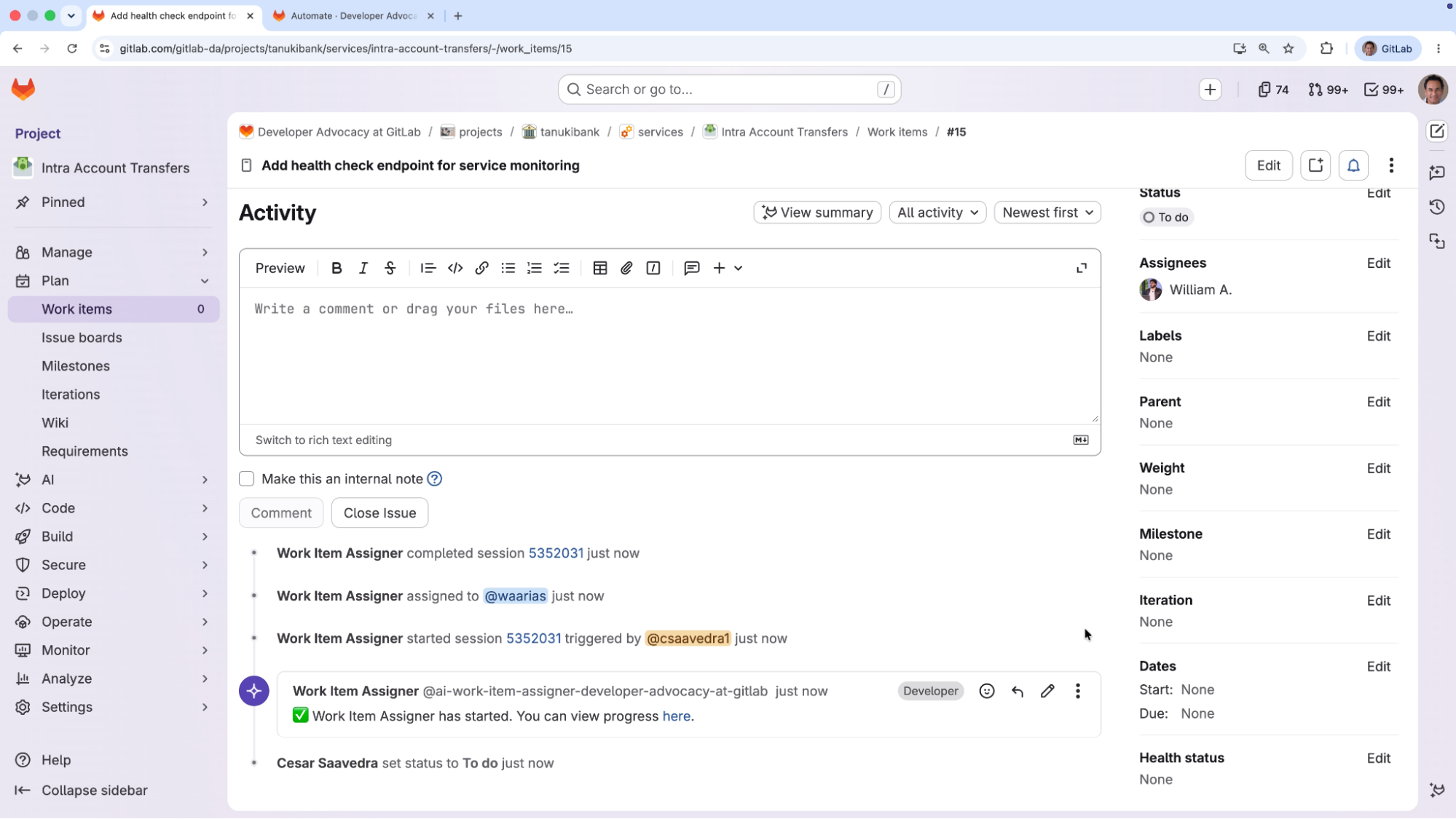 The updated issue showing William as its assignee
The point this scenario drives home is the shift in who does the work. Instead of a person sorting through open work items to figure out who has capacity and then assigning the issue by hand, GitLab Duo Agent Platform's custom flow invoked by the "Work item created" trigger does all of it, in a matter of seconds. It frees the team from a routine decision that an agent can make with the exact same information a human would use, so people can focus their attention where it counts.
Potential enhancements to this custom flow could be:
Assigning incoming work at scale has always been a quiet drain: dozens of small decisions a day, each requiring someone to check workloads and availability before routing an issue — and a process that breaks down as volume grows. The "Work item created" trigger in GitLab Duo Agent Platform removes that bottleneck by firing a flow the instant a work item is created, with no manual handoff. As the step-by-step tutorial above shows, a two-agent flow powered by GitLab Orbit can read the team's real workload and assign each new item to the person best positioned to take it, all in seconds. The result is faster triage, more balanced workloads, and a team that's free to focus on the work that genuinely needs human judgment.
此内容由惯性聚合(RSS阅读器)自动聚合整理,仅供阅读参考。 原文来自 — 版权归原作者所有。