
惯性聚合 高效追踪和阅读你感兴趣的博客、新闻、科技资讯
阅读原文 在惯性聚合中打开

推荐订阅源

Forbes - Security
Forbes - Security
T
Tailwind CSS Blog
Hugging Face - Blog
Hugging Face - Blog
Blog — PlanetScale
Blog — PlanetScale
WordPress大学
WordPress大学
aimingoo的专栏
aimingoo的专栏
Y
Y Combinator Blog
U
Unit 42
I
InfoQ
CTFtime.org: upcoming CTF events
V
Visual Studio Blog
B
Blog RSS Feed
Vercel News
Vercel News
F
Fortinet All Blogs
Know Your Adversary
Know Your Adversary
T
Troy Hunt's Blog
博客园 - 【当耐特】
MongoDB | Blog
MongoDB | Blog
大猫的无限游戏
大猫的无限游戏
A
About on SuperTechFans
Jina AI
Jina AI
小众软件
小众软件
T
Threatpost
有赞技术团队
有赞技术团队
人人都是产品经理
人人都是产品经理
The Hacker News
The Hacker News
T
The Exploit Database - CXSecurity.com
C
CXSECURITY Database RSS Feed - CXSecurity.com
Exploit-DB.com RSS Feed
Microsoft Azure Blog
Recent Announcements
酷 壳 – CoolShell
酷 壳 – CoolShell
Scott Helme
Scott Helme
B
Blog
腾讯CDC
Last Week in AI
Last Week in AI
P
Proofpoint News Feed
S
Schneier on Security
N
News and Events Feed by Topic
Microsoft Security Blog
K
Kaspersky official blog
G
Google Developers Blog
T
Tor Project blog
PCI Perspectives
PCI Perspectives
S
Secure Thoughts
Google Online Security Blog
Latest news
Latest news
Google DeepMind News
MyScale Blog
MyScale Blog
罗磊的独立博客

GeekPlux

How to Sync Logseq Plugins, Themes and Settings Across Multiple Devices Enhance Your Internet Privacy in 2023 Refactor your blog comments system with Webmention.io Three Levels of Information Perception Legacy code best practice: how to take over an existing project smoothly How to use tailwindcss with AMP in a Next.js project netjsongraph.js – Google Summer of Code (GSoC) 2017 summary
Setting Up Umami as Your Google Analytics Alternative: A Step-by-Step Guide
GeekPlux · 2023-07-08 · via GeekPlux

Umami offers a user-friendly and privacy-focused alternative to the ubiquitous Google Analytics. As an open-source web analytics tool, it provides you with necessary insights about your website's traffic without compromising the privacy of your visitors. In this guide, we will walk you through the process of setting up Umami for your blog using PlanetScale, GitHub, and Vercel.

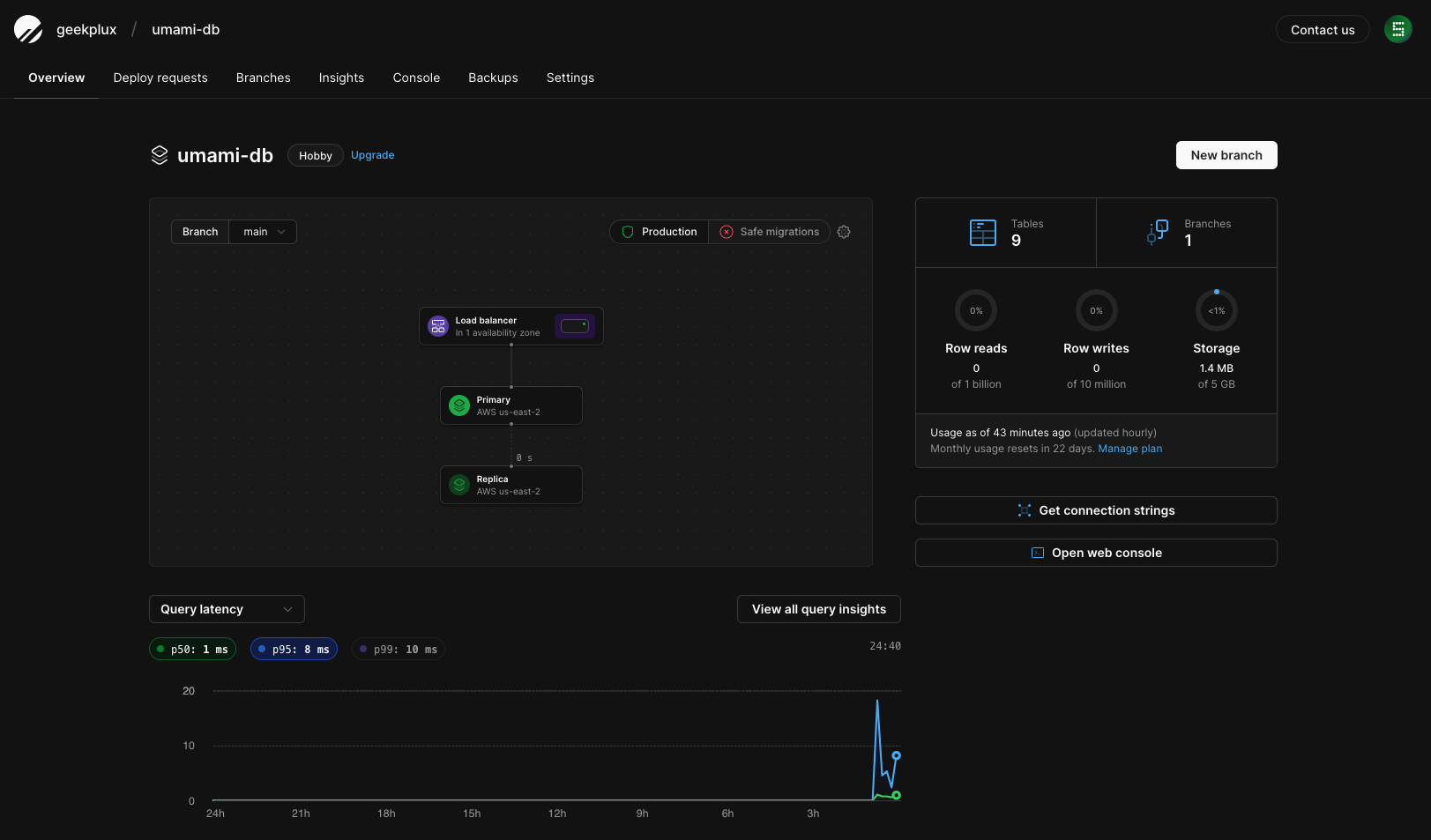
Step 1: Create an Umami Database on PlanetScale

Before you start, you need to create an Umami database on PlanetScale. This will store your site's analytics data that Umami will collect.

  • Navigate to the PlanetScale dashboard.
  • Click on the 'Create Database' button and name it 'umami-db'.

The creation process may take a few moments. Upon completion, you will be able to see your new 'umami-db' listed on your PlanetScale dashboard.
Step 2: Fork the Umami Project on GitHub

Next, we will clone the Umami project to our own GitHub account.

The Umami project will now be copied into your GitHub account.

Step 3: Import Your Umami Project on Vercel

Vercel will be used to deploy our Umami analytics.

  • Head over to your Vercel dashboard.
  • Choose 'Import Project' and select the Umami project from your GitHub repositories.

Vercel will automatically start deploying the project.

Step 4: Configure PlanetScale Integration to Vercel

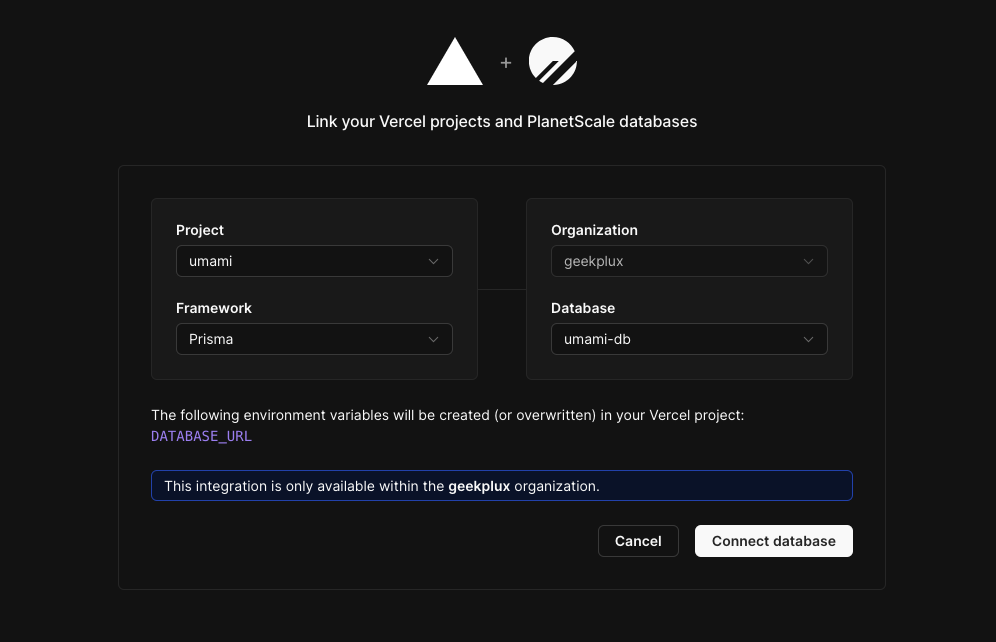
We will now integrate the 'umami-db' database with our Umami project on Vercel.

  • Return to your PlanetScale dashboard.
  • Navigate to the 'Integrations' section and select 'Vercel' as your choice.
  • Connect your 'umami' project with your 'umami-db' database.
  • Choose 'Prisma' as the connection method.

This process will automatically fill in the 'DATABASE_URL' environment variable in your Vercel project.
Step 5: Redeploy Umami on Vercel

With the database connected, we now need to redeploy our Umami project on Vercel.

  • Go back to your Vercel dashboard.
  • Navigate to your Umami project and click 'Redeploy'.

The deployment process will begin. After completion, you will be able to see the new deployment in your Vercel project dashboard.

Step 6: Configure Umami to Track Your Website

Finally, we will add our blog to Umami to start tracking.
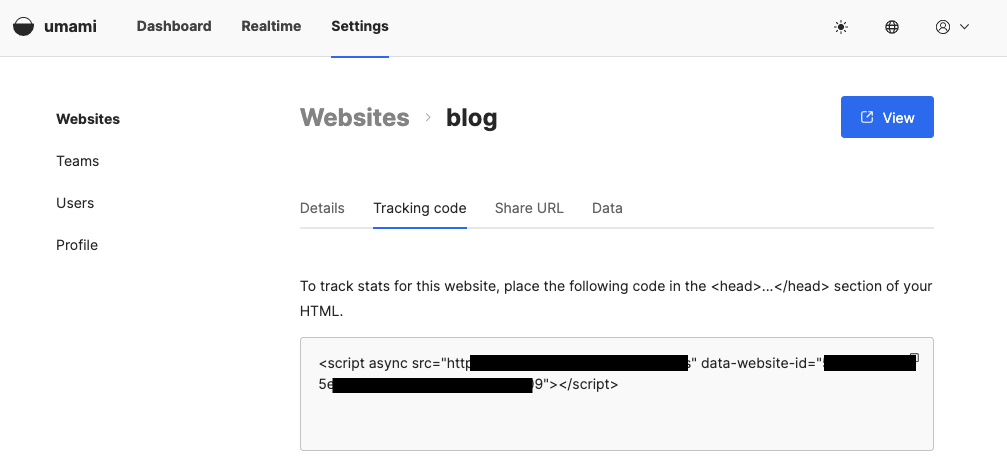
  • Head over to your deployed Umami dashboard.
  • Click 'Add Website' and fill in the details of your blog.
  • Copy the generated tracking code.
  • Paste this tracking code into the HTML of your blog.

Congratulations, you've successfully set up Umami for your blog! Now, your website's performance and visitor behavior can be monitored right from your Umami dashboard.

However, if you'd rather not host this service yourself, consider purchasing services from alternatives such as Plausible or Fathom. These options offer excellent analytics capabilities without the need for self-hosting.

This whole process is surprisingly simple and only requires a few clicks of your mouse. Enjoy your newfound analytical power with Umami or its excellent alternatives!