
惯性聚合 高效追踪和阅读你感兴趣的博客、新闻、科技资讯
阅读原文 在惯性聚合中打开

推荐订阅源

Cisco Talos Blog
Cisco Talos Blog
阮一峰的网络日志
阮一峰的网络日志
云风的 BLOG
云风的 BLOG
D
Docker
Vercel News
Vercel News
IT之家
IT之家
Recent Announcements
Last Week in AI
Last Week in AI
V
Visual Studio Blog
Engineering at Meta
Engineering at Meta
腾讯CDC
Google DeepMind News
I
InfoQ
博客园 - 三生石上(FineUI控件)
Apple Machine Learning Research
The GitHub Blog
The GitHub Blog
博客园 - Franky
The Cloudflare Blog
A
About on SuperTechFans
有赞技术团队
有赞技术团队
Y
Y Combinator Blog
T
Tenable Blog
P
Proofpoint News Feed
Recorded Future
Recorded Future
Security Latest
Security Latest
H
Hackread – Cybersecurity News, Data Breaches, AI and More
K
KPMG report finds enterprise disconnect between AI and its ROI | CIO
博客园 - 聂微东
CTFtime.org: upcoming CTF events
Threat Intelligence Blog | Flashpoint
Google Online Security Blog
酷 壳 – CoolShell
酷 壳 – CoolShell
Cyber Security Advisories - MS-ISAC
Simon Willison's Weblog
The Last Watchdog
The Last Watchdog
freeCodeCamp Programming Tutorials: Python, JavaScript, Git & More
OSCHINA 社区最新新闻
OSCHINA 社区最新新闻
N
News and Events Feed by Topic
TaoSecurity Blog
TaoSecurity Blog
U
Unit 42
The Hacker News
The Hacker News
Martin Fowler
Martin Fowler
T
Threat Research - Cisco Blogs
NISL@THU
NISL@THU
F
Full Disclosure
M
MIT News - Artificial intelligence
人人都是产品经理
人人都是产品经理
Hugging Face - Blog
Hugging Face - Blog
V
V2EX
Project Zero
Project Zero

博客园 - Luis Yang

博文阅读密码验证 - 博客园 博文阅读密码验证 - 博客园 博文阅读密码验证 - 博客园 博文阅读密码验证 - 博客园 博文阅读密码验证 - 博客园 博文阅读密码验证 - 博客园 博文阅读密码验证 - 博客园 qmake生成VS的vcproj/sln工程文件 R实现pm2.5地图数据展示 install_github无法安装 Rwebdriver包的解决方法 关于R语言中set.seed() R语言开发环境搭建 博文阅读密码验证 - 博客园 psql连接 PostgreSQL 不输入密码的方法 shell中的cat和文件分界符(<<EOF) sqlplus -S选项说明 oracle中常见set指令 nohup详解 centos64位编译32位程序
R语言爬取动态网页之环境准备
Luis Yang · 2018-12-21 · via 博客园 - Luis Yang

   在R实现pm2.5地图数据展示文章中,使用rvest包实现了静态页面的数据抓取,然而rvest只能抓取静态网页,而诸如ajax异步加载的动态网页结构无能为力。在R语言中,爬取这类网页可以使用RSelenium包和Rwebdriver包。

  RSelenium包和Rwebdriver包都是通过调用Selenium Server来模拟浏览器环境。其中,Selenium是一个用于网页测试的Java开源软件,它可以模拟浏览器的点击、滚动、滑动以及文字输入等操作。因为Selenium是Java程序,因此在使用RSelenium包和Rwebdriver包之前必须为计算机设置Java环境。以下是使用RSelenium包和Rwebdriver包的前期准备步骤:


一、RSelenium包和Rwebdriver包的下载安装

  RSelenium包从CRAN直接下载安装,Rwebdriver包则需要从github上下载,下载过程参考install_github无法安装 Rwebdriver包的解决方法

二、Java环境的设置

  理论上讲,调用Java程序安装JRE(Java Runtime Environment)即可,但本文推荐安装JDK(Java Development Kit),JDK中包含JRE模块,且网上找到的Java环境变量设置教程多针对JDK。

  1、 JDK的下载

  本文档中下载最新版的jdk-11.0.1_windows-x64_bin.zip

  2、 JDK的安装

  由于下载的是无需安装的版本,直接将文件解压出来,放到D:\Program Files\java目录下即可

  3、环境变量的设置(可参考Java环境变量设置

  需设置JAVA_HOME,CLASS_PATH,PATH三个环境变量

  JAVA_HOME

  D:\Program Files\java\jdk-11.0.1

  CLASSPATH

  %JAVA_HOME%\lib\dt.jar;%JAVA_HOME%\lib\tools.jar

  PATH

  %JAVA_HOME%\bin

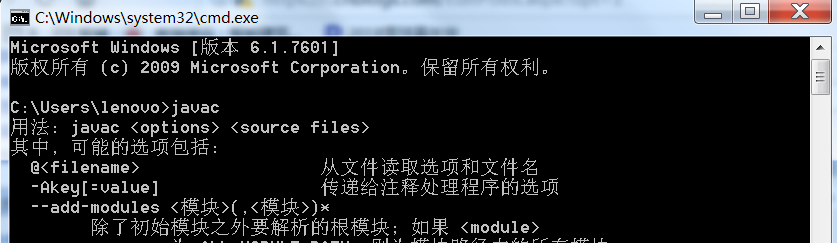
  三个环境变量设置好以后,打开cmd,输入javac,不报错即表示安装成功。
  

三、selenium以及浏览器驱动的下载和运行

  1、下载selenium,网址为https://www.seleniumhq.org/download/
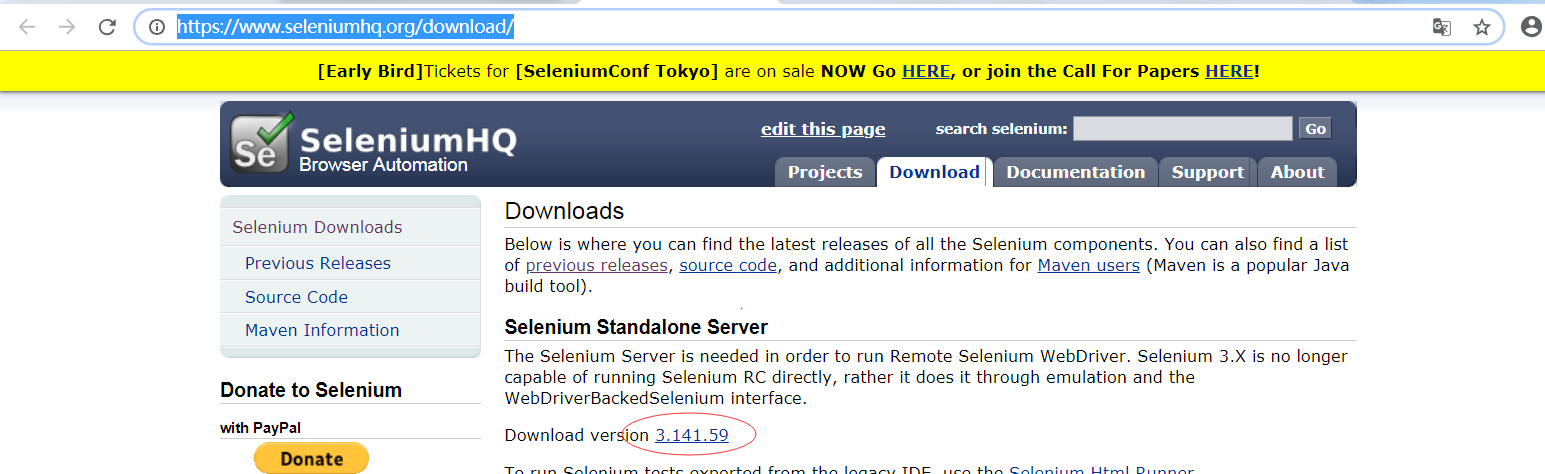
  下载最新版本,也可以到http://selenium-release.storage.googleapis.com/index.html 下载之前的版本。

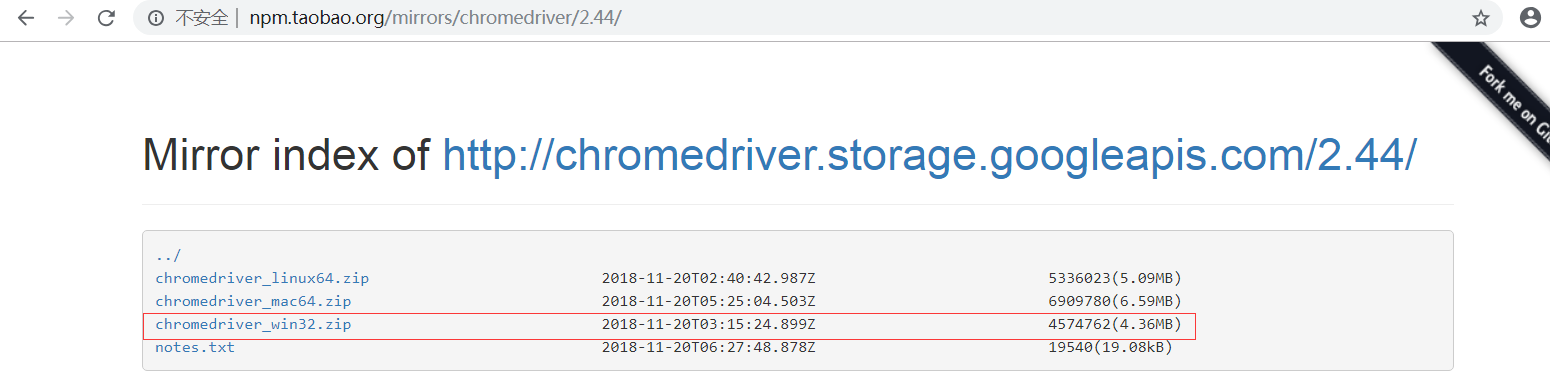
   2、下载浏览器驱动

   在本环境中下载的是最新时间的v2.44版本
  

  3、打开cmd运行selenium和浏览器驱动,比如我使用的是Chrome浏览器,因此在cmd中输入java -Dwebdriver.chrome.driver="E:\Selenium\chromedriver.exe" -jar E:\Selenium\selenium-server-standalone-3.141.59.jar


  如出现下图所示界面,则启动成功(在R语言调用RSelenium包和Rwebdriver包时,cmd不要关闭)。


四、至此所有前期准备就都已完成,可以使用RSelenium包和Rwebdriver包了。

  以RSelenium包为例

library(RSelenium)

remDr <- remoteDriver(
  browserName = "chrome",
  remoteServerAddr = "localhost",
  port = 4444
)

remDr$open()

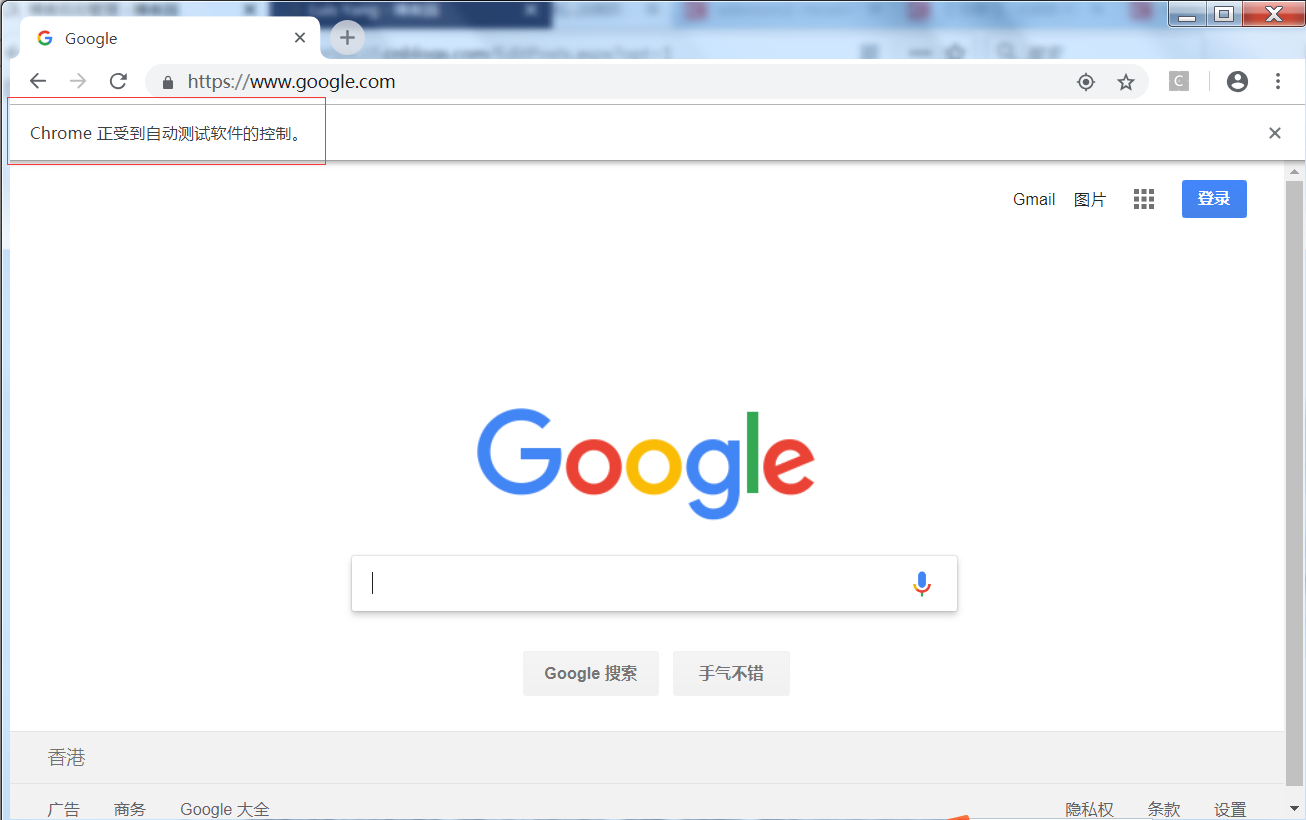
url <- 'https://www.google.com/'

remDr$navigate(url)

   可以看到“Chrome正受到自动测试软件的控制”字样。
  此时再使用rvest包对网页进行抓取,抓到的就是经过浏览器渲染后的页面:

library(rvest)
webpage <- read_html(remDr$getPageSource()[[1]][1])

参考链接:R语言爬取动态网页:使用RSelenium包和Rwebdriver包的前期准备