惯性聚合 高效追踪和阅读你感兴趣的博客、新闻、科技资讯
阅读原文 在惯性聚合中打开

推荐订阅源

H
Heimdal Security Blog
A
Arctic Wolf
K
Kaspersky official blog
V
Vulnerabilities – Threatpost
Threat Intelligence Blog | Flashpoint
Simon Willison's Weblog
L
LINUX DO - 热门话题
MongoDB | Blog
MongoDB | Blog
T
Threat Research - Cisco Blogs
D
Docker
爱范儿
爱范儿
T
Tenable Blog
C
Check Point Blog
B
Blog
C
Cisco Blogs
Vercel News
Vercel News
The Cloudflare Blog
T
Threatpost
NISL@THU
NISL@THU
T
Tor Project blog
V2EX - 技术
V2EX - 技术
P
Palo Alto Networks Blog
Application and Cybersecurity Blog
T
Tailwind CSS Blog
G
GRAHAM CLULEY
P
Privacy & Cybersecurity Law Blog
SecWiki News
SecWiki News
博客园 - 司徒正美
S
Security @ Cisco Blogs
GbyAI
GbyAI
S
Secure Thoughts
Microsoft Security Blog
The Register - Security
Recorded Future
Recorded Future
Cloudbric
Cloudbric
Webroot Blog
Webroot Blog
N
News and Events Feed by Topic
Y
Y Combinator Blog
博客园_首页
T
Troy Hunt's Blog
The Hacker News
The Hacker News
雷峰网
雷峰网
Google DeepMind News
U
Unit 42
AWS News Blog
AWS News Blog
PCI Perspectives
PCI Perspectives
V
Visual Studio Blog
博客园 - 聂微东
有赞技术团队
有赞技术团队
酷 壳 – CoolShell
酷 壳 – CoolShell

博客园 - 曾伟

不干胶、热敏打印 wpf 滚屏数据显示 c# webapi 过滤器token、sign认证、访问日志 c# NPOI文件操作 c# ini文件操作 WCF多种调用方式兼容 网页打印javascript:window.print() window.showModalDialog弹出对话框刷新问题 ASP.NET] 选择文件夹的对话框 常用SQL语句书写技巧 控制同一exe程序打开多次 - 曾伟 - 博客园 IIS6 MMC检测到此管理单元发生一个错误,建议您关闭并重新启动mmc 在上传文件时限制上传文件的大小,并捕捉超过文件大小限制的 - 曾伟 - 博客园 Lucene的例子 javascript 获取标签具体位置 - 曾伟 - 博客园 JavaScript实现类,有多种方法。 Javascript实现截图功能(代码) 终端服务器超出了最大允许连接数 DBCC CHECKDB 数据库或表修复
net core quartz调度 warp打包 nssm部署到windowsservice
曾伟 · 2019-07-16 · via 博客园 - 曾伟

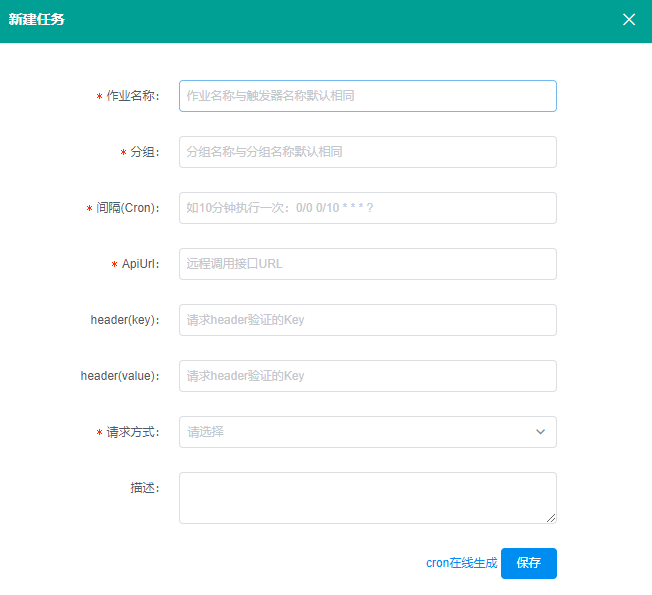
介绍下一款vue.js实现的基于core2.1 quartz.net调度框架,独立部署不依赖数据库,只需要实现不同业务接口,配置调度时间即可

github:https://github.com/cq-panda/Quartz.NetUI
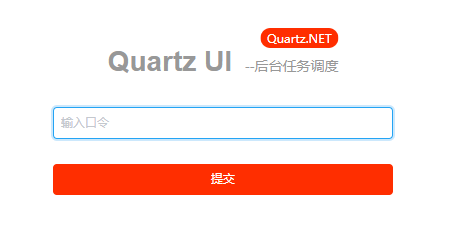
注意事项:

如果部署在iis下,需要实现对home/index间隔时间进行激活,否则quartz将停止调度

如果使用dotnet Quartz.NET.Web.dll(quartz不会停止调度),需要考虑重启电脑后重新启动

所以:

部署在windowsservice下两者都解决

这引用了https://www.cnblogs.com/morang/p/10792109.html将项目打包后使用nssm部署到windowsservice

在visual studio code终端中输入dotnet tool install --global dotnet-warp安装

提示:

可使用以下命令调用工具: dotnet-warp
已成功安装工具“dotnet-warp”(版本“1.0.9”)。

安装成功

切换到需要发布打包的.csproj目录,否则会提示:No .csproj or .fsproj file found.

输入:dotnet-warp打包,按.csproj文件名打包生成.exe文件在.csproj目录下

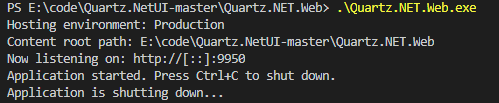
启动exe测试是否ok

提示以下,一般为端口被占用,尝试换项目端口,或使用netstat -na检查端口占用:

成功提示为:
 

使用nssm部署windowsservice

将打包好的exe文件+配置+页面(view、wwwroot)及下载的nssm放在部署目录中
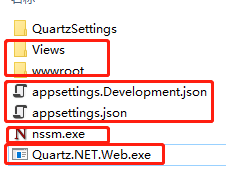
cmd切换到此目录

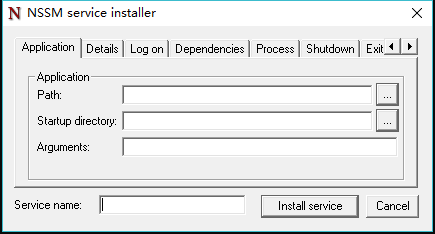
执行nssm install调出安装界面:

在path选择exe文件

在service name输入安装的windowsservice 名称
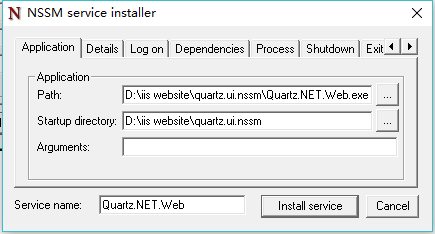
点install service后,将服务start

访问:http://*9950

当然不使用dotnet-warp打包exe也可以使用nssm部署到windowsservice,详见Emrys分享的使用NSSM把.Net Core部署至 Windows 服务

过程很简单,很方便。感谢易墨我心依旧的分享