



Uninterruptible Power Supply (UPS) systems, also known as battery backups, help protect electronics against all types of power events—from brief power spikes and sags to complete power outages. But they don’t come with an expiration date and there are several factors which may impact their lifespan. The typical lifecycle of a UPS system can be divided into four stages, from installation to retirement.
STAGE 1 » BRAND NEW
AGE: 1-2 YEARS
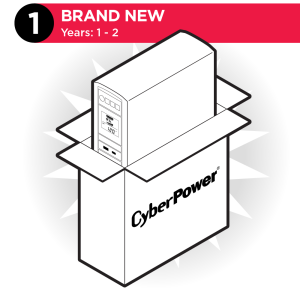
Installation and Initialization: The UPS system has just been connected, charged, and the battery is 100%. Regular use keeps the battery healthy and ready to engage when power events occur. In the early years of life, you can relax with zero maintenance—and a full warranty. Just be sure your UPS system is sized for the growth of your business or personal needs. More specifically, ensure it has the wattage capacity to power all connected devices long enough to save data and safely shut down when utility power goes out.
Key things to consider during this stage:
- Keeping the wattage load of connected devices at 30–35% below the maximum capacity gives you room to grow and connect more devices as needed.
- Maintaining a stable operating environment with a cool, stable temperature with low humidity and good ventilation will preserve battery life—reducing the risk of failure.
- Warranty length (CyberPower offers 3-year warranties that include batteries).
STAGE 2 » PRIME TIME
AGE: 3-5 YEARS
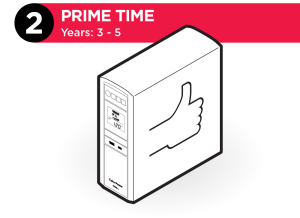
Monitor and Maintain: The UPS system battery has now experienced many cycles of discharging (during power issues) and charging. To keep the UPS system healthy, keep the load consistent and 65% wattage capacity and regularly test the battery level. Depending on usage, batteries may need to be replaced as early as year three to extend the life of the UPS system.
Consider:
- If your UPS system is undersized for the load of your connected equipment, the battery life can be shortened and will need replacing sooner.
- Some UPS systems have a battery test feature, so you can monitor the estimated runtime.
STAGE 3 » WINDING DOWN
AGE: 5-7 YEARS
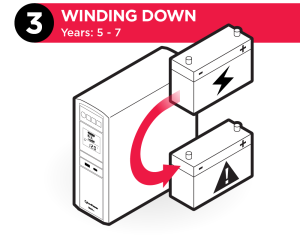
Aging and Degradation: Over time, especially at higher temperatures or through deep discharges, internal resistance builds up, causing the battery to hold less power. Plus, the surge protector has also degraded from absorbing small electrical spikes over many years.
On average, UPS batteries have a lifespan of three to five years but can be shortened by frequent discharge/charge cycles.
STAGE 4 » RETIREMENT
AGE: 8+ YEARS
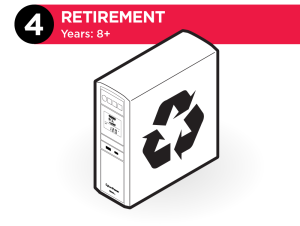
Retire and Recycle: The battery capacity is dropping and is now at the end of its life. Once it drops below 80%, it can no longer support the rated load, leading to shorter runtimes or failure.
Signs of a failing battery:
- Reduced Runtime: The backup power doesn’t last as long during outages.
- Frequent Self-Tests Failure: The UPS system frequently indicates a battery check/replacement.
- Visual Damage: The battery casing is swollen or corroded.
- Constant Beeping: Audible alarms from the unit.
After eight years of use, the UPS system should be retired. At this point, you might not be protected against catastrophic downtime, data loss or damage. Look for a UPS model that can:
- Adapt to your changing needs—and your budget.
- Reduce power consumption and improve UPS efficiency by 95% or more.
- Provide full remote management and/or monitoring—real-time alerts, load shedding.
Why not just replace the batteries again? By now, the surge protection in the UPS system may have completely degraded by interior heat and years of absorbing electrical spikes, so it makes more sense to buy a new unit. While you’ve had several years of good service from your UPS system, the latest battery backup solutions have advanced features for protecting systems and avoiding downtime.
Next-gen features include technological advancements such as:
- Increased energy efficiency to save on electrical and cooling costs.
- High-density designs for more capacity in less space.
- Improved remote management via standard web browser, the cloud, mobile app, command line, or network tools.
- Toolless or near-toolless battery replacement designs.
- Fast charge technology to quickly return the UPS and batteries to 100%.
By understanding the lifecycle of a UPS system and its needs at each stage of life, you can maximize performance and protection.
SUMMARY: Key factors to remember that impact UPS Lifespan:
- High Temperature: For every 15% increase above 77 {degree)F, the battery life is reduced by 50%.
- Cycling: One cycle is a full 100% discharge and recharge. Lithium batteries can handle 2,000–5,000 cycles, while lead-acid often manage fewer than 1,000.
- Maintenance: Regular calibration and keeping the environment clean and cool extends life.
To assist you in finding the ideal battery backup solution, here are two useful links for finding the right UPS system for your needs:
Free Power Assessment
Power Primer/How to choose a UPS system
UPS Product Selector Tool
Lifecycle of a UPS
Follow CyberPower on TikTok for more tech tips.