







最近做个项目,biztalk跟OTM(Oracle Transportation Management)系统做对接,双方通过web services通讯,这部分是BizTalk发布WS-Security的web services,使用WS-Security的Username Token验证方式。
所以需要使用UsernameToken Web Service Security Policy,并使用HTTPS加密此SOAP消息的传输。
这样的web services是可以跟被java客户端调用的。
https的请求内容格式如下:
POST https://URL HTTP/1.1
Content-Type: text/xml; charset=utf-8
SOAPAction: "process"
Host: host
Content-Length: 6115
Expect: 100-continue
Accept-Encoding: gzip, deflate
Connection: Keep-Alive
<env:Envelope xmlns:env="http://schemas.xmlsoap.org/soap/envelope/" xmlns:ns1="http://docs.oasis-open.org/wss/2004/01/oasis-200401-wss-wssecurity-secext-1.0.xsd">
<env:Header>
<ns1:Security>
<ns1:UsernameToken>
<ns1:Username>GUEST.ADMIN</ns1:Username>
<ns1:Password>CHANGEME</ns1:Password>
</ns1:UsernameToken>
</ns1:Security>
</env:Header>
<env:Body>
...your message content goes here...
</env:Body>
</env:Envelope>
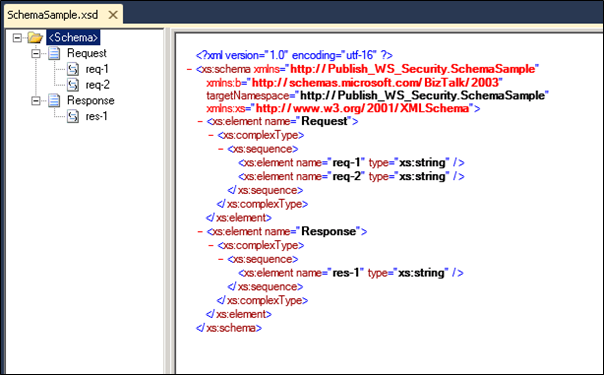
为测试目的,新建一个简单的用于发布为web servicdes的schema:
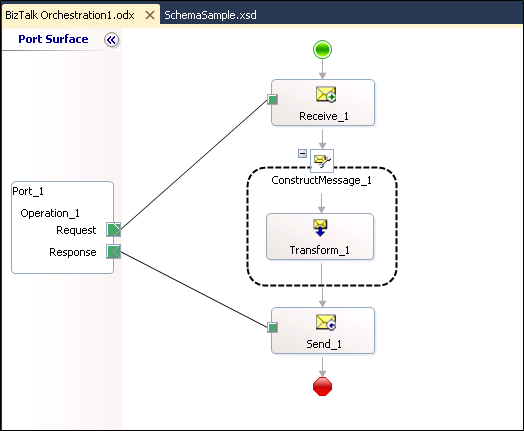
为测试目的,新建一个简单的接收前面新建的schema的request,简单映射为response的消息直接返回:
部署这个BizTalk project,然后使用BizTalk WCF Services Publishing Wizard把orchestration的接收端口发布为WCF。
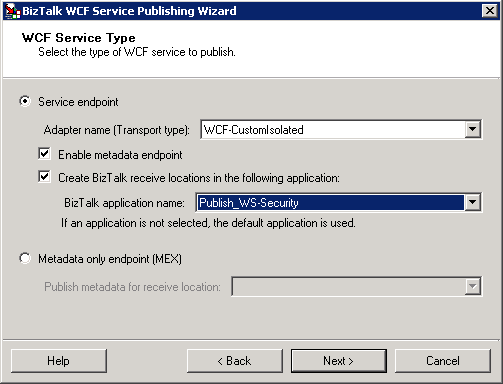
要发布使用WS-Security的web servicdes必须使用WCF-CustomIsolate的Transport type,下一步:
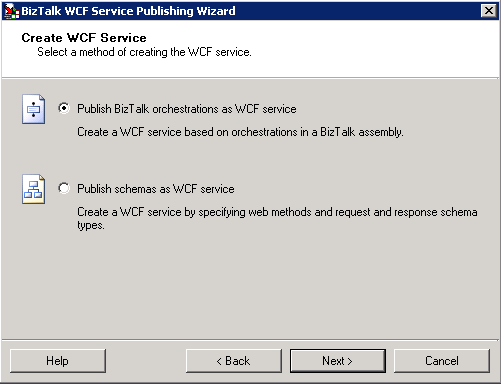
选择"Publish BizTalk orchestration as WCF Service",下一步:
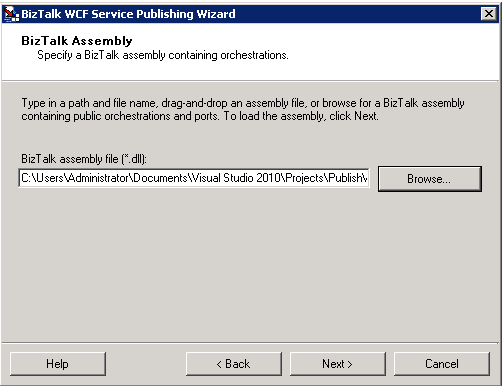
选择前面建立的BizTalk project的dll,下一步:
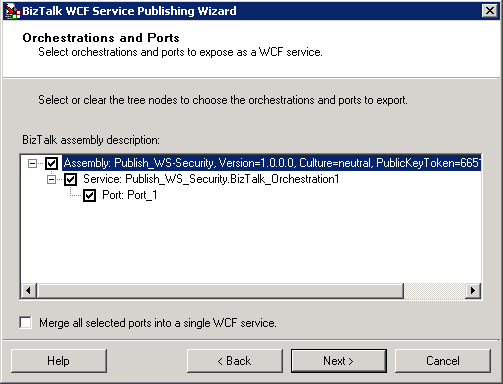
这里显示了选择的dll中包含的orchestration和orchestration包含的可以发布为WCF的接收端口,下一步:
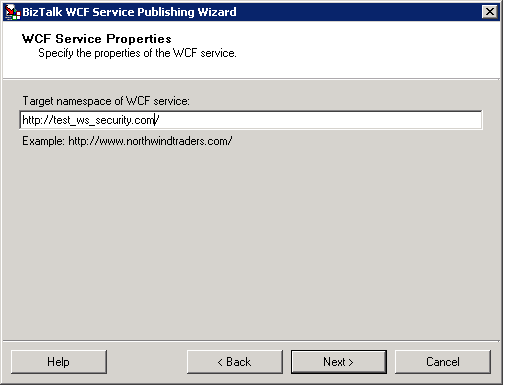
设置发布的WCF的Target namespace,下一步:

这是指定要发布到IIS的路径,同时选择"Allow anonymous access to WCF servicde",允许IIS中匿名访问web services,因为用户的身份验证是在消息内的。
发布完成后,在BizTalk的Application中会生成一个WCF-CustomIsolate的接收端口:

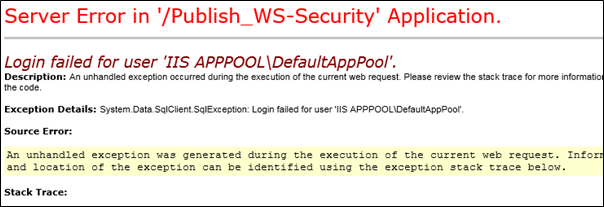
发布的WCF-CustomIsolate的接收位置在IIS中生成的Application的Application Pool默认使用DefaultAppPool,这个Application Pool的Identity是Windows內建的ApplicationPoolIdentity账号,不具有访问BizTalk数据库的权限,所以需要将Application Pool改为具有访问BizTalk数据库的权限Identity的Application Pool。
否则访问发布的WCF会出现这样的提示:
查看WCF-CustomIsolate的属性:
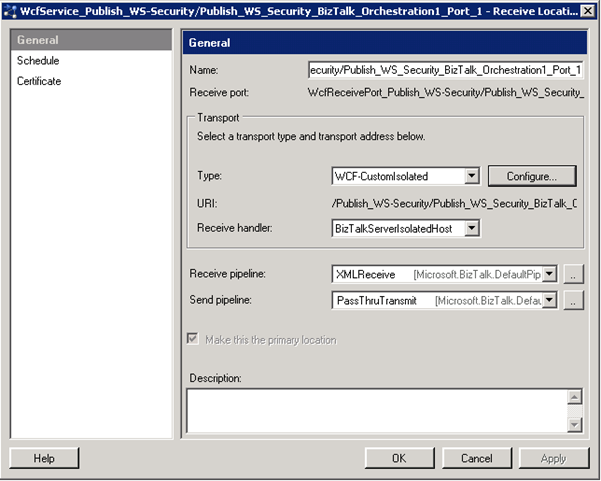
点击"Configure…":
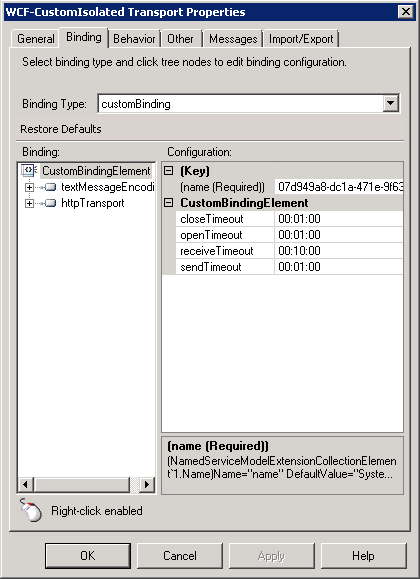
修改这里的Binding。
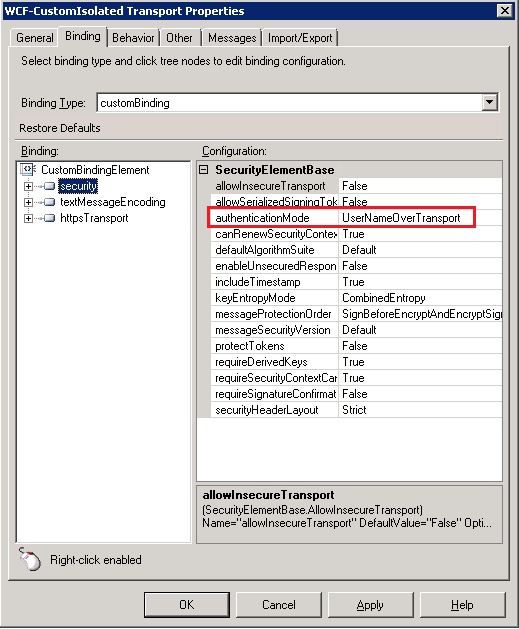
增加security Extension,并把它移动到最顶层的位置,并把authenticationMode设置为UserNameOverTransport:
将textMessageEncoding的messageVersion设置为"Soap11":

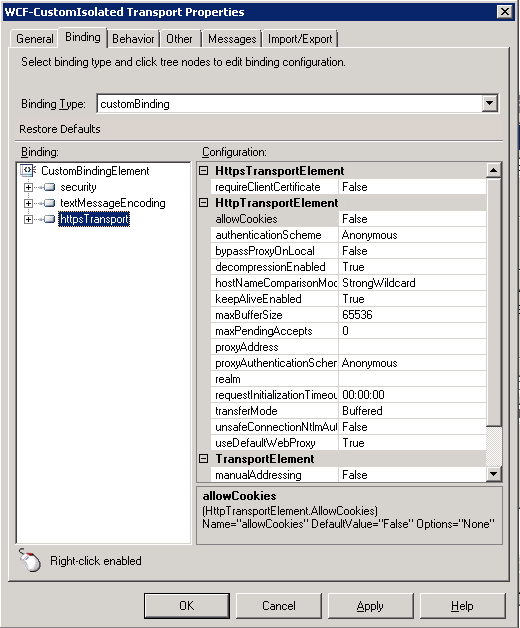
删除httpTransport Extension,增加httpsTransport,因为需要使用TLS进行消息的加密传输:
在Behavior标签下,增加serviceCredentials的serviceBehaviors:

确认在UserNameAuthentication下的userNamePasswordValidationMode设置为Windows,表示验证客户端的UsernameToken将使用Windows的用户验证,即客户端的UsernameToken将跟windows的用户进行比对,如果windows的用户有跟客户端的UsernameToken匹配的即验证成功。
可以新建一个简单的c# console应用作为客户端调用发布的WCF,然后用Fiddler抓取通讯的数据格式,判断发布的WCF是否符合WS-Security。
在c# console应用中引用前面发布的WCF:
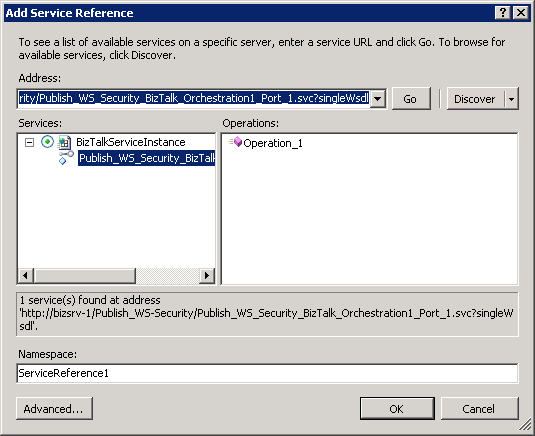
具体调用WCF的代码如下:
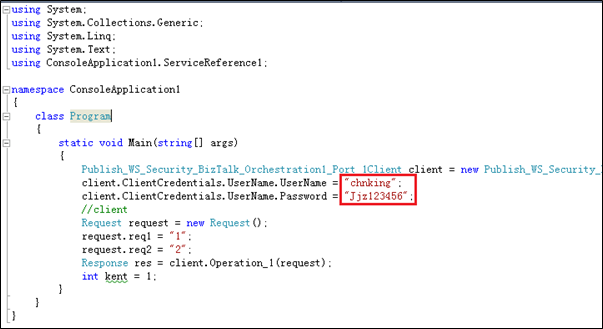
其中的chnking是windows的用户,Jjz123356是这个windows用户的密码。
执行这段代码执行调用WCF的过程,使用Fiddler抓取数据查看请求消息格式为:
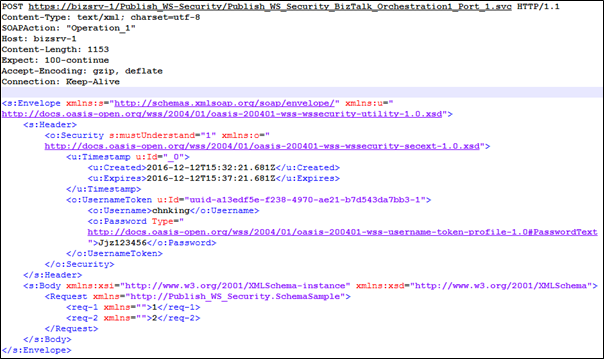
可以看到这个请求调用web services的消息格式完全符合WS-Security的格式。
再看,返回的消息格式:
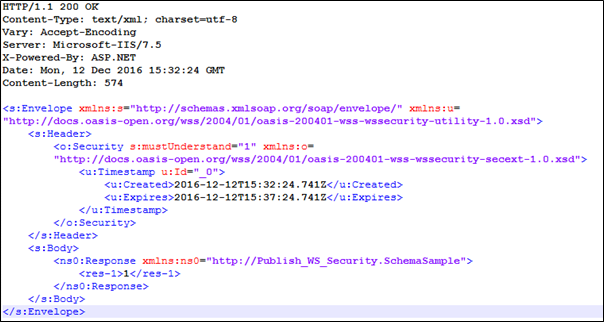
可以看到,服务端返回的正常的结果。
此内容由惯性聚合(RSS阅读器)自动聚合整理,仅供阅读参考。 原文来自 — 版权归原作者所有。