惯性聚合 高效追踪和阅读你感兴趣的博客、新闻、科技资讯
阅读原文 在惯性聚合中打开

推荐订阅源

Project Zero
Project Zero
GbyAI
GbyAI
Y
Y Combinator Blog
Google DeepMind News
小众软件
小众软件
The GitHub Blog
The GitHub Blog
阮一峰的网络日志
阮一峰的网络日志
J
Java Code Geeks
WordPress大学
WordPress大学
Microsoft Security Blog
IT之家
IT之家
F
Fortinet All Blogs
博客园 - 【当耐特】
H
Hackread – Cybersecurity News, Data Breaches, AI and More
P
Proofpoint News Feed
Schneier on Security
C
Cybersecurity and Infrastructure Security Agency CISA
L
LINUX DO - 热门话题
Spread Privacy
Spread Privacy
O
OpenAI News
V
V2EX
博客园 - 三生石上(FineUI控件)
AI
AI
奇客Solidot–传递最新科技情报
奇客Solidot–传递最新科技情报
Stack Overflow Blog
Stack Overflow Blog
P
Privacy International News Feed
Microsoft Azure Blog
Blog — PlanetScale
Blog — PlanetScale
Threat Intelligence Blog | Flashpoint
Jina AI
Jina AI
H
Help Net Security
L
LINUX DO - 最新话题
Application and Cybersecurity Blog
T
Tenable Blog
K
KPMG report finds enterprise disconnect between AI and its ROI | CIO
Cisco Talos Blog
Cisco Talos Blog
cs.CV updates on arXiv.org
博客园 - 叶小钗
V
Vulnerabilities – Threatpost
C
Cisco Blogs
D
Darknet – Hacking Tools, Hacker News & Cyber Security
酷 壳 – CoolShell
酷 壳 – CoolShell
Hacker News: Ask HN
Hacker News: Ask HN
S
Security @ Cisco Blogs
S
Securelist
T
The Blog of Author Tim Ferriss
Apple Machine Learning Research
美团技术团队
雷峰网
雷峰网
V2EX - 技术
V2EX - 技术

博客园 - surfsky

用阿里的 sketch 插件 FusionDesign 来快速设计中后台 用 Sketch 设计和输出响应式网页 百度、高德、腾讯、天地图、谷歌、必应瓦片图地图切图工具 MapCutter(旧名 MapTiler),支持超大图、高清切片、webgl、leaflet、maptalk、openlayers、cesium netcore 下的 Javascript 表达式求值 netcore 下的 C# 表达式求值 中标麒麟安装SQLServer 中标麒麟上开启MySql 在 MAC 下配置 Nginx Color Schema 配色随笔 .Net与 WebAssembly 随笔 关于Xamarin、Qml、数据绑定、MVC、MVVM 相关的散讲 Qt3D Qt3D Shader Qt QML 2D shader LearnOpenGL Qt3D 5.9 and future FineUI 相关 EntityFramwork 七七八八 Qt qml 单例模式
用Nuget部署程序包
surfsky · 2017-12-20 · via 博客园 - surfsky

用Nuget部署程序包

Nuget是.NET程序包管理工具(类似linux下的npm等),程序员可直接用简单的命令行(或VS)下载包。好处:

(1)避免类库版本不一致带来的问题。GitHub是管理源代码的,这个是管理生成的类库/包的。

(2)可自动处理类库依赖:

(3)可指定下载历史版本: install-package name –version 1.0.2

(4)可部署私有包服务器: https://docs.microsoft.com/en-us/nuget/hosting-packages/overview

1.    注册账号

http://www.nuget.org

可用微软账户登录注册

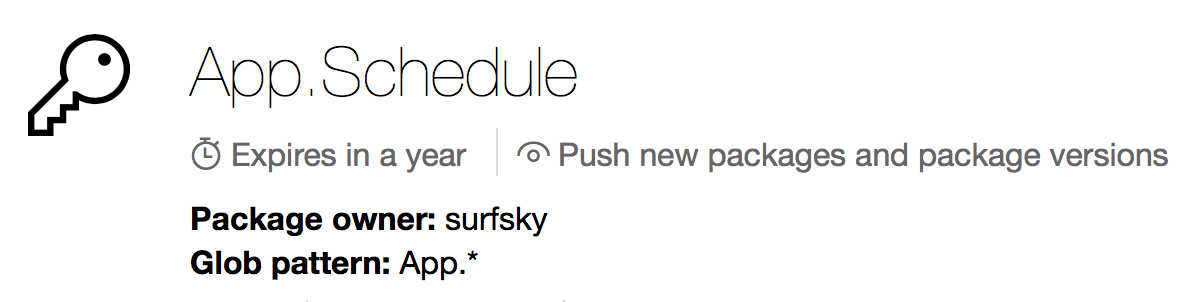
2.    生成ApiKey


(1)       这个key最多只能用一年。超出了怎么办?不知道有没有续期措施。

(2)       Glob pattern:匹配模式,用户搜索时用的?

3.    发布包方案一:使用命令行

(1)       去官网下载Nuget.exe:

https://www.nuget.org/downloads

VS 2017已经内置了,但不知道怎么在VS内部运行nuget命令

(2)       在项目目录下运行命令:

nuget setApiKey xxxxxxxxx-5a3c-4a67-b969-3cda4f074341

nuget spec, 生成并编辑 .nuspec 文件(是包的配置信息)

nuget pack xxx.csproj, 生成 .nupkg 文件(包)

nuget push xxx.1.0.x.nupkg, 发布

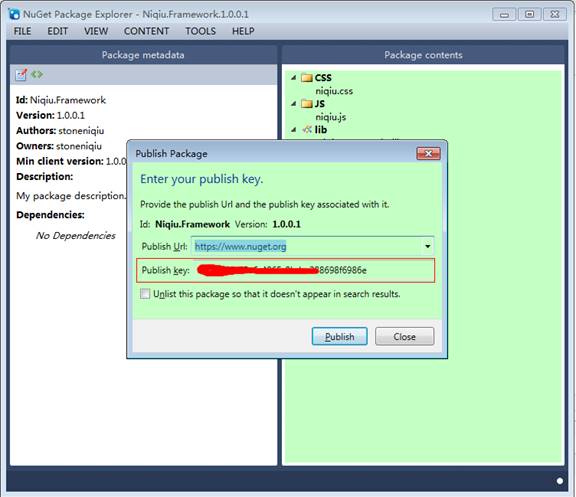
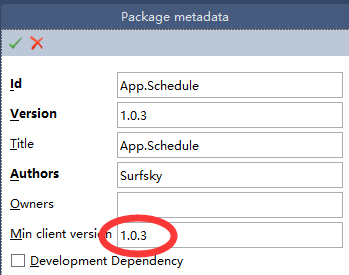
4.    发布包方案二:使用NuGetPackageExplorer

参考:https://github.com/NuGetPackageExplorer/NuGetPackageExplorer

(1)安装并运行:Microsoft Store > NuGet Package Explorer

(2)新建包 > 添加文件夹/文件
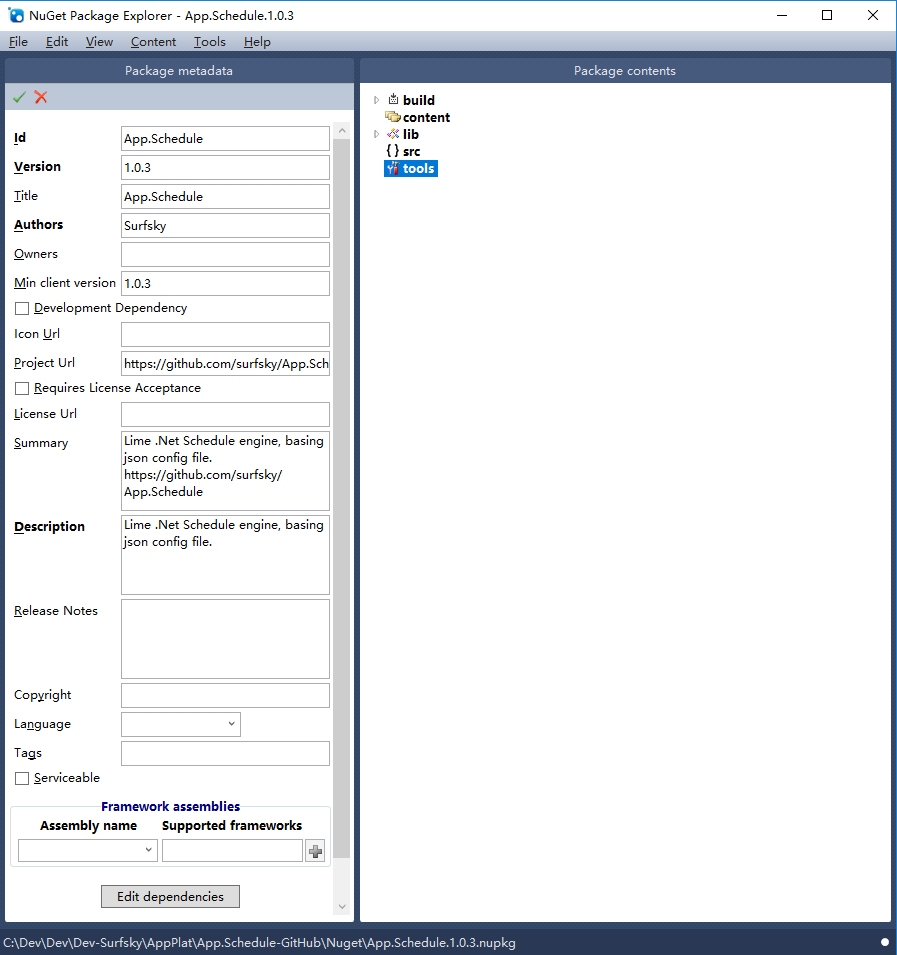
 

可添加的目录类别包括:

build

输出到bin目录

content

原样拷贝

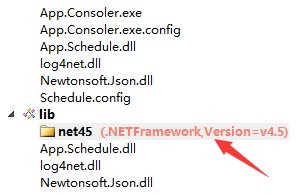
lib

添加到引用

src

源码拷贝

tools

(3)发布,填写入你的key


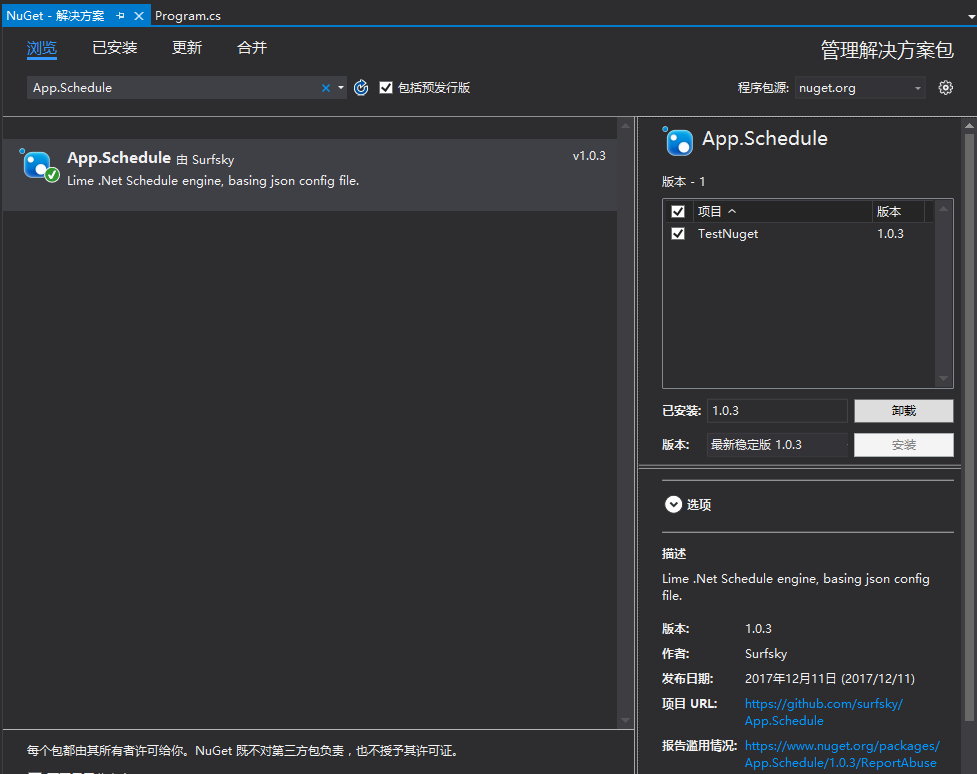
5.    安装测试

在vs>工具>Nuget包管理器>管理解决方案的Nuget程序包>浏览:


或者直接在程序包管理器控制台中用命令行

         Install-package packageName
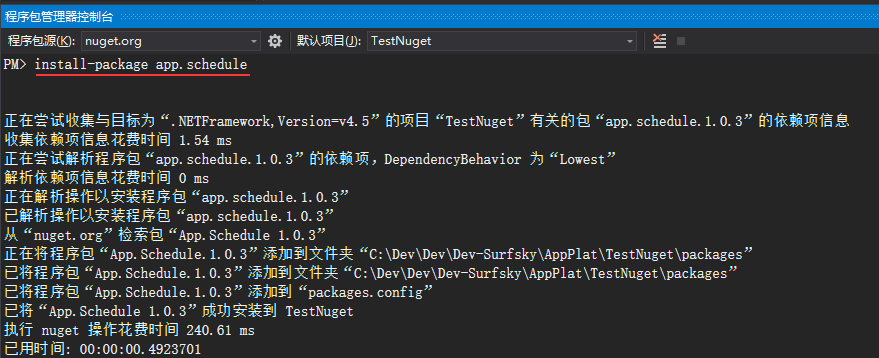
 

部署后自动将引用、资源、配置等自动发布到新程序。
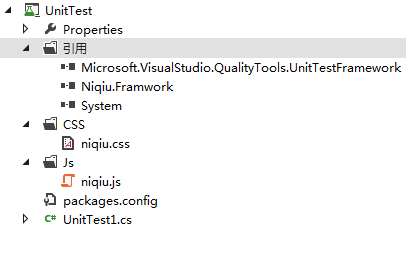
 

注意,包发布后有时延。

6.    其它

(1)     指定依赖的.NET类库版本


(2)     限制可下载的版本


(3)     引用类库
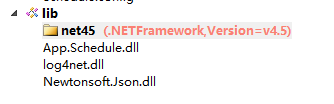
 

(4)     修改.config文件

在Content目录下包含app.config.transform 或 web.config.transform 文件。

https://docs.microsoft.com/zh-cn/nuget/create-packages/source-and-config-file-transformations

(5)     新增文件

在Content目录下放置代码文件,并附加.pp扩展名。如:

content\Model\ContosoData.cs.pp

代码中可用$token$放置一些变量(https://msdn.microsoft.com/library/vslangproj.projectproperties_properties.aspx

namespace $rootnamespace$.Models

{

    public struct CategoryInfo

    {

        public string categoryid;

        public string description;

        public string htmlUrl;

        public string rssUrl;

        public string title;

    }

}

(6)     部署到 bin 目录下

(7)     部署自己的Nuget服务器

https://github.com/NuGet/NuGetGallery#build-and-run-the-gallery-in-arbitrary-number-easy-steps

https://docs.microsoft.com/zh-cn/nuget/hosting-packages/nuget-server

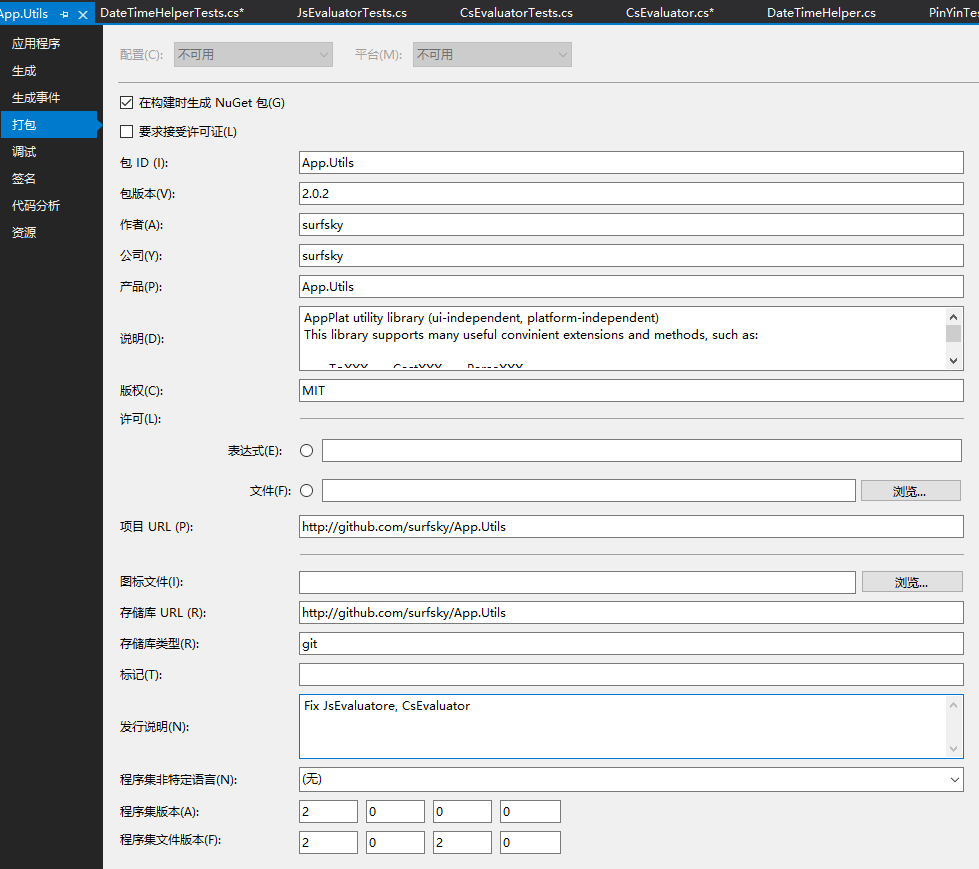
 7. NetCore/NetStandard项目的Nuget包

这就更简单了,vs项目右键直接有打包选项,简化了很多,也可以直接编译时就生成包。