


package com.coderdream.mobilesafe.activity;

import android.app.Activity;
import android.content.pm.PackageInfo;
import android.content.pm.PackageManager;
import android.os.Bundle;
import android.view.Window;
import android.view.WindowManager;
import android.widget.TextView;

import com.coderdream.mobilesafe.R;

public class SplashActivity extends Activity {
	private TextView tv_splash_version;

	@Override
	public void onCreate(Bundle savedInstanceState) {
		super.onCreate(savedInstanceState);
		// 设置为无标题栏
		requestWindowFeature(Window.FEATURE_NO_TITLE);
		// 设置为全屏模式
		getWindow().setFlags(WindowManager.LayoutParams.FLAG_FULLSCREEN,
				WindowManager.LayoutParams.FLAG_FULLSCREEN);

		setContentView(R.layout.activity_splash);
		tv_splash_version = (TextView) findViewById(R.id.tv_splash_version);
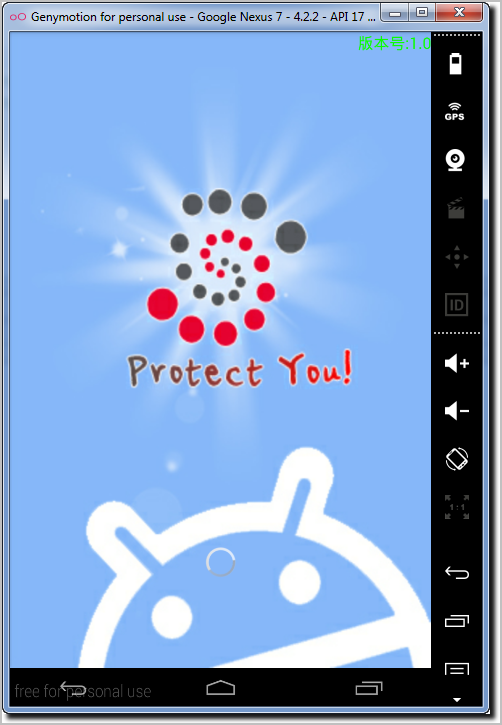
		tv_splash_version.setText("版本号:" + getVersion());
	}

	/**
	 * <pre>
	 * 获取当前应用程序的版本号。
	 * 版本号存在于我们的APK中对应的清单文件中(直接解压APK后,即可看到对应的清单文件),
	 * 版本号是manifest节点中的android:versionName="1.0"
	 * 当一个应用程序被装到手机后 ,该apk拷贝到手机的data/app目录下(也就是系统中),
	 * 如图6。所以想得到版本号,我们需要拿到与系统相关的服务,就可以得到apk中的信息了
	 *
	 * </pre>
	 *
	 * @return
	 */
	private String getVersion() {
		// 得到系统的包管理器。已经得到了apk的面向对象的包装
		PackageManager pm = this.getPackageManager();
		try {
			// 参数一:当前应用程序的包名 参数二:可选的附加消息,这里我们用不到 ,可以定义为0
			PackageInfo info = pm.getPackageInfo(getPackageName(), 0);
			// 返回当前应用程序的版本号
			return info.versionName;
		} catch (Exception e) {// 包名未找到的异常,理论上, 该异常不可能会发生
			e.printStackTrace();
			return "";
		}
	}
}
<?xml version="1.0" encoding="utf-8"?>
<manifest xmlns:android="http://schemas.android.com/apk/res/android"
    package="com.coderdream.mobilesafe"
    android:versionCode="1"
    android:versionName="1.0" >

    <uses-sdk
        android:minSdkVersion="8"
        android:targetSdkVersion="17" />

    <application
        android:allowBackup="true"
        android:icon="@drawable/ic_launcher"
        android:label="@string/app_name"
        android:theme="@style/AppTheme" >
        <activity
            android:name="com.coderdream.mobilesafe.activity.SplashActivity"
            android:label="@string/app_name" >
            <intent-filter>
                <action android:name="android.intent.action.MAIN" />

                <category android:name="android.intent.category.LAUNCHER" />
            </intent-filter>
        </activity>
    </application>

</manifest>
此内容由惯性聚合(RSS阅读器)自动聚合整理,仅供阅读参考。 原文来自 — 版权归原作者所有。