






一,安装工具
VBOX
vagrant
vagrant proxy
golang
二,下载源代码
hyperledge
gotools
三.
1.

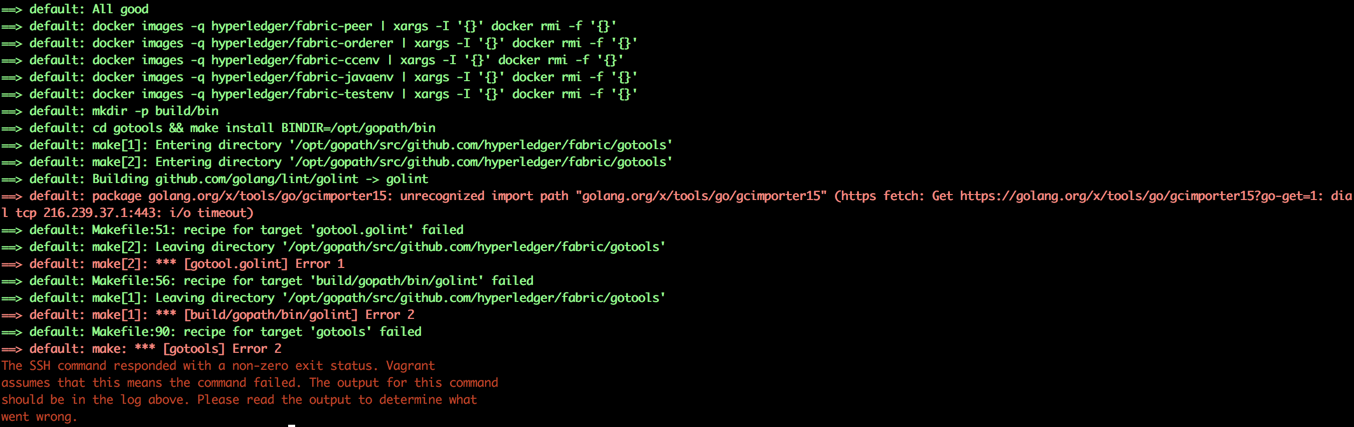
==> default: package golang.org/x/tools/go/gcimporter15: unrecognized import path "golang.org/x/tools/go/gcimporter15" (https fetch: Get https://golang.org/x/tools/go/gcimporter15?go-get=1: dial tcp 216.239.37.1:443: i/o timeout)
==> default: Makefile:51: recipe for target 'gotool.golint' failed
==> default: make[2]: Leaving directory '/opt/gopath/src/github.com/hyperledger/fabric/gotools'
==> default: make[2]: *** [gotool.golint] Error 1
==> default: Makefile:56: recipe for target 'build/gopath/bin/golint' failed
==> default: make[1]: Leaving directory '/opt/gopath/src/github.com/hyperledger/fabric/gotools'
==> default: make[1]: *** [build/gopath/bin/golint] Error 2
==> default: Makefile:90: recipe for target 'gotools' failed
==> default: make: *** [gotools] Error 2
The SSH command responded with a non-zero exit status. Vagrant
assumes that this means the command failed. The output for this command
should be in the log above. Please read the output to determine what
went wrong.
View Code
1 export fabric_path=~/gopath/fabric
2 mkdir -p $fabric_path/gotools/build/gopath/src/golang.org/x/
3 git clone https://github.com/golang/tools.git
4 mv tools $fabric_path/gotools/build/gopath/src/golang.org/x/
5 cd $fabric_path/devenv
6 vagrant destroy
7 vagrant up
2.
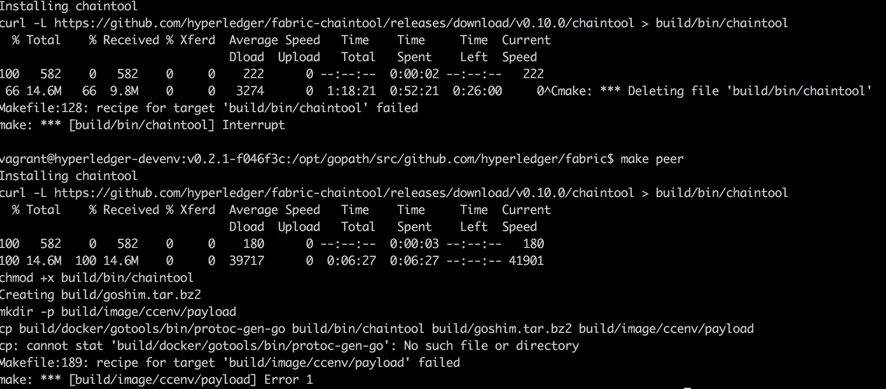
是在执行如下命令是出错
curl -L https://github.com/hyperledger/fabric-chaintool/releases/download/$(CHAINTOOL_RELEASE)/chaintool > $@
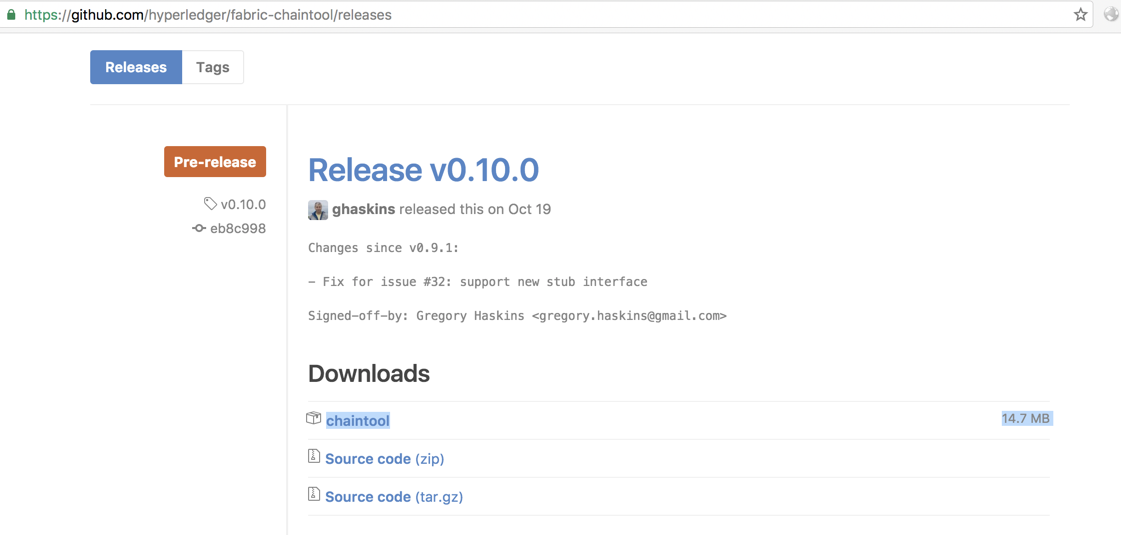
https://github-cloud.s3.amazonaws.com/releases/52034138/f54fb054-9560-11e6-934a-5272acfba1b8?X-Amz-Algorithm=AWS4-HMAC-SHA256&X-Amz-Credential=AKIAISTNZFOVBIJMK3TQ%2F20161128%2Fus-east-1%2Fs3%2Faws4_request&X-Amz-Date=20161128T075224Z&X-Amz-Expires=300&X-Amz-Signature=a7eb3348572a9fa9a9bf044e54805cda9e6bbfcdfd6f21e1bd0783bd3964c5d9&X-Amz-SignedHeaders=host&actor_id=10493939&response-content-disposition=attachment%3B%20filename%3Dchaintool&response-content-type=application%2Foctet-stream
最终下载的地址是这个,由于s3.amazonaws.com被墙,所以下载失败;可以手工下载让后覆盖到 build/bin 下继续执行 make peer
解决办法
1)编辑Makefile文件(在宿主机中操作),将130行注释掉
1 build/bin/chaintool: Makefile
2     @echo "Installing chaintool"
3     @mkdir -p $(@D)
4     #curl -L https://github.com/hyperledger/fabric-chaintool/releases/download/$(CHAINTOOL_RELEASE)/chaintool > $@
5     chmod +x $@

2)将下载的chaintool复制到指定目录
export fabric_path=~/gopath/fabric
#宿主机中执行
cp ~/Downloads/chaintool $fabric_path/build/bin
cd $fabric_path/devenv
#
vagrant ssh
cd $GOPATH/src/github.com/hyperledger/fabric
make peer
3).
 1 vagrant@hyperledger-devenv:v0.2.1-f046f3c:/opt/gopath/src/github.com/hyperledger/fabric$ make peer
 2 make[1]: Entering directory '/opt/gopath/src/github.com/hyperledger/fabric/gotools'
 3 Building github.com/golang/lint/golint -> golint
 4 package golang.org/x/tools/go/gcimporter15: unrecognized import path "golang.org/x/tools/go/gcimporter15" (https fetch: Get https://golang.org/x/tools/go/gcimporter15?go-get=1: dial tcp 216.239.37.1:443: i/o timeout)
 5 make[1]: *** [gotool.golint] Error 1
 6 Makefile:51: recipe for target 'gotool.golint' failed
 7 make[1]: Leaving directory '/opt/gopath/src/github.com/hyperledger/fabric/gotools'
 8 Makefile:56: recipe for target '/opt/gotools/obj/gopath/bin/golint' failed
 9 make: *** [/opt/gotools/obj/gopath/bin/golint] Error 2
10 Makefile:156: recipe for target 'build/docker/gotools' failed
11 make: *** [build/docker/gotools] Error 2
View Code

1 #生成gotools二进制文件
2 make gotools
3 #复制到build/docker/gotools目录
4 cp -r ./gotools/build/gopath/bin ./build/docker/gotools/
5 make peer

4).
build javaenv时下载gradle-2.12-bin.zip很长时间无响应
是由于RUN wget https://services.gradle.org/distributions/gradle-2.12-bin.zip -P /tmp --quiet 命令连接国外服务器太慢导致,可以使用迅雷下载到本地,复制到
$fabric_path/build/image/javaenv目录下,同时修改$fabric_path/image/javaenv下的Dockerfile.in文件后继续执行make peer即可
 1 FROM hyperledger/fabric-baseimage:_BASE_TAG_
 2 #RUN wget https://services.gradle.org/distributions/gradle-2.12-bin.zip -P /tmp --quiet
 3 ADD gradle-2.12-bin.zip /tmp
 4 RUN unzip -q /tmp/gradle-2.12-bin.zip -d /opt && rm /tmp/gradle-2.12-bin.zip
 5 RUN ln -s /opt/gradle-2.12/bin/gradle /usr/bin
 6 ADD payload/javashim.tar.bz2 /root
 7 ADD payload/protos.tar.bz2 /root
 8 ADD payload/settings.gradle /root
 9 WORKDIR /root
10 # Build java shim after copying proto files from fabric/proto
11 RUN core/chaincode/shim/java/javabuild.sh
View Code
5).
1 Step 9 : RUN core/chaincode/shim/java/javabuild.sh
2  ---> Running in 868d72341738
View Code

修改$fabric_path/core/chaincode/shim/java/build.gradle文件,增加maven的阿里源
 1 buildscript {
 2     repositories {
 3         maven { url "http://maven.aliyun.com/nexus/content/groups/public" }
 4         mavenLocal()
 5         mavenCentral()
 6         jcenter()
 7     }
 8     dependencies {
 9         classpath 'com.google.protobuf:protobuf-gradle-plugin:0.7.6'
10     }
11 }
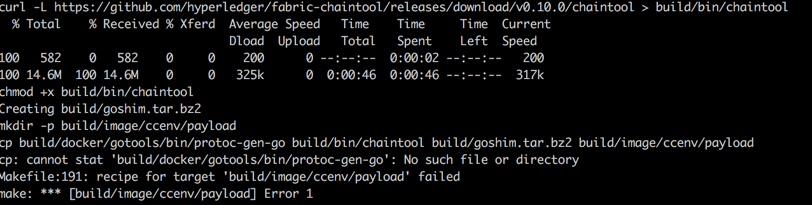
1 cp build/docker/gotools/bin/protoc-gen-go build/bin/chaintool build/goshim.tar.bz2 build/image/ccenv/payload
2 cp: cannot stat 'build/docker/gotools/bin/protoc-gen-go': No such file or directory
3 Makefile:191: recipe for target 'build/image/ccenv/payload' failed
4 make: *** [build/image/ccenv/payload] Error 1
View Code
1 cp gotools/build/gopath/bin/* build/docker/gotools/bin
2 make peer
vagrant下载镜像经常失败的问题
#使用迅雷下载 virtualbox.box
#https://atlas.hashicorp.com/hyperledger/boxes/fabric-baseimage/versions/0.3.0/providers/virtualbox.box
#https://atlas.hashicorp.com/hyperledger/boxes/fabric-baseimage
#复制virtualbox.box文件到 ~/.vagrant.d/boxes/virtualbox.box
vagrant box add -name hyperledger/fabric-baseimage ~/.vagrant.d/boxes/virtualbox.box -c --force
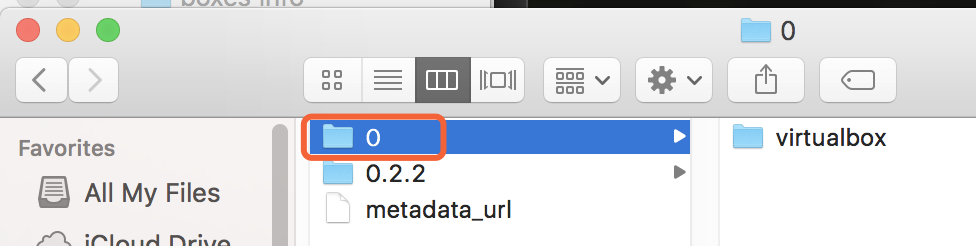
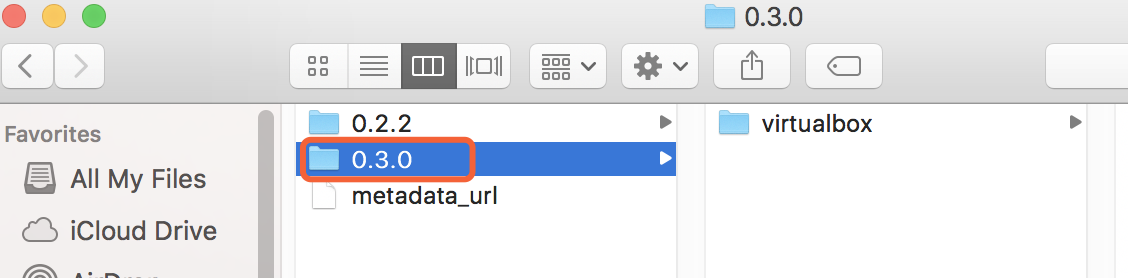
#修改 ~/.vagrant.d/boxes/hyperledger-VAGRANTSLASH-fabric-baseimage文件夹下的文件0的名称为0.3.0
#http://stackoverflow.com/questions/28399324/download-vagrant-box-file-locally-from-atlas-and-configuring-it
vagrant up
此内容由惯性聚合(RSS阅读器)自动聚合整理,仅供阅读参考。 原文来自 — 版权归原作者所有。