





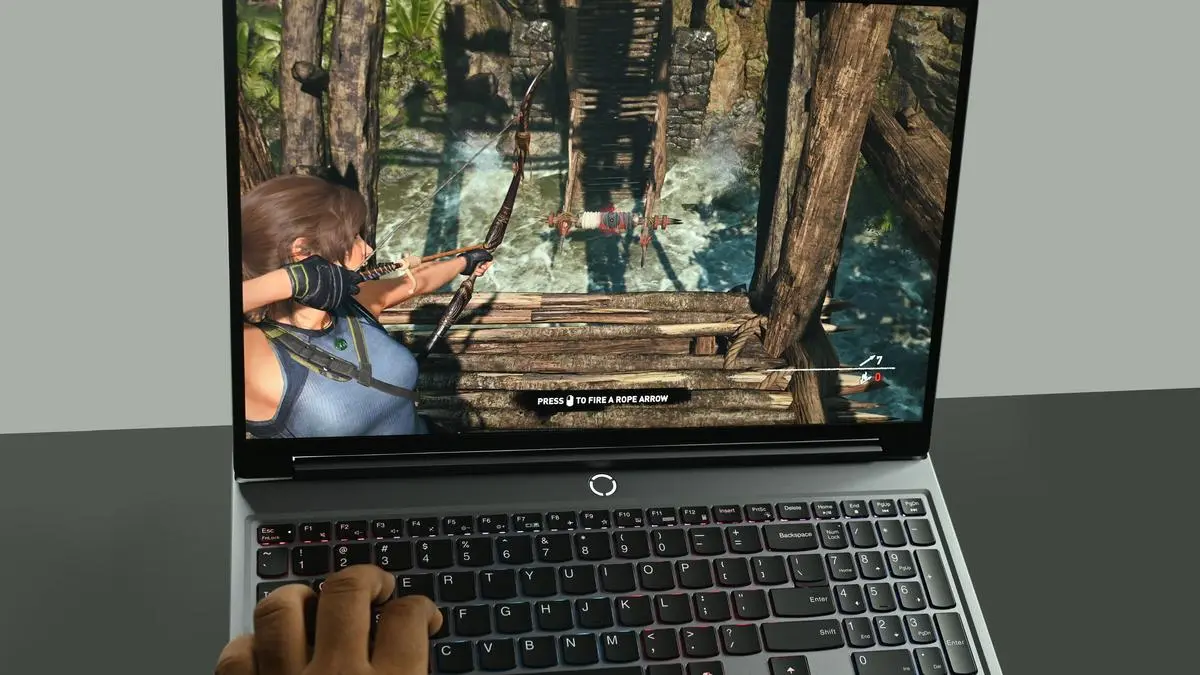
Lenovo Legion 5 | Photo Credit: BIJOY GHOSH
Lenovo has steadily expanded its Legion gaming portfolio year after year. The most popular of the line-up, according to me, is the Legion 5 which is interesting none the less as it gets the latest Ultra 7 processor and has all the bells and whistles to go along with it. The device was in for review for the last few weeks and here’s what clicked on the laptop and what didn’t.
The laptop feels very slim in hand to carry as compared to a traditional gaming laptop. Measuring in at 13.58 x 10.05 x 0.79- 0.85 inches, the laptop feels slim and sturdy and weighs in at about 2 kg. While sleek, the Eclipse Black finish easily picks up oil smudges and fingerprints. The corners of the laptop are rounded out, which makes it easy to use daily while carrying around and on the table without the edges cutting into the palm while typing.
The Lenovo Legion 5 sports a 15.1-inch WQXGA (2560 × 1600) OLED display with a 165Hz refresh rate, HDR 600 support, full DCI-P3 coverage, and up to 500 nits of brightness — and in a word, it’s excellent. Despite being a glossy panel, reflections were controlled. The OLED screen truly shines thanks to its exceptional contrast, near‑perfect blacks, and punchy, accurate colours, all of which elevate the gaming experience. Colour rendition during gameplay is especially on point in Spiderman 2. I even found myself catching up on The Night Agent: Season 3 on Netflix, a testament to how well this display handles multimedia. While the bezels could have been slimmer, the stunning WQXGA OLED panel still stands out as a highlight for content consumption.
Sound off the Lenovo Legion 5 was okay to say the least. It sounds great for gaming with every shot, webbing and dialogues rendering well across the room and table. The only spot of bother was music such as some of Illayaraja’s BGM’s on YouTube , which sounded sort of flattish at high volumes, but with more modern music such as Kato Feat. Jon - Turn the Lights Off, it handled the sound stage well with all EDM instruments and vocals sounding just right for a gaming laptop, while not perfect; the speaker system still manages to add some heft to the setup for gaming and media consumption.
The Lenovo Legion 5 features an RGB backlight keyboard which features zone lighting. The laptop features Legion Truestrike KeyBoard with 1.6mm travel. Keypresses and actuations felt deep and solid for both typing and playing video games which is something i came to enjoy.While not being a mechanical keyboard, it still gets the work done.
The Lenovo Legion 5 has a feature loaded port setup; the left side has an Ethernet (RJ45) port, a USB-C (10Gbps) with Power Delivery 3.0 supporting 65W–100W and DisplayPort 2.1, another USB-C, and a USB-A (5Gbps) port. On the right side, there is a headphone/mic combo jack, a USB-A (5Gbps) port, an E-Shutter button, and another USB-A (5Gbps) port. The rear panel features an HDMI 2.1 slot and the power-in port. This is a much more rounded port situation amongst most gaming laptops seen in recent times.
The Lenovo Legion 5 that I tested featured an Ultra-7 255HX processor paired along with 32 GB RAM and 1 TB SSD. The graphics processor is the RTX 5070 which represents the mid-to-upper tier of laptop gaming cards.
In synthetic benchmarks, the Lenovo legion 5 scored around 511 points on single-thread, 6,114 points on the CPU (multi-thread) on CineBench R26. This placed it in the top 5 performance related processor setups such as the Apple M4 Max and the Ultra 9 285HX line-up of processors.
On the gaming front, the laptop was no slouch either with the Lenovo Legion 5 going through the streets of New York in Marvel’s Spiderman 2 at 100 FPS and in Counterstrike 2 at 205 FPS plugged. Despite being slim, the laptop was able to stay cool, with fans only whirring up under high-performance games and heat dissipation felt towards the rear of the laptop.
Legion Space is Lenovo’s app for controlling all things with the Legion Laptop which includes toggling between the power and performance profiles as well as changing the RGB lighting zones on the keyboard. Beyond utilitarian, the two key AI features are Game Clip Master and Game Companion. Game Clip Master uses generative AI to automatically convert long gameplay recordings into short, shareable highlight clips, handling edits and formatting with minimal user input. Game Companion, on the other hand, functions as an in-game AI assistant, offering real-time tips, reactions, and guidance while you play, effectively acting as a sidekick. Both working well and overtime are likely to be refined.
The Lenovo Legion 5 features an 80 Wh battery which is rated to last for about 5 hours. In my testing, I found that the laptop was able to run between 4.5 to 6 hours on battery which uses the integrated graphics for basic browsing, video watching, and enjoying Spotify tracks. But while gaming, it was able to last around 55 min to 1 hour 20 minutes , which is standard fare for mid-range gaming flagships. It took under 2 hours to charge the laptop using the 245-Watt power brick. The added advantage is that the laptop supports 65-100 Watt charging through the USB-C PD charging port can help with overnight charging, albeit slightly slower and not enough to play games on the laptop using the DGPU.
The Lenovo Legion 5 has a great display, performance to go along with it as well as a great keyboard along with decent audio to make the 5 a good value proposition for the price. Priced from ₹1,93,600 onwards, other than an average battery and fan noise, the Lenovo Legion 5 does hold its ground against other gaming laptops such as Dell’s G15 and Asus’s TUF A14 with their top-end configurations and does standout on the above fronts too.
Price: ₹2,49,700(As configured)
Pros: Great display, performance, keyboard and decent sound.
Cons: Average battery life, Fan noise under sustained performance.
Published on April 22, 2026
此内容由惯性聚合(RSS阅读器)自动聚合整理,仅供阅读参考。 原文来自 — 版权归原作者所有。