






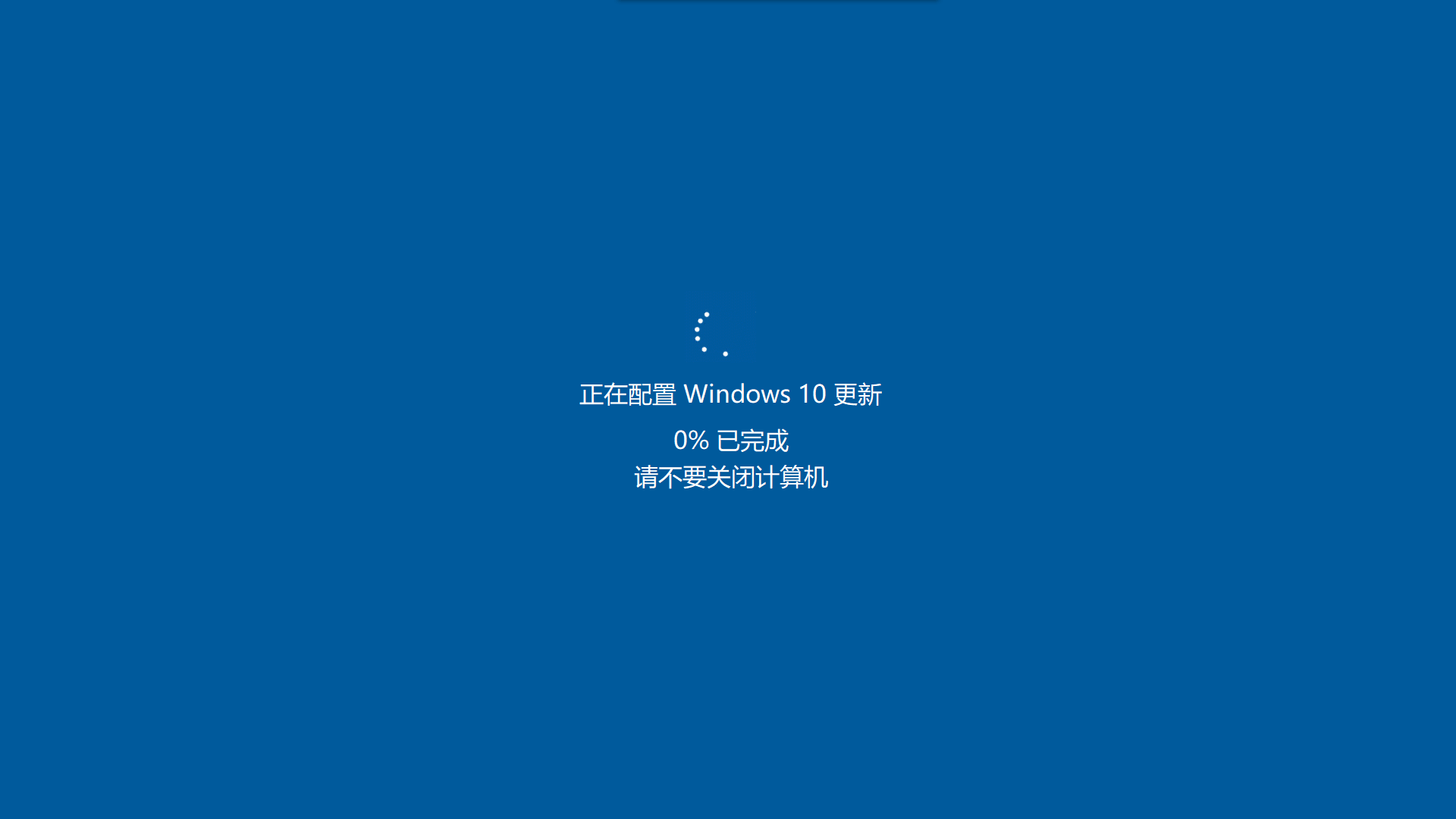
前几天见到微博里有人提到摸鱼APP,发现需要在windows store下载才可以使用,文件约157M左右的样子,自已没有登录微软Store的习惯。想想只有一个界面,没有必要这么大,于是,自已动手写了一个,300多K搞定,并且解决了原作者提到的多台显示器同时使用的话,需要关闭其它显示器,隐藏鼠标指针,文件过大等问题,花了业余时间搞了一下,发给朋友测试,直呼可以足以骗过老板,现发出来与大家分享。让你的老板以为你的电脑正在升级,任何事情都做不了。这个时间可以理直气壮的一边等待电脑升级一边喝咖啡:) 采用了习惯的到99%时一直“卡住”,这样你可以摸一天的鱼都没有问题,也不会漏出马脚。先放一个运行的效果图和程序ICON,(年轻人,还是要工作第一,偶尔摸一下鱼还是可以的嘛),重点在多显示器同步显示和多窗口的传值及动画和百分比的同步展示,源代码公开,内有注解。欢迎留言交流学习。
摸鱼MoFish(要想退出按键盘ESC)
先睹为快,体验编译好的EXE 下载地址:https://file6.mydrivers.com/soft/mofish.exe
效果图如下:

代码如下:
//入口代码
using System;
using System.Collections.Generic;
using System.ComponentModel;
using System.Data;
using System.Drawing;
using System.Linq;
using System.Text;
using System.Threading;
using System.Threading.Tasks;
using System.Windows.Forms;

namespace MoFish
{
    public partial class MainFrm : Form
    {
        #region 事件
        public event EventHandler SendMsgEvent;
        public event EventHandler SendMsgEvent1;
        #endregion


        int i = 1;

        public MainFrm()
        {
            InitializeComponent();
            //防止休眠
            Helper.SleepCtr(true);
            //不显示鼠标的光标
            Helper.ShowCursor(false);
        }


        private void MainFrm_Load(object sender, EventArgs e)
        {
            //多个屏幕同步显示,家里有矿的,10个显示器可以同步摸鱼:)
            Screen[] screen = Screen.AllScreens;
            for (int i = 0; i < Screen.AllScreens.Length; i++)
            {
                ShowUpdate form = new ShowUpdate();

                SendMsgEvent += form.MainFormTxtChaned;   //自定义事件
                SendMsgEvent1 += form.MainFormTxtChaned1;

                form.StartPosition = FormStartPosition.CenterScreen;
                Screen s = Screen.AllScreens[i];
                form.Location = new System.Drawing.Point(s.Bounds.X, s.Bounds.Y);
                form.WindowState = FormWindowState.Maximized;
                form.Size = new Size(s.WorkingArea.Width, s.WorkingArea.Height);

                form.Show();
                form.BringToFront();
            }

            //使动画同步
            SendMsgEvent1(this, new MyEventArg() { StartAnimation = true });

            //更新Timer1
            delay(5000);
            timer1_Tick(null, null);

            timer1.Enabled = true;
        }


        void delay(int time_ms)
        {
            DateTime last = DateTime.Now;
            do
            {
                Application.DoEvents();
                Thread.Sleep(10);
                if (this.IsDisposed)
                {
                    break;
                }
            } while ((DateTime.Now - last).TotalMilliseconds < time_ms);
        }


        private void timer1_Tick(object sender, EventArgs e)
        {

            if (i <= 99)
            {

                SendMsgEvent(this, new MyEventArg() { Text = i.ToString() });   //百分比同步
                i++;
            }
            else
            {
                i = 99;
            }
        }

        public delegate void setTextValue(string textValue);
        public delegate void setBeginAnimation(bool bBegin);

        private void MainFrm_KeyDown(object sender, KeyEventArgs e)
        {
            if (e.KeyCode == Keys.Escape)
            {
                Application.Exit();
            }
        }
    }
}
//函数代码
using Microsoft.Win32;
using System;
using System.Collections.Generic;
using System.Diagnostics;
using System.IO;
using System.Linq;
using System.Net;
using System.Runtime.InteropServices;
using System.Text;
using System.Threading.Tasks;

namespace MoFish
{

    class Helper
    {
        //定义API函数
        [DllImport("kernel32.dll")]
        static extern uint SetThreadExecutionState(uint esFlags);
        const uint ES_SYSTEM_REQUIRED = 0x00000001;
        const uint ES_DISPLAY_REQUIRED = 0x00000002;
        const uint ES_CONTINUOUS = 0x80000000;


        [DllImport("user32", EntryPoint = "ShowCursor")]
        public extern static bool ShowCursor(bool show);


        //多屏幕复制
        private const uint SDC_APPLY = 0x00000080;

        private const uint SDC_TOPOLOGY_INTERNAL = 0x00000001;

        private const uint SDC_TOPOLOGY_CLONE = 0x00000002;

        private const uint SDC_TOPOLOGY_EXTERNAL = 0x00000008;

        private const uint SDC_TOPOLOGY_EXTEND = 0x00000004;

        [DllImport("user32.dll", CharSet = CharSet.Unicode)]

        private static extern long SetDisplayConfig(uint numPathArrayElements, IntPtr pathArray, uint numModeArrayElements, IntPtr modeArray, uint flags);


        public static void SleepCtr(bool sleepOrNot)
        {
            if (sleepOrNot)
            {
                SetThreadExecutionState(ES_CONTINUOUS | ES_DISPLAY_REQUIRED | ES_SYSTEM_REQUIRED);
            }
            else
            {
                SetThreadExecutionState(ES_CONTINUOUS);
            }
        }

    }
}
//显示界面部分的代码
using System;
using System.Collections.Generic;
using System.ComponentModel;
using System.Data;
using System.Drawing;
using System.Linq;
using System.Runtime.InteropServices;
using System.Text;
using System.Threading.Tasks;
using System.Windows.Forms;
using static MoFish.MainFrm;

namespace MoFish
{
    public partial class ShowUpdate : Form
    {


        int i = 0;
        public ShowUpdate()
        {
            InitializeComponent();
        }

        private void Form1_Load(object sender, EventArgs e)
        {
            //解决居中的问题
            picBoxLoading.Left = (this.ClientSize.Width - picBoxLoading.Width) / 2;

            label1.Left = (this.ClientSize.Width - label1.Width) / 2;
            label2.Left = (this.ClientSize.Width - label2.Width) / 2;
            label3.Left = (this.ClientSize.Width - label3.Width) / 2;

        }


        public void SetText(string txt)
        {
            //this.txtMsg.Text = txt;
            label2.Text = $"{txt}% 已完成";
        }

        internal void MainFormTxtChaned(object sender, EventArgs e)
        {
            //取到主窗体的传来的文本
            MyEventArg arg = e as MyEventArg;
            this.SetText(arg.Text);
        }


        internal void MainFormTxtChaned1(object sender, EventArgs e)
        {
            //取到主窗体的传来的文本
            MyEventArg arg = e as MyEventArg;
            //this.SetText(arg.Text);

            if (arg.StartAnimation == true)
                picBoxLoading.Enabled = true;
        }


        private void Form1_FormClosing(object sender, FormClosingEventArgs e)
        {
            Helper.SleepCtr(false);
        }


        private void Form1_KeyDown(object sender, KeyEventArgs e)
        {
            if (e.KeyCode == Keys.Escape || e.KeyCode == (Keys.Control & Keys.Q))
            {
                Application.Exit();
            }
        }
    }
}
此内容由惯性聚合(RSS阅读器)自动聚合整理,仅供阅读参考。 原文来自 — 版权归原作者所有。