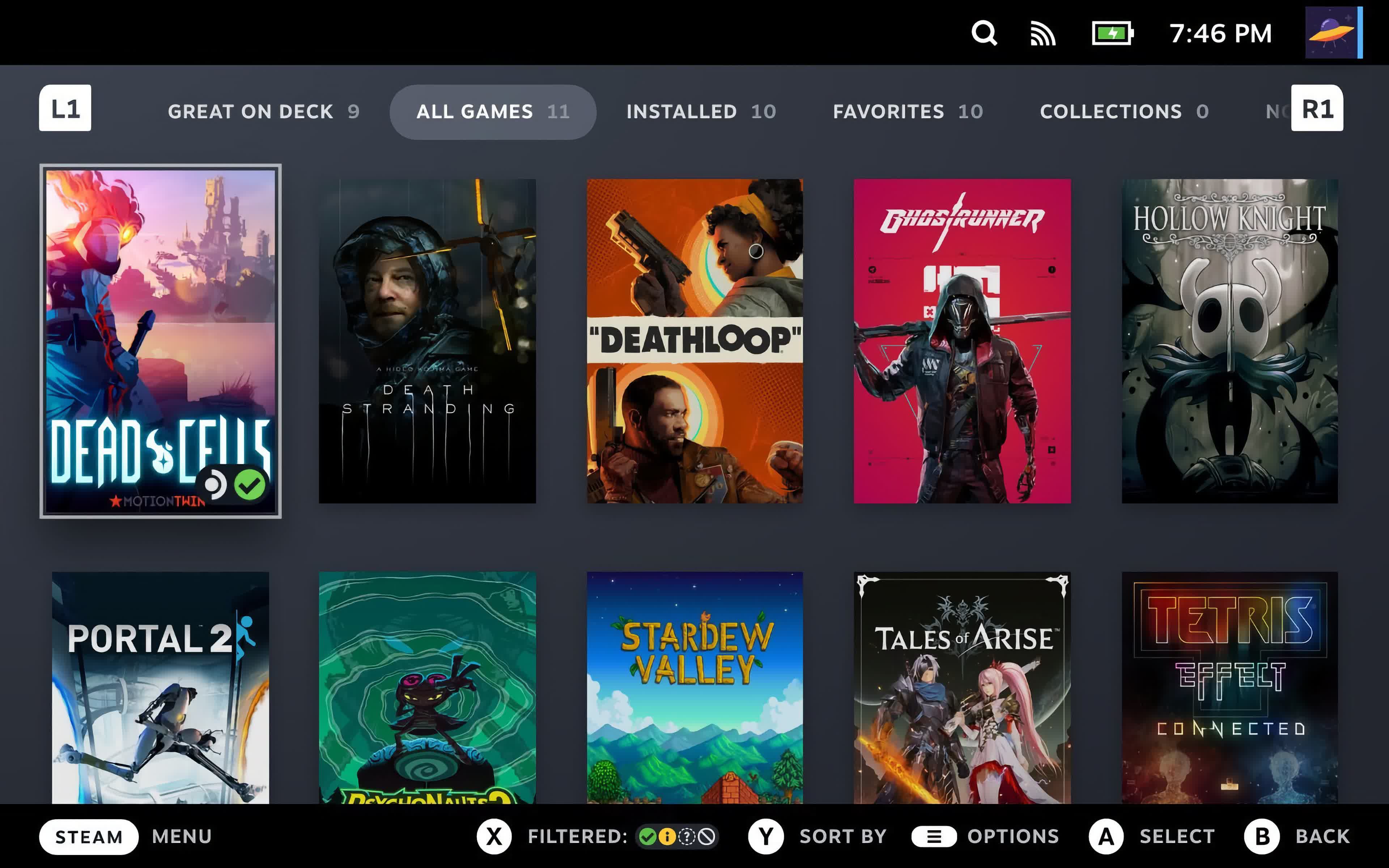
SteamOS is Valve's Linux-based operating system. It features a seamless user experience that's optimized for gaming, while retaining access to the power and flexibility of a PC.
SteamOS plays tens of thousands of games on Steam, and we are constantly testing the Steam catalog for SteamOS compatibility. It's an open Linux platform that leaves you in full control, and you can install new software or content as you wish.
Is SteamOS open source?
SteamOS is an Arch Linux-based Linux distribution, and all of the base operating system components are open source. SteamOS ships with the Steam client, which is proprietary software, in addition to some proprietary third party drivers.
Can you install SteamOS on any device?
SteamOS can be installed on some unsupported PCs and handhelds, but Valve currently expects most users to get it preinstalled on a Steam Deck or another device that is officially supported. Right now, that list is limited to the Steam Deck and Legion Go S, though Valve is working to broaden support. If you want to experiment installing SteamOS on your PC (AMD-based only recommended), we have a guide for that here.
Can SteamOS only play Steam games?
No, gamers can install other game launchers and software as they wish using the Linux-based OS. Go to desktop mode and go for it.
Features
SteamOS provides access to the full Steam ecosystem: your Steam Library, Steam Cloud, Steam Chat, Steam Game Recording, and more. The user interface is optimized for controller use, and offers features like quick suspend / resume to get you quickly in and out of games. Best of all, you don't have to worry about driver updates and hardware tweaks - all of this is handled seamlessly through built in system updates.
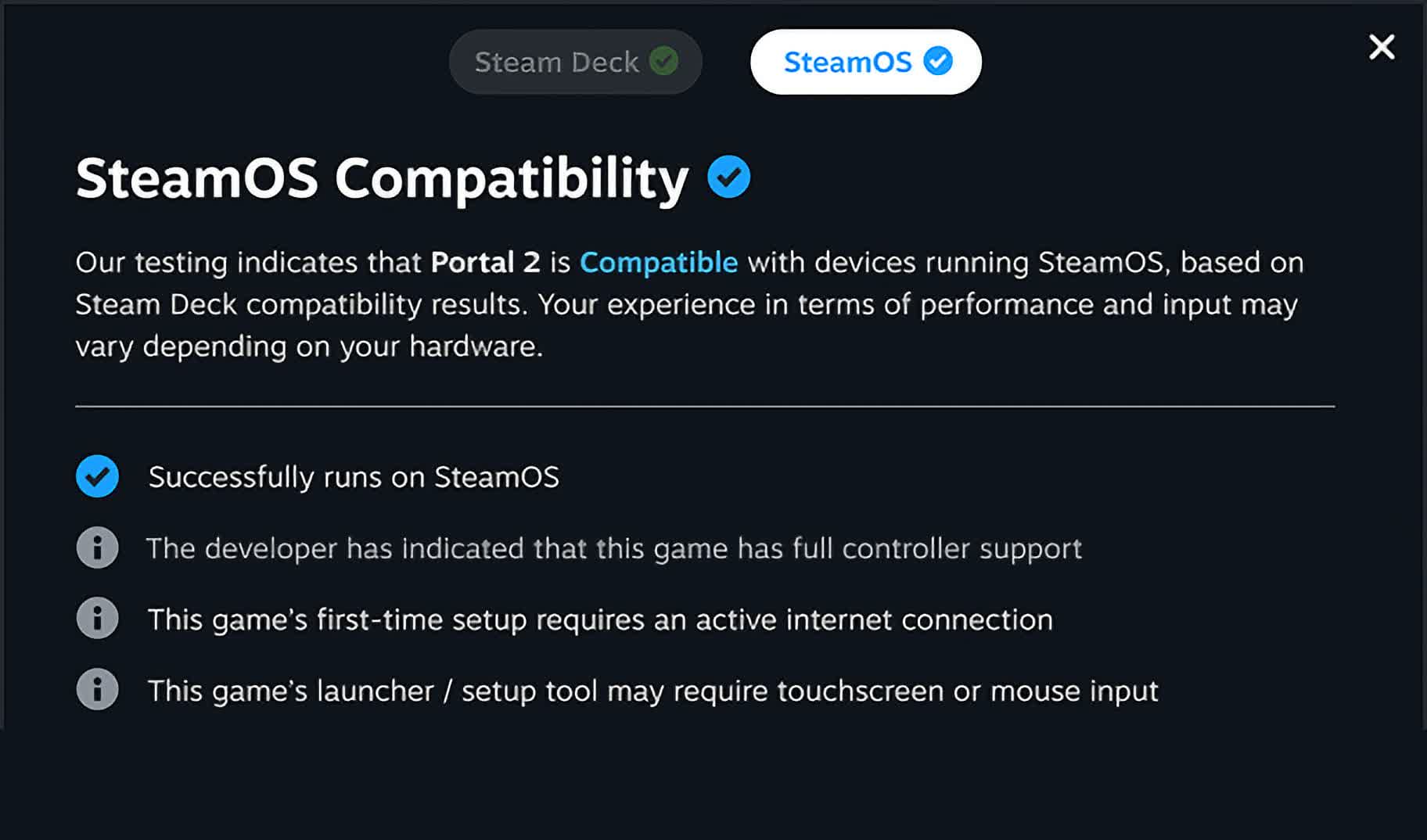
SteamOS is Linux-based, and the vast majority of the Steam library runs on SteamOS, thanks to the Proton compatibility layer Valve ships (over 18,000 titles last we checked). This allows developers to ship games for Windows without worrying about porting to Linux, and games will seamlessly work on SteamOS. When a game doesn't run well on SteamOS, we call it out with our Verified program so customers know what will and won't work well.
How to install SteamOS on a PC
SteamOS is no longer just for the Steam Deck, but installing it on a regular PC is still an experimental process. Valve's official support remains focused on its own hardware and approved SteamOS devices, so expect some trial and error depending on your motherboard, GPU, storage, and peripherals.
This guide is intended for AMD-based systems or compatible handheld PCs. Nvidia GPUs are not recommended for this setup. If you are using Nvidia hardware, Bazzite or Nobara will usually be a better option. Credit: This guide is based on a Reddit post by u/ProfessionHonest3193 on r/SteamOS, with additional notes and context for PC users.
Before you begin - a few important warnings:
The installer will wipe the target drive. Back up anything important before continuing.
Secure Boot must be disabled in your BIOS.
Install SteamOS to an NVMe drive.
Official dual-boot support is not available. Advanced users may be able to multi-boot from separate drives, but the cleanest method is to install SteamOS on its own drive.
You will need a USB flash drive, keyboard, mouse, and an internet connection.
Use a USB drive with at least 16GB of capacity.
What you need
A compatible AMD PC or handheld
An NVMe SSD dedicated to SteamOS
A 16GB or larger USB flash drive
The latest SteamOS recovery image
A flashing tool such as Balena Etcher or Rufus
For most users, start with the SteamOS image provided on TechSpot's SteamOS download page. Users with newer AMD GPUs, especially RDNA 4 hardware, should make sure they are using a recent SteamOS 3.8 or newer recovery image, also available in the mirror list here, as older images may lack the Mesa driver updates needed for newer graphics cards.
Create the SteamOS installer
Download the SteamOS recovery image.
Insert your USB flash drive.
Open Balena Etcher or Rufus, select the extracted SteamOS .img file.
Choose your USB drive as the target and flash the image and wait for the process to finish.
The image may look small when downloaded, but it expands when written to the USB drive, which is why a 16GB flash drive is recommended.
Prepare your PC
Shut down the PC.
Enter the BIOS or UEFI setup. This is usually done by pressing Delete, F2, F10, F11, or F12 during startup, depending on the motherboard.
Disable Secure Boot.
Make sure the NVMe drive you want to use for SteamOS is installed. If possible, disconnect other internal drives to avoid wiping the wrong one.
Save your BIOS changes.
Boot from the SteamOS USB drive.
If the USB installer starts correctly, you should see Linux boot text before the system loads into a KDE desktop environment.
Install SteamOS
Once the SteamOS recovery environment loads:
Select the option to wipe the drive and install SteamOS.
Confirm that you want to erase the target drive.
Wait for the installer to finish.
When prompted, reboot the system.
Remove the USB drive before the system restarts.
After rebooting, SteamOS should launch into its first-time setup flow. Connect to Wi-Fi or Ethernet, sign into Steam, and let the system apply any available updates.
After installation
Once SteamOS is installed, check for updates immediately.
Open Steam > Settings > System > Install any available SteamOS updates.
If you installed an older recovery image, updating is especially important because newer SteamOS builds include better support for recent AMD and Intel platforms, discrete GPUs, handheld controls, display rotation, VRR, HDR, and external displays.
Troubleshooting tips
If the installer does not boot, recheck that Secure Boot is disabled and try another USB port. Some systems are picky about front-panel USB ports, hubs, or USB-C adapters.
If SteamOS installs but does not boot, check your BIOS boot order and make sure the NVMe drive is selected. On some systems, recent SteamOS builds include fixes for UEFI chainloader issues, so using a newer recovery image can help.
If you want to keep Windows, the safest approach is to install Windows and SteamOS on separate drives, with only the target drive connected during each OS installation. Then use your motherboard's boot menu to choose which drive to start from. This is not the same as officially supported dual-boot, but it avoids some of the partitioning risks.
How to install SteamOS on Steam Deck
The following instructions are for how to recover, repair, or re-image your Steam Deck or other SteamOS device using the SteamOS image. This method will clear all data on the device and then install SteamOS.
Download the recovery image on this page.
Prepare a USB key (8GB minimum) with the recovery image:
On Windows we recommend using the Rufus utility. Select the recovery file and write it to your USB drive (this will format the contents of your USB drive). When it's done, select 'Close' and eject the drive.
On MacOS you can use Balena Etcher to write the recovery file to your USB drive.
On Linux you can also use Balena Etcher to write the recovery file to your USB drive – or if you prefer you can do this directly from the command line: bzcat steamdeck-recovery-4.img.bz2 | sudo dd if=/dev/stdin of=/dev/sdX oflag=sync status=progress bs=128M
(set /dev/sdX to the USB device you inserted)
Shut down your Steam Deck or other SteamOS device if it isn't already off. On a Steam Deck, hold 'Volume Up' and click the Power Button – when you hear the chime, let go of the Volume Up button, and you'll be booted into the Boot Menu. Use the dpad and A button to select the Boot Manager. On other SteamOS devices, follow the instructions for your specific device to get to the Boot menu.
Use a USB-C adapter or hub to plug the boot disk in.
In the Boot Manager, boot from the 'EFI USB Device' (your USB key).
The screen will go dark while it's booting – give it a minute.
Once booted you will be in a desktop environment, you can navigate using trackpad and trigger, touchscreen, or mouse.
Recovery options via Image
In the recovery environment, there are four different options to choose from.
Re-image Device - This performs a full factory reset - all user info, installed games, applications, or operating systems will be wiped and replaced with stock SteamOS.
Repair SteamOS - This will reinstall SteamOS on the Steam Deck or other device, while attempting to preserve your games and personal content.
Recovery tools - This opens a prompt with the ability to make changes to the device's boot partition.
Legion Go / Legion Go S (Windows) - Secure Boot Settings
Power down completely
Hold volume + button, press power button – keep holding volume button
In the 'Novo Button Menu' pick bios setup (may have to use touch screen)
SteamOS 3.8.10 has just been released for all users with the following changes:
These notes contain all changes since the previous SteamOS 3.7 stable release. See here for changes since the previous SteamOS 3.8.9 beta release.
General
Updated Arch system base
Initial support for upcoming Steam Machine hardware
Added support for waking from sleep via connected Steam Controller
Substantially improved speed of future OS updates on high-speed connections
Improved support for screen casting in Game Mode (e.g. OBS/Discord)
Fixed dropdown menus not appearing in some games
Fixed excessive trackpad sensitivity on certain early Steam Deck LCD models
Improved support for games that attempt to open PDF files in external viewers
Fixed an issue where video output could become frozen while using Remote Play
Fixed a possible session crash when using Game Recording with certain "Maximum video height" settings
Fixed an issue affecting certain titles (such as "SpongeBob SquarePants: Titans of the Tide") where the game window could have an incorrect position
Fixed closing certain titles (such as "STAR WARS Jedi: Survivor™" and Starfield) resulting in a session crash
Improved support for certain USB racing wheels and USB devices that boot in a non-standard mode
Frequently these are devices that appear as USB storage devices with a driver installer, and must be switched to their normal mode by the OS
Steam Deck controller firmware updates now display update progress on the splash screen
Fixes issue on specific Steam Deck revisions where firmware updates could render the left controller inoperative for that session
Numerous stability and security updates
Display / Performance
Updated graphics driver with performance and stability fixes
Added preliminary support for HDMI VRR for devices with native HDMI output
Fixed an issue where "Allow Tearing" wouldn't have the intended effect in certain configurations
Improved VRR frame pacing
Fixed FSR badge remaining off in the performance overlay, even if it was actually active
Fixed a case where per-app performance settings would intermittently fail to apply when launching a game
Added missing graphics features needed for titles such as "Crimson Desert"
Fixed an issue on certain TCL TVs where the display may remain blank using the Steam Deck Dock when VRR is enabled (requires a Dock firmware update)
Bluetooth / WiFi
Fixed a case where WiFi performance could become degraded until the device was put to sleep or manually reconnected
Re-re-enable Bluetooth Wake for Steam Deck LCD
Fix for more spurious wake issues that were present in earlier attempts
Audio
Detect HDMI channel count and expose surround configuration if available
Add a setting to allow using Bluetooth headset mics (Bluetooth playback quality will be worse while capture is active)
Restore internal audio device on reboot if set to "Off" in desktop mode
Increase suspend timeout for HDMI devices so initial audio isn't cut off after a few seconds of inactivity
Fixed a bug with switching input devices when a wired headset is plugged in
Fixed an issue where audio underruns could be experienced after sleep/resume
Fixed a bug on Steam Deck OLED where rebooting would occasionally cause a loss of speaker output until rebooted again
Fixed a case where FPS limits would fail to apply when downscaling games from a higher resolution
Accessibility
Added an option to force mono audio output
Desktop Mode
KDE Plasma updated to version 6.4.3 from 6.2.5, and now uses wayland by default
Fixes several cases of reduced performance in Desktop Mode compared to Game Mode
Improved support for rotated displays
Better scale factor out of the box on TVs
Adds support for external HDR displays
Adds support for VRR displays
Adds support per-display scale factor
For more information, see Plasma release announcements
https://kde.org/announcements/plasma/6/6.3.0/
https://kde.org/announcements/plasma/6/6.4.0/
Keyboard layout and language are now obeying Game Mode settings
Improved windowing behavior for games running in Proton
Fixed a bug in Desktop Mode causing previously open applications to not be remembered when using the 'Return to Gaming Mode' shortcut to logout
Fixes for experimental nested desktop mode
Fixed Desktop Mode night color settings inappropriately remaining active when switching back to Game Mode
System Firmware
Includes Steam Deck LCD BIOS v133
Security updates
Added "Memory Power Down" setup option
Preliminary support for hibernation
Includes Steam Deck OLED BIOS v114
Security updates
Charging LED now changes color when charge limit is reached, rather than only at 100%
Non-Deck
Improved compatibility with recent Intel and AMD platforms
Greatly improved video memory management on discrete GPU platforms
Fixed a compatibility issue with the SteamOS chainloader that could cause a boot failure on some desktop systems with recent UEFI firmware
Power button short and long presses now supported across a wide variety of devices
Improved controller support for OneXPlayer F1 series, GPD Win 5, GPD Win Mini, Anbernic Win600, OrangePi NEO, and Lenovo Legion Go
Added controller support for OneXPlayer X1 series and Lenovo Legion Go 2
Added system and controller firmware update support for the Lenovo Legion Go 2
Added preliminary charge limiting support for Legion Go, Legion Go S, and Legion Go 2 - currently only accessible in Desktop Mode
Added controller RGB LED color settings for the Lenovo Legion Go 2
Added controller, TDP control, and speaker audio support for the ASUS ROG Xbox Ally series
Reduced handheld controller input latency from 5-8ms to 100-500us
Night mode, color vibrance, and color temperature sliders in Steam now work on Z2E and later AMD APUs
Seamless boot fixes for Z2E and later AMD APUs
Automatically handle internally rotated display for some third-party handhelds
Improved motion control support for handhelds with BMI260 IMUs
SD card reliability improvements for some third-party handhelds, including ASUS ROG Xbox Ally, Legion Go 1, Legion Go S, Legion Go 2, and MSI Claw
Fixed washed out colors for Zotac and OneXPlayer handhelds with OLED
Fixed some GPU hangs on Phoenix APU devices (Tales of Arise, Octopath Traveler II)
Fixed ASUS ROG Ally power consumption from fingerprint reader while shut down
Fixed trackpad losing functionality after sleep/resume on the Legion Go
Fixed spurious wake-ups when using a Logitech Bolt receiver
Add controller support for MSI Claw devices (A1M, 7 AI+ A2VM, 8 AI+ A2VM, A8 BZ2EM)
Add controller support for OneXPlayer APEX and X1 series.
Improved gyro response for devices that use AccelGyro3D (Legion Go 1, Claw A1M)
Fixed a system crash on international Asus ROG Xbox Ally models
Fix Bluetooth not working on some Intel handhelds
Add initial firmware for upcoming Intel handhelds
Developer
Desktop Mode now uses Wayland by default
X11 support may still be selected via Steam developer settings, or via 'steamosctl'
Updated Linux kernel to 6.16
Steam now uses steamos-manager to query available desktop sessions and trigger desktop session switching
Added support for setting the desktop password in developer settings
Initial support for running as a Virtual Machine guest (virtio guest drivers)
Added support for third-party devices to trigger the SteamOS boot menu via EFI variable
Added 'custom-update' verb to 'atomupd-manager' for easier testing of specific builds
System reports now include more audio debug information
Initial support for LAVD CPU scheduler via 'steamosctl set-cpu-scheduler lavd'
TechSpot means tech analysis and advice you can trust.
Last updated:
Recent SteamOS news
Don't like the overpriced Steam Machine? Just build your own and put SteamOS in it
The living room gaming PC is finally here. Whether it's worth the price is a harder question
HDR, VRR, multi-monitor support, and better discrete GPU performance
SteamOS is featured in...
Valve's PC gaming handheld has kept gaining momentum... one year later, let's take a look at the impact it's had on the gaming market
Software similar to SteamOS 6
Arch Linux is an independently developed, i686/x86-64 general purpose GNU/Linux distribution versatile enough to suit any role. TechSpot is the fastest mirror for Arch Linux.
Freeware
Linux
Bazzite makes gaming and everyday use smoother and simpler across desktop PCs, handhelds, tablets, and home theater PCs.