


Gamers were excited to become James Bond and go on a globetrotting adventure in 007 First Light. However, players are currently posting online that 007 First Light is repeatedly crashing, preventing them from enjoying the game. So, if you are also facing the 007 First Light crashing issues, check out the possible fixes for the error here.
Currently, it seems like the root cause of the 007 First Light crash is that the game is automatically utilizing the iGPU instead of your dedicated GPU. So, here are some possible fixes that allow the game to run on your preferred GPU:
According to Venture2099’s Steam Community post, the best fix for the 007 First Light crash is to switch to the High Performance Mode in graphics settings. By doing this, the game will only run on your dedicated GPU. So, here is how to enable the High Performance Mode on your PC step-by-step:
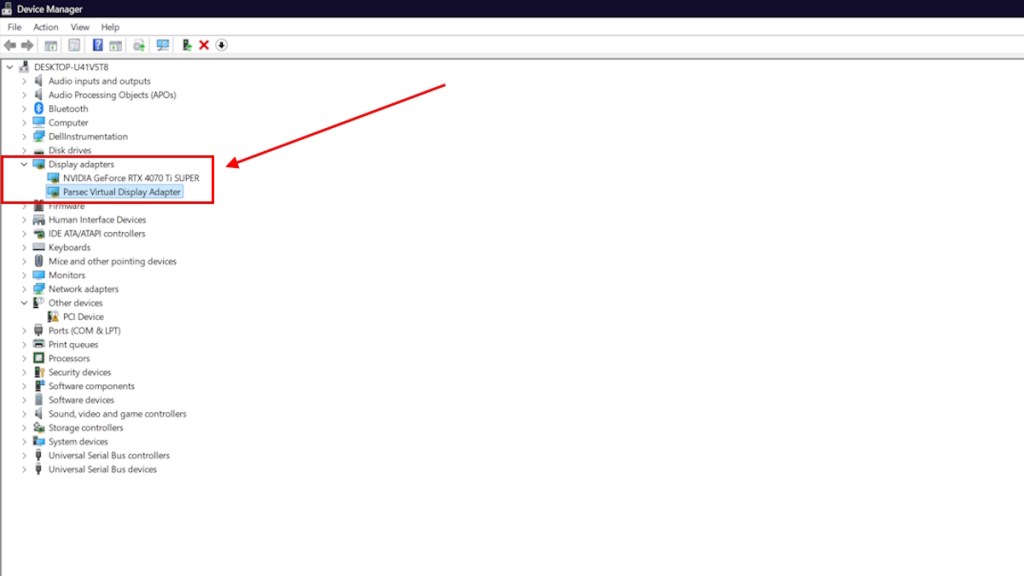
In case the game still crashes even after enabling the High Performance Mode, you can try disabling your iGPU manually to let the game run on your dedicated GPU to avoid 007 First Light crashing. Here is how you can disable the iGPU:
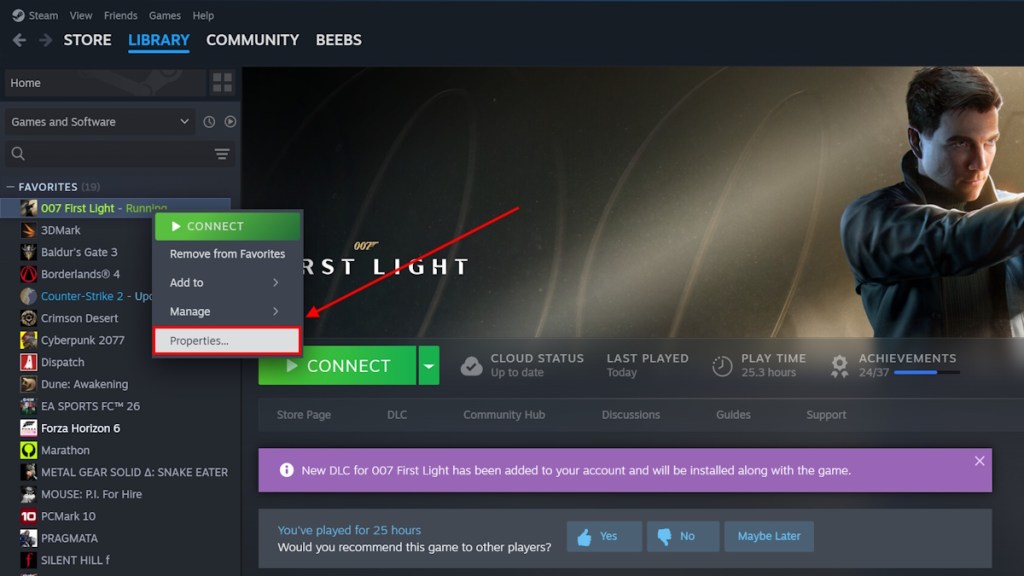
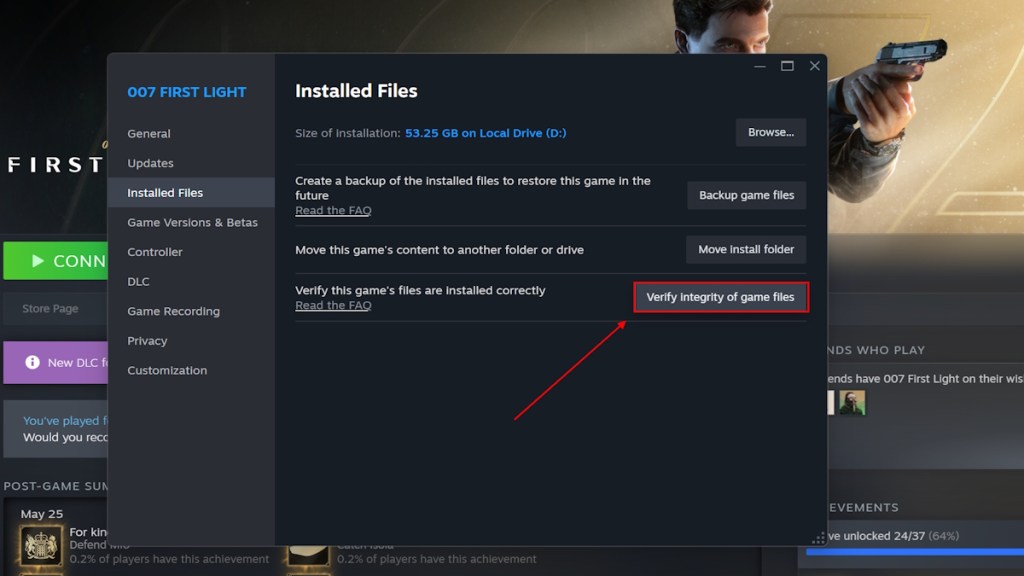
If disabling your iGPU didn’t do the trick, then you can try verifying the integrity of game files on Steam. Here is how to do it:
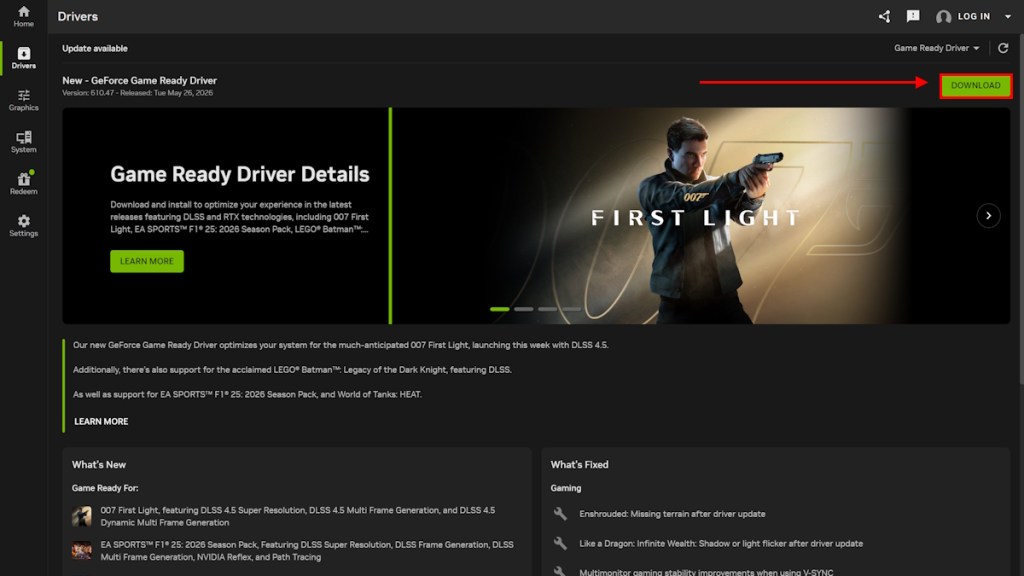
Lastly, you can try updating to the latest NVIDIA drivers to fix the 007 First Light crashing error. NVIDIA has already released a game-ready driver. Here is how to download and update the latest GeForce Game Ready driver for 007 First Light:
And that’s a wrap on the 007 First Light crash fix guide. We hope the solutions we provided here helped you prevent the crash. If not, the only option is to wait for IO Interactive to roll out a patch soon, which will fix the crashing. That said, if one of our methods worked, let us know in the comments below.
Related Articles
此内容由惯性聚合(RSS阅读器)自动聚合整理,仅供阅读参考。 原文来自 — 版权归原作者所有。