





惯性聚合 高效追踪和阅读你感兴趣的博客、新闻、科技资讯
阅读原文 在惯性聚合中打开

推荐订阅源

B
Blog RSS Feed
Jina AI
Jina AI
雷峰网
雷峰网
Blog — PlanetScale
Blog — PlanetScale
Hugging Face - Blog
Hugging Face - Blog
奇客Solidot–传递最新科技情报
奇客Solidot–传递最新科技情报
Last Week in AI
Last Week in AI
博客园 - 司徒正美
罗磊的独立博客
J
Java Code Geeks
Engineering at Meta
Engineering at Meta
WordPress大学
WordPress大学
Vercel News
Vercel News
A
About on SuperTechFans
I
InfoQ
D
DataBreaches.Net
爱范儿
爱范儿
freeCodeCamp Programming Tutorials: Python, JavaScript, Git & More
U
Unit 42
aimingoo的专栏
aimingoo的专栏
宝玉的分享
宝玉的分享
P
Proofpoint News Feed
Microsoft Azure Blog
美团技术团队

Beebom

Fortnite Shattered Live Event Recap: Geno Returns as Epic Pulls Off Biggest Plot Twist Yet Stellar Blade Blood Rain Brings New Protagonist in an Action-Fueled Spiritual Sequel Final Fantasy 7 Revelation Announced, Final Conclusion Set For Spring 2027 The Wolf Among Us 2 Announced, Telltale Returns With Iconic Gameplay Dumpling Squishy Race Codes (June 2026) Anime League Codes (June 2026): How to Get Free Shards How to Get GOALS Skin in Fortnite for Free “You Must Have Exclusive Content,” Xbox CEO Signals Exclusives Are Still Critical to the Platform’s Future Fake Minecraft Mod Malware Infects Over 116,000 Players, Raising Alarms Across the Community When Does Fortnite Chapter 7 Season 3 Begin? Countdown Timer FIFA’s Latest Rival to EAFC Is a Free Netflix Game You Play With Your Phone Onimusha Way of the Sword Demo Felt Too Safe but Its Combat Is the Real Deal Why the Future of Ads and Product Placement Belongs to Video Games GOALS Kicks Off Its Free-to-Play Launch With KSI as a Playable Character Fortnite Shattered Live Event Countdown: How to Join, Start Time and Countdown Timer Elden Ring Tarnished Edition Release Date Announced on Switch 2 with Additional DLC Pack Control Resonant Makes Early Access Exclusive to PS5, Leaves PC and Xbox Users in the Dust Survive the Backrooms Codes (June 2026) Valorant Masters London 2026: All Teams, Schedule, Prize, and More Build a Ring Farm Seeds Tier List (June 2026) Summer Game Fest 2026 Countdown Timer and How to Watch Fortnite Dev Teases Massive Reload Mode Changes Coming to Chapter 7 Season 3 Upcoming Fortnite Battle Bus Feature Will Make Hot Drops Easier Than Ever Before Control Resonant System Requirements (Minimum and Recommended) Nintendo Switch 2 Is Bringing Updated Models With Replaceable Batteries in the EU 8 Ball X Codes (June 2026) Fortnite Leak Reveals Brazilian Football Star Vinicius Jr Joining the Icon Series Soon GTA 6 HQ at Rockstar North Under Maximum Protection After YouTubers Attempt to Break-In Is Wolverine PS5 Open World? Answered NTE Lacrimosa Build: Team, Arc and Cartridge
Are Xbox Servers Down Right Now? Possible Reasons and Fixes
Pranav Maytray · 2026-05-29 · via Beebom

Sitting down for a gaming session on your Xbox console, only to run into server errors, is one of the most frustrating feelings ever. This usually leads all players to ask the same question: are Xbox servers down right now? Luckily, we have an answer for you right here, along with possible fixes for certain frustrating errors.
Xbox Boot Up Screen
Image Credit: Xbox

No, Xbox and all its related services are currently online and functioning properly. However, players on Xbox consoles have reported that they are facing problems with login and server connections. This also includes the Xbox 0x87dd000f error, which has grown to become a pain that many players run into when trying to log into Xbox servers.

You can also head to the official Xbox server status website to check if Microsoft has reported any outages or issues.

How to Fix Xbox 0x87dd000f Error

The Xbox 0x87dd000f error is one of the most common connection errors on Xbox consoles. The error means your Microsoft account sign-in failed due to a network connectivity issue. It usually triggers right after a server outage has ended, or when the handshake between your console and the Xbox servers fails.

That said, here are the possible fixes you can try to get rid of the Xbox 0x87dd000f error:

Restart your console

The age-old solution to any issue is to simply restart your console. It is important that you do not just put your console into sleep mode. You need to hold down the Xbox button on the front of the console until it shuts down completely. Then, you can unplug the power cable and plug it back in after 30 seconds. This step helps you clear the hardware cache, which might be hindering your console from establishing a firm connection.

Reboot your network hardware

Since the issue can also stem from your network not performing properly, you can also try unplugging your modem and router from their power outlets. You should then wait a while before plugging them back in. This allows your router to completely reboot and clear out clogged IP configurations, refreshing your route to Xbox servers in the process.

Remove and Re-add Your Profile

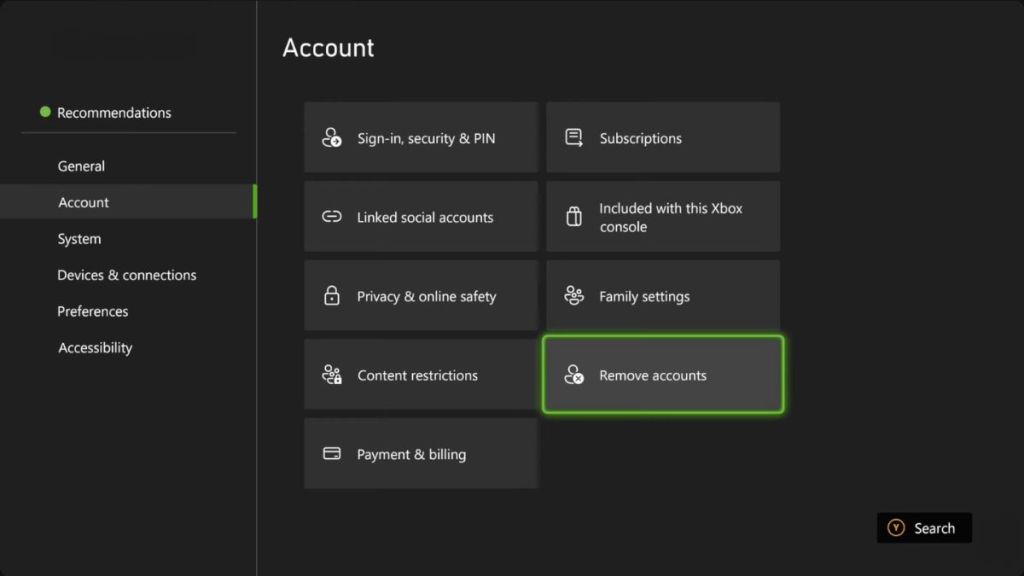
If the Xbox 0x87dd000f Error persists, it might be because your local save profile is temporarily glitched. Go to Settings > Account > Remove accounts and select your profile. Once the profile has been removed, you can restart the console, return to the account menu, and select Add new to re-download your cloud profile.
Xbox Remove Account
Image Credit: Xbox

Change Your DNS Servers

If your internet provider’s default DNS is slow, your console will have a hard time sending your login data to servers. To change your DNS settings, you can follow these steps:
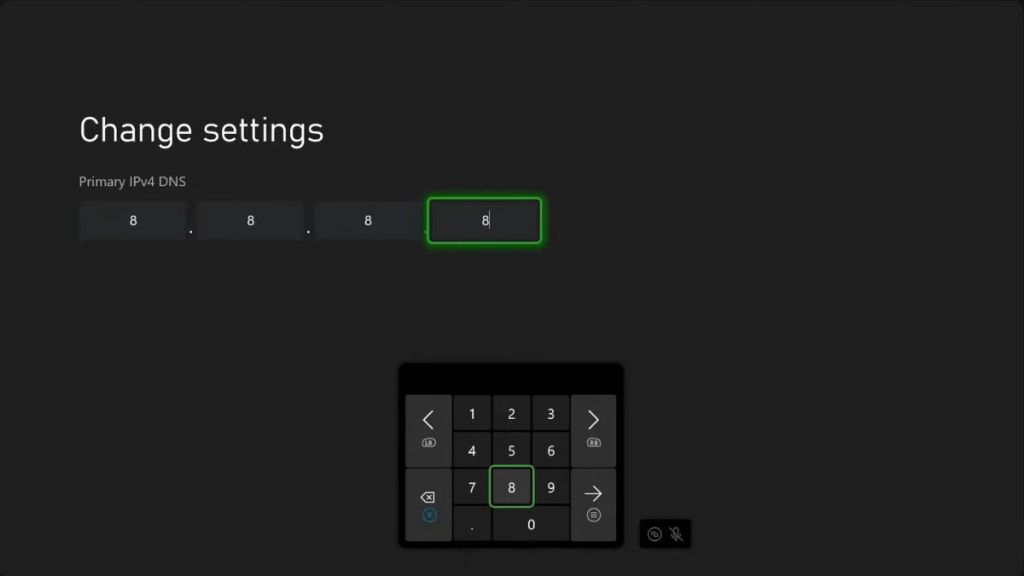
  • Go to Settings > General > Network settings > Advanced settings.
  • Select DNS settings and choose Manual.
  • Enter one of these public DNS options:
    • Google DNS: Primary 8.8.8.8 / Secondary 8.8.4.4
    • Cloudflare DNS: Primary 1.1.1.1 / Secondary 1.0.0.1
  • Save the settings, restart your console, and try logging in again.
Xbox DNS Settings
Image Credit: Xbox

Check for a System Update

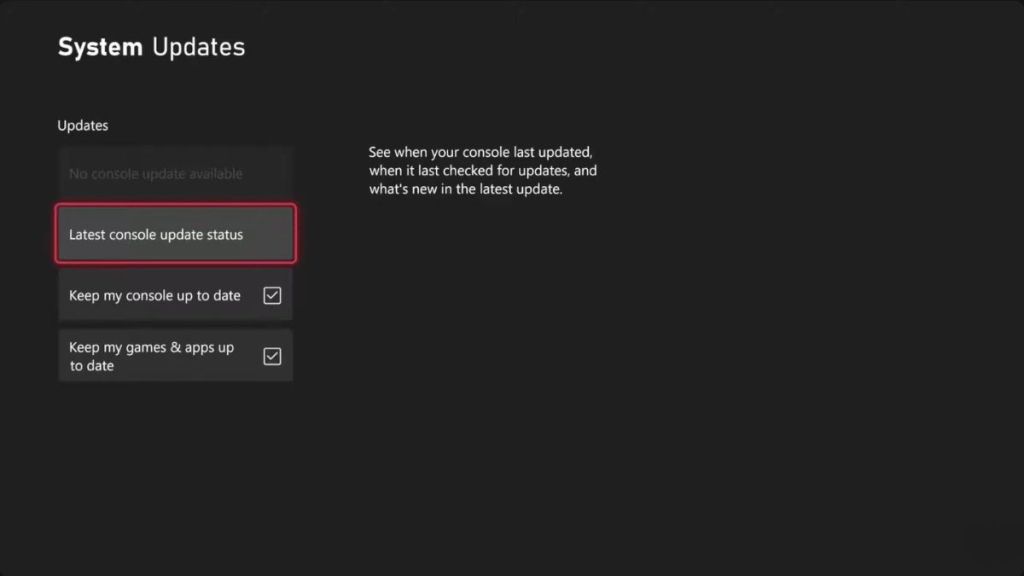
Finally, if your console was interrupted during a system update, it might throw the Xbox 0x87dd000f Error code while trying to connect to live services like Xbox Game Pass. To fix this, go to Settings > System > Updates, and check if an update is available or stuck halfway through. If it is, connect your console to a network and finish the download.
Xbox System Updates
Image Credit: Xbox

If you follow these steps, you should be able to fix the Xbox 0x87dd000f error. However, if the steps fail, it is advised that you wait for an official fix from Microsoft.

Have you been facing issues with your Xbox login lately? Did we miss a possible fix for the error? Tell us in the comments below!