


Moving databases from SQL Server 2005 to SQL Server 2000 is not impossible and can really be quite easy once you come to grips with the basics. Microsoft has made it very easy to move databases from 2000 to 2005 by using backup and restore built into the admin tools, but this is not backwards compatible and has caused some issues, to say the least. The content of this article owes a lot to the very talented Craig Murphy, who suggested using a publishing wizard for reverting 2005 databases to 2000 in a blog entry.
I am trying to write this for all levels, so please excuse the simplistic nature, as not everyone is as special as you.
The Database public wizard is intended for Developers to create databases with script or management GUIs, develop and change databases and then be able to script the finished database for inclusion to installation routines. This is an installation and separate program from your 2005 Server Management Studio, which can script and publish databases from 2005 to 2005 and well as 2000 databases.
The current download can be found here (this may well change as Microsoft does move and change pages). You need the .NET 2.0 Framework and Microsoft Feature Pack installed, as well. I didn't know if I had the Feature Pack, as I have the SQL 2005 Developer Edition and it installed fine without any Feature Pack.
You should be able to do this without my help.
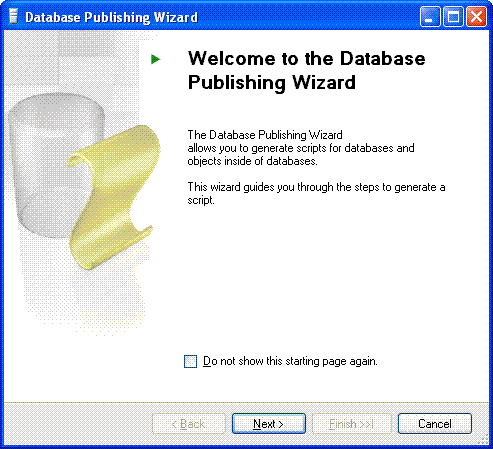
Start The Wizard (once you install it, it's also a separate program from SQL Management Studio).
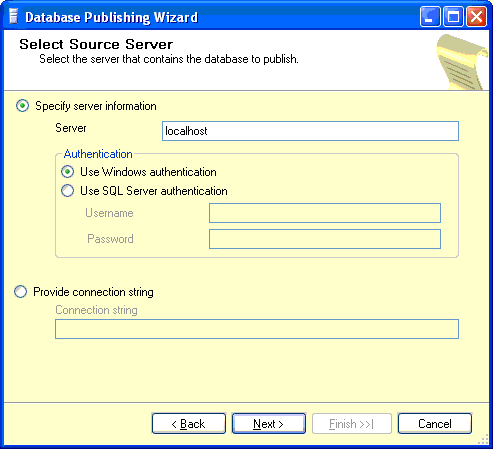
Select a Server and authentication details.
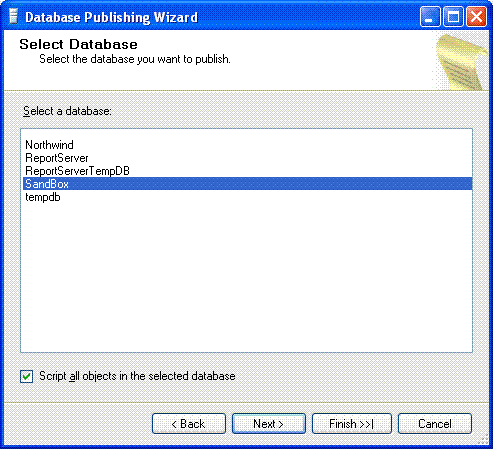
Select a Database.
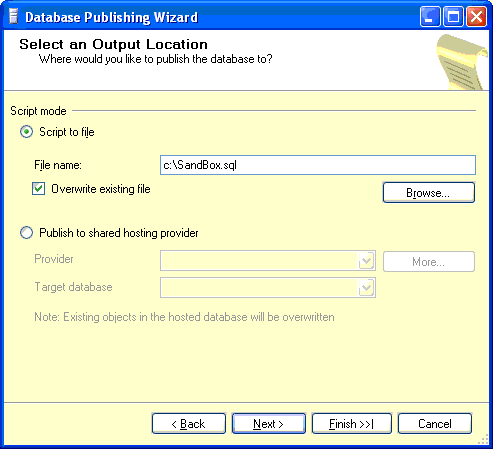
Select an Export File.
Set Requirements. Note that this extract will do Schema and Data for SQL Server 2000. If you have a large database, this could take a long time and produce a massive file.
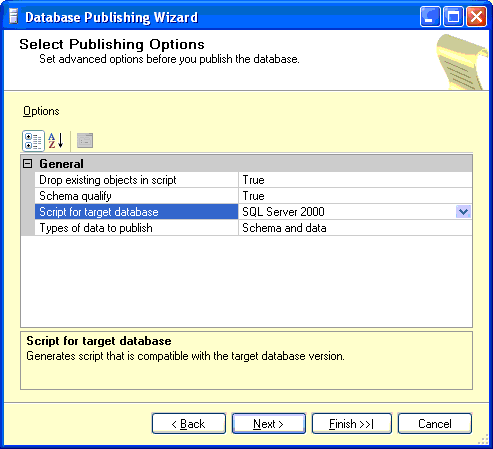
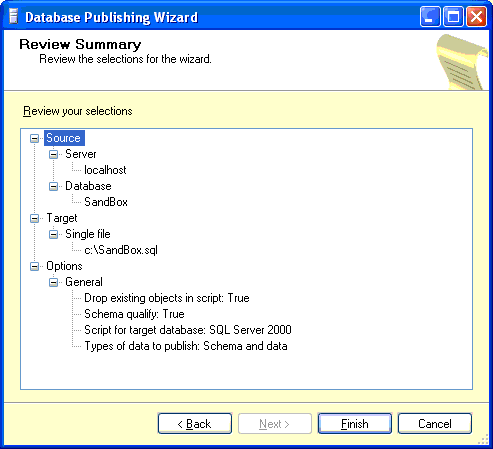
Review Summary:
Progress and Results:
With luck, you will see a success. If not, go back and review the selections. I've tried this with various live and not live databases with no issues.

So you now have a SQL file with your schema and data as describe above. If it is fairly small, then you can simply open it in a Query Analyzer (SQL 2000) or a Query Window in 2005 Management Studio and connect to your 2000 database. However, if your database is even slightly complex or you have a fair bit of data, the SQL script file will be too big and it just won't load. So you have to use a command line option. You should be able to do this without my help.
Warning: Running very large SQL scripts could take a while.
Below is using my SQL Server 2005 Developer Edition with sqlcmd to execute the file. This works fine with targeted SQL Server 2000 SP4.
 Collapse
 Copy Code
c:> sqlcmd -E -S my2000server -d mydatabase -i c:\sandbox.sql
    or
c:> sqlcmd -U sa -P password -S my2000server -d mydatabase -i c:\sandbox.sql
If you really want to use osql on your SQL 2000 box, then this should do it. No prizes for figuring out the command parameters are the same. There might be a performance advantage running it directly on the SQL 2000 box, but I've not looked into this.
Collapse Copy Code
c:> osql -E -S my2000server -d mydatabase -i c:\sandbox.sql
  or
c:> osql -U sa -P password -S my2000server -d mydatabase -i c:\sandbox.sql
Where -U is sqllogin, -P is password, -E is integrated authentication, -S is server name, -d is database name and -i is the SQL script file you created. If you get stuck with these command items, read the SQL server books online. Oh, please don't post saying I should never use SA for this sort of script; I may already know that.
1.0 Initial Release 06/09/2005
This article has no explicit license attached to it but may contain usage terms in the article text or the download files themselves. If in doubt please contact the author via the discussion board below.
A list of licenses authors might use can be found here
Currently developing Insurance systems with SQL Server, ASP.NET, C#, ADO for a company in Glasgow Scotland. Very keen on OOP and NUNIT testing. Been in IT forever (12+ years) in mix of development and supporting applications / servers. Worked for companies big and small and enjoyed both.
Developed in (newest first) : C#, Progress 4GL, ASP.NET, SQL TSQL, HTML, VB.NET, ASP, VB, VBscript, JavaScript, Oracle PSQL, perl, Access v1-2000, sybase/informi, Pic Controllers, 6502 (ask your dad).
MCAD ongoing
MCP C# ASP.NET Web Applications
MCP SQL Server 2000
HND Computing
OND / HNC Electrical Engineering,
| Occupation: | Software Developer (Senior) |
| Location: |  United Kingdom United Kingdom |
此内容由惯性聚合(RSS阅读器)自动聚合整理,仅供阅读参考。 原文来自 — 版权归原作者所有。