惯性聚合 高效追踪和阅读你感兴趣的博客、新闻、科技资讯
阅读原文 在惯性聚合中打开

推荐订阅源

Jina AI
Jina AI
V
Vulnerabilities – Threatpost
Security Latest
Security Latest
AI
AI
奇客Solidot–传递最新科技情报
奇客Solidot–传递最新科技情报
量子位
H
Help Net Security
Attack and Defense Labs
The GitHub Blog
The GitHub Blog
L
LINUX DO - 最新话题
A
Arctic Wolf
博客园_首页
S
Securelist
S
Secure Thoughts
Google DeepMind News
让小产品的独立变现更简单 - ezindie.com
T
Tailwind CSS Blog
Apple Machine Learning Research
酷 壳 – CoolShell
酷 壳 – CoolShell
Stack Overflow Blog
Stack Overflow Blog
N
Netflix TechBlog - Medium
Cyberwarzone
Cyberwarzone
小众软件
小众软件
T
Threatpost
Exploit-DB.com RSS Feed
Blog — PlanetScale
Blog — PlanetScale
N
News and Events Feed by Topic
NISL@THU
NISL@THU
Forbes - Security
Forbes - Security
博客园 - 聂微东
F
Fortinet All Blogs
Simon Willison's Weblog
H
Heimdal Security Blog
罗磊的独立博客
S
Security @ Cisco Blogs
B
Blog
T
Troy Hunt's Blog
Engineering at Meta
Engineering at Meta
cs.CL updates on arXiv.org
The Hacker News
The Hacker News
The Last Watchdog
The Last Watchdog
Hacker News - Newest:
Hacker News - Newest: "LLM"
I
Intezer
T
Threat Research - Cisco Blogs
C
Cybersecurity and Infrastructure Security Agency CISA
The Cloudflare Blog
S
Schneier on Security
月光博客
月光博客
L
LINUX DO - 热门话题
cs.CV updates on arXiv.org

博客园 - Francis Liang

Windows Azure存储容器私有,公共容器,公共Blob的区别 使用Windows Azure创建和发布ASP.NET应用程序 创建并使用Windows Azure虚拟机模板 Windows Azure 设置虚拟机静态外网IP地址 Windows Azure 配置多个站点的虚拟网络连接 Windows Azure 虚拟网络配置(Site to Site) Windows Azure 虚拟网络配置(Point to Site) Microsoft Azure云计算第一步—试用帐户申请 拥抱云计算 《Microsoft Office SharePoint Server 2007 Best Practices》书评 修改MOSS2007内容查询部件实现自定义格式显示 [.NET Active Directory开发]根据NativeGuid获取DirectoryEntry实例 IISRESET命令功能新发现 动态改变ASP.net页面标题和动态指定页面样式表 Biztalk Server 2006安装配置 Web开发中对元素样式使用过滤器以增强其可视化效果 使用DIME协议上传文件 使用证书来做RSA非对称式加密 使用MSAgent代替传统的MessageBox提示来增用客户端用户体验
关于Windows Azure 地缘组(Affinity Groups)
Francis Liang · 2015-01-19 · via 博客园 - Francis Liang

最近在和一些客户和朋友的沟通中,发现Windows Azure地缘组概念很少有了解。我的建议是使用地缘组来优化同一区域内的网络访问速度。如果我的说法有误,欢迎大家指正。

关于“地缘组”的概念(摘自MSDN):

  “地缘组 是一种对云服务进行分组的方式,通过使云服务在 Azure 数据中心内相互接近来实现最佳性能。你创建地缘组后,该地缘组会让 Azure 知道令属于你的地缘组的所有服务在物理上尽可能地接近。例如,如果你想要使服务一起运行你的数据和代码,则要为这些云服务指定相同的地缘组。然后,这些云服务将在数据中心内位置很近的硬件上运行。这可以减少延迟并提高性能,同时还可能降低成本。”

通过官方的定义,我们得知类似于Web应用程序服务器与数据库服务器类的应用如果采用地缘组,将会对性能有所优化。

创建地缘组的步骤:

1. 登录Windows Azure Management Portal,国际版或国内版

2. 在“设置”选项中,选择“地缘组”
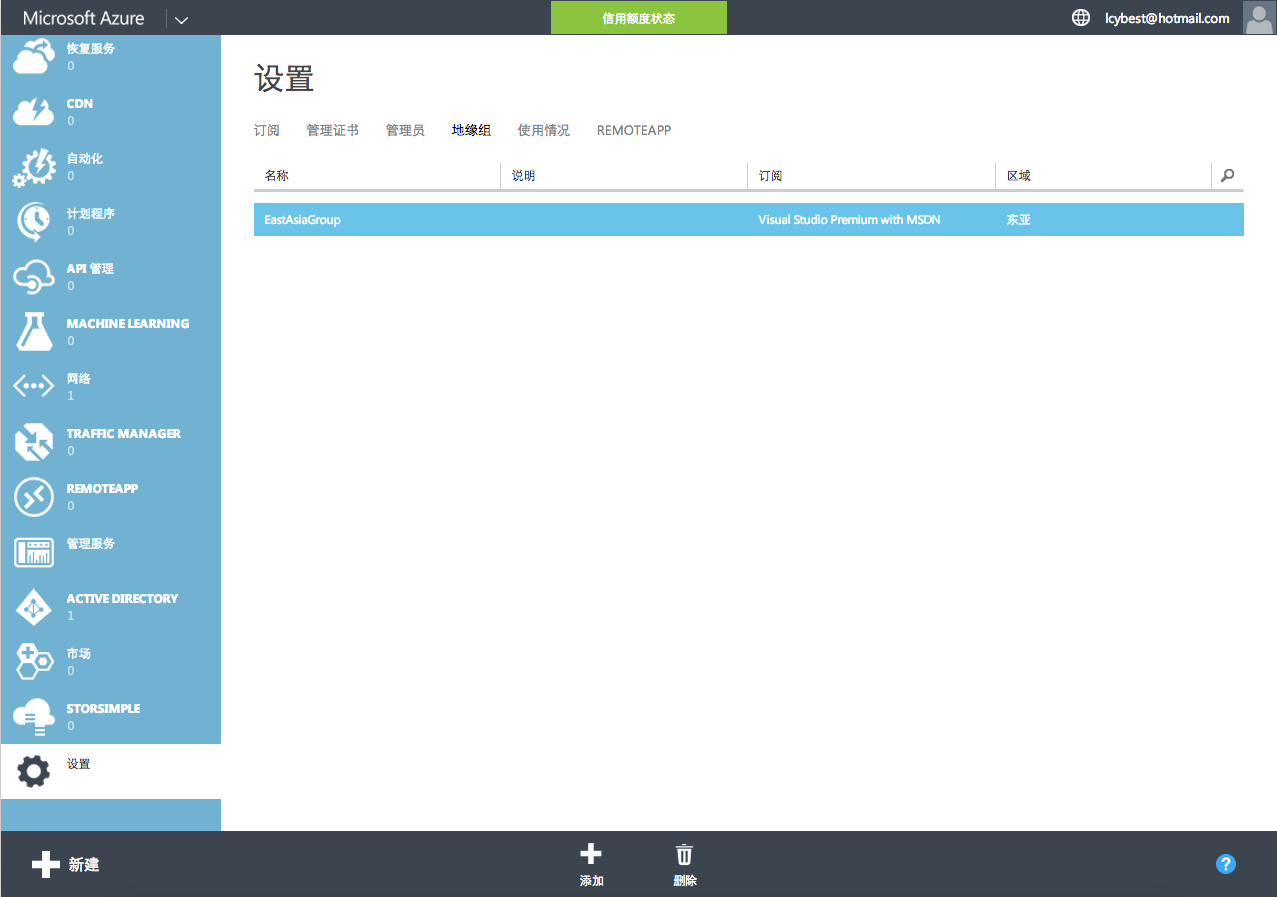
    

3. 点击“添加”来新建地缘组,填写必要信息,点击“完成”即可。


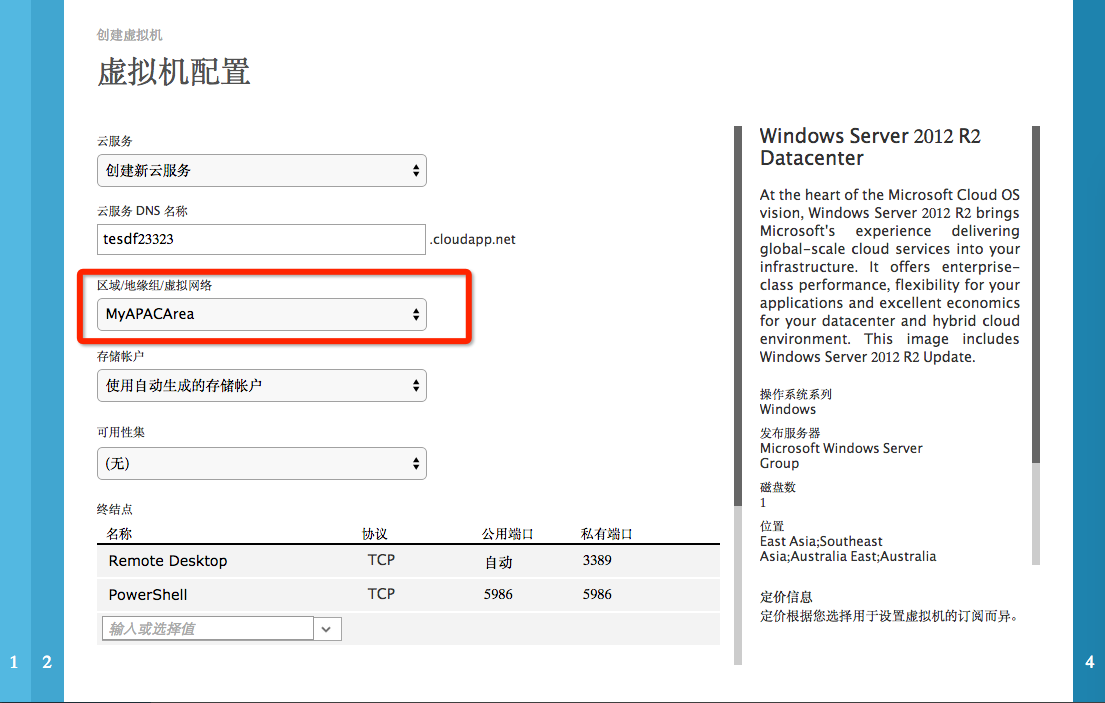
4. 使用地缘组

    我们可以在创建虚拟机时选择该地缘组