








将自然语言编写的测试用例转换为可执行的测试,可以大大降低需求与开发之间的沟通成本,这是BDD(行为驱动开发)希望达到的效果。SpecFlow是.Net平台的BDD工具,可以帮助我们创建面向BDD的测试用例。
首先,在Visual Studio 2022中安装SpecFlow插件。选择菜单扩展->管理扩展,然后搜索SpecFlow:
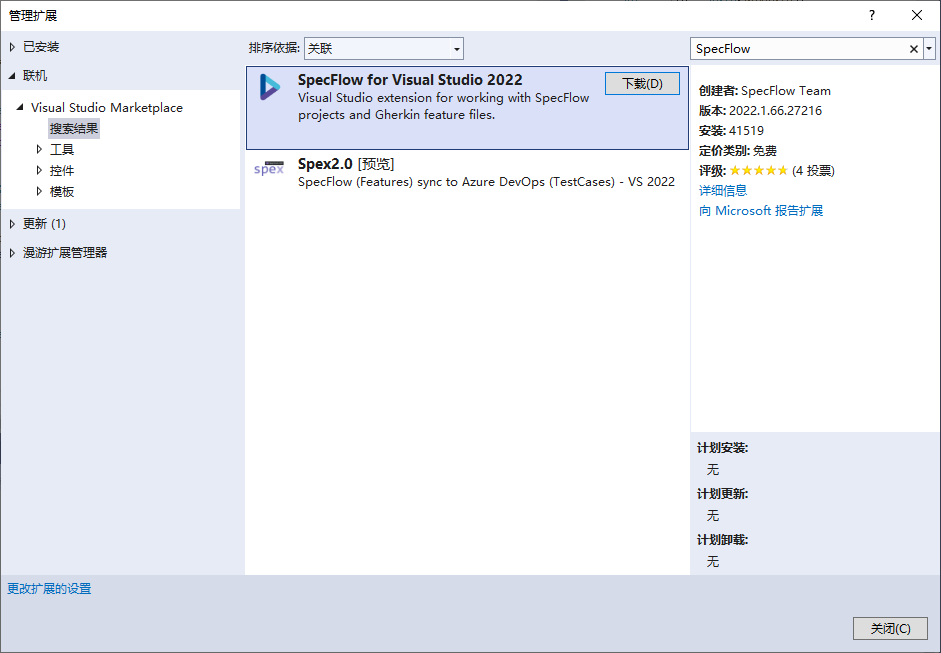
点击下载,下载完成后,需要退出Visual Studio 2022,插件会自动安装。
我们编写一个简单的计算BMI(Body Mass Index身体质量指数)的功能作为测试目标,算法很简单,输入是身高和体重,计算公式是体重除以身高的平方。
再次启动Visual Studio,创建一个类库项目,名称为CalBmi,编写代码如下:
namespace CalBmi
{
    public class BmiCalculator
    {
        public Decimal Height { get; set; }

        public Decimal Weight { get; set; }

        public Decimal Bmi()
        {
            throw new NotImplementedException();
        }
    }
}
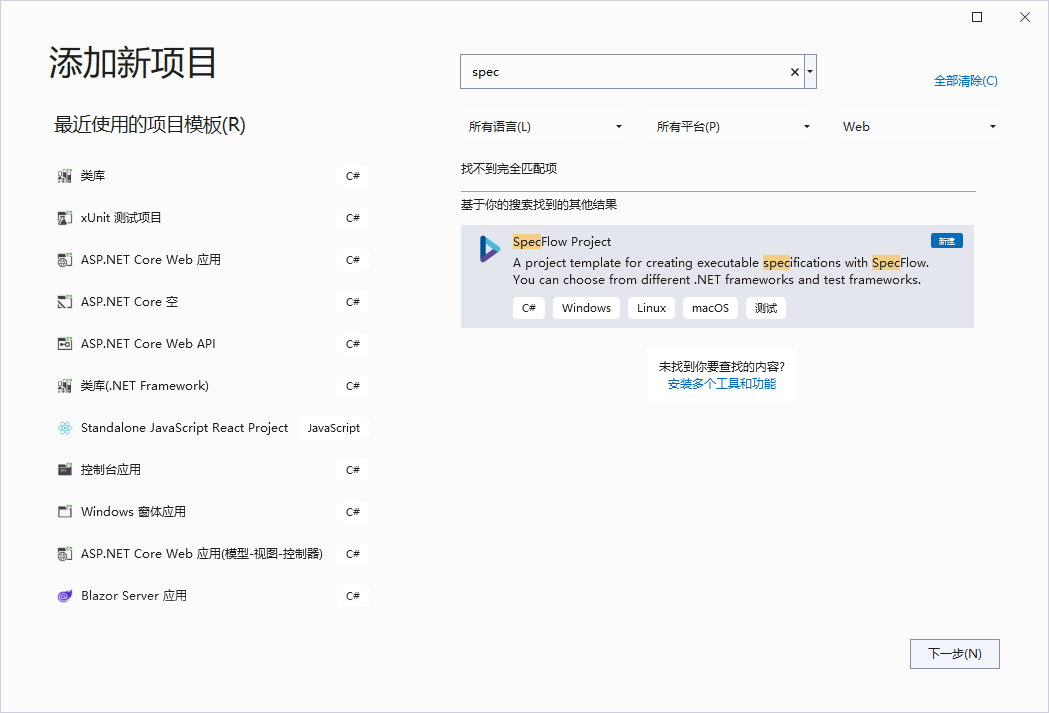
接下来,在解决方案中添加SpecFlow项目,选择项目类型为SpecFlow:
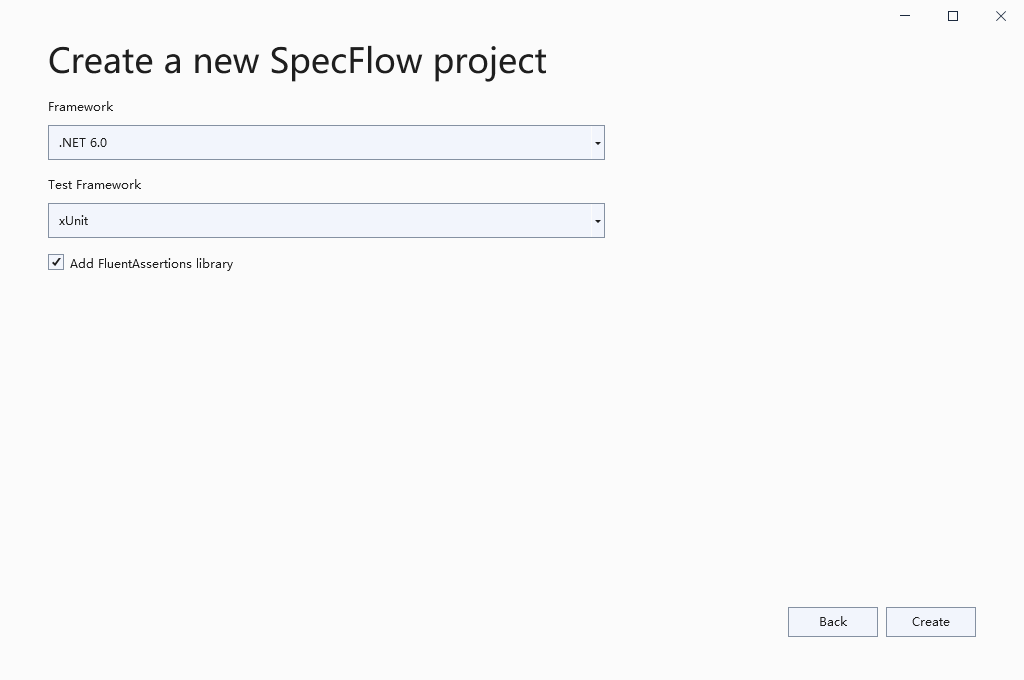
项目名称为TestBmi,选择xUnit作为Test Framework:
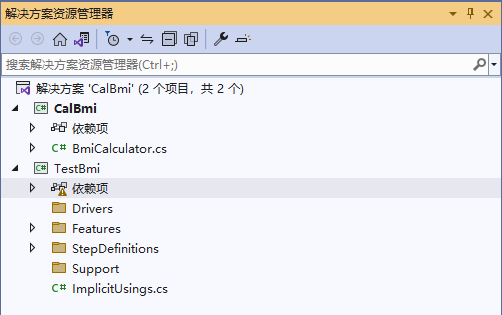
创建完成后,项目的结构是这样的:
然后,添加项目引用,将测试目标项目CalBmi添加到TestBmi的项目引用中:
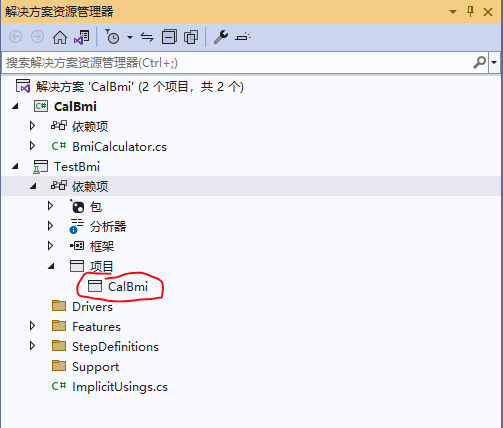
到这里,准备工作完成,现在可以开始写测试用例了。在TestBmi中有一个示例模板,
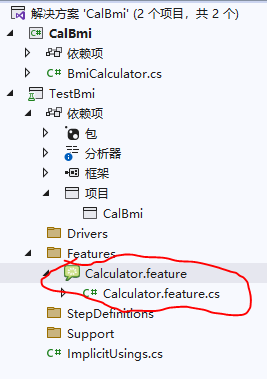
代码是这样的:
Feature: Calculator

Simple calculator for adding **two** numbers
Link to a feature: [Calculator](TestBmi/Features/Calculator.feature)
***Further read***: **[Learn more about how to generate Living Documentation](https://docs.specflow.org/projects/specflow-livingdoc/en/latest/LivingDocGenerator/Generating-Documentation.html)**
@mytag
Scenario: Add two numbers
Given the first number is 50
And the second number is 70
When the two numbers are added
Then the result should be 120
这个测试的是两个数字相加,我们照猫画虎,编写我们自己的测试用例,我们添加一个新的SpecFlow feature:
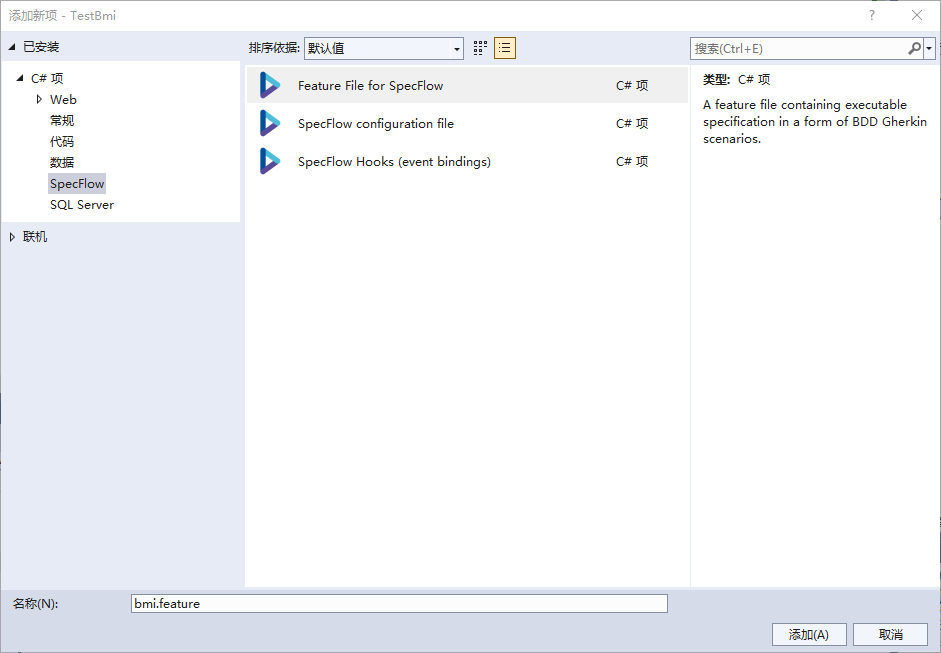
编写代码如下:
Feature: 计算BMI

@mytag
Scenario: 根据身高体重计算BMI
	Given 身高1.75米
	And 体重70.00公斤
	When 计算BMI
	Then 结果应该是22.86
点击右键,选择DefineSteps:

一个新的测试文件被创建了:
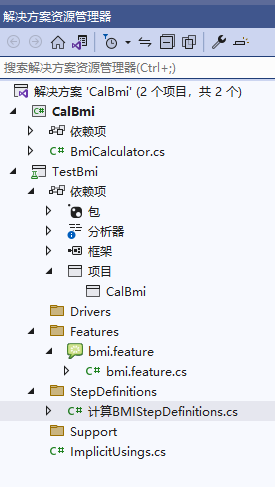
代码如下:
using System;
using TechTalk.SpecFlow;

namespace TestBmi.StepDefinitions
{
    [Binding]
    public class 计算BMIStepDefinitions
    {
        [Given(@"身高(.*)米")]
        public void Given身高米(Decimal p0)
        {
            throw new PendingStepException();
        }

        [Given(@"体重(.*)公斤")]
        public void Given体重公斤(Decimal p0)
        {
            throw new PendingStepException();
        }

        [When(@"计算BMI")]
        public void When计算BMI()
        {
            throw new PendingStepException();
        }

        [Then(@"结果应该是(.*)")]
        public void Then结果应该是(Decimal p0)
        {
            throw new PendingStepException();
        }
    }
}
在这个类中,编写测试,首先创建BmiCalculator的实例:
private readonly BmiCalculator _bmical = new BmiCalculator();
然后,改写各个方法:
using CalBmi;
using System;
using TechTalk.SpecFlow;

namespace TestBmi.StepDefinitions
{
    [Binding]
    public class 计算BMIStepDefinitions
    {
        private readonly BmiCalculator _bmical = new BmiCalculator();
        private decimal _result;

        [Given(@"身高(.*)米")]
        public void Given身高米(Decimal p0)
        {
            _bmical.Height = p0;
        }

        [Given(@"体重(.*)公斤")]
        public void Given体重公斤(Decimal p0)
        {
            _bmical.Weight=p0;
        }

        [When(@"计算BMI")]
        public void When计算BMI()
        {
            _result=_bmical.Bmi();
        }

        [Then(@"结果应该是(.*)")]
        public void Then结果应该是(Decimal result)
        {
            _result.Should().Be(result);
        }
    }
}
在测试管理器中运行这个测试:
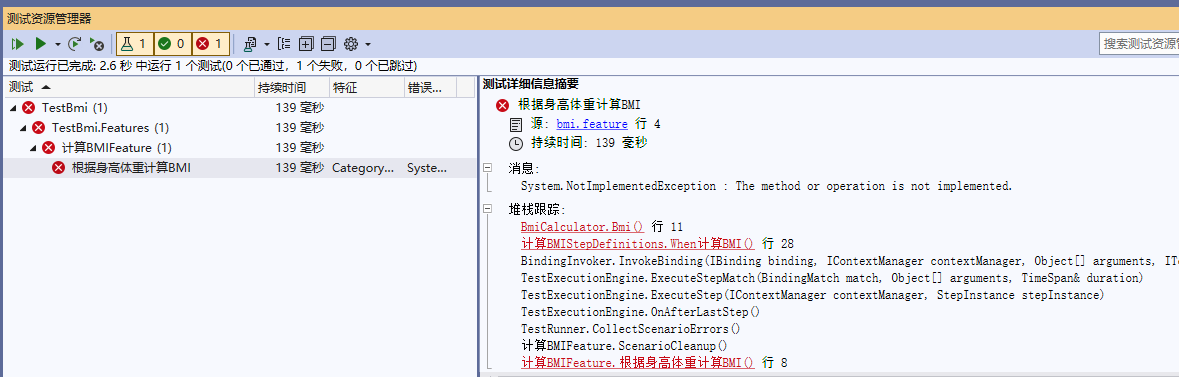
与想象的一样,测试没有通过,因为我们没有编写实现代码,现在,修改BmiCalculator ,增加计算方法:
namespace CalBmi
{
    public class BmiCalculator
    {
        public Decimal Height { get; set; }

        public Decimal Weight { get; set; }

        public Decimal Bmi()
        {
            return Weight/Height/Height;
        }
    }
}
再次运行测试:
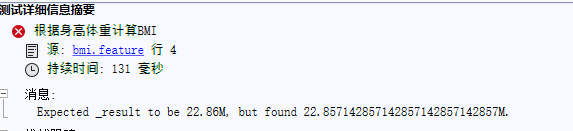
仍然没有通过,问题是需要保留两位小数,最后一位四舍五入,修改算法:
        public Decimal Bmi()
        {
            return System.Decimal.Round(Weight /Height/Height,2);
        }
再次运行测试,这次通过了:

在测试中给出了测试步骤和每个步骤花费的时间。
此内容由惯性聚合(RSS阅读器)自动聚合整理,仅供阅读参考。 原文来自 — 版权归原作者所有。