









欢迎来到我的小院,我是霍大侠,恭喜你今天又要进步一点点了!
我们来用JavaScript编程实战案例,做一个实时字符计数器。用户在指定位置打字,程序实时显示字符数量。
在编辑框内输入字符,下方实时记录数字,且输入有数量限制,输入超出限制的字符后就无法再继续输入。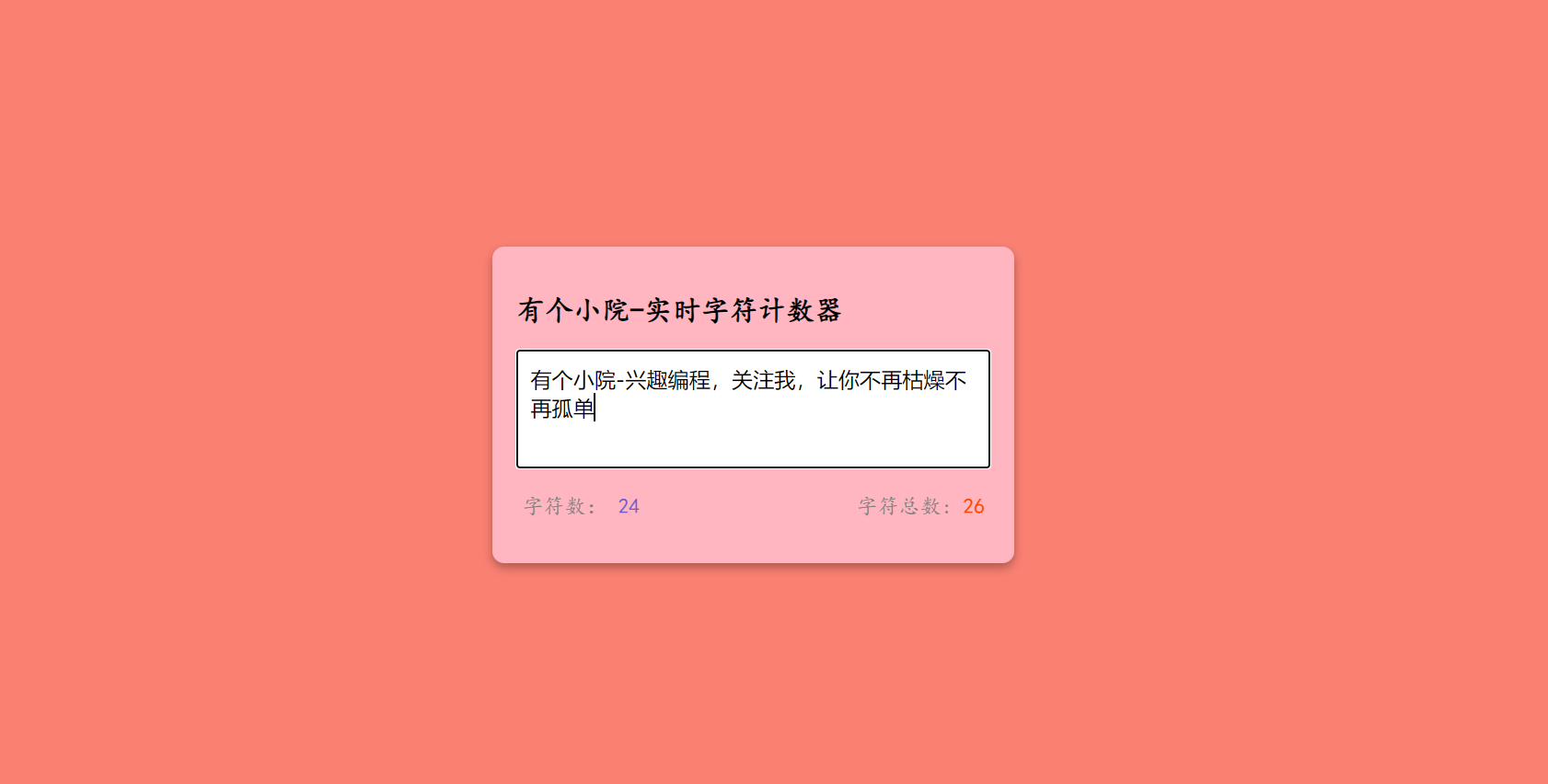
进入核心代码学习,我们先来看HTML中的核心代码。
<!DOCTYPE html>
<html lang="en">
  <head>
    <meta charset="UTF-8" />
    <meta name="viewport" content="width=device-width, initial-scale=1.0" />
    <title>小院里的霍大侠</title>
    <link rel="stylesheet" href="style.css" />
  </head>
  <body>
    <!-- 有个小院-兴趣编程 -->
    <div class="container">
      <h2>有个小院-实时字符计数器</h2>
      <textarea
        id="textarea"
        class="textarea"
        placeholder="请在这里输入"
        maxlength="50"
        ></textarea>
      <div class="counter-container">
        <p>
          字符数:
          <span class="total-counter" id="total-counter"></span>
        </p>
        <p>
          字符总数:
          <span class="remaining-counter" id="remaining-counter"></span>
        </p>
      </div>
    </div>
    <script src="index.js"></script>
  </body>
</html>
然后再让我们来看CSS代码,由于CSS代码不是重点且数量较多在这里就不做过多介绍。
body {
  margin: 0;
  display: flex;
  justify-content: center;
  height: 100vh;
  align-items: center;
  background-color: salmon;
  font-family: cursive;
}

.container {
  background-color: lightpink;
  width: 400px;
  padding: 20px;
  margin: 5px;
  border-radius: 10px;
  box-shadow: 0 4px 8px rgba(0, 0, 0, 0.3);
  }

  .textarea {
  resize: none;
  width: 100%;
  height: 100px;
  font-size: 18px;
  font-family: sans-serif;
  padding: 10px;
  box-sizing: border-box;
  border: solid 2px darkgray;
  }

  .counter-container {
  display: flex;
  justify-content: space-between;
  padding: 0 5px;
  }

  .counter-container p {
  font-size: 18px;
  color: gray;
  }

  .total-counter {
  color: slateblue;
  }

  .remaining-counter {
  color: orangered;
  }
让我们来编写核心的JavaScript代码,通过getElementById绑定HTML元素;编写键盘事件,当用户敲击键盘输入字符,则更新字符数量;编写更新字符数量函数,设置字符数为文本框的输入字符长度,设置字符总数为文本框最大长度-字符数。
//有个小院-兴趣编程
const textareaEl = document.getElementById("textarea");
const totalCounterEl = document.getElementById("total-counter");
const remainingCounterEl = document.getElementById("remaining-counter");

textareaEl.addEventListener("keyup", () => {
  updateCounter();
});

updateCounter()

function updateCounter() {
  totalCounterEl.innerText = textareaEl.value.length;
  remainingCounterEl.innerText =
    textareaEl.getAttribute("maxLength") - textareaEl.value.length;
}
全网可搜:小院里的霍大侠, 免费获取简单易懂的实战编程案例。编程/就业/副业/创业/资源。
私微信:huodaxia_xfeater
二维码: http://www.yougexiaoyuan.com/images/weixin_huodaxia.jpg
公众号:有个小院(微信公众号:yougexiaoyuan)
github:yougexiaoyuan (视频源码免费获取)
(部分素材来源于互联网,如有保护请联系作者)
此内容由惯性聚合(RSS阅读器)自动聚合整理,仅供阅读参考。 原文来自 — 版权归原作者所有。