


惯性聚合 高效追踪和阅读你感兴趣的博客、新闻、科技资讯
阅读原文 在惯性聚合中打开

推荐订阅源

月光博客
月光博客
Martin Fowler
Martin Fowler
博客园_首页
量子位
T
Tailwind CSS Blog
博客园 - Franky
G
Google Developers Blog
D
DataBreaches.Net
Vercel News
Vercel News
B
Blog
Recent Announcements
S
SegmentFault 最新的问题
M
MIT News - Artificial intelligence
爱范儿
爱范儿
博客园 - 【当耐特】
The Cloudflare Blog
H
Help Net Security
云风的 BLOG
云风的 BLOG
P
Proofpoint News Feed
C
Check Point Blog
有赞技术团队
有赞技术团队
Microsoft Security Blog
酷 壳 – CoolShell
酷 壳 – CoolShell
freeCodeCamp Programming Tutorials: Python, JavaScript, Git & More

Signal Blog

Label yourself Put a pin in it Signal Polls: Yes, no, maybe (yes!) Signal Protocol and Post-Quantum Ratchets Introducing Signal Secure Backups By Default, Signal Doesn't Recall A Synchronized Start for Linked Devices Improving Private Signal Calls: Call Links & More Proxy Please: Help People Connect to Signal Keep your phone number private with Signal usernames Trend report: Use Signal Privacy is Priceless, but Signal is Expensive New Features Roll Call: Fall 2023 Quantum Resistance and the Signal Protocol Standing firm against threats to private and safe communication Signal is for everyone, and everyone is different Story Time Removing SMS support from Signal Android (soon) Help people in Iran reconnect to Signal – a request to our community A Message from Signal's New President Technology Deep Dive: Building a Faster ORAM Layer for Enclaves Signal Your Support You Can Change Your Number New year, new CEO How to build large-scale end-to-end encrypted group video calls Become a Signal Sustainer Improving first impressions on Signal Embrace ephemerality with default disappearing messages The Instagram ads Facebook won't show you Exploiting vulnerabilities in Cellebrite UFED and Physical Analyzer from an app's perspective
Standalone Signal Desktop
2017-10-31 · via Signal Blog

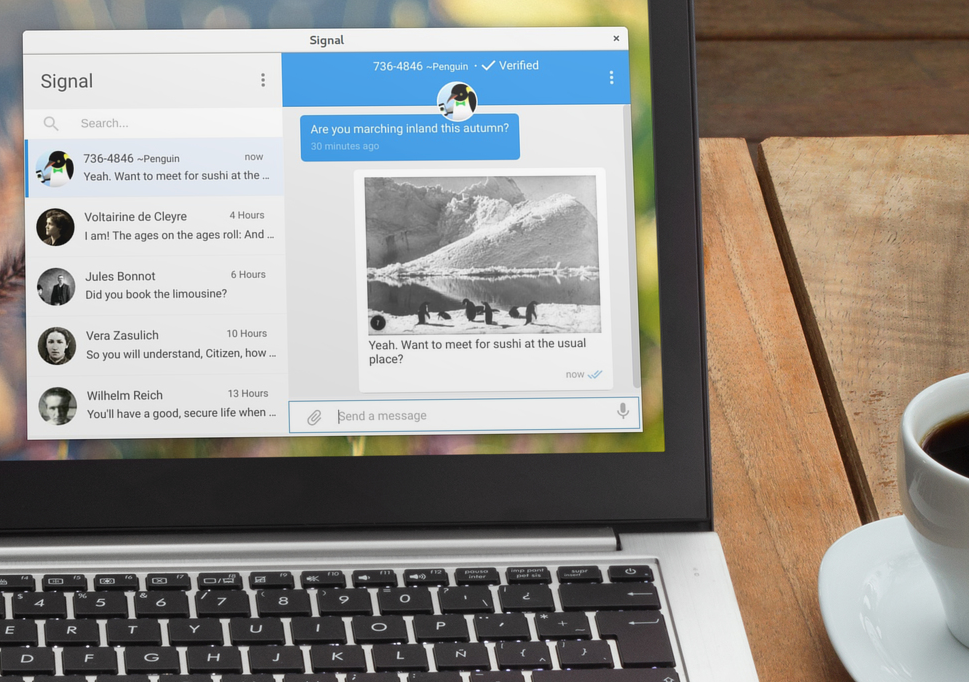
Standalone version of Signal running on a laptop.

Signal Desktop is now available in a new, standalone form, and the Chrome App has been deprecated.

The new desktop version of Signal runs independently of your browser. If you’re a Firefox or Safari user, you don’t need to install Chrome to send and receive Signal messages on your computer. If you’re a Chrome user, having your browser open will no longer be synonymous with having Signal Desktop open.

Platform Support

We are launching our standalone app with support for these platforms:

  • Windows 64-bit: 7, 8, 8.1 and 10
  • macOS 10.9 and above
  • Linux distributions supporting APT, like Ubuntu or Debian

Getting started

If you’ve never used Signal Desktop before, this is a great chance to start. Download the app, pair it with your phone, and experience private messaging with all ten fingers.

If you’re already using the Signal Desktop Chrome App, you can export your data and import it into the new Signal Desktop app as part of the setup process. All of your old conversations and contacts will be there, just like before. It’s as easy as selecting a place on disk for the data and then finding that directory again to kick off the import.

We want your feedback

Once you have installed and started using the new Signal Desktop, we want to hear what you think. You can talk about this release on the forums, file any bugs you run into, and if you need more help than those standard channels can provide, you can contact support.