


惯性聚合 高效追踪和阅读你感兴趣的博客、新闻、科技资讯
阅读原文 在惯性聚合中打开

推荐订阅源

爱范儿
爱范儿
腾讯CDC
博客园 - 司徒正美
A
About on SuperTechFans
H
Help Net Security
J
Java Code Geeks
C
Check Point Blog
B
Blog RSS Feed
钛媒体:引领未来商业与生活新知
钛媒体:引领未来商业与生活新知
MongoDB | Blog
MongoDB | Blog
U
Unit 42
Hugging Face - Blog
Hugging Face - Blog
Last Week in AI
Last Week in AI
MyScale Blog
MyScale Blog
V
Visual Studio Blog
OSCHINA 社区最新新闻
OSCHINA 社区最新新闻
I
InfoQ
H
Hackread – Cybersecurity News, Data Breaches, AI and More
F
Fortinet All Blogs
博客园 - 聂微东
酷 壳 – CoolShell
酷 壳 – CoolShell
GbyAI
GbyAI
博客园 - 【当耐特】
雷峰网
雷峰网

Signal Blog

Label yourself Signal Polls: Yes, no, maybe (yes!) Signal Protocol and Post-Quantum Ratchets Introducing Signal Secure Backups By Default, Signal Doesn't Recall A Synchronized Start for Linked Devices Improving Private Signal Calls: Call Links & More Proxy Please: Help People Connect to Signal Keep your phone number private with Signal usernames Trend report: Use Signal Privacy is Priceless, but Signal is Expensive New Features Roll Call: Fall 2023 Quantum Resistance and the Signal Protocol Standing firm against threats to private and safe communication Signal is for everyone, and everyone is different Story Time Removing SMS support from Signal Android (soon) Help people in Iran reconnect to Signal – a request to our community A Message from Signal's New President Technology Deep Dive: Building a Faster ORAM Layer for Enclaves Signal Your Support You Can Change Your Number New year, new CEO How to build large-scale end-to-end encrypted group video calls Become a Signal Sustainer Improving first impressions on Signal Embrace ephemerality with default disappearing messages The Instagram ads Facebook won't show you Exploiting vulnerabilities in Cellebrite UFED and Physical Analyzer from an app's perspective Update on beta testing payments in Signal
Put a pin in it
2026-01-29 · via Signal Blog

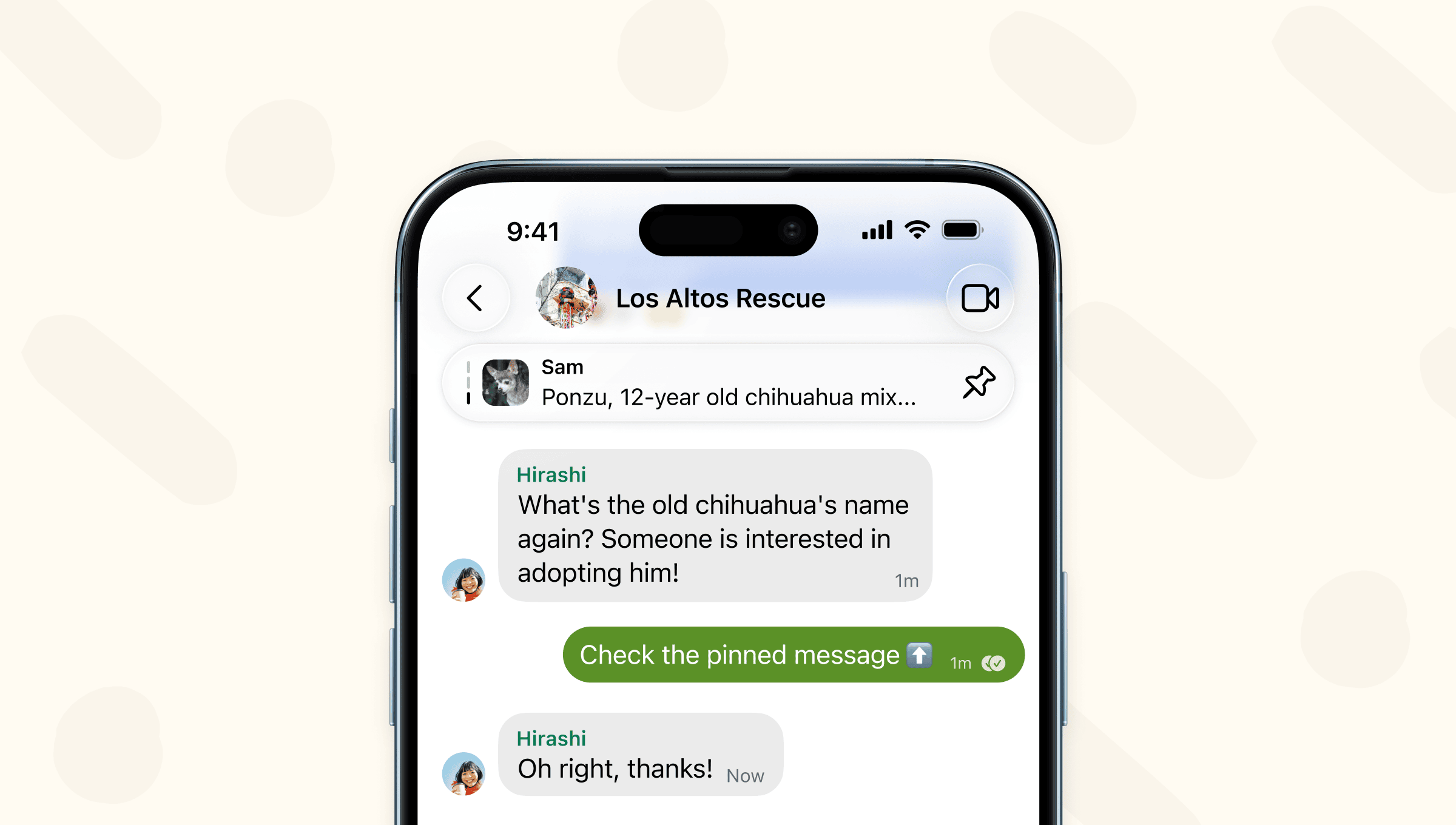
A screenshot of a group chat displaying a pinned message at the top of the thread.

Your most frequently asked questions, dinner reservations, and vacation itineraries are already top of mind. Now they can be top of chat as well.

In the latest version of Signal rolling out now, you can pin your most important messages to the top of your 1-1 and group chats.

To pin a message (or photo, poll, file), long press on that message. When you pin a message, other members of the chat will see it pinned as well if they were in the chat at the time the message was sent.
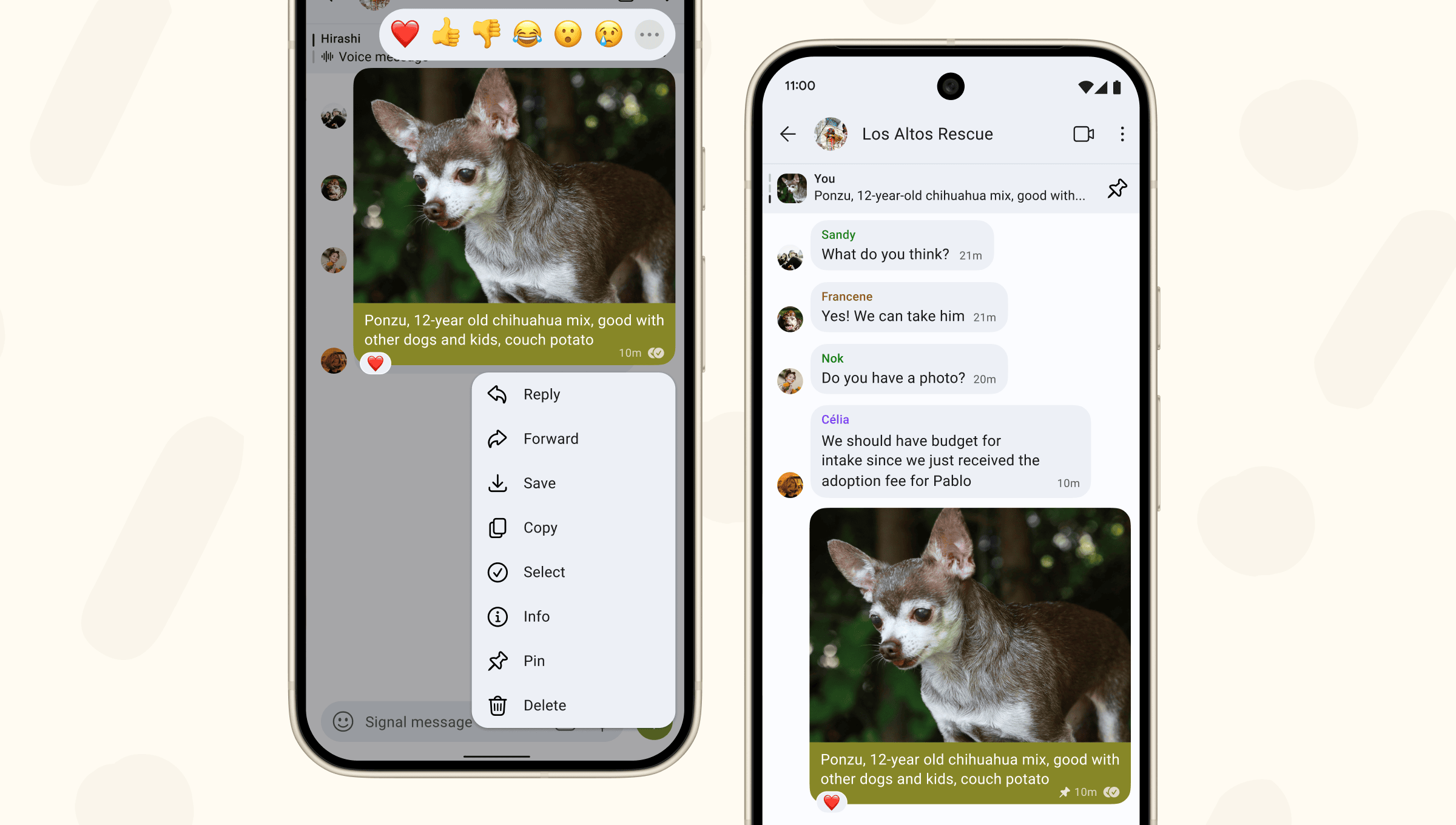
Side-by-side screenshots showing a message being pinned, and the way the message appears after it has been pinned.

Chats can have up to 3 pinned messages at once. Group admins can configure who is allowed to pin messages in group settings.

When pinning a message, you’ll select how long you want to keep that message pinned to the top of the chat: 24 hours, 7 days, 30 days, or forever. The message will automatically unpin after the timeframe elapses. Or, if you want to unpin a message earlier, tap the pin icon to manually unpin.

If you or someone else pins a message after the chat already has the maximum 3 messages pinned, the message that’s been pinned the longest will automatically be unpinned to make room.

You won’t see a pinned message if you don’t have the original message in your chat history. Commonly this would happen if you join a group after the message was sent or if you deleted the original message. Disappearing messages will be unpinned when their timer expires and the message is removed from the chat.

To try out new features before they launch and to join the community providing early crucial feedback, join our beta program.