






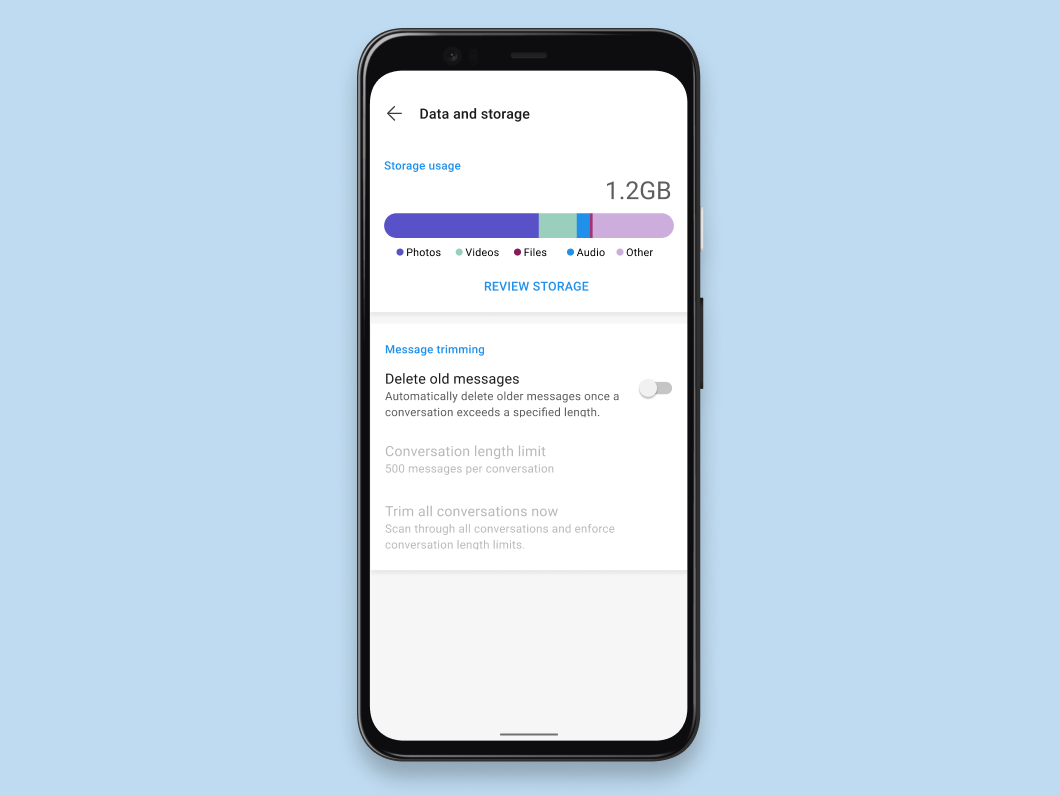
Signal for Android now includes storage management functionality that helps visualize files across all of your conversations, sorted by size and type, in order to assist you in reducing the amount of space Signal uses on your device.
The Android environment is an interesting inversion of the typical Unix-inspired desktop environment. On the desktop, filesystem permissions are commonly segmented by “users.” Each user has a directory (e.g. /home/alan) where data can be stored, which is inaccessible to other users by default. This is largely a leftover practice from the days when people said the word “mainframe” out loud and when simpler multi-tenancy usage was more common, but it can be a somewhat outdated way of thinking about isolation given the direction computing has taken. Since many typical desktop environments now only have one user, there isn’t a lot of actual isolation happening at that level. And because the desktop isolation strategies were initially conceived of in terms of users, rather than the type of information those users were managing, nearly every desktop app can read data from almost every other desktop app, because they’re all being run by the same user.
Android tweaked this model by making each app a “user” – which attempts to keep data from one app isolated from other apps (e.g. /home/signal and /home/chrome rather than /home/alan/…), while defining a more dynamic permission system for how apps interact with common data and each other.
By default, Signal for Android stores files and media inside this sandbox rather than writing it to the public camera roll or other shared storage locations.
However, the application and implementation of “full-disk encryption” has been fairly inconsistent across Android manufacturers and devices, so Signal has also taken a conservative approach to on-device Android data storage by manually encrypting potentially sensitive content before writing it to the device. We use SQLCipher to encrypt SQLite data, and store file attachments and media as encrypted blobs within the application sandbox.
These efforts can sometimes complicate application development, because the standard Android APIs for things like video compression or image scaling don’t work on encrypted content, which requires us to build alternatives that work in RAM.
Unfortunately, isolation and encryption left the storage footprint of a Signal install on Android feeling somewhat opaque, even to the authorized user. Rather than being able to see where storage space was going (and manage it accordingly as necessary), only a growing amount of encrypted data was visible.
The new storage management interface is designed to provide the management visibility users want, while maintaining the security of encrypted data within the application sandbox.
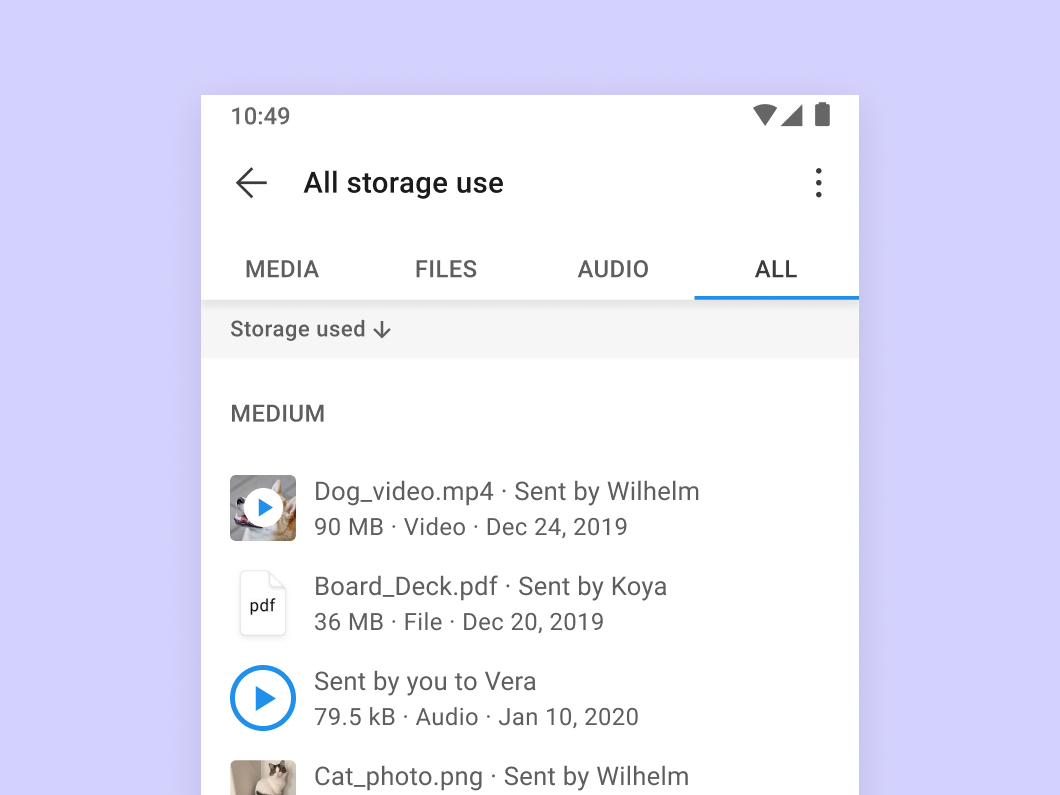
Now it’s easy to identify which files and conversations are taking up too much space. As 2020 begins, we hope this helps you leave the past behind to make room for the future.
此内容由惯性聚合(RSS阅读器)自动聚合整理,仅供阅读参考。 原文来自 — 版权归原作者所有。