

惯性聚合 高效追踪和阅读你感兴趣的博客、新闻、科技资讯
阅读原文 在惯性聚合中打开

推荐订阅源

量子位
Google DeepMind News
爱范儿
爱范儿
OSCHINA 社区最新新闻
OSCHINA 社区最新新闻
NISL@THU
NISL@THU
T
Threat Research - Cisco Blogs
freeCodeCamp Programming Tutorials: Python, JavaScript, Git & More
L
Lohrmann on Cybersecurity
V
Visual Studio Blog
Cyberwarzone
Cyberwarzone
D
Docker
The Hacker News
The Hacker News
C
CERT Recently Published Vulnerability Notes
Vercel News
Vercel News
Project Zero
Project Zero
S
Schneier on Security
aimingoo的专栏
aimingoo的专栏
I
Intezer
腾讯CDC
M
MIT News - Artificial intelligence
Hugging Face - Blog
Hugging Face - Blog
P
Palo Alto Networks Blog
C
CXSECURITY Database RSS Feed - CXSecurity.com
AWS News Blog
AWS News Blog
GbyAI
GbyAI
MongoDB | Blog
MongoDB | Blog
Cyber Security Advisories - MS-ISAC
V
Vulnerabilities – Threatpost
G
Google Developers Blog
N
Netflix TechBlog - Medium
The Cloudflare Blog
Microsoft Security Blog
Y
Y Combinator Blog
A
Arctic Wolf
S
Securelist
酷 壳 – CoolShell
酷 壳 – CoolShell
Cisco Talos Blog
Cisco Talos Blog
Recent Announcements
C
Cyber Attacks, Cyber Crime and Cyber Security
L
LINUX DO - 热门话题
T
Threatpost
Latest news
Latest news
Blog — PlanetScale
Blog — PlanetScale
Security Latest
Security Latest
Engineering at Meta
Engineering at Meta
大猫的无限游戏
大猫的无限游戏
H
Help Net Security
The GitHub Blog
The GitHub Blog
T
Tor Project blog
P
Proofpoint News Feed

博客园 - 柒零壹

Ubuntu 24.04 安装最新版podman@5.6.1 [转贴]在前端如何玩转 Word 文档 一个命令行参数解决open-webui镜像启动失败的问题(huggingface网站访问失败问题) Go Template 常用疑难知识点 从数据库中随机选取数据(基于golang,xorm) go-ElasticSearch TypedClient学习笔记 golang用pgx查询数据时如何将查询结果方便的放入Map中 go语言如何使用elastic官方客户端go-elasticsearch/v8实现数据批量更新 【转】网络常用颜文字(文字表情) GoCV下实现多图片单窗口内同时显示 golang中xorm自动维护表结构自动导入数据的实现 [golang] gin的中间中调用Abort方法导致的带附件的表单提交时,浏览器报net::ERR_CONNECTION_RESET错误的原因及解决方法 [golang]filepath.Glob的缺陷,不支持多级目录 浏览器中javascript简易实现json数据保存到客户端 最简单搭建前端轻量级项目开发服务 [转]Three.js做一个酷炫的城市展示可视化大屏 [转]css实现不同样式的tooltip对话框小三角 [原]升级项目到Rails7.0.3,使用自己手动方案编译打包css及js资源 puma web server如何监听所有IP地址
解决GoCV/OpenCV不支持中文的问题
柒零壹 · 2023-06-27 · via 博客园 - 柒零壹

一、imread 不支持中文路径名,如果图片文件路径名中有中文,就会报错

 imread_('W:\GZGTOOL\Images\壁纸\迪士尼乐园\s04.jpg'): can't open/read file: check file path/integrity

解决办法

很简单,参考python中的思路,自己把图片文件读出来,然后再用imdecode

 func LoadImage(fp string)(cv.Mat,error){  
   img:=cv.NewMat()
   buf,err:=ioutil.ReadFile(fp)
   if err!=nil{
     return img, err
   }
   err =cv.IMDecodeIntoMat(buf,cv.IMReadAnyColor,&img) 
   return img,err
 }

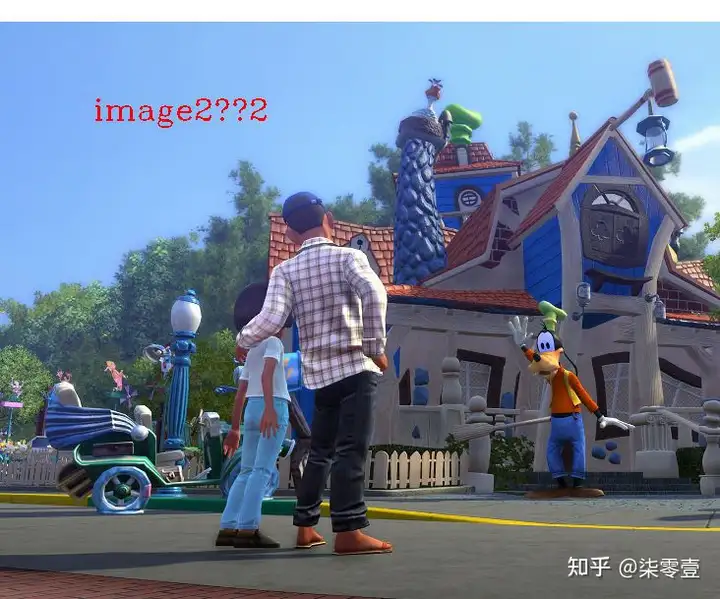
二、puttext不支持中文,用opcv内置方法puttext写字符串到图片上,如果包含中文,只能得到一串”???“

 cv.PutText(&img,fmt.Sprintf("image%d图片%d",i,i),image.Pt(200,200),cv.FontHersheyComplex,2,color.RGBA{255,0,0,0xff},2)

结果如下:
解决办法

1,据说opencv5.0中已经支持中文了,期待5.0发布和gocv同步升级

2,使用freetype,参考了大佬这篇文章

 func  WriteTextOnMat(mat *cv.Mat, text string,textPos image.Point, textSize float64, textColor color.RGBA,fontFile string)error{
   img,err:=mat.ToImage()
   if err!=nil{
     return err
   }
   img,err=WriteTextOnImage(img,text,textPos,textSize,textColor,fontFile)
   if err!=nil{
     return err
   }   
   mat2,err:=CvtImageToMat(img)
   if err!=nil{
     return err
   } 
   mat2.CopyTo(mat)
   mat2.Close()
   return nil
 }
 //Image2RGBA Image2RGBA
 func Image2RGBA(img image.Image) *image.RGBA {
   if rgba,ok:=img.(*image.RGBA);ok{
     return rgba
   }
   baseSrcBounds := img.Bounds().Max
   w,h := baseSrcBounds.X, baseSrcBounds.Y
   dst := image.NewRGBA(image.Rect(0, 0, w, h)) 
   //copy图片
   draw.Draw(dst, dst.Bounds(), img, img.Bounds().Min, draw.Over)
 return dst
 }
 func  WriteTextOnImage(img image.Image, text string,textPos image.Point, textSize float64, textColor color.RGBA,fontFile string)(image.Image,error){
   // Read the font data.
   dpi:=72.0
   fontBytes, err := ioutil.ReadFile(fontFile)
   if err != nil {
     fmt.Println(err)
     return img,err
   }
   ft, err := freetype.ParseFont(fontBytes)
   if err != nil {
     fmt.Println(err)
     return img,err
   }
 // Initialize the context.
   fontColor:=image.NewUniform(textColor)
   rgbaImg:=Image2RGBA(img)
   c := freetype.NewContext()
   c.SetDPI(dpi)
   c.SetFont(ft)
   c.SetFontSize(textSize)
   c.SetClip(img.Bounds())
   c.SetDst(rgbaImg)
   c.SetSrc(fontColor)
       
   // Draw the text.
   pt := freetype.Pt(textPos.X, textPos.Y + int(c.PointToFixed(textSize)>>6))
   
   _, err = c.DrawString(text, pt)
   if err != nil {
     fmt.Println(err)
     return img, err
   }
   return rgbaImg, nil 
 }

调用方法

 WriteTextOnMat(&img,"图片2",image.Pt(100,100),120,color.RGBA{255,0,0,0xff},"c:\\windows\\fonts\\msyh.ttc")

三、窗口标题不能显示中文

这个暂时没有找到办法解决,只能期待opencv 5.0一并解决了~_~