


Syncthing is a free and open-source application that synchronizes files directly between your devices. Instead of uploading data to a central server, it uses a peer-to-peer approach, transferring files whenever peers are online. This decentralized model ensures that your data remains private and under your control.
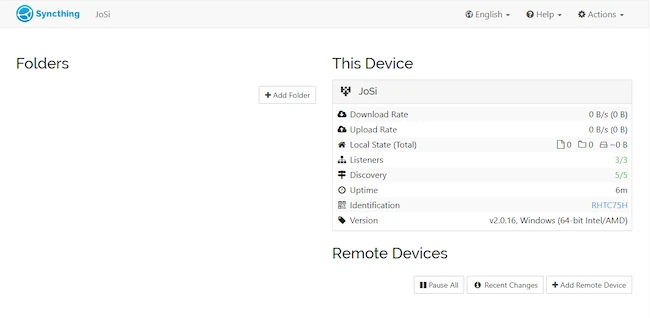
Syncthing monitors shared folders for changes. When a file is created, modified, or removed, updates are propagated to connected peers. Synchronization happens automatically once they are online, keeping folder contents consistent without manual intervention.
Syncthing does not require account creation because it does not rely on a central server. Identity, authentication, and trust are handled directly between peers. Each instance is assigned a unique device ID generated at first startup, which is used to establish trust. Connections are formed by exchanging these IDs and approving them on both sides, creating trusted relationships without external services.
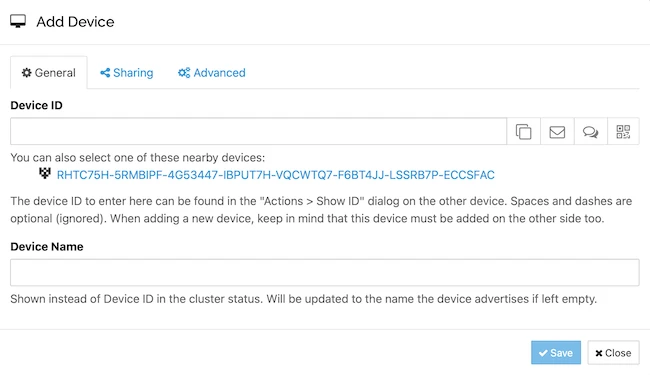
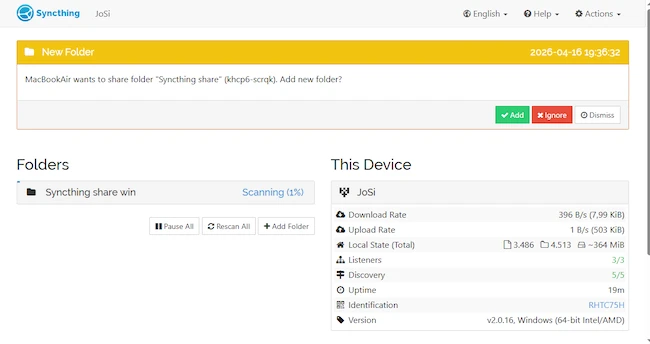
Initial setup involves installing the application, connecting devices, and selecting folders to share. In this setup, the application was installed on both a Windows system and a macOS device.
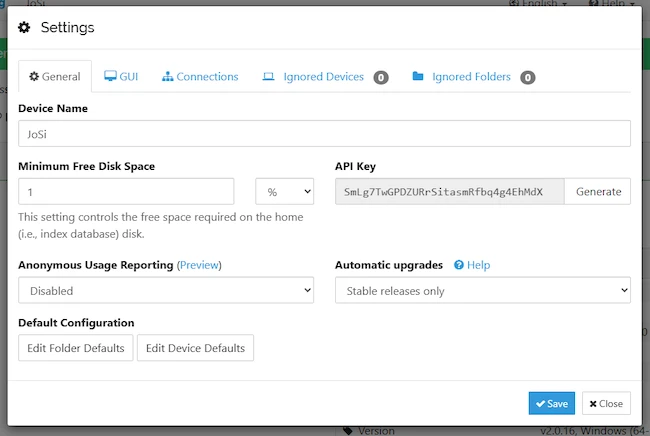
Syncthing is managed through a local web-based interface. The device ID generated at startup is used to add and authorize remote peers. The interface provides access to settings, folder management, and synchronization status.
To establish a connection, a remote peer is added using its device ID. The request must be approved on both sides before becoming active. Once approved, the peers are ready to share data.
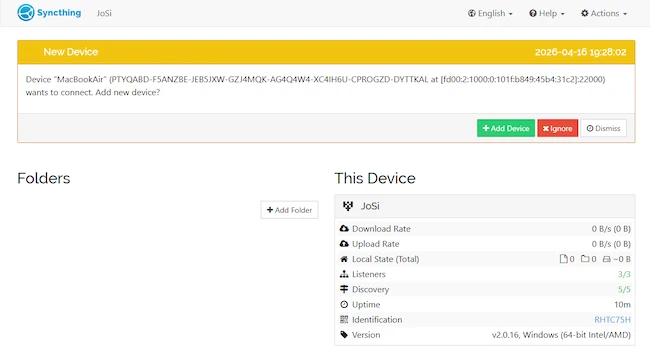
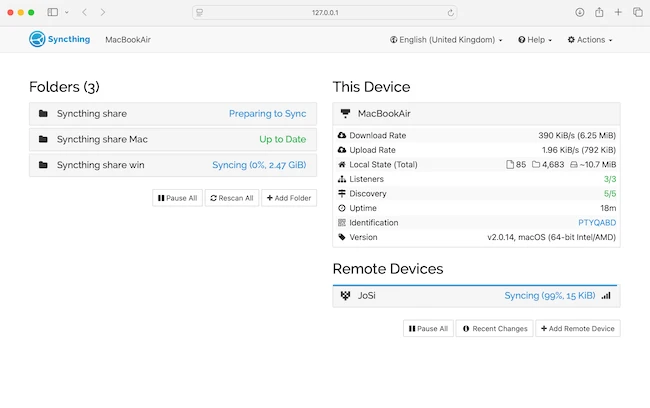
The synchronization process starts with indexing files, followed by comparing states between devices. Data is transferred directly, and the interface displays progress through stages such as scanning, preparing to sync, and active transfer. Once complete, the folder status indicates that it is up to date. The interface also shows transfer rates, file counts, and connection status.
All communication between devices is encrypted, and connections are established only after mutual approval. Syncthing uses secure protocols to protect data during transfer, and no third-party servers store user files. This ensures that data remains on user-controlled devices and is shared only with explicitly trusted peers.
Syncthing provides a straightforward way to keep files synchronized across devices without relying on external services. In testing across Windows and macOS, file transfers were consistent and required minimal intervention, making Syncthing a practical solution for maintaining local control over data while keeping it accessible on multiple systems.
此内容由惯性聚合(RSS阅读器)自动聚合整理,仅供阅读参考。 原文来自 — 版权归原作者所有。