








在AZure里,一般用Azure Blob做数据传输的中间媒介,D365 FO的数据生成到Blob里,其他系统从Blob里获取,或者相反,这样就不用单独设置FTP服务器了,当然这个是要钱的。
要想使用Blob,需要在AZure上创建存储账号,创建好存储账户以后,就可以设置访问密钥了。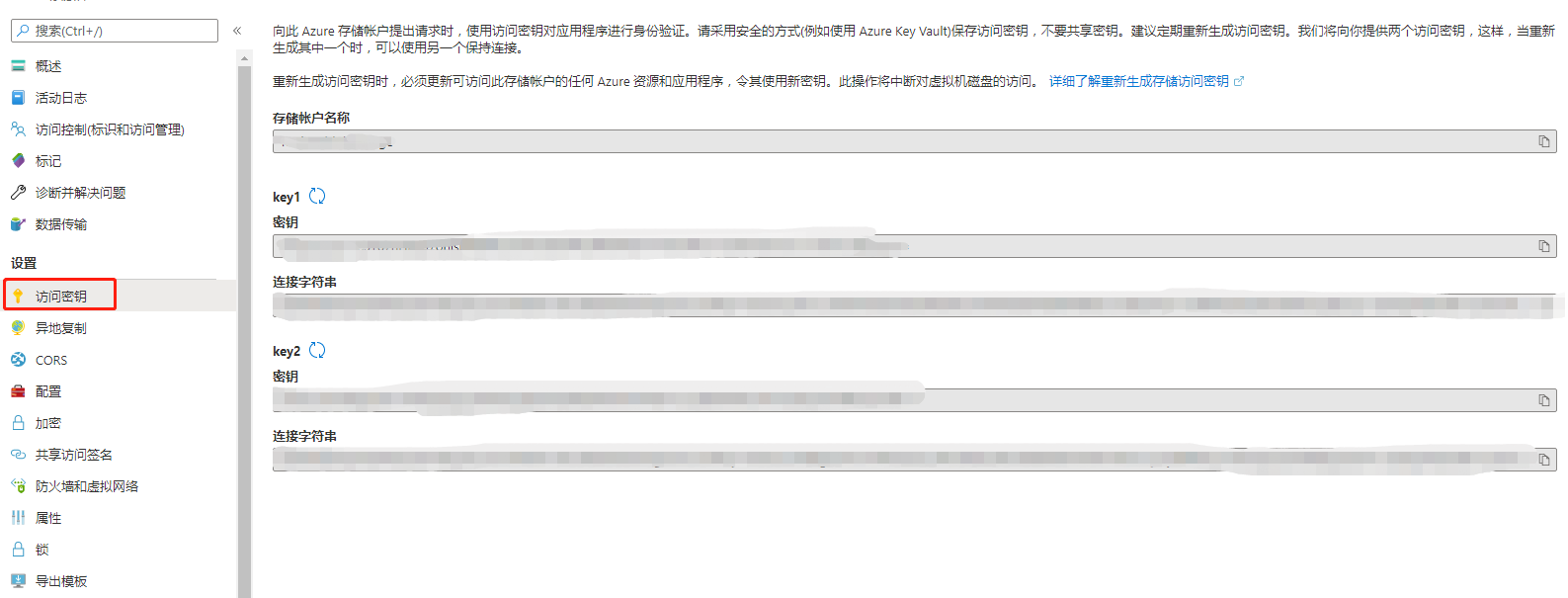
.NET提供了读写Azure里的类库,读写AZure Blob非常方便,访问只需要一个连接字符串做认证就可以了,用C#简单封装了一下访问的类库供D365 FO调用。
 1 public class AZureBlobHelper
 2     {
 3         CloudBlobContainer blobContainer;
 4         string path;
 5
 6         public AZureBlobHelper(
 7             string _connectionString,
 8             string _containerName,
 9             string _path)
10         {
11             blobContainer = CloudStorageAccount.Parse(_connectionString)
12                                                 .CreateCloudBlobClient()
13                                                 .GetContainerReference(_containerName);
14
15             if (_path != string.Empty && _path.EndsWith("/") == false)
16             {
17                 path = _path + "/";
18             }
19             else
20             {
21                 path = _path;
22             }
23         }
24         public bool upload(MemoryStream _stream, string _fileName)
25         {
26             CloudBlockBlob blockBlob = blobContainer.GetBlockBlobReference(path + _fileName);
27             blockBlob.UploadFromStream(_stream, null, null, null);
28             return true;
29         }
30
31         public string[] getFileList()
32         {
33             List<string> list = new List<string>();
34             CloudBlobDirectory direcotry =  blobContainer.GetDirectoryReference(path);
35             foreach(var file in direcotry.ListBlobs())
36             {
37                 string fileName = file.Uri.Segments[file.Uri.Segments.Length - 1];
38                 list.Add(fileName);
39             }
40             return list.ToArray();
41         }
42         public MemoryStream download(string _fileName)
43         {
44             MemoryStream ms = new MemoryStream();
45             CloudBlockBlob blockBlob = blobContainer.GetBlockBlobReference(path + _fileName);
46             blockBlob.DownloadToStream(ms);
47             return ms;
48         }
49         public void delete(string _fileName)
50         {
51             CloudBlockBlob blockBlob = blobContainer.GetBlockBlobReference(path + _fileName);
52             blockBlob.Delete();
53         }
54     }
此内容由惯性聚合(RSS阅读器)自动聚合整理,仅供阅读参考。 原文来自 — 版权归原作者所有。