







Follow ZDNET: Add us as a preferred source on Google.
I recently tested Zorin OS 18.1 and dubbed it the best Linux distro - for anyone. I would go so far as to say that it's the best OS I've ever used. That same day, I learned that Solus had a new release as well.
Version 4.9 of Solus was released on April 18, and I opted to download the Budgie version of the OS. I've used the Budgie desktop many times and thought it would be a good comparison against Zorin OS.
Also: Why Zorin OS 18.1 is simply the best Linux distro - for anyone
Why make this comparison? That's simple: I'm often asked which distribution is best suited for new users, and I always want to make sure I'm suggesting the right option. Because of that, I like to compare them -- such as when I compared Linux Mint to Zorin OS.
As I was testing Solus, it dawned on me that this Linux distribution could be easily recommended to those who've never used the open-source operating system. The more I dug in, the more I embraced that proposition.
But can it stand up to the mighty Zorin OS 18.1? That's a high bar -- let's see if Solus 4.9 can reach it.
Just like Zorin OS, Solus has everything you need to get started without installing a single piece of software. You've got Firefox, Thunderbird, LibreOffice, Rythmbox, Celluloid, gedit (text editor), and all the usual bits and pieces that make up a desktop operating system.
Also: Can this $70 Linux app make up for the lack of Photoshop? I tried it to find out
And if you don't find what you need, there's a GUI app store (in the Budgie version, it's KDE's Discover) that has Flatpak support rolled in, so you can install a host of other apps (even proprietary ones like Slack and Spotify).
KDE Discover is a great app store that anyone can use.
There's one area where Zorin OS has the edge. If you attempt to install a Windows app (via a downloaded .exe file), Zorin OS will automatically inform you of an open-source alternative. For example, if you try to install MS Office, Zorin OS will tell you about LibreOffice. This is an important feature for new Linux users who don't yet understand package managers or what can or cannot be installed.
Advantage: Zorin OS
Beyond the apps, the next thing you'll want to know is if Solus is as easy to use as Zorin OS. I compared two different desktops (the Zorin OS uses a highly customized GNOME desktop, and, as mentioned earlier, I tested the Budgie flavor of Solus). In the end, both were very easy to use. They each offer a very familiar layout, include a simple menu where you can launch apps, enjoy well-designed notifications, allow you to install apps without ever touching the command line, and include all of the features you've grown accustomed to on a desktop OS (such as drag-and-drop, right-clicking, desktop launchers, and more).
Also: KDE Linux is the purest form of Plasma I've used in months - but there's a catch
Were they equally easy to use? That's a tricky question, because what's easy for me might not be easy for you. On top of that, you can select a specific desktop environment for Solus, whereas Zorin OS offers only one desktop environment and lets you choose between four desktop layouts. (The Pro version gives you 10 layouts in total.)
That's a point worth considering. If I imagine that I'm a new Linux user and I go to download Zorin OS 18.1, the task is simple. If, however, I'm a new user and I go to download Solus, I have to figure out which desktop version to download.
Advantage: Zorin OS
I'm not going to mince words here: Zorin OS is beautiful out of the box. No matter which layout you choose, you can be certain it'll present an elegant desktop.
Also: The best Linux laptops: Expert tested for students, hobbyists, and pros
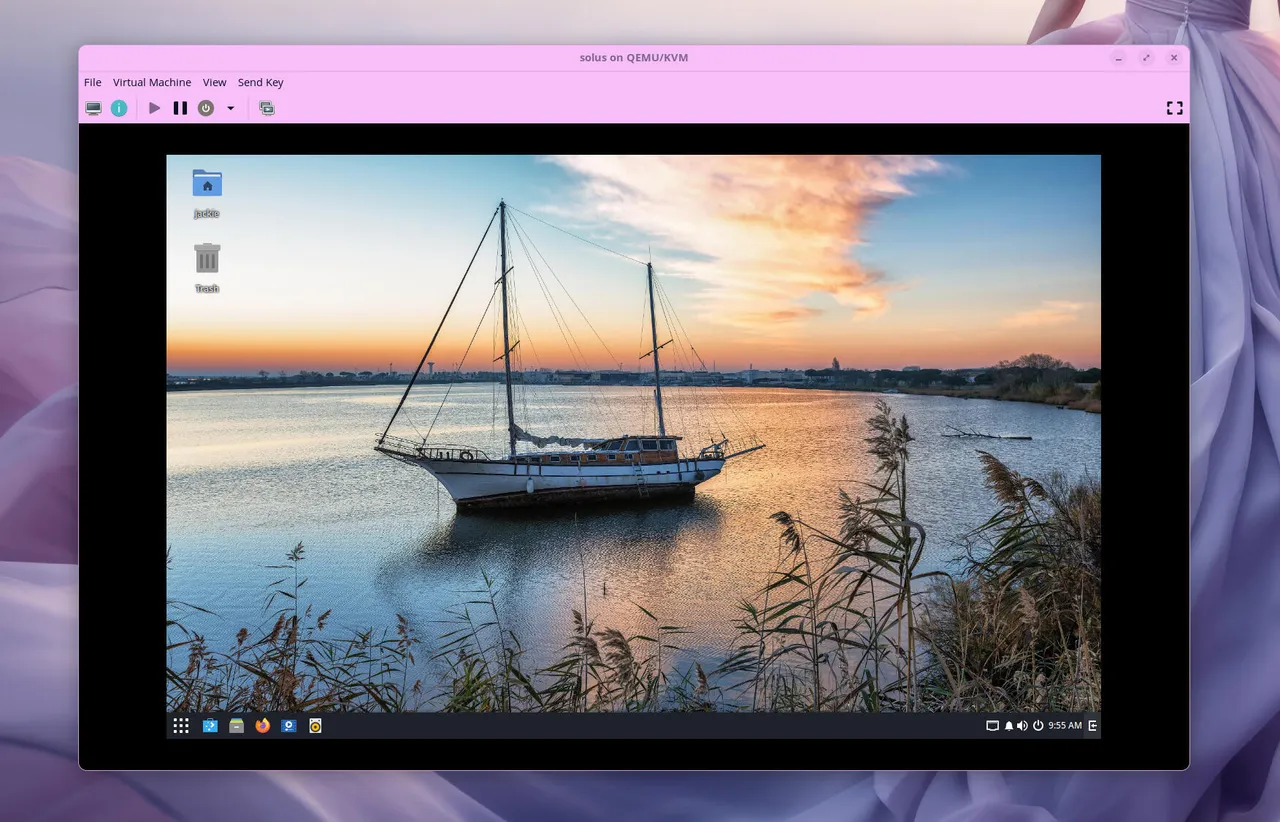
With Solus, it depends on the desktop environment you select. Even then, it doesn't quite match the beauty of Zorin OS. However (and this is a big however), some users prefer the simplicity and basicness of the Solus desktop designs. And while Zorin OS defaults to a light, airy theme, Solus leans heavily toward the darker side.
A customized Budgie desktop.
I prefer the lighter option, but I know many people who prefer dark modes. Of course, with each desktop Solus offers, you can change the theme fairly easily. Also, because Solus offers versions that include KDE Plasma and Xfce, both of which are highly customizable. I would go so far as to say that Xfce is the most customizable desktop on the market.
Advantage: Tie
This is where things get pretty simple. Although Zorin OS performs very well, you're locked into the GNOME desktop. With Solus, you can choose the Xfce version, which is much lighter and faster. Even the Budgie version of Solus feels slightly faster than Zorin OS.
Also: You can use Linux 7.0 on these 7 distros today - here's what to expect
I've tested every flavor of Solus. While the GNOME version places Solus on par with Zorin OS, the Xfce version is noticeably faster.
Advantage: Solus
Although Solus is a wonderful desktop operating system, Zorin OS edges it out thanks to its preinstalled software and aesthetics.
If you want the most user-friendly desktop Linux, go with Zorin OS. If you want a distribution that comes close but offers more customization and slightly better performance, go with Solus.
此内容由惯性聚合(RSS阅读器)自动聚合整理,仅供阅读参考。 原文来自 — 版权归原作者所有。