


4 / 5
Very good
Pros
Cons
Follow ZDNET: Add us as a preferred source on Google.
I'm on track to have spent 16 years of my life glued to my phone screen. That's what Bloom, the latest salve to phone addiction, tells me as I create my account.
16 years. According to my calculations, if I weren't attached to my phone's addictive mechanisms, I could have spent that time running 1,700 marathons, grabbing 2,900 cups of coffee with friends, or adding 1 or 2 more hours of sleep each night. Instead, I scroll.
And I'm not alone.
Also: The base model Kindle is my secret weapon against doomscrolling - and it's on sale
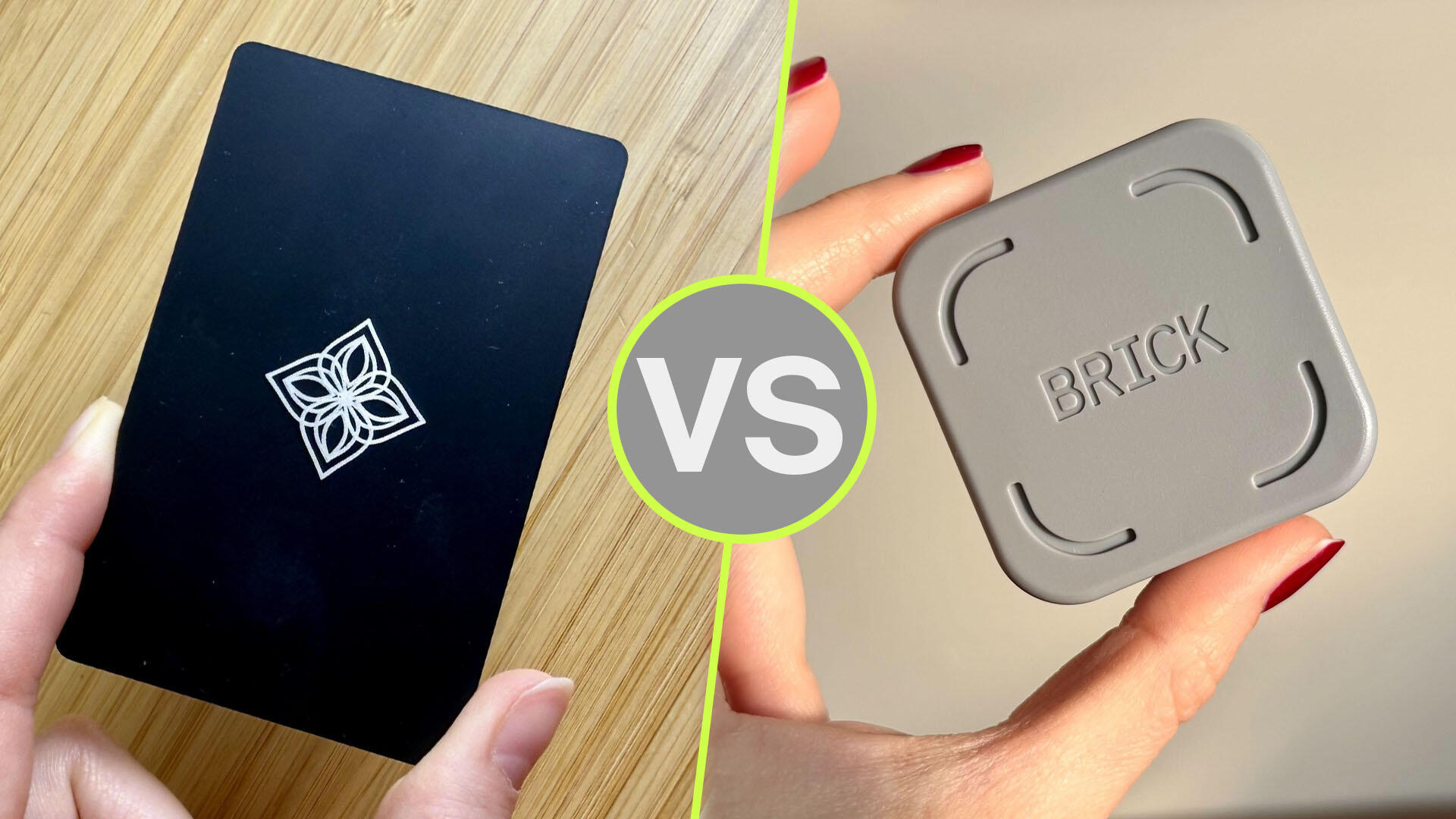
As phone addiction becomes more widespread -- and as we learn how social media keeps us addicted -- more companies are coming up with solutions. Bloom is one of those companies that, like the popular Brick, developed a tap-able NFC-enabled card that creates a physical boundary between the user and their dopamine-triggering device.
$749 (save $250)
$475 (save $175)
$499 (save $300)
$900 (save $400)
Deals are selected by the CNET Group commerce team, and may be unrelated to this article.
I've been using the Brick since last October and have found it to be a straightforward way to remove distractions as I work, leisure, and sleep. But it's not perfect. There are a few bugs, and the app is quite minimalist.
A friend of mine and fellow Brick user told me about the Bloom Card and gave me one of his own. He said it addresses some of the Brick's flaws, so I tested it out for a few weeks.
First things first: the Bloom Card is $39, whereas the Brick is $54. The better option depends on just how addicted you are to your phone, as I realized after weeks of testing.
In essence, the Bloom Card does the same thing as the Brick. You tap your phone to it, and it blocks distracting apps. The differences become more apparent in each app's software, as the hardware of an NFC-enabled card or block is practically the same. Bloom's app has a better user experience, though, with a Friends tab, for example, that incorporates social accountability.
Also: I bricked my iPhone to prevent doomscrolling - and accidentally fixed my life
You start by selecting the apps you want to block and creating disabling schedules, a process I think Bloom does better. Bloom has a dedicated tab for creating regimented schedules, with default schedules already created, so a lot of the work you'd have to do to put in these schedules on Brick is already handled for you.
For example, there's a Morning Zen schedule you can turn on from 6 a.m. to 9 a.m. that I quite like, a Deep Work schedule from 10 a.m. to noon, and a Wind Down from 6 p.m. to 9 p.m., among others.
Within each schedule, you can enable or disable certain apps. If I turn on Deep Work, I can enable social media apps during the workday (as I use them for my job) but disable messaging apps, which tend to distract me. For Wind Down, I disable social media and messaging apps.
Also: How I turned my regular tablet into a full-fledged e-reader (whether it's an iPad or Android)
Ironically, for a device that's meant to help you disengage with your phone, the app was very engaging. As I mentioned, there's a Friends tab where I can track my focus time against my friends. You can also see a Global leaderboard, where users are charting their focus for up to 458 days through Bloom. Lastly, there's the Insights feature, which displays your screen time, daily pickups, and focus time through Bloom.
Tapping my phone to the NFC card is easy and works reliably. However, an in-app error forced me to delete the app for a few days. I enabled the Morning Zen schedule one morning, and it continued to block access to my apps even after the 9 a.m. cutoff.
I did not have the Bloom Card with me to tap and enable access, so I was locked out for several hours, forcing me to delete the Bloom app to use these apps. This has happened with the Brick as well, and it seems to be a bug across these devices. When I reviewed Brick, I mentioned a similar scheduling bug.
Also: I found 4 tech gadgets that actually helped me sleep better (and ditch the alarm)
There is one thing Bloom has that Brick doesn't: breaks. Bloom allows you three five-minute breaks per session, a feature that was great at first, but I ended up abusing it every time I was in a Bloom session. It made the whole point of preventing doomscrolling counterproductive.
This could maybe help with someone who doesn't have as bad a phone addiction (or more self-control), but considering that the target audience of products like Brick and Bloom are phone-addicted people, it seems like it could further enable bad habits.
The Brick is far stricter, and I hope the Brick never offers up breaks because of the counter-productivity of this Bloom feature.
So, at $39, is the Bloom worth it? If you think you won't abuse that five-minute break feature, I'd recommend Bloom over Brick. If you are in dire need of cutting screen time, I'd go for Brick instead for its slightly stricter take and less engaging app.
Bloom does a lot of the work of building schedules for you to easily enable, but it's a bit more lenient in ways I find counterproductive for curbing a serious case of phone addiction. However, it's the cheaper option compared to Brick, so I'd still recommend it to anyone on a budget.
此内容由惯性聚合(RSS阅读器)自动聚合整理,仅供阅读参考。 原文来自 — 版权归原作者所有。